
There’s something undeniably powerful about revisiting the games of your youth. The pixelated characters, chiptune soundtracks, and tactile feel of a controller in hand can instantly transport you back to childhood afternoons spent glued to a CRT television. But today, that experience comes in two distinct forms: original retro gaming consoles and modern emulator apps. While both promise access to beloved classics, they offer vastly different paths to nostalgia. One is rooted in authenticity; the other in convenience. So which truly delivers the real nostalgic experience?
The answer isn’t as simple as “hardware wins.” It depends on what you value most—historical accuracy, emotional resonance, technical performance, or accessibility. For some, nostalgia means reliving the exact conditions under which they first played Super Mario Bros. For others, it’s simply about enjoying those same levels with fewer frustrations and more features.
The Tangible Appeal of Retro Gaming Consoles
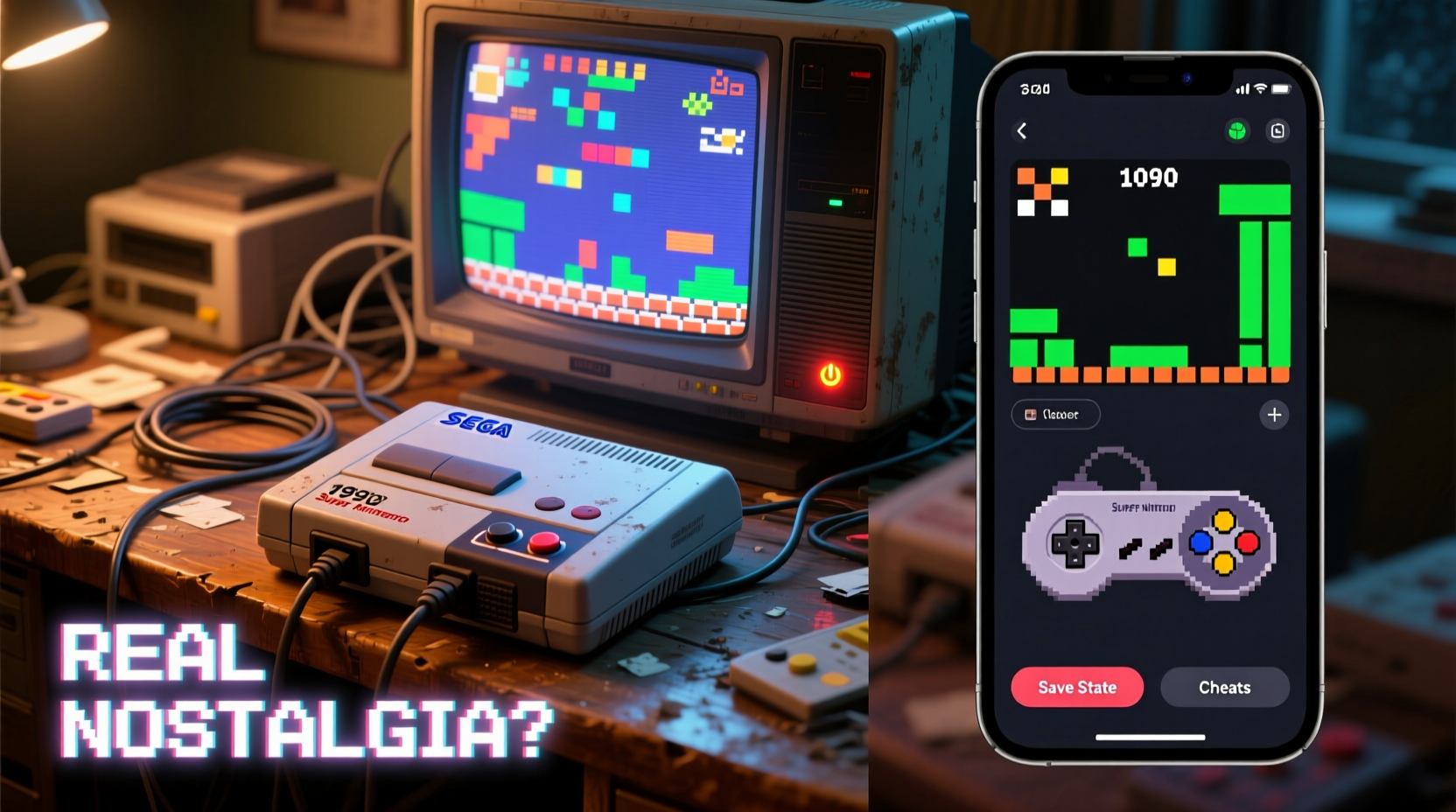
Owning a retro gaming console—be it an NES, Sega Genesis, or PlayStation 1—is more than just playing old games. It’s about engaging with history. These consoles were designed for specific televisions, lighting environments, and even room acoustics. When you power up a CRT TV and plug in a cartridge, you’re not just launching a game—you’re reconstructing a moment in time.
The physicality of retro hardware adds layers to the experience:
- Original controllers with their unique button layouts and resistance.
- Cartridge insertion rituals that trigger muscle memory.
- Startup sequences like the iconic Nintendo chime or Sega’s “Welcome to the Next Level” jingle.
- No loading screens (in most cases), preserving the immediacy of gameplay.
For purists, these details are non-negotiable. They argue that emulation strips away the soul of retro gaming by abstracting its mechanical essence into software.
“True nostalgia isn’t just seeing old graphics—it’s feeling the weight of the controller, hearing the hum of the TV, and dealing with the occasional need to blow into a cartridge.” — Marcus Tran, Vintage Game Collector & Curator at Pixel Archive Museum
Emulator Apps: Nostalgia Reimagined
On the flip side, emulator apps have made retro gaming more accessible than ever. Whether on a smartphone, PC, or handheld device like the Anbernic RG35XX, emulators replicate console behavior through software. They allow users to play hundreds of games without hunting down rare cartridges or repairing aging hardware.
Modern emulators often enhance the experience with features unavailable on original systems:
- Save states let you pause mid-level, eliminating the frustration of losing progress.
- Fast-forward helps skip repetitive sections.
- Graphics filters improve clarity while maintaining retro aesthetics.
- Customizable controls adapt classic games to touchscreens or modern pads.
These conveniences make emulation ideal for casual players or those who want to enjoy retro titles without technical hurdles. But do they preserve the spirit of the originals?
Critics argue that save states undermine challenge, and perfect performance removes the quirks that once defined these games—like flickering sprites or audio glitches that somehow became part of the charm.
Comparative Breakdown: Console vs Emulator
| Feature | Retro Console | Emulator App |
|---|---|---|
| Authenticity | ★★★★★ – Full hardware fidelity | ★★★☆☆ – Accurate but simulated |
| Accessibility | ★★☆☆☆ – Requires working hardware and media | ★★★★★ – Instant access to ROMs |
| Cost Over Time | ★★☆☆☆ – High initial cost, maintenance needed | ★★★★☆ – Low ongoing cost |
| Visual Quality | ★★★☆☆ – CRT glow, scanlines, natural blur | ★★★★☆ – Sharper, scalable, filterable |
| Nostalgic Immersion | ★★★★★ – Complete sensory environment | ★★★☆☆ – Depends on setup |
| Convenience | ★☆☆☆☆ – Bulky, limited portability | ★★★★★ – Play anywhere, anytime |
This comparison reveals a fundamental trade-off: authenticity versus usability. If your goal is emotional reconnection with the past, the retro console may be superior. But if you seek enjoyment of classic design without friction, emulators win hands-down.
A Real Example: Sarah’s Journey Back to Zelda
Sarah, a 34-year-old graphic designer, hadn’t touched a video game since high school. After finding her old NES buried in her parents’ attic, she decided to revisit *The Legend of Zelda*. She cleaned the cartridge, connected the system to a vintage tube TV, and booted it up. The screen flickered. The audio crackled. She had to blow into the cartridge three times before it worked.
Yet when the overworld theme began to play, she paused—not out of frustration, but emotion. “It sounded exactly how I remembered,” she said. “Not just the music, but the way the screen glowed, the echo in the room… it brought back my brother sitting beside me, shouting advice.”
A month later, she downloaded an NES emulator on her tablet. The game loaded instantly. She used a save state after every dungeon. The colors were crisper. But something felt off. “It was easier, sure,” she admitted. “But it didn’t *feel* like remembering anymore. It felt like playing a copy.”
Sarah now keeps her NES set up in her living room for weekend use. During commutes, she uses the emulator—but only for quick sessions. Her story illustrates how both platforms serve different emotional needs.
How to Choose: A Step-by-Step Guide
Deciding between a retro console and an emulator app doesn’t have to be all-or-nothing. Many enthusiasts blend both approaches. Here’s a practical guide to help you determine the right balance:
- Define your primary goal: Are you chasing authentic memories or convenient fun?
- Assess your budget: Original consoles in working condition can cost $100–$300+, plus accessories. Emulators are nearly free.
- Consider space and setup: Do you have room for a dedicated gaming corner with a CRT? Or do you prefer mobility?
- Evaluate technical comfort: Can you troubleshoot RF switches, composite cables, and region locks? If not, emulation is simpler.
- Test both options: Try an emulator first to rediscover interest. If you find yourself emotionally engaged, consider investing in hardware.
- Hybrid approach: Use emulators for discovery and practice, then replay favorites on original hardware for deeper immersion.
Expert Insight: What Preservation Really Means
Digital preservation has become a major concern in gaming culture. As cartridges degrade and motherboards fail, entire libraries risk being lost forever. Emulation plays a crucial role in archiving these works.
“Without emulators, we’d lose access to thousands of games that no longer exist in playable form. But preservation isn’t just about keeping bits alive—it’s about documenting context.” — Dr. Lena Patel, Digital Archivist at the Interactive Media Foundation
She emphasizes that true preservation includes recording how games were played—their cultural setting, technical limitations, and social impact. This supports a dual approach: using emulators for accessibility and education, while maintaining original hardware for experiential study.
Frequently Asked Questions
Is emulation legal?
Emulating a console is generally legal, but downloading copyrighted ROMs without owning the original game is not. Some developers release games officially for emulation (e.g., Nintendo Switch Online), which is fully licensed.
Can emulators perfectly replicate original consoles?
High-end emulators like higan and Mesen achieve near-perfect accuracy through cycle-level simulation. However, subtle timing differences, analog signal behavior, and peripheral interactions may still differ slightly from real hardware.
Why do some people prefer CRT TVs for retro gaming?
CRTs produce natural scanlines, low input lag, and motion blur that match how games were designed. Modern LCDs often introduce sharpening, interpolation, or lag that alter the intended look and feel—even when running via emulator.
Checklist: Building Your Ideal Retro Experience
- ☐ Decide whether authenticity or convenience is your priority
- ☐ Research available retro consoles and emulator platforms
- ☐ Set a realistic budget for hardware, cables, and displays
- ☐ Test emulator apps with public domain or legally owned ROMs
- ☐ Source original games responsibly (buy used, avoid piracy)
- ☐ Consider adding a CRT or upscaler based on desired visual style
- ☐ Document your journey—photos, notes, or videos deepen the nostalgic effect
Conclusion: Nostalgia Is Personal—Choose What Resonates
In the debate between retro gaming consoles and emulator apps, there is no universal winner. The “real” nostalgia depends entirely on what you’re seeking. If you long for the sensory totality—the startup sounds, the texture of worn plastic, the imperfections of aging tech—then original hardware offers an irreplaceable connection. But if your nostalgia is tied more to game design, music, and story, emulators deliver those elements with unmatched ease and flexibility.
Ultimately, both formats honor the legacy of classic gaming. One preserves the vessel; the other ensures the content lives on. You don’t have to choose one forever. Many collectors start with emulation, reignite their passion, and eventually build full retro setups. Others embrace hybrid solutions—using save states to master difficult games, then replaying them on original hardware for emotional closure.




 浙公网安备
33010002000092号
浙公网安备
33010002000092号 浙B2-20120091-4
Comments
No comments yet. Why don't you start the discussion?