
For many gamers, revisiting classic titles isn’t just about replaying old favorites—it’s about reliving memories. The pixelated graphics, chiptune soundtracks, and tactile feedback of vintage controllers evoke a powerful sense of nostalgia. But when it comes to experiencing retro games today, players face a critical choice: use original hardware or rely on modern emulators? Each option offers distinct advantages, but only one can claim true authenticity. Understanding the nuances between retro gaming consoles and emulators is essential for anyone seeking not just gameplay, but emotional resonance.
The Physical Experience: Why Hardware Matters
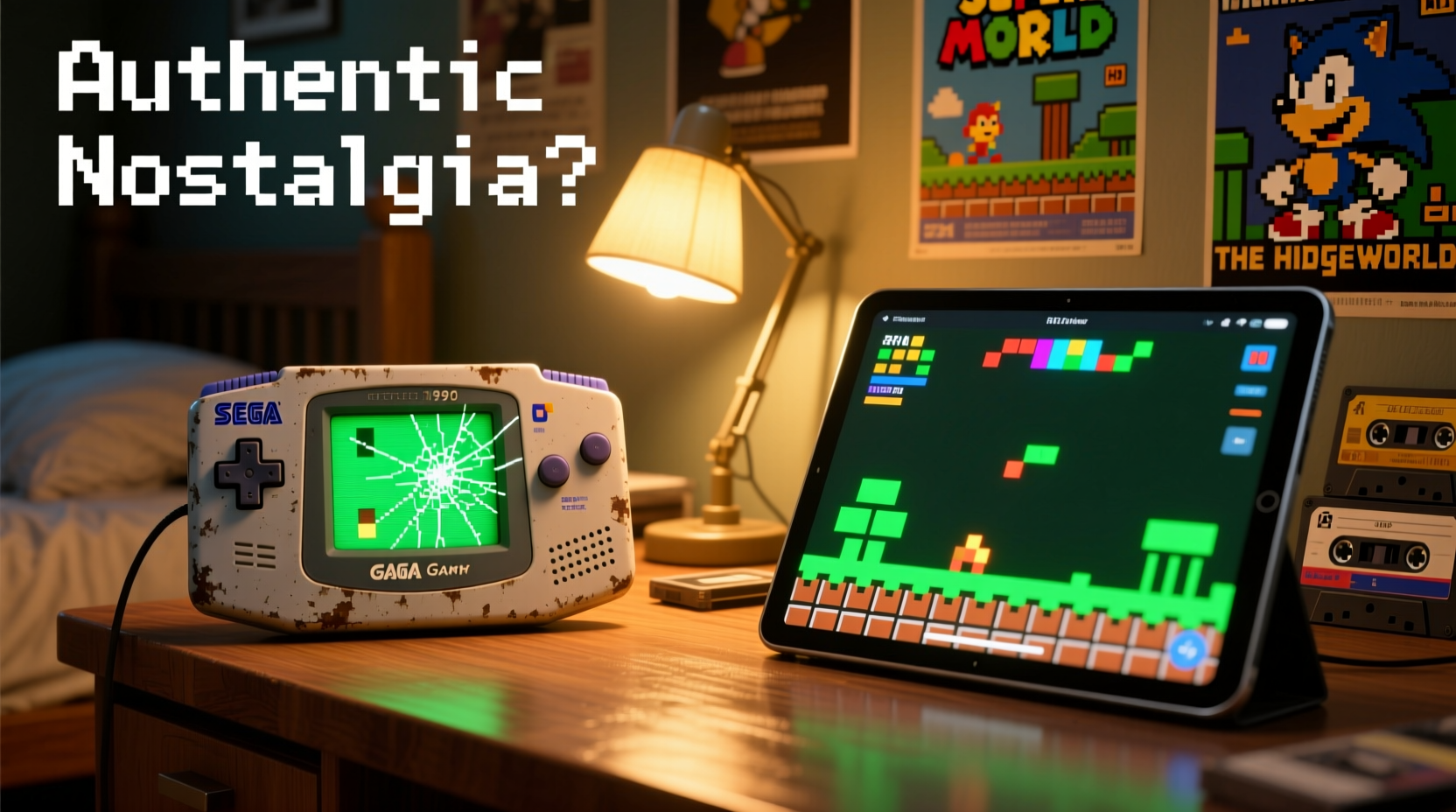
There’s an undeniable magic in powering up a genuine Nintendo Entertainment System, Sega Genesis, or Super Nintendo. The weight of the cartridge sliding into place, the mechanical click of the power switch, the warm hum of aging circuitry—these sensory cues are inseparable from the experience of playing retro games in their intended form.
Original consoles provide more than visual and auditory fidelity; they deliver physical continuity with the past. Holding a controller with worn rubber buttons, feeling its heft in your hands, and navigating menus through actual cartridges or discs grounds the experience in reality. This tangible interaction triggers deeper memory recall, often transporting players back to childhood living rooms or basement arcades.
Moreover, retro consoles operate under real hardware limitations. Sprite flickering, audio channel conflicts, and frame rate drops weren’t bugs—they were part of the era’s design language. Emulating these quirks perfectly requires meticulous software engineering, and even then, subtle differences remain. True purists argue that without encountering these imperfections organically, the experience loses some of its soul.
Modern Emulation: Convenience Meets Precision
Emulators have evolved from niche hobbyist tools into polished, accessible platforms capable of replicating nearly every major retro system with astonishing accuracy. Software like RetroArch, Dolphin (for GameCube/Wii), and Project64 offer features far beyond what original hardware could achieve: save states, rewind functionality, HD upscaling, and netplay for multiplayer across continents.
These enhancements solve practical problems. No more blowing into cartridges to fix connection issues. No need to hunt down rare hardware or maintain aging components. With a single device—a PC, Raspberry Pi, or dedicated handheld like the Anbernic RG552—you can access thousands of games instantly.
High-end emulators now support cycle-accurate emulation, meaning they simulate CPU operations at the same timing as original systems. This level of precision ensures near-perfect compatibility and behavior replication. For example, higan (now bsnes) uses component-level simulation to mirror the exact electrical signals within a SNES, making it indistinguishable from original hardware in most cases.
“Cycle accuracy isn’t just technical overkill—it’s preservation. We’re not just running old games; we’re recreating the environment they were born in.” — Dr. Lena Torres, Digital Archivist at the Video Game History Foundation
Advantages of Emulation
- Accessibility: Play rare or expensive games without purchasing costly originals.
- Enhancements: Widescreen patches, texture packs, and improved audio filters modernize classics.
- Portability: Carry entire libraries on compact devices.
- Preservation: Safeguard games against physical degradation.
A Comparative Analysis: Console vs Emulator
| Factor | Retro Console | Modern Emulator |
|---|---|---|
| Authenticity of Feel | ★★★★★ | ★★★☆☆ |
| Visual Accuracy (on CRT) | ★★★★★ | ★★★★☆ |
| Audio Fidelity | ★★★★★ | ★★★★☆ |
| Input Lag | ★★★★☆ | ★★★☆☆ (varies by setup) |
| Convenience & Accessibility | ★★☆☆☆ | ★★★★★ |
| Customization Options | ☆☆☆☆☆ | ★★★★★ |
| Maintenance Required | High (cleaning, repairs) | Low |
| Cost Over Time | High (hardware, accessories) | Low to Moderate |
This comparison reveals a clear trade-off: authenticity versus convenience. While emulators excel in flexibility and long-term usability, retro consoles offer unmatched immersion through physical presence and unaltered performance.
Case Study: Replaying “The Legend of Zelda: A Link to the Past”
Consider Mark, a 38-year-old gamer who grew up playing the Super Nintendo. He recently decided to replay *A Link to the Past* after two decades. He had two options: boot up his original SNES connected to a restored CRT TV or load the ROM on his Steam Deck via Snes9x.
With the original console, Mark experienced familiar delays during startup, noticed slight color bleeding on the screen, and appreciated how the map unfolded gradually as he explored Hyrule. The controller’s directional pad felt slightly stiff—just like it did when he was twelve. These imperfections anchored him emotionally.
On the emulator, he enjoyed crisp 1080p visuals, saved mid-dungeon, and used a rewind function after falling into pits. While technically superior, the experience felt sanitized. “It played better,” he admitted, “but I didn’t *feel* anything.”
This illustrates a key insight: nostalgia isn’t purely about gameplay mechanics. It’s tied to context—the room, the lighting, the sounds of the machine warming up, even the occasional glitch. Emulators optimize performance but may strip away the incidental textures that make memories vivid.
Building the Ideal Nostalgia Setup: A Step-by-Step Guide
For those torn between authenticity and practicality, a hybrid approach often works best. Follow this timeline to create a balanced retro gaming environment:
- Week 1: Assess Your Collection
Inventory all original consoles, games, and accessories. Identify working units and prioritize restoration if needed (e.g., cleaning cartridge slots). - Week 2: Source a CRT Television
Look for Sony Trinitron, Panasonic, or other high-quality tube TVs. Test them with your console to ensure proper sync and minimal lag. - Week 3: Set Up Emulation for Backup
Install RetroArch on a secondary device. Rip your legally owned cartridges using tools like Retrode or EverDrive for backup purposes only. - Week 4: Calibrate Display Settings
Use test ROMs to adjust aspect ratio, scanlines, and refresh rates so emulated output mimics CRT behavior. - Ongoing: Rotate Usage
Play primary sessions on original hardware. Use emulation for travel, quick replays, or games you no longer own physically.
Checklist: Maximizing Authentic Nostalgia
- ✅ Use original controllers whenever possible
- ✅ Connect retro consoles to CRT displays for accurate visuals
- ✅ Maintain clean cartridges and console contacts
- ✅ Avoid upscaling filters during authentic playthroughs
- ✅ Keep ambient lighting similar to your childhood gaming environment
- ✅ Pair gameplay with period-appropriate snacks or music
- ✅ Record short reflections after each session to deepen emotional connection
Frequently Asked Questions
Is emulation legal?
Emulation itself is legal. However, downloading copyrighted ROMs without owning the original game violates intellectual property laws. Creating backups of games you physically own falls into a legal gray area and varies by jurisdiction. Always check local regulations and consider supporting re-releases or compilations when available.
Can modern hardware replicate the latency of old systems?
Yes, but only under optimal conditions. High-refresh monitors, optimized drivers, and low-latency input pipelines can reduce delay to near-original levels. However, signal processing in modern TVs often introduces 20–100ms of lag. Using CRTs or specialized displays like the OSSC (Open Source Scan Converter) preserves timing integrity.
Why do some emulated games feel “off” even when they look perfect?
Beyond visual accuracy, subtle factors affect perception: audio synchronization, controller responsiveness, menu animation speed, and even loading times. If any element deviates—even slightly—from the original timing, the brain detects inconsistency. Cycle-accurate emulators minimize this, but user configuration plays a crucial role.
Conclusion: Balancing Heart and Technology
The debate between retro gaming consoles and modern emulators ultimately hinges on intent. If your goal is flawless performance, broad accessibility, and enhanced visuals, emulators are the clear winner. They democratize access to gaming history and protect fragile media from decay.
But if you seek genuine nostalgia—if you want to close your eyes and hear the whir of a PlayStation disc spinning up, feel the resistance of a Game Boy Advance shoulder button, or smell the faint ozone scent of a powered-on NES—then original hardware remains irreplaceable. These sensations are not bugs or flaws; they are landmarks in personal history.
The most fulfilling path lies in balance. Preserve and celebrate original systems as cultural artifacts while embracing emulation as a tool for sustainability and innovation. Let the console be your ritual, the emulator your companion. In doing so, you honor both the past and the future of gaming.




 浙公网安备
33010002000092号
浙公网安备
33010002000092号 浙B2-20120091-4
Comments
No comments yet. Why don't you start the discussion?