
For fans of classic games, the debate between retro gaming handhelds and emulator apps isn’t just about convenience—it’s about authenticity. Whether reliving childhood memories or discovering vintage titles for the first time, players want an experience that feels true to the original. But what defines \"authentic\"? Is it the tactile feedback of physical buttons, the pixel-perfect rendering of CRT-style displays, or the ability to play exactly as gamers did in the '90s?
The answer depends on how you define authenticity: is it accuracy in gameplay and visuals, or the full sensory and emotional context of playing on original hardware? This article breaks down both sides—dedicated retro handhelds like the Analogue Pocket, Retroid Pocket, and Nintendo’s own Classic Game & Watch series, versus mobile and PC-based emulator apps such as RetroArch, My Boy!, and Delta—to help you understand which option delivers a more genuine retro experience.
The Case for Retro Gaming Handhelds
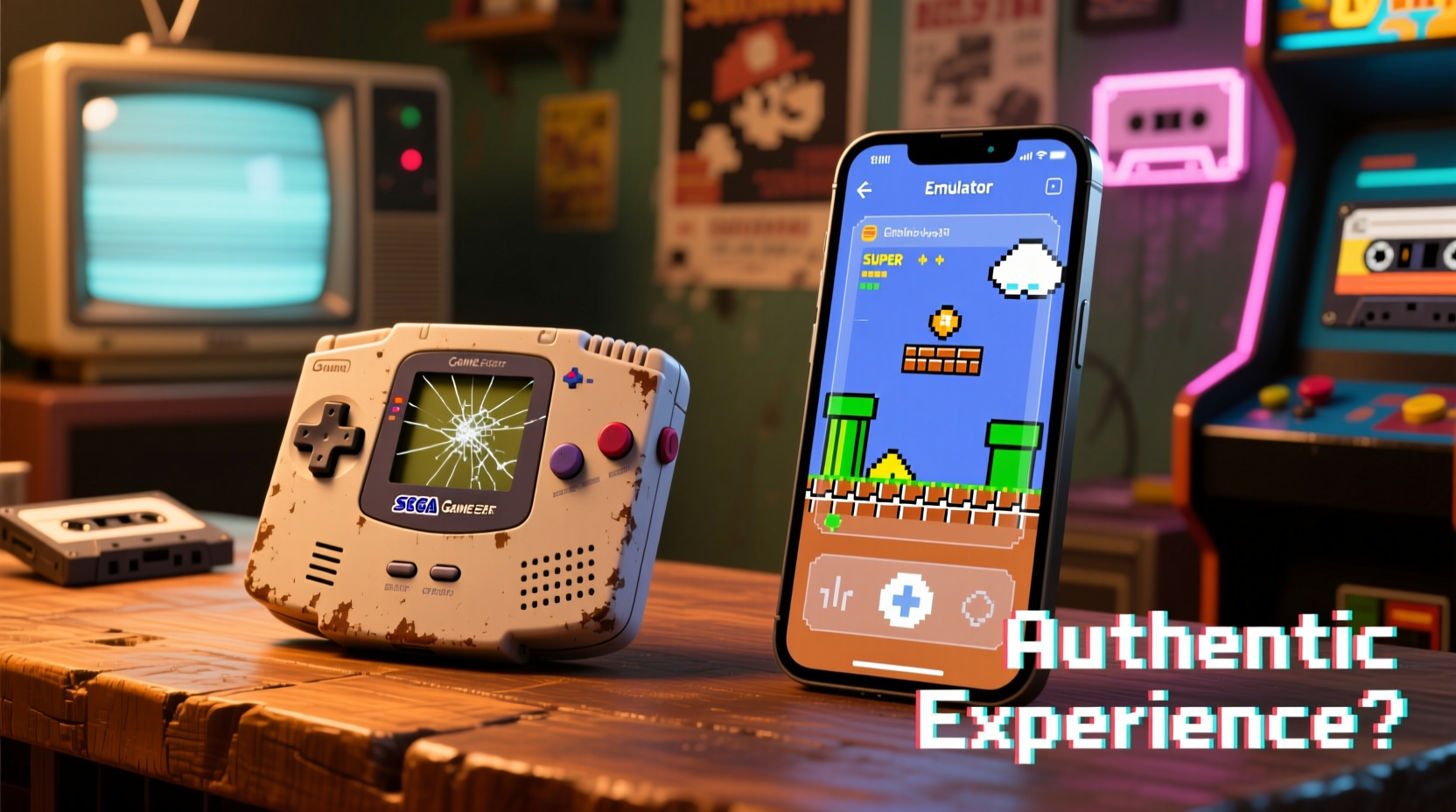
Dedicated retro handhelds are designed with one goal: to replicate the feel and function of classic systems using modern technology. Devices like the Analogue Pocket, PowKiddy RGB30, or Anbernic RG35XX offer FPGA-based emulation or software emulation running on custom firmware, often paired with high-resolution screens and carefully engineered button layouts.
These units go beyond mere functionality—they aim to recreate the form factor, weight, and even sound design of vintage consoles. Many support original cartridges through adapters or built-in slots, allowing users to load ROMs directly from physical media. For purists, this connection to tangible history adds emotional depth that software alone can't match.
FPGA (Field Programmable Gate Array) technology, used in devices like the Analogue Pocket, processes game logic at the hardware level rather than simulating it via software. This means timing, audio sync, and frame pacing closely mirror the original system behavior, resulting in near-perfect replication of titles across platforms like Game Boy, Game Gear, and even Sega Genesis.
Emulator Apps: Convenience Meets Customization
On the other side of the spectrum are emulator apps—software programs that simulate console hardware on smartphones, tablets, or PCs. These range from open-source powerhouses like RetroArch to streamlined options like Delta (iOS) or My Boy! (Android), each offering varying degrees of performance and customization.
Modern emulators have advanced far beyond early attempts. They now feature save states, rewind functions, texture upscaling, dynamic resolution scaling, and customizable control schemes. Some even integrate online multiplayer for games originally limited to local co-op.
However, while these features enhance usability, they also distance the experience from the original. Rewinding time after dying in *Super Mario Land* removes the tension and consequence that defined those moments. High-definition filters may improve clarity but distort the intended aesthetic of pixel art crafted for tiny, low-resolution screens.
Still, emulator apps win in accessibility. With minimal setup, users can access entire libraries of ROMs instantly. Cloud syncing allows seamless transitions between devices. And touch-screen overlays make portable play possible without carrying extra hardware.
“Emulation has preserved thousands of games that would otherwise be lost. But preservation isn’t just about data—it’s about context.” — Dr. Lena Torres, Digital Archivist & Game Historian
Authenticity Breakdown: Key Factors Compared
To determine which platform offers a more authentic experience, several elements must be evaluated objectively:
- Input Lag & Responsiveness: How quickly does the device respond to button presses?
- Visual Fidelity: Does the display reflect original color palettes and screen behavior?
- Audio Accuracy: Are chiptune tracks and sound effects reproduced faithfully?
- Control Layout: Do physical buttons mimic the ergonomics of original hardware?
- Game Loading Method: Is there a ritual involved—inserting a cartridge, flipping a switch?
- Nostalgia Factor: Does the overall experience evoke the same emotions as playing decades ago?
| Factor | Retro Handheld | Emulator App |
|---|---|---|
| Input Lag | Low (hardware-tuned) | Variable (depends on device/emulator) |
| Screen Quality | Sharp LCD with optional CRT shaders | Depends on phone/tablet; often too bright/crisp |
| Sound Reproduction | FPGA or cycle-accurate emulation | Generally accurate, but sometimes compressed |
| Controls | Physical buttons, directional pads | Touchscreen overlay or Bluetooth controllers |
| ROM Source | Cartridges or SD cards (user-loaded) | Downloaded files (often shared illegally) |
| Custom Features | Limited (save states, some filters) | Rich (rewind, fast forward, HD upscaling) |
| Nostalgic Feel | High (form factor, startup sequence) | Low (feels like any other app) |
As shown, retro handhelds consistently score higher in factors tied to sensory fidelity and emotional resonance. Emulator apps excel in flexibility and modern enhancements—but often at the cost of historical integrity.
A Real Example: Playing Pokémon Red in 2024
Consider someone revisiting *Pokémon Red* for the first time since childhood. On a retro handheld like the Analogue Pocket, the experience begins with inserting the original Game Boy cartridge. The greenish tint of the IPS screen mimics the original’s monochrome display. Button presses produce subtle tactile clicks. There’s no home screen distraction—just boot-up music and the iconic title screen.
In contrast, launching the same game via an Android emulator involves navigating folders, selecting a ROM file, calibrating touch controls, and dealing with potential ads or background app interruptions. While you can apply shader filters to simulate scanlines or enable instant saving, the immersion breaks when a notification pops up mid-battle.
One user described the difference: “When I played on my Retroid Pocket, I forgot I was using modern tech. It felt like I was ten again, hunched over my Game Boy under the covers with a flashlight. The emulator was fun, but it never made me feel anything.”
Step-by-Step Guide: Choosing Your Authentic Experience
Deciding between a retro handheld and an emulator app doesn’t need to be arbitrary. Follow this decision-making process to align your choice with your values:
- Define Your Goal: Are you seeking nostalgia, technical accuracy, or casual replayability?
- Evaluate Budget: Retro handhelds range from $80 (Anbernic RG35XX) to $220 (Analogue Pocket). Emulator apps are often free or under $10.
- Assess Game Library Needs: Do you own original cartridges? If not, sourcing legal ROMs becomes a hurdle for handhelds relying on physical media.
- Test Input Preference: Try playing a few minutes of a classic game using touchscreen controls. If you dislike virtual buttons, a dedicated handheld is likely better.
- Check Portability Requirements: Need something pocket-sized? The Analogue Pocket fits easily. Want to play on a large screen? Emulators on tablets or hooked to TVs may suit you better.
- Consider Longevity: Well-built retro handhelds last years with proper care. Emulator apps depend on OS updates and developer maintenance.
- Make a Trial Run: Use a reputable emulator on your phone first. If you crave better controls and visuals, invest in hardware afterward.
Expert Insight: Why Hardware Matters
Preservationists argue that playing games on original-spec hardware—or close approximations—is essential for understanding gaming history. Software emulation, while powerful, can introduce inaccuracies due to abstraction layers.
“To truly appreciate how a game was meant to be played, you need to respect its technical constraints. Frame drops, sprite flicker, audio popping—those weren’t bugs; they were part of the design language.” — Mark Chen, Curator at the Museum of Video Game History
This philosophy drives the FPGA movement. Unlike traditional emulation, which interprets machine code through software, FPGA reconfigures silicon to behave like the original processor. The result? Cycle-level precision that affects everything from collision detection to music tempo.
For example, in *Tetris DX*, the speed curve increases every ten lines. On inaccurate emulators, slight timing drifts can throw off the rhythm, making later levels feel faster or slower than intended. FPGA-based handhelds avoid this by replicating the exact clock speed of the original Game Boy CPU.
FAQ
Can emulator apps be as accurate as retro handhelds?
Some high-end emulators (like those in RetroArch with LLE plugins) achieve near-perfect accuracy, especially on powerful PCs. However, mobile versions often sacrifice precision for performance. True cycle accuracy remains rare outside FPGA or specialized desktop setups.
Are retro handhelds worth the price compared to free emulators?
If authenticity, build quality, and long-term enjoyment matter to you, yes. Think of them as premium tools for enthusiasts—similar to vinyl records versus streaming. You’re paying for craftsmanship, not just functionality.
Do retro handhelds support all old games?
Most support major systems like NES, SNES, Game Boy, Genesis, and GBA via BIOS files or direct loading. Niche or region-specific cartridges may require additional configuration. Always check compatibility before purchasing.
Final Verdict: Which Offers More Authenticity?
When measuring authenticity—not convenience, not features, but the closeness to the original experience—dedicated retro gaming handhelds hold a clear advantage. Their combination of physical design, responsive controls, accurate audiovisual output, and cartridge-based gameplay creates a holistic recreation of the past.
Emulator apps serve a vital role in accessibility and experimentation. They allow new generations to discover classics and provide tools for deep analysis, modding, and speedrunning. But their strength lies in enhancement, not preservation.
If your priority is feeling what it was like to play *The Legend of Zelda: Link’s Awakening* on a rainy afternoon in 1993—with dim lighting, battery anxiety, and the satisfying click of the A button—then a retro handheld delivers that moment more completely.
Conclusion
The choice between retro gaming handhelds and emulator apps ultimately reflects your relationship with gaming history. For casual replay, emulators offer unmatched convenience. But for those who cherish the texture of nostalgia—the weight of a device in hand, the glow of a screen tuned to mimic aging pixels, the ritual of powering on a system—nothing substitutes the craftsmanship of a well-designed retro handheld.
Whether you're rediscovering your youth or exploring retro titles for the first time, consider starting with an emulator to sample the library, then investing in a handheld to truly live the experience. Authenticity isn’t just about pixels and sound waves—it’s about presence.




 浙公网安备
33010002000092号
浙公网安备
33010002000092号 浙B2-20120091-4
Comments
No comments yet. Why don't you start the discussion?