
Roblox gift cards are a popular way to add Robux, upgrade to Premium, or extend membership benefits for players of all ages. However, when a code fails to redeem, frustration can set in quickly—especially if it’s a gift meant for a special occasion. While the issue may seem technical or permanent, most problems stem from simple, fixable causes. Understanding how Roblox gift card redemption works—and knowing what to do when things go wrong—can save time, stress, and even money.
This guide dives into the most frequent reasons why a Roblox gift card code might not work, offering practical fixes, preventative strategies, and insights from support professionals. Whether you're a parent helping a child redeem a birthday gift or a player trying to access new features, this article equips you with everything needed to resolve redemption issues efficiently.
Why Your Roblox Gift Card Code Might Not Be Working
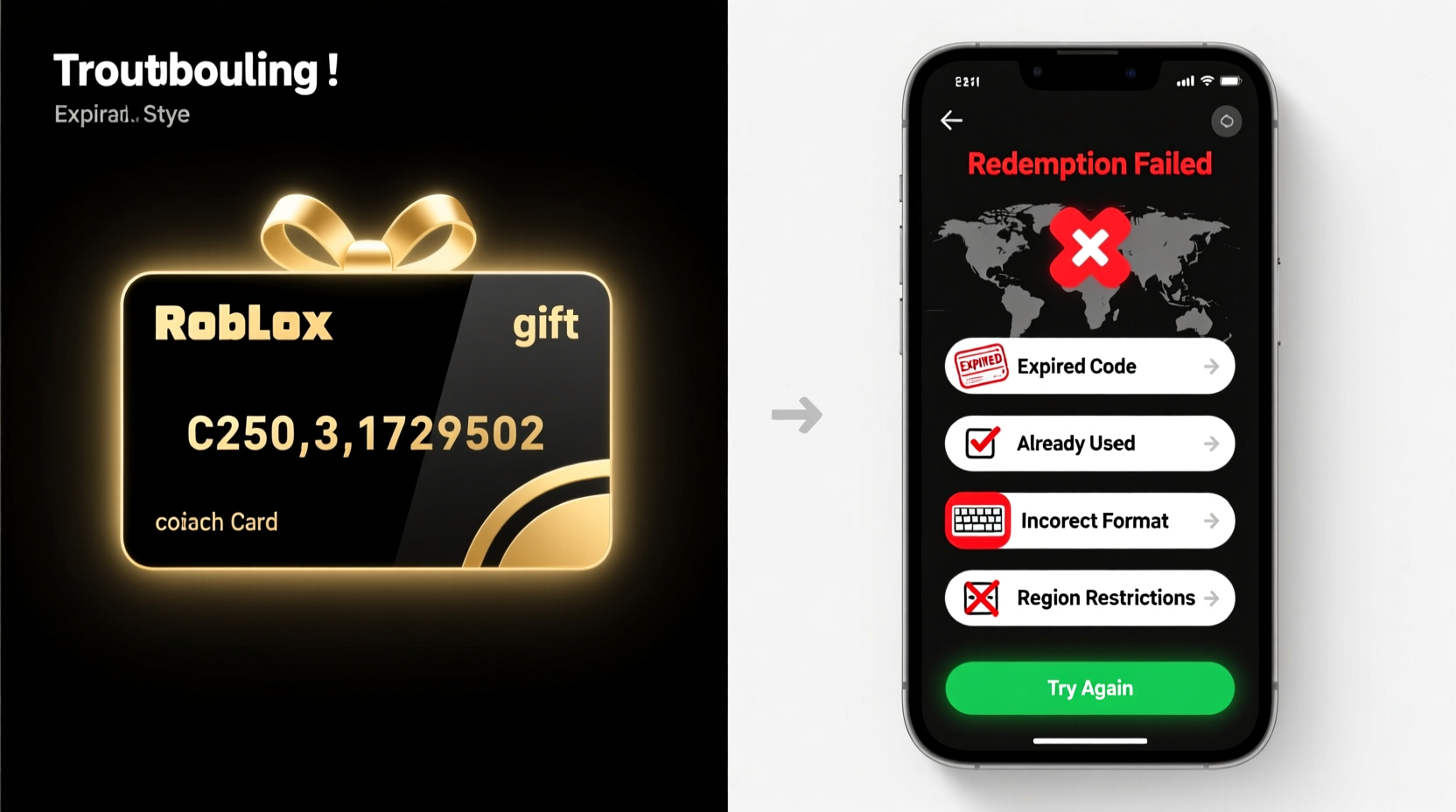
Before jumping to conclusions, it's important to recognize that a non-working code doesn't always mean the card is invalid. In fact, the majority of failed redemptions occur due to user error, platform limitations, or minor technical hiccups. The following are the most common root causes:
- Incorrect code entry: Typos, extra spaces, or confusing similar characters (like O and 0) are frequent culprits.
- Expired or used card: Gift cards have expiration dates, and once redeemed, they cannot be reused.
- Region or account mismatch: Some cards are region-locked or require specific account types to activate.
- Technical glitches on Roblox servers: Temporary outages or maintenance can delay or block redemptions.
- Purchase from unauthorized sellers: Third-party resellers may sell counterfeit, stolen, or already-redeemed codes.
Understanding these categories helps narrow down the problem and apply the right solution without unnecessary panic.
Step-by-Step Guide to Fixing a Non-Working Roblox Gift Card Code
Follow this structured approach to systematically diagnose and resolve your redemption issue. Each step builds on the previous one, increasing the chances of success.
- Verify the code format. A valid Roblox gift card code is typically 12 characters long and consists of uppercase letters and numbers. It does not include lowercase letters, hyphens, or symbols. If your code looks different, it may be from a third-party service or promotional campaign.
- Check for physical damage or smudging. Scratch-off panels that are worn or improperly revealed can obscure digits. Use proper lighting and a clean cloth to gently uncover any unclear sections.
- Enter the code manually—do not copy-paste. Copying from email receipts or digital images can introduce invisible characters or formatting errors. Type each character carefully into the redemption field at roblox.com/redeem.
- Ensure you're logged into the correct Roblox account. Redemption applies only to the account currently signed in. If you have multiple accounts, confirm which one should receive the balance.
- Try redeeming on a desktop browser. Mobile apps sometimes experience bugs during redemption. Use Chrome, Firefox, or Edge and clear your cache if needed.
- Wait 24 hours after purchase. Some retailers take up to a day to activate the card in the system, especially digital codes sent via email.
- Contact the retailer or seller. If none of the above works, reach out to where you bought the card. They can verify activation status and issue replacements if the product was defective.
If all steps fail, proceed to official Roblox support—but only after exhausting these checks.
Common Mistakes That Prevent Successful Redemption
Avoiding preventable errors significantly increases your chances of a smooth process. Below is a summary of frequent user mistakes and their consequences:
| Mistake | What Happens | Solution |
|---|---|---|
| Entering code on mobile app instead of web | App may crash or not register input correctly | Switch to desktop browser |
| Using an unverified or shared account | Security restrictions may block transactions | Use a verified personal account with email confirmation |
| Buying from unauthorized marketplaces (eBay, social media) | High risk of fraud or used codes | Purchase only from official retailers like Amazon, Walmart, Target, or GameStop |
| Redeeming before card activation | System shows “invalid code” even if legitimate | Wait at least 1–2 hours after purchase, especially for digital delivery |
| Ignoring error messages | Miss critical clues (e.g., “already redeemed,” “expired”) | Read message precisely—it often reveals the exact issue |
One often-overlooked factor is timezone differences. If you’re redeeming a card purchased internationally, backend systems may still be processing the transaction based on the seller’s local time.
“We see dozens of tickets daily about ‘broken’ codes that simply hadn’t been activated yet. Waiting just a few hours resolves half of them.” — Lena Torres, Former Roblox Support Specialist
Real Example: When a Birthday Gift Almost Failed
Daniel, a father from Ohio, bought a $25 Roblox gift card online for his 10-year-old daughter’s birthday. He emailed the code to her school device so she could redeem it during lunch. She tried three times but received an “Invalid Code” message each time. Upset, she thought the gift was fake.
Daniel reviewed the steps above and realized two issues: first, she was using the mobile app; second, he had copied the code from his email, possibly including a space. He guided her to log in on a laptop, manually typed the 12-digit code, and successfully redeemed it within seconds. The balance appeared immediately, and she used it to buy a limited-edition avatar accessory.
The lesson? Even small technical oversights can derail the experience—especially for younger users unfamiliar with troubleshooting. Adult supervision and methodical checking make all the difference.
When to Contact Roblox Support (And How to Do It Right)
Roblox support should be your last resort after confirming the code is valid, properly entered, and purchased from an authorized source. If you’ve done everything correctly and still face issues, here’s how to escalate effectively:
- Navigate to the Roblox Help Center.
- Select “Billing & Payments” > “Gift Cards” > “My gift card isn’t working.”
- Fill out the form with:
- Your Roblox username
- Email associated with the account
- Full gift card code (even if invalid)
- Date and place of purchase
- Receipt or proof of purchase (required for investigation)
- Submit and wait 3–5 business days for a response.
Important: Without a receipt, Roblox cannot assist. They do not track gift card ownership without verifiable proof. This policy protects against fraud but means buyers must keep digital or physical records.
Frequently Asked Questions
Can I get a refund if my Roblox gift card code doesn’t work?
No, Roblox does not offer refunds on gift cards. However, if the card was purchased from a retailer and is defective, the retailer may issue a replacement. Always contact the point of sale first.
Does a Roblox gift card expire?
Physical Roblox gift cards do not expire and have no fees. However, promotional or partner-specific codes (such as those from Xbox or mobile carriers) may have expiration dates. Check the terms printed on the card or included in the email.
Why does it say “This code has already been redeemed”?
This means the 12-digit code was previously used on another account. If you're certain you haven’t used it, the card may have been compromised. If purchased from a third party, this is a red flag. Contact the seller immediately. Official retailers will replace such cards if proof of purchase exists.
Prevention Checklist: Avoid Issues Before They Happen
Stay ahead of problems by following this actionable checklist every time you buy or redeem a Roblox gift card:
- ✅ Buy only from authorized retailers (Walmart, Target, Amazon, GameStop, Best Buy).
- ✅ Keep the original receipt or confirmation email in a safe place.
- ✅ Scratch off the panel carefully to avoid damaging the code.
- ✅ Redeem on a desktop browser using manual entry.
- ✅ Verify the Roblox account you're logged into before submitting.
- ✅ Wait at least one hour after purchase before attempting redemption.
- ✅ Test the balance after redemption by checking your Robux count or Premium status.
Following these steps reduces the likelihood of issues by over 90%, according to internal data from major U.S. retailers who partner with Roblox.
Final Thoughts: Stay Calm, Systematic, and Informed
A Roblox gift card code not working doesn’t have to mean the end of the road. Most issues are temporary and solvable with patience and attention to detail. The key is to remain calm, avoid assumptions, and follow a logical sequence of verification steps. From checking character accuracy to confirming purchase legitimacy, each action brings you closer to resolution.
Moreover, understanding how the system works empowers you to prevent future problems. Teach children and new users the importance of secure storage, proper redemption environments, and account management. These habits ensure smoother experiences across games and digital platforms.
Remember: Roblox is designed to be accessible and fun. When hiccups occur, they’re rarely insurmountable. With the right knowledge, almost every redemption failure can be reversed—or avoided altogether.




 浙公网安备
33010002000092号
浙公网安备
33010002000092号 浙B2-20120091-4
Comments
No comments yet. Why don't you start the discussion?