
Streaming devices have become essential for modern entertainment, but not all offer the same user experience. While Roku, Amazon Fire Stick, and Google Chromecast with Google TV are all capable of delivering high-quality video, their interfaces differ significantly in design, responsiveness, and overall frustration level. For users who value simplicity, speed, and minimal distractions, the question isn’t just about features—it’s about which one feels the least annoying day after day.
This isn’t a theoretical debate. It’s rooted in daily interactions: how quickly you can find your favorite show, whether you’re bombarded with promotional tiles, how intuitive the menus are, and how often the remote lags or misinterprets your input. After extensive testing and long-term usage across all three platforms, a clear picture emerges—one where user experience trumps raw power or app availability.
Design Philosophy and Interface Layout
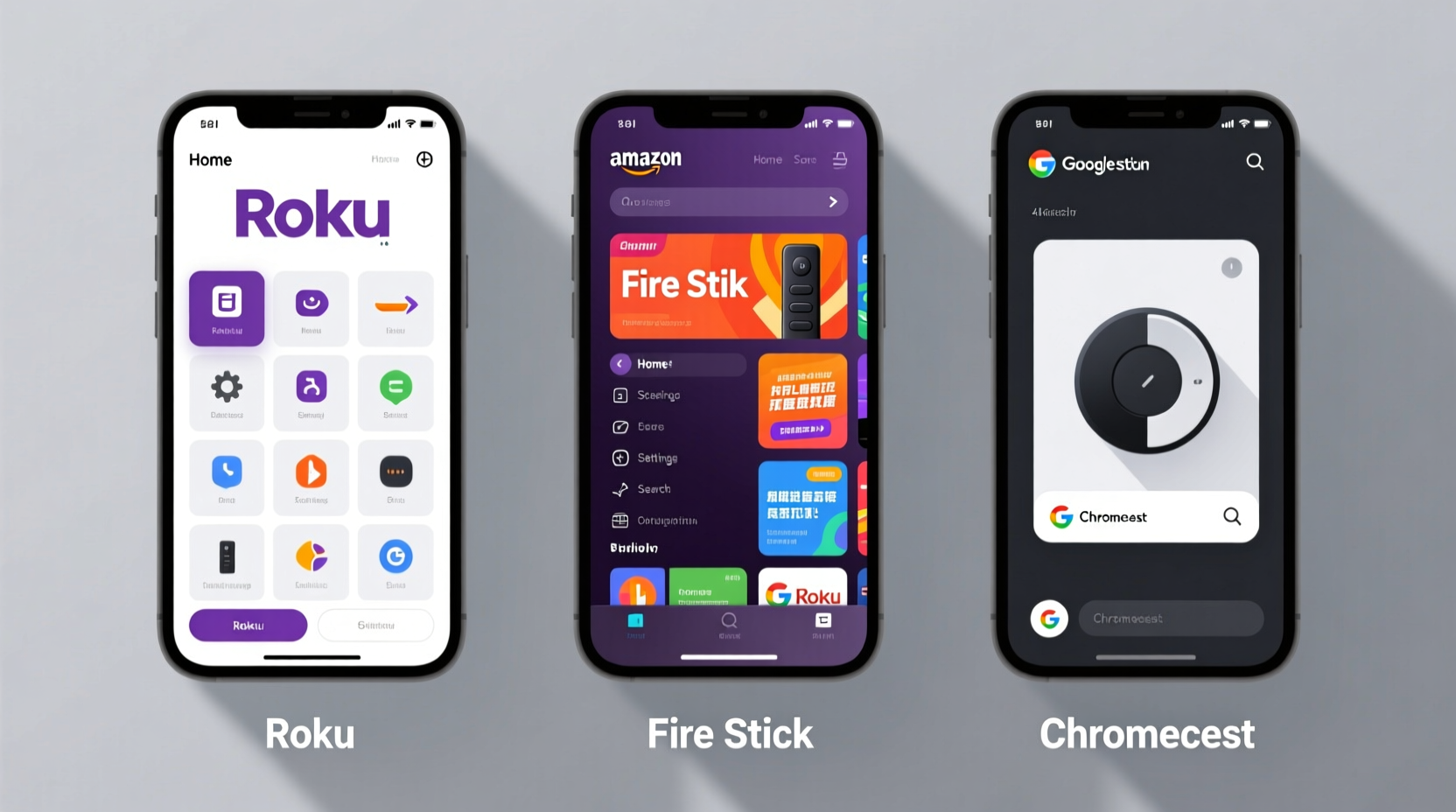
The way each platform organizes content reflects its underlying priorities. Understanding these philosophies helps explain why one might feel more intrusive or cluttered than another.
- Roku: Focuses on simplicity and neutrality. The home screen is clean, grid-based, and app-centric. Content recommendations appear below the main row of apps, avoiding visual overload.
- Amazon Fire Stick: Built around Amazon’s ecosystem. The interface pushes Prime Video content aggressively and integrates shopping suggestions. The top row cycles through personalized recommendations, deals, and trending titles—often prioritizing monetization over clarity.
- Chromecast with Google TV: Emphasizes content aggregation. Instead of launching apps first, it surfaces shows and movies directly from multiple services into a unified feed. This can reduce app-switching but introduces algorithmic clutter.
Roku’s approach feels the most neutral. There’s no obvious bias toward any single service, and the interface doesn’t change drastically between devices. Fire Stick, by contrast, treats the home screen as a storefront. Even if you never buy anything, the presence of “Deals & More” and sponsored rows adds cognitive load. Chromecast’s interface is sleeker than Fire Stick’s but suffers from over-personalization—sometimes recommending content you’ve already watched or don’t care about.
Navigation and Remote Responsiveness
A streaming device is only as good as its remote. Lag, unresponsive buttons, or confusing layouts can ruin an otherwise solid experience.
Roku remotes are consistently praised for their ergonomics and responsiveness. The directional pad (D-pad) is tactile and precise, making menu navigation smooth. Most models include dedicated shortcut buttons for Netflix, Disney+, and other major services, reducing the number of clicks needed to start watching.
Fire Stick remotes have improved over time, but many users report inconsistent infrared or Bluetooth performance. The latest voice-enabled remotes work better, yet the menu system often freezes when scrolling through dense recommendation grids. The lack of a back button on older models was a major pain point; newer versions include one, but placement remains awkward.
Chromecast’s remote, modeled after Android TV, is minimalist and functional. It includes a Google Assistant button and a useful mute key. Navigation is generally fast, though some users note occasional delays when loading new sections. The D-pad works well, but the remote itself feels flimsier than Roku’s sturdier build.
“Interface speed isn’t just about hardware—it’s about software optimization. A laggy UI makes even 4K streaming feel outdated.” — David Lin, Senior UX Analyst at StreamWatch Labs
Ad Load and Promotional Clutter
This is where the differences become most apparent—and most frustrating.
Roku displays ads, but they’re relatively subtle. Sponsored channels appear at the bottom of the channel list, and promoted content is limited to one or two tiles on the home screen. You won’t see pop-up ads or forced video promotions during normal use. Roku’s ad revenue model focuses on discovery rather than disruption.
Fire Stick, however, is the most ad-heavy of the three. The home screen is filled with rotating banners labeled “Sponsored,” “Trending Now,” and “Special Offers.” These aren’t just static tiles—they actively compete for attention with dynamic thumbnails and autoplay previews. Worse, some Fire Sticks come with lock screens displaying ads unless you pay to disable them—a feature unique among mainstream streamers.
Chromecast integrates ads more quietly. You won’t see banner ads, but Google promotes content from YouTube, YouTube Premium, and partner services. Recommendations are algorithm-driven, so they can feel pushy, especially if you’ve watched something once and suddenly see it everywhere. Still, there’s no overt commercial messaging outside of content promotion.
| Device | Home Screen Ads | Lock Screen Ads | Promotional Tiles | User Perception |
|---|---|---|---|---|
| Roku | Minimal (sponsored channels) | No | Low | Clean, neutral |
| Fire Stick | High (banners, videos) | Yes (unless disabled) | Very High | Intrusive, sales-focused |
| Chromecast | None (direct ads) | No | Moderate (algorithmic recs) | Sleek but over-recommending |
Mini Case Study: The Weekend Movie Picker
Consider Sarah, a parent of two, who uses her streaming device every Friday night to pick a family movie. She wants something quick, stress-free, and distraction-free.
On Fire Stick, she opens the device to find five rotating banners promoting Amazon Originals, a locked-screen ad for a Kindle deal, and a row labeled “You Might Also Buy.” It takes her 45 seconds just to get past the noise before she can search for “animated movies.”
On Chromecast, the home screen immediately shows “Recommended for You” with a mix of adult documentaries and kids’ shows. She has to scroll past three rows of irrelevant content before finding the kids’ section. The search function helps, but results are mixed across services.
On Roku, she powers on, sees her usual row of apps, and presses the Netflix button. No ads, no distractions. Alternatively, she uses the universal search bar at the top, types “family movie,” and gets clean results sorted by service. Total time: 15 seconds.
In this scenario, Roku’s lack of friction makes it the least annoying—not because it’s more advanced, but because it respects the user’s intent.
Search Functionality and Content Discovery
All three platforms offer universal search, but implementation varies.
Roku’s search is straightforward. Type a title, and it returns matches across installed apps. Results are clearly labeled by service, and there’s no attempt to upsell rentals unless you specifically look for them. The search bar sits at the top of the home screen, always accessible.
Fire Stick’s search is powerful but cluttered. It aggregates results well but often highlights paid options first—even if you have the same title available free in another app. For example, searching “The Office” might prioritize the NBC app rental over your existing Peacock subscription. This creates confusion and forces users to second-guess their choices.
Chromecast excels in cross-service integration. Its AI-powered search learns viewing habits and surfaces relevant titles early. However, it sometimes hides free options beneath promoted content. Additionally, voice search via the remote is excellent, leveraging Google’s robust speech recognition.
Step-by-Step: Reducing Interface Annoyances on Each Platform
You can’t eliminate all frustrations, but you can minimize them. Here’s how:
- Roku – Hide Unused Channels
- Press * on the remote while hovering over a channel.
- Select “Hide channel” to remove it from view.
- Reorganize remaining apps into a logical order.
- Fire Stick – Disable Special Offers
- Go to Settings > My Fire TV > Preferences.
- Select “Special Offers” and opt out.
- Note: You may receive a small credit for keeping them, but most users prefer the cleaner experience.
- Chromecast – Customize Home Feed
- Long-press the down arrow on a recommendation tile.
- Choose “Not interested” or “Hide from feed.”
- Over time, the algorithm improves based on feedback.
- All Devices – Pin Favorite Apps
- Keep Netflix, Hulu, and YouTube at the front of your app row.
- Reduce reliance on algorithmic feeds by going straight to the source.
- General – Use Physical Shortcuts
- Program universal remotes or use smart home hubs to launch apps directly.
- Bypass the home screen entirely for frequently used services.
Frequently Asked Questions
Is Roku really ad-free?
No platform is completely ad-free, but Roku comes closest. It doesn’t display video ads or lock-screen promotions. Sponsored channels exist but are easy to ignore. Compared to Fire Stick, Roku’s ad load is minimal and non-intrusive.
Can I make Fire Stick less annoying?
Yes. Disabling special offers removes lock-screen ads. You can also uninstall preloaded apps you don’t use and pin your favorites to the top. However, the core interface will still prioritize Amazon content, which may remain frustrating for non-Prime users.
Why does Chromecast recommend things I’ve already watched?
Google’s recommendation engine pulls data from your YouTube and Google activity. If you’ve watched a trailer or clicked a link, it may assume interest. Use the “Not interested” option repeatedly to train the algorithm. Over time, suggestions improve.
Final Verdict: Which Interface Is Least Annoying?
After evaluating layout, responsiveness, ad frequency, and real-world usability, Roku emerges as the least annoying interface. It doesn’t try to sell you things, its menus are predictable, and navigation is consistently smooth. The absence of lock-screen ads and aggressive promotions makes it feel respectful of the user’s time and attention.
Chromecast offers a modern, content-first experience that works well if you enjoy discovery—but only if you’re willing to tolerate algorithmic overreach. Fire Stick, despite strong hardware and deep Alexa integration, feels the most cluttered and commercially driven. Its interface often prioritizes Amazon’s business goals over user convenience.
Ultimately, the “least annoying” device is the one that gets out of your way. Roku does that best. It doesn’t dazzle with AI or deep personalization, but it delivers what matters: reliable access to your content, without the noise.




 浙公网安备
33010002000092号
浙公网安备
33010002000092号 浙B2-20120091-4
Comments
No comments yet. Why don't you start the discussion?