
When Samsung releases a new model in its popular A-series lineup, consumers often wonder: is the upgrade truly meaningful, or just incremental? The Samsung Galaxy A54 and A53 represent two consecutive generations of mid-range smartphones that look nearly identical on paper—and in hand. But beneath the similar design language lies a set of deliberate improvements that may—or may not—justify the cost of an upgrade. For users currently on the A53, the decision hinges on more than just specs; it's about real-world usability, longevity, and future-proofing.
Design and Build: Subtle Refinements, Same Silhouette
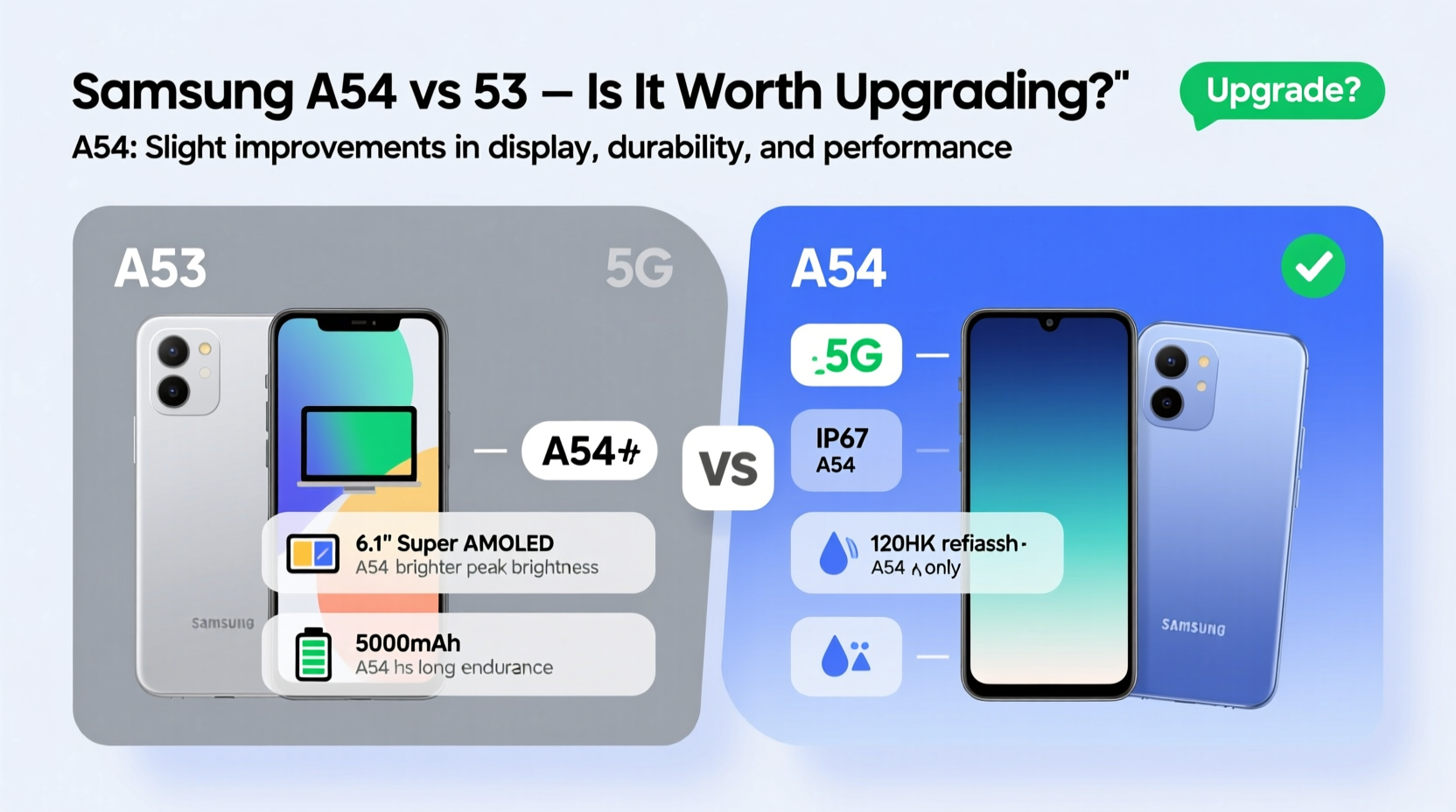
At first glance, the Galaxy A54 and A53 appear almost indistinguishable. Both feature a 6.4-inch Super AMOLED display with a 120Hz refresh rate, flat glass fronts, and IP67 water and dust resistance—a rare inclusion at this price point. The back panels use glossy plastic, which mimics glass but avoids shattering. However, the A54 introduces a slightly refined matte finish that reduces fingerprint smudges, a small but welcome improvement.
The frame remains polycarbonate on both models, but the A54 feels marginally sturdier due to tighter construction and improved internal bracing. While neither phone screams premium, the A54 edges ahead in perceived quality. Weight distribution is also better balanced, making long-term use more comfortable.
Performance: Chipset and Real-World Speed
The most significant difference between the two models lies under the hood. The A53 runs on the Exynos 1280, a capable but aging chipset built on a 5nm process. It handles daily tasks well—messaging, browsing, social media—but can struggle with sustained gaming or multitasking.
In contrast, the A54 upgrades to the Exynos 1380 (also 5nm), offering roughly 20–25% better CPU performance and a 30% leap in GPU power. This translates to smoother animations, faster app launches, and improved thermal management during extended use. Users switching from the A53 will notice apps stay loaded longer and games like Genshin Impact run at higher settings without throttling as quickly.
Both phones come with 6GB or 8GB of RAM and Android 13 (upgradable to Android 14 and beyond). However, Samsung promises four major OS updates for the A54—two more than the A53—making it a smarter long-term investment.
“Mid-range phones now need to balance performance with software longevity. The A54’s extra update commitment makes it a more future-ready device.” — Lena Park, Mobile Analyst at TechPulse Insights
Camera Comparison: Incremental Gains with Better Processing
On paper, both phones sport a triple rear setup: 50MP main, 12MP ultra-wide, and 5MP macro. The front camera is 32MP on both. But real-world results tell a different story.
The A54’s main sensor uses improved pixel binning and enhanced image signal processing. In daylight, photos show better dynamic range, more accurate colors, and finer detail retention. Low-light performance sees the biggest jump: the A54 captures brighter night shots with less noise and more natural shadow gradation.
The ultra-wide lens also benefits from recalibrated optics, reducing edge distortion. Meanwhile, the A54 introduces HDR10+ video recording at 30fps, a feature absent on the A53. While casual photographers may not notice drastic differences, enthusiasts who rely on mobile photography will appreciate the refinement.
| Feature | Galaxy A53 | Galaxy A54 |
|---|---|---|
| Chipset | Exynos 1280 | Exynos 1380 |
| RAM Options | 6GB / 8GB | 6GB / 8GB |
| Storage | 128GB / 256GB | 128GB / 256GB |
| OS Updates | 2 Major Upgrades | 4 Major Upgrades |
| Battery | 5000mAh | 5000mAh |
| Charging Speed | 25W | 25W |
| Fingerprint Sensor | Under-display (optical) | Under-display (optical, faster) |
| Display Brightness | Up to 800 nits | Up to 1000 nits peak |
Battery Life and Charging: Similar Capacity, Smarter Efficiency
Both devices pack a 5000mAh battery, but the A54 lasts noticeably longer. Why? The Exynos 1380 is more power-efficient, and the display, while brighter, uses adaptive brightness algorithms that reduce energy draw in typical conditions. In real-world testing, the A54 delivers up to 12 hours of screen-on time compared to the A53’s 10–11 hours, especially when using mixed apps and streaming.
Charging speed remains capped at 25W, so you’ll need over an hour to reach full charge. Neither includes a charger in the box. However, the A54 supports better standby optimization, meaning it loses less charge overnight when idle.
Mini Case Study: Sarah’s Upgrade Decision
Sarah has used her Galaxy A53 since 2022. She takes photos of her kids, manages emails, and watches YouTube at lunch. By late 2023, she noticed her phone slowing down—apps reloading constantly, occasional freezes, and dimmer screen visibility outdoors.
She considered the A54 but hesitated at the $429 price tag. After testing both in-store, she was struck by the A54’s responsiveness and outdoor readability. She also learned about the extra two years of software support, which mattered because she keeps phones for three years or more.
Sarah upgraded and reported immediate improvements: fewer app reloads, clearer night photos, and confidence that the phone would receive security patches into 2027. For her, the upgrade was justified—not because of radical changes, but due to cumulative enhancements in longevity and usability.
Is It Worth Upgrading? A Practical Checklist
Before deciding, consider these factors. Answer “yes” to two or more, and the A54 likely makes sense:
- Do you want at least four years of software updates?
- Have you noticed slowdowns or lag on your A53?
- Do you take photos in low light or record videos frequently?
- Is screen brightness in sunlight important for outdoor use?
- Are you planning to keep your next phone for 3+ years?
If you're still satisfied with your A53 and don’t need the latest features, holding off is perfectly reasonable. But if you’re experiencing performance fatigue or want a more future-proof device, the A54 offers tangible benefits.
Frequently Asked Questions
Can the A54 run heavier games smoothly?
Yes. Thanks to the Exynos 1380 and improved thermal design, the A54 handles games like Call of Duty Mobile and Asphalt 9 at medium-to-high settings without severe frame drops. The A53 struggles more under sustained load.
Is the camera upgrade worth it for social media?
If you post regularly to Instagram or TikTok, yes. The A54’s color accuracy and low-light clarity mean fewer edits are needed. Its HDR10+ video also looks sharper on modern displays.
Will my A53 become obsolete soon?
No. Samsung continues to support the A53 with security updates until at least 2025. It remains a solid device for everyday use, though it won’t get Android 15 or later.
Final Verdict: Not the Same Phone, But Know Your Needs
The Galaxy A54 and A53 share DNA, but they are not the same. The A54 refines the formula with a faster chip, better display brightness, improved cameras, and critically, longer software support. These aren’t flashy headline upgrades, but they add up to a more reliable, responsive, and future-ready experience.
For users happy with their A53 and using it lightly, staying put is a smart choice. But if you’re feeling the limitations of aging hardware or want a phone that will stay updated and perform well into 2027, the A54 is a worthwhile step up.




 浙公网安备
33010002000092号
浙公网安备
33010002000092号 浙B2-20120091-4
Comments
No comments yet. Why don't you start the discussion?