
In an era where productivity increasingly demands seamless transitions between devices, the way smartphones and tablets integrate with desktop environments has become a critical differentiator. Samsung DeX and Apple Sidecar represent two distinct philosophies in bridging mobile and desktop workflows. While both aim to enhance user efficiency, they achieve it through fundamentally different architectures and target audiences. The question isn't just about features—it's about which platform delivers a more cohesive, flexible, and future-ready desktop experience.
Samsung DeX transforms a Galaxy smartphone into a full desktop interface when connected to a monitor, while Apple Sidecar extends an iPad’s display to act as a secondary screen for a Mac. At first glance, these functions may seem comparable, but their underlying capabilities, use cases, and long-term potential diverge significantly. As hybrid work becomes standard and digital ecosystems expand, understanding which solution offers superior desktop integration is essential for professionals, creatives, and tech-savvy users alike.
Understanding Samsung DeX: A Full Desktop OS from Your Phone
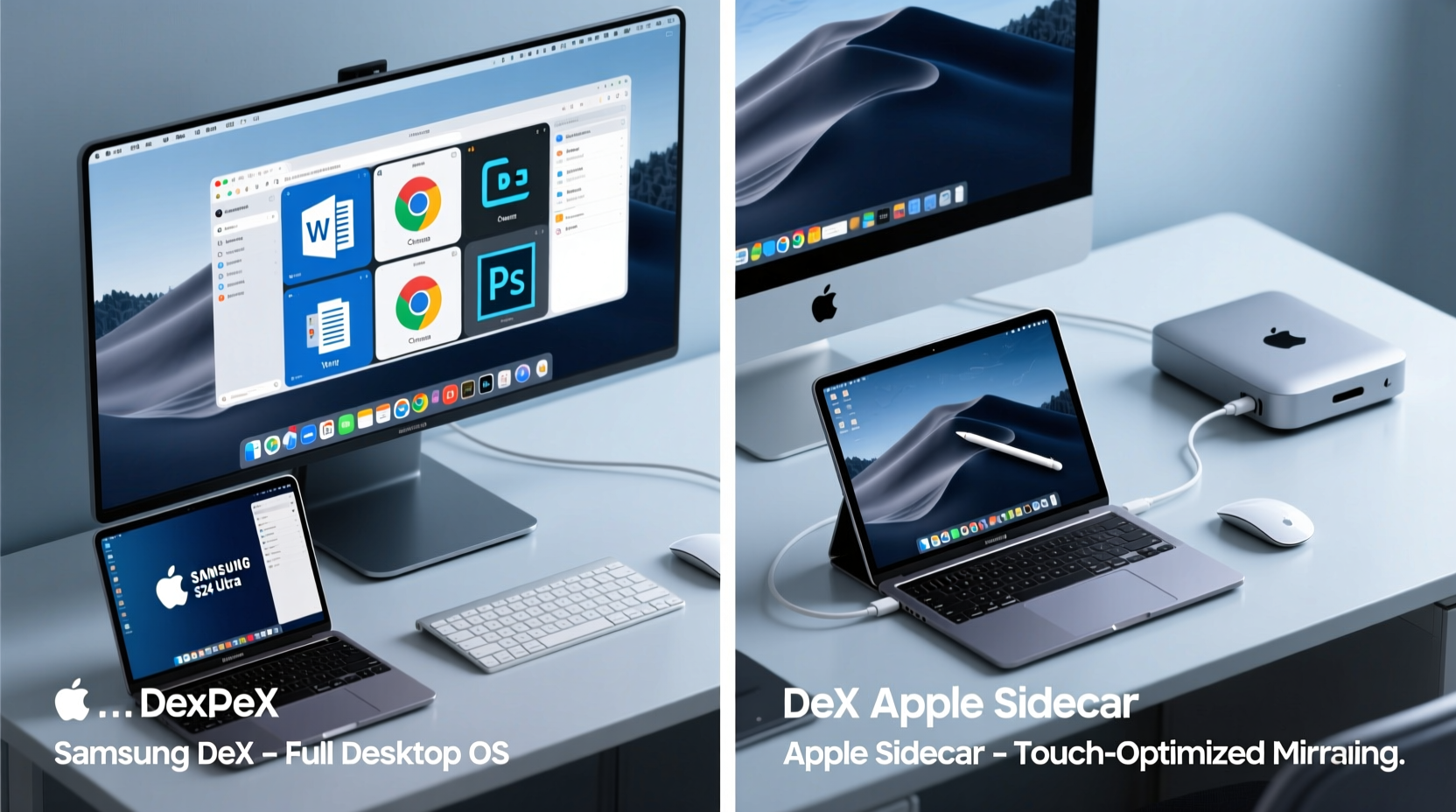
Samsung DeX is not merely a screen extension—it's a complete desktop operating environment powered by your Galaxy phone. When connected via HDMI or wirelessly to a monitor, DeX launches a windowed interface resembling Windows or macOS, complete with resizable apps, taskbar, file manager, and support for keyboard and mouse input. This means your phone effectively becomes the central processing unit of a desktop workstation.
DeX supports multitasking with split-screen windows, drag-and-drop functionality, and even desktop versions of certain web applications through Samsung Internet. It also allows you to access your phone’s files directly on the larger screen, run multiple instances of messaging apps, and maintain continuity across sessions. For users without access to a traditional laptop, DeX can serve as a standalone productivity hub—especially when paired with cloud services like Microsoft 365 or Google Workspace.
One of DeX’s most compelling advantages is its hardware independence. You don’t need a specific PC or Mac to use it; any display with HDMI input will suffice. This makes DeX particularly valuable in regions where personal computers are less accessible, positioning it as both a productivity tool and a democratizing technology.
Apple Sidecar: Seamless Extension Within the Ecosystem
Apple Sidecar takes a different approach. Instead of turning the iPad into a standalone computer, it leverages the device as a secondary display for a Mac. Introduced in 2019 with macOS Catalina, Sidecar enables wireless or USB connection between an iPad and a compatible Mac, allowing users to extend or mirror their Mac desktop onto the iPad’s touchscreen.
The real power of Sidecar lies in its integration with creative workflows. Artists and designers use it with the Apple Pencil to annotate documents, sketch directly onto video timelines in Final Cut Pro, or paint in Adobe Photoshop with pixel-perfect precision. The low-latency input and pressure sensitivity make it one of the best digital drawing surfaces available—far surpassing most external graphics tablets.
However, Sidecar’s functionality is inherently limited by its dependency on a Mac. Unlike DeX, it cannot operate independently. The iPad acts strictly as a peripheral, meaning no local processing occurs on the tablet itself. All computation still happens on the Mac, and the iPad simply renders the output. This design choice ensures stability and performance consistency but sacrifices flexibility.
“Sidecar exemplifies Apple’s philosophy: deep integration over broad compatibility. It works beautifully—if you’re already invested in the Mac ecosystem.” — David Lin, Senior UX Analyst at TechFlow Insights
Feature Comparison: DeX vs Sidecar
| Feature | Samsung DeX | Apple Sidecar |
|---|---|---|
| Primary Function | Turns phone into a desktop OS | Extends Mac display to iPad |
| Hardware Required | Galaxy phone + monitor (HDMI/wireless) | Mac + iPad (both compatible models) |
| Standalone Operation | Yes – runs independently | No – requires active Mac |
| Input Support | Mouse, keyboard, touch (optional) | Touch, Apple Pencil, keyboard (limited) |
| App Multitasking | Multiple resizable windows | Single extended/mirrored display |
| Ecosystem Lock-in | Low – works with Android, Windows, Linux displays | High – only works with Macs |
| Best For | Remote workers, budget professionals, developers | Creatives, designers, Mac-centric users |
This comparison reveals a fundamental divergence: DeX emphasizes autonomy and versatility, while Sidecar prioritizes polish and precision within a closed loop. Neither is objectively superior—but each excels in different contexts.
Real-World Use Case: Freelancer On the Move
Consider Maria, a freelance content strategist based in Lisbon who travels frequently. She owns a Galaxy S24 Ultra and often works from co-working spaces with limited equipment. During a recent trip to Berlin, she used DeX with a rented monitor and her portable keyboard to deliver a client presentation, edit spreadsheets, and manage email—all without carrying a laptop. Her phone handled everything, and she appreciated being able to disconnect quickly and continue using it normally.
In contrast, James, a motion graphics designer in Toronto, relies on his MacBook Pro and iPad Pro daily. He uses Sidecar to refine animations in After Effects, leveraging the Apple Pencil for frame-by-frame adjustments. For him, the tactile feedback and color accuracy of the iPad’s display are irreplaceable. However, he acknowledges that if he needed to work from a hotel room without his Mac, his iPad alone wouldn’t suffice—unlike Maria’s phone-powered setup.
These scenarios illustrate how user needs shape the value proposition of each system. DeX empowers independence; Sidecar enhances specialization.
Technical Depth and Future Trajectory
Looking beyond current implementations, the long-term potential of mobile-to-desktop integration hinges on processing power, software maturity, and ecosystem openness. Samsung has been steadily improving DeX with each generation, adding support for Linux on DeX, enhanced clipboard sharing, and improved window management. Recent firmware updates have reduced latency and expanded peripheral compatibility, including printers and Ethernet adapters.
Meanwhile, Apple has not significantly evolved Sidecar since its debut. There are no signs of enabling iPad-as-primary-computer functionality through Sidecar, nor support for iPhone integration. Given Apple’s focus on silicon efficiency and cross-device continuity (e.g., Universal Control, Handoff), some analysts speculate that future enhancements may come through tighter M-series chip integration rather than new features in Sidecar itself.
From a technical standpoint, DeX benefits from Android’s inherent flexibility. Developers can optimize apps for DeX mode, and enterprise users can deploy custom ROMs or kiosk modes for business applications. In contrast, Sidecar operates entirely within Apple’s tightly controlled environment—secure and reliable, but resistant to customization.
Step-by-Step Setup Guide
Setting Up Samsung DeX:
- Ensure your Galaxy phone supports DeX (S8 and newer flagships).
- Connect your phone to a monitor using a USB-C to HDMI adapter or cable.
- Launch DeX mode when prompted, or manually activate it via Quick Settings.
- Pair a Bluetooth keyboard and mouse for full desktop control.
- Open apps, resize windows, and begin working as you would on a PC.
- To disconnect, press the back button in DeX or unplug the cable.
Setting Up Apple Sidecar:
- Verify compatibility: Mac must be 2016 or later with macOS Catalina+, iPad must be iPadOS 13+.
- Enable Bluetooth, Wi-Fi, and Handoff on both devices.
- On the Mac, click the Screen Mirroring icon in the Control Center.
- Select your iPad from the list or connect via USB for lower latency. <5>Choose “Use as Separate Display” or “Mirror Display.”
- Begin using the iPad as a touch-enabled second screen.
Checklist: Choosing the Right Solution for You
- ✅ Do you want your phone to replace a laptop occasionally? → Choose DeX
- ✅ Are you primarily a creative professional using Mac-based tools? → Choose Sidecar
- ✅ Do you travel light and need maximum portability? → DeX reduces gear weight
- ✅ Do you rely heavily on Apple Pencil for design work? → Sidecar is unmatched
- ✅ Is your budget constrained and you lack a dedicated PC? → DeX offers cost-effective computing
- ✅ Do you work across non-Apple devices? → DeX integrates more broadly
Frequently Asked Questions
Can I use Samsung DeX without a monitor?
No, DeX requires an external display to function. However, you can use it wirelessly with smart TVs or Miracast-compatible receivers if they support DeX.
Does Apple Sidecar work with iPhones?
No, Sidecar is exclusively available for iPads paired with Macs. There is currently no equivalent feature for iPhone integration.
Is Samsung DeX secure for business use?
Yes. DeX runs within Samsung Knox, the company’s defense-grade security platform. Enterprise policies, encrypted storage, and remote wipe capabilities make it suitable for corporate deployment.
Conclusion: Is Samsung Ahead in Desktop Integration?
When evaluating Samsung DeX and Apple Sidecar, the answer to whether Samsung is ahead depends on how you define \"desktop integration.\" If the goal is deep, refined synergy within a premium ecosystem for specialized tasks, Apple Sidecar remains a benchmark for creative professionals. Its responsiveness, build quality, and seamless pairing with Macs are difficult to replicate.
But if the vision of desktop integration includes accessibility, independence, and adaptability—transforming a single device into a full computing environment—then Samsung DeX represents a more ambitious and forward-thinking model. It anticipates a world where the smartphone is not just a companion device but the primary computer for millions. In this regard, Samsung is not just ahead—it’s redefining the race.
The broader implication is clear: true innovation in desktop integration won’t come from mirroring screens, but from empowering devices to transcend their form factors. Samsung has taken a bolder step toward that future. Whether Apple chooses to follow—or double down on its current path—will shape the next decade of mobile computing.




 浙公网安备
33010002000092号
浙公网安备
33010002000092号 浙B2-20120091-4
Comments
No comments yet. Why don't you start the discussion?