
For users still clinging to older Samsung smartphones like the Galaxy J5 or S5 Mini, the question of whether an upgrade makes sense in 2024 isn't just about hardware—it's about usability, security, and daily functionality. Both devices were once popular mid-range options, released within a year of each other (J5 in 2015, S5 Mini in 2014), but today they represent outdated technology struggling to keep pace with modern mobile demands. So, if you're currently using a Galaxy J5 and considering a move to the S5 Mini—or vice versa—is that step forward, backward, or sideways?
The short answer: no, it is not worth upgrading between these two models in 2024. In fact, doing so offers negligible benefits and may even degrade your experience. But understanding why requires a deeper look at specs, software support, app compatibility, and real-world performance.
Hardware Comparison: J5 vs S5 Mini
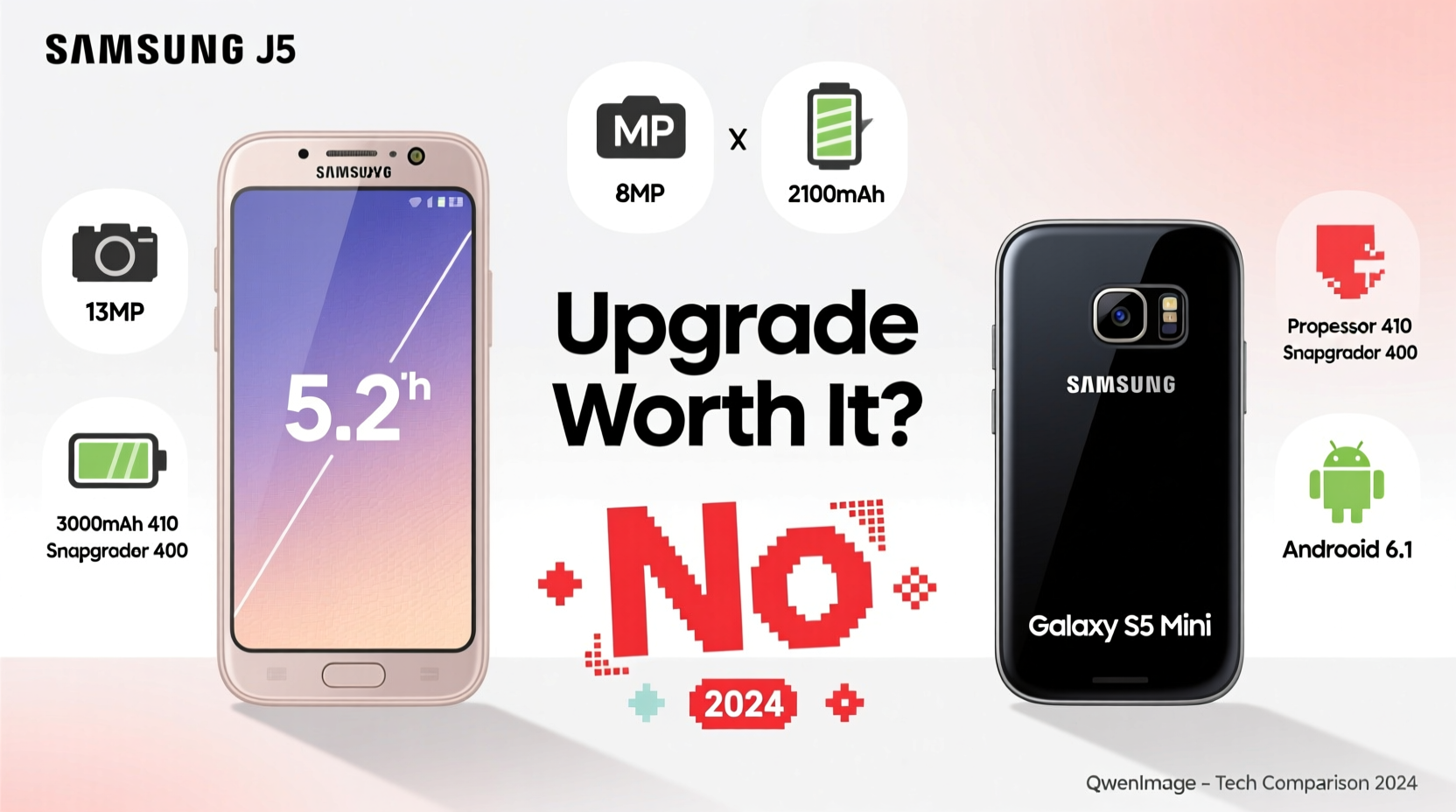
At first glance, the Galaxy J5 appears slightly more capable than the S5 Mini. Released a year later, it benefited from minor advancements in chipset efficiency and camera capabilities. However, both devices operate on aging architectures that fall far short of today’s standards.
| Feature | Samsung Galaxy J5 (2015) | Samsung Galaxy S5 Mini (2014) |
|---|---|---|
| Display | 5.0” HD (720x1280) Super AMOLED | 4.5” HD (720x1280) Super AMOLED |
| Processor | Qualcomm Snapdragon 410 (Quad-core 1.2 GHz) | Qualcomm Snapdragon 400 (Dual-core 1.2 GHz) |
| Ram | 1.5 GB | 1.5 GB |
| Storage | 8 GB (expandable via microSD) | 8 GB (expandable via microSD) |
| Rear Camera | 13 MP | 8 MP |
| Front Camera | 5 MP | 2.1 MP |
| Battery | 2600 mAh | 2100 mAh |
| OS (Original) | Android 5.1 Lollipop | Android 4.4 KitKat |
| Final OS Update | Android 6.0 Marshmallow | Android 5.0 Lollipop |
The J5 holds a clear edge in display size, front camera quality, battery capacity, and slightly better processing power. The S5 Mini, while compact and featuring IP67 water resistance—a rare trait for mini phones—suffers from weaker performance and lower-end components by today’s benchmarks.
Software & Security: The Real Showstopper
In 2024, neither device receives security updates or operating system upgrades. This is critical. Android versions prior to 7.0 Nougat lack essential protections against modern malware, phishing attacks, and data vulnerabilities. Google Play Protect often flags such devices as high-risk.
More importantly, many apps—including banking, messaging, and social platforms—now require minimum API levels unsupported by these phones. WhatsApp dropped support for devices running below Android 5.0 in 2023. Instagram and Facebook have followed suit, limiting functionality or refusing installation altogether.
“We’ve seen a sharp decline in app compatibility for pre-2016 Android devices. By 2024, most consumer-facing apps assume at least Android 8.0.” — David Lin, Mobile Security Analyst at TechShield Labs
Even if the phone powers on, core digital activities become unreliable or impossible. Online banking apps may crash, two-factor authentication fails, and GPS-based services lag due to outdated location frameworks.
Real-World User Scenario: Maria’s Experience
Maria, a small business owner in Lisbon, used her Galaxy J5 for five years as a secondary device for checking emails and managing inventory. In early 2023, she attempted to switch to an S5 Mini she found in a drawer, thinking its water-resistant design would be better suited for her kitchen environment.
She quickly discovered the S5 Mini couldn’t install the latest version of her point-of-sale app. Bluetooth pairing failed consistently with her receipt printer, and GPS navigation froze during deliveries. After two weeks, she reverted to the J5, which, despite its age, ran her legacy POS version slightly better due to marginally faster CPU response.
Her takeaway? “Switching between old phones felt like choosing between two flat tires. Neither got me anywhere.”
Step-by-Step: What You Should Do Instead
If you're still relying on either of these devices, here’s a practical path forward that prioritizes functionality, safety, and value:
- Assess Your Current Needs: Are you using the phone for calls, messaging, internet, or work apps? Determine what functions are essential.
- Check App Compatibility: Try installing key apps (e.g., WhatsApp, Gmail, Google Maps). If they won’t install or crash, the device is obsolete.
- Evaluate Battery Health: Swollen batteries or rapid drain indicate hardware fatigue. Replacement parts are scarce and often poor quality.
- Research Entry-Level Alternatives: Phones like the Samsung Galaxy A05, Moto E13, or Nokia C32 offer Android 13/14, 3+ years of updates, and prices under $120.
- Backup & Transfer Data: Use Samsung Smart Switch or Google Sync to migrate contacts, photos, and settings before retiring the old device.
- Recycle Responsibly: Don’t discard old phones. Many retailers offer trade-in programs or e-waste recycling bins.
Upgrade Checklist: Moving Beyond Legacy Devices
- ✅ Confirm all essential apps run smoothly on your current device
- ✅ Test Wi-Fi, Bluetooth, and GPS responsiveness
- ✅ Check for physical wear: cracked screen, charging port issues
- ✅ Research budget phones with guaranteed Android updates
- ✅ Enable cloud backup on your old device
- ✅ Purchase a new phone with at least 32GB storage and 3GB RAM
- ✅ Perform factory reset on old phone before disposal
Frequently Asked Questions
Can I still use my Galaxy J5 or S5 Mini as a backup phone?
You can, but only for basic tasks like offline music playback, FM radio, or emergency calls. Avoid connecting to sensitive accounts or public Wi-Fi networks, as unpatched vulnerabilities make them easy targets for interception.
Why won’t some apps install on these phones anymore?
Developers set minimum OS and hardware requirements based on security protocols and performance thresholds. Modern encryption, biometric authentication, and background service management aren’t supported on Android 5.0 and earlier, forcing exclusion.
Is there any benefit to rooting or installing custom ROMs?
Theoretically, yes—custom ROMs like LineageOS can bring newer Android versions to old hardware. However, installation is complex, voids warranties (not applicable here), risks bricking the device, and lacks official security oversight. For average users, the risk outweighs the reward.
Conclusion: Time to Move On
Comparing the Galaxy J5 and S5 Mini in 2024 isn't a debate about which is better—it's a reminder that technological progress waits for no one. While both phones were solid choices in their time, they now sit well beyond their functional lifespan. Upgrading from one to the other gains nothing in performance, software, or user experience.
The real upgrade path lies in moving to a modern entry-level smartphone that supports current apps, receives security patches, and integrates seamlessly with today’s digital ecosystem. For less than the cost of a monthly subscription service, you can gain years of reliable performance, peace of mind, and access to tools that keep you connected, productive, and safe.




 浙公网安备
33010002000092号
浙公网安备
33010002000092号 浙B2-20120091-4
Comments
No comments yet. Why don't you start the discussion?