
When it comes to foldable smartphones, the Samsung Galaxy Z Flip 5 and Google Pixel Fold represent two distinct philosophies in mobile design. One prioritizes compactness and style; the other emphasizes productivity and screen real estate. But for users considering a long-term switch to a foldable device, the critical question isn’t just about specs—it’s about daily usability. How do these phones perform during commutes, work sessions, multitasking, and casual use? This article breaks down the key differences between the Galaxy Z Flip 5 and Pixel Fold, focusing on practicality, interface efficiency, durability, and user experience to help you decide which device fits your lifestyle.
Design and Portability: Form Factor Matters
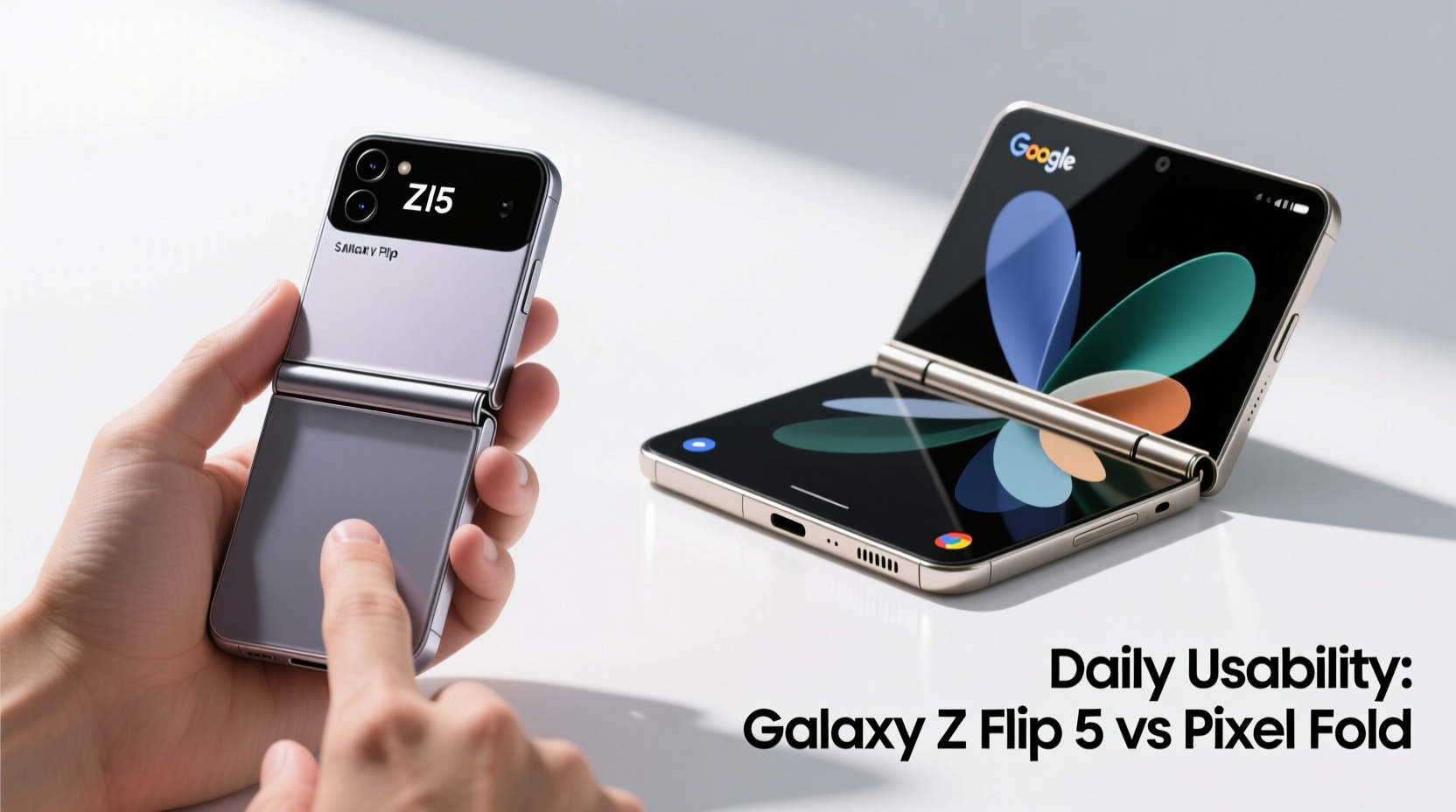
The most immediate difference between the two devices lies in their folding mechanisms. The Galaxy Z Flip 5 uses a vertical clamshell design, folding top to bottom like a classic flip phone. When closed, it becomes a slim, pocketable rectangle measuring just over 3 inches wide—small enough to fit comfortably in tight jeans pockets or small handbags. Its compact form makes it ideal for users who prioritize portability and discreet handling.
In contrast, the Pixel Fold opens horizontally, transforming from a smartphone-sized device into a near-tablet experience. Closed, it feels more like a traditional tall smartphone with a thick spine down the center. While not unwieldy, it lacks the sleek minimalism of the Flip 5 when folded. However, once unfolded, the Pixel Fold offers a 7.6-inch inner display—significantly larger than the Flip 5’s 6.7-inch panel—and provides a much more expansive canvas for reading, editing documents, or watching videos.
Display Usability: Screen Real Estate vs. Flexibility
The way each phone uses its screens defines their daily functionality. The Galaxy Z Flip 5 features a large cover screen—2.6 inches—that supports widgets, messaging, camera framing, and even app interactions without opening the phone. This feature is a game-changer for quick tasks: checking notifications, replying to texts, or taking selfies can all happen without unfolding the device. For users who interact with their phone dozens of times a day, this reduces wear on the hinge and saves time.
The Pixel Fold takes a different approach. Its outer screen is narrower and taller (5.8 inches), resembling a standard smartphone. While functional, it doesn’t support widgets or glanceable information as intuitively as the Flip 5’s cover display. However, once unfolded, the Pixel Fold shines. The 7.6-inch inner display runs Android 14 with optimized multitasking, allowing true split-screen apps side by side. You can browse email on one side while drafting a reply on the other, or watch YouTube while searching for related content.
| Feature | Galaxy Z Flip 5 | Pixel Fold |
|---|---|---|
| Fold Type | Vertical (clamshell) | Horizontal (book-style) |
| Main Display Size | 6.7 inches | 7.6 inches |
| Cover/Outer Screen | 2.6-inch dynamic widget display | 5.8-inch full-function display |
| Weight (grams) | 183g | 285g |
| Dust Resistance | IPX8 water resistance | IPX8 water resistance |
The trade-off is clear: the Flip 5 wins in glance-and-go convenience, while the Pixel Fold excels in immersive, multitasking scenarios. Your preference depends on whether you value speed and compactness or sustained productivity and screen space.
Software Experience and Daily Workflow
Samsung’s One UI and Google’s stock Android offer fundamentally different experiences, especially on foldables. The Galaxy Z Flip 5 runs One UI 5.1.1 (upgradable), which includes Flex Mode—a feature that splits certain apps automatically when the phone is partially open. For example, when watching a video in landscape mode, the upper half displays the video while the lower half shows playback controls. This works well for media consumption and video calls but is limited in third-party app support.
The Pixel Fold runs a pure version of Android 14 with deep foldable optimizations. Google has invested heavily in ensuring core apps like Gmail, Messages, Calendar, and Chrome take full advantage of the large inner display. Drag-and-drop functionality between apps, resizable windows, and improved gesture navigation make multitasking feel natural. Additionally, the Pixel Fold supports up to three active apps simultaneously in a freeform layout—a level of flexibility the Flip 5 simply can’t match.
“Foldables are no longer novelty devices—they’re productivity tools. The Pixel Fold’s software ecosystem is built for people who want to replace their tablet or even laptop for light computing.” — Raj Patel, Mobile UX Analyst at TechFlow Insights
However, Samsung counters with broader app compatibility. Due to its market dominance in the foldable space, many developers optimize first (or only) for Samsung’s devices. Some apps still don’t adapt properly to the Pixel Fold’s aspect ratio, leading to letterboxing or awkward layouts. Over time, this gap is closing, but for now, Samsung holds a slight edge in consistent app behavior across the board.
Battery Life and Performance in Real-World Use
Daily usability hinges on how long a phone lasts between charges and how smoothly it performs under regular load. The Galaxy Z Flip 5 packs a 3,700mAh battery—modest by modern standards. In practice, moderate users may get through a full day, but heavy usage (especially frequent unfolding, gaming, or streaming) will require midday charging. Fast charging is supported, but wireless charging is limited to 10W, which is slower than many competitors.
The Pixel Fold, despite its larger size, houses a 4,821mAh battery—nearly 30% more capacity. This translates to noticeably longer endurance. Most users report 1.2 to 1.5 days of mixed use, including extended time spent on the large inner screen. It also supports faster charging (21W wired, 23W wireless with compatible pads), making top-ups quicker and more convenient.
Under the hood, both phones use flagship-tier processors—the Snapdragon 8 Gen 2 for Galaxy devices and a slightly customized version for the Pixel Fold. Real-world performance is nearly identical in benchmarks, but thermal throttling affects both during prolonged tasks. That said, the Pixel Fold’s larger chassis allows for better heat dissipation, meaning it sustains peak performance slightly longer during intensive multitasking.
Durability and Long-Term Reliability
Foldable phones still face skepticism regarding longevity. Both the Galaxy Z Flip 5 and Pixel Fold use ultra-thin glass (UTG) on their inner displays and claim improved hinge mechanisms. Samsung touts its “Armor Aluminum” frame and water resistance rating (IPX8), though only for liquid exposure—not dust. The Flip 5’s hinge remains exposed, making it vulnerable to lint and debris accumulation over time, which some users have reported causing minor screen creasing or tactile bumps.
The Pixel Fold uses a dual-pin hinge design intended to reduce stress on the display. Google claims enhanced protection against particles with internal brushes inside the hinge channel. Early reviews suggest this helps, but long-term data is still limited. Like the Flip 5, the Pixel Fold lacks an official dust resistance rating, so caution is advised in sandy or dusty environments.
One notable issue with the Flip 5 is its smaller battery and higher strain on the single main sensor due to shared use with the cover camera. Meanwhile, the Pixel Fold benefits from Google’s computational photography, delivering excellent low-light shots and consistent color science, though its triple rear setup adds bulk.
Maintenance Checklist for Foldable Phones
- Never place the phone screen-down on surfaces when open
- Use only microfiber cloths for cleaning—no liquids directly applied
- Avoid exposing the hinge area to sand, dust, or pocket lint
- Don’t apply screen protectors not designed for foldables
- Keep software updated to benefit from display optimization patches
Real-World Scenario: A Day in the Life
Consider Maya, a freelance graphic designer who commutes via subway and works remotely. In the morning, she checks messages on her Flip 5’s cover screen while grabbing coffee—quick, efficient, and discreet. During her commute, she sketches ideas using a stylus on her iPad. At her co-working space, she needs to review client feedback, edit images, and respond to emails simultaneously. Here, the Pixel Fold would allow her to view Figma on one side, Slack on another, and reference notes—all on a single device. The Flip 5, while stylish, forces her into constant app switching, reducing workflow fluidity.
In the evening, Maya watches a show on her couch. The Flip 5’s Flex Mode lets her prop it on a table easily, but the smaller screen limits immersion. With the Pixel Fold, she gets a near-tablet viewing experience with richer sound from dual speakers. However, when heading out for dinner, she appreciates how the Flip 5 slips effortlessly into her clutch, while the Pixel Fold requires a dedicated pouch.
This scenario illustrates a key insight: neither phone is universally better. The choice depends on dominant usage patterns—on-the-go brevity versus at-desk productivity.
Frequently Asked Questions
Is the Galaxy Z Flip 5 better for social media use?
Yes, particularly for platforms like Instagram and TikTok. Its vertical format matches content orientation, and the cover screen lets you scroll through feeds or record quick videos without fully opening the phone. The compact size also makes it easier to hold one-handed while filming.
Can the Pixel Fold replace a tablet?
For many users, yes. With its large inner display, multitasking capabilities, and desktop-like interface, the Pixel Fold can handle document editing, web browsing, and media consumption effectively. Paired with a Bluetooth keyboard and mouse, it functions as a lightweight productivity hub—though it’s not suited for professional-grade creative work.
Which phone has better cameras?
The Pixel Fold generally delivers superior photo quality, especially in low light, thanks to Google’s advanced HDR+ processing and larger image sensors. The Galaxy Z Flip 5 has capable cameras but struggles in dim conditions and lacks telephoto zoom. For photography enthusiasts, the Pixel Fold is the stronger choice.
Final Verdict: Choosing Based on Lifestyle
The Samsung Galaxy Z Flip 5 and Google Pixel Fold serve different needs. The Flip 5 is a fashion-forward, highly portable device ideal for users who want a phone that fits seamlessly into a fast-paced, mobile-first lifestyle. It’s perfect for quick interactions, urban commuting, and those who value discretion and style.
The Pixel Fold, meanwhile, is a productivity powerhouse. It appeals to professionals, multitaskers, and anyone seeking a hybrid phone-tablet experience. While heavier and less pocketable, it offers unmatched utility when unfolded, making it a compelling alternative to carrying multiple devices.
Ultimately, daily usability isn’t determined by specs alone—it’s shaped by how well a device integrates into your routines. If your day revolves around movement, brevity, and simplicity, the Galaxy Z Flip 5 earns its place. If you need sustained focus, multitasking, and screen space, the Pixel Fold proves its worth.




 浙公网安备
33010002000092号
浙公网安备
33010002000092号 浙B2-20120091-4
Comments
No comments yet. Why don't you start the discussion?