
When Samsung releases a new TV model just one year after its predecessor, it’s natural to wonder: is the upgrade actually meaningful? The Samsung Q60C (2023) follows the Q60B (2022), both positioned in the mid-tier QLED lineup. At first glance, they look nearly identical—same design language, similar feature sets, and overlapping screen sizes. But subtle differences in processing, brightness, and software can significantly impact viewing experience. For budget-conscious buyers, the question isn’t just about specs—it’s about value.
This isn’t a case of revolutionary change. Instead, the Q60C represents incremental refinement. Whether that refinement justifies paying more—or holding out for a sale on the older model—depends on your priorities: peak brightness, gaming performance, or long-term software support. Let’s break down where these models align, where they diverge, and who should consider upgrading.
Picture Quality: Brightness, Color, and Real-World Performance
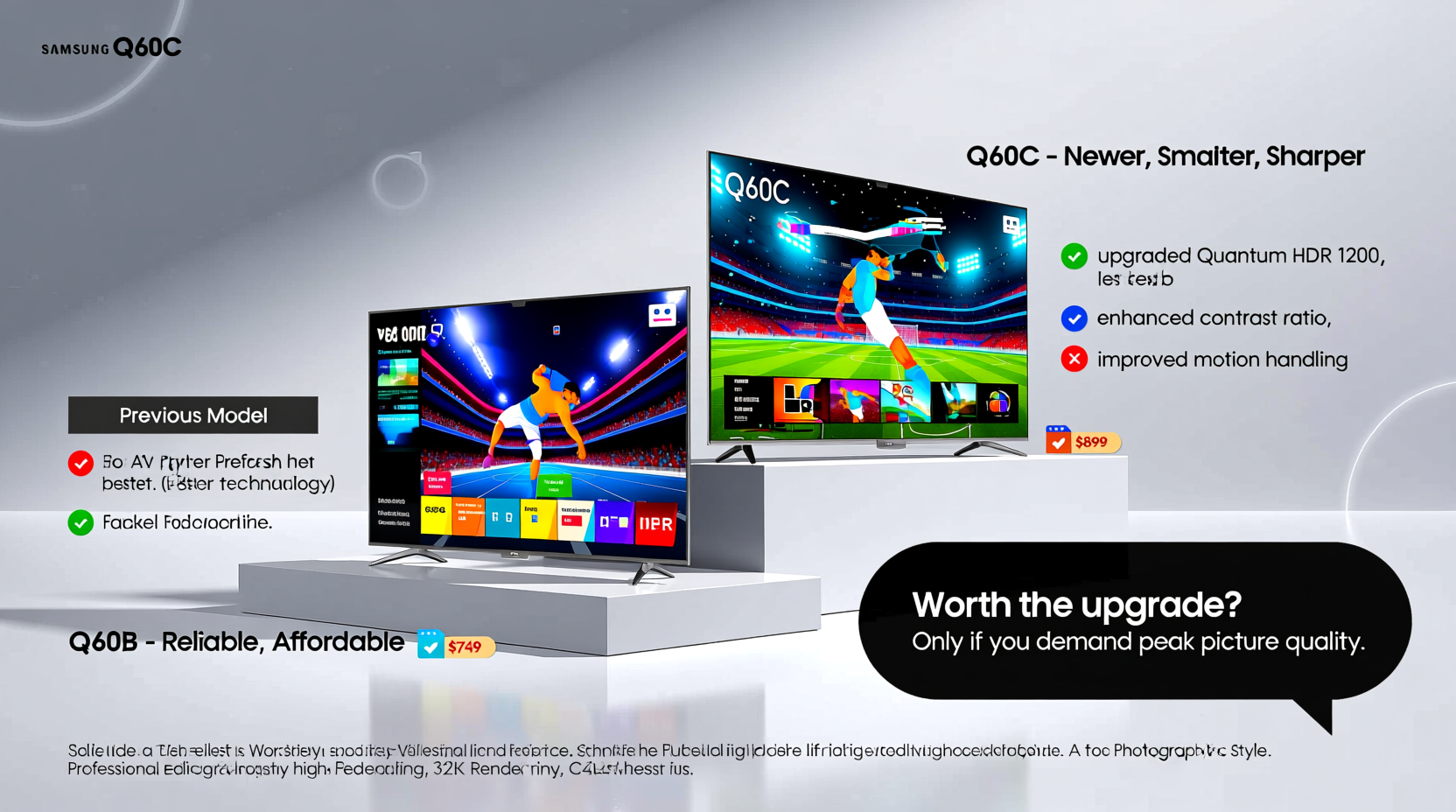
Both the Q60B and Q60C use Samsung’s Quantum Dot LED (QLED) technology, delivering vibrant colors and strong contrast in well-lit rooms. They support HDR10+ and have similar peak brightness levels on paper, but real-world testing reveals a slight edge for the Q60C.
The Q60C benefits from a slightly improved backlight system and better local dimming algorithms thanks to Samsung’s 2023 Crystal Processor 4K. While neither set matches high-end Neo QLEDs, the newer model handles bright scenes with less blooming and delivers marginally deeper blacks in mixed lighting conditions. In a brightly lit living room, this translates to crisper highlights in sunlit landscapes or sports broadcasts.
Color volume remains consistent across both models, covering over 90% of the DCI-P3 gamut. However, the Q60C applies more refined color mapping in HDR content, reducing oversaturation in skin tones—a common complaint with earlier QLEDs.
Processing Power and Smart Features
The core difference lies in the processor. The Q60B uses the 2022 version of the Crystal Processor 4K, while the Q60C runs the updated 2023 variant. This may sound minor, but it affects several key areas:
- Better upscaling: The Q60C more effectively enhances sub-HDR and standard dynamic range (SDR) content, making cable TV and older streaming apps look cleaner.
- Faster UI response: Navigating the Tizen OS feels snappier, with fewer stutters when switching between apps like Netflix, Disney+, and YouTube.
- Improved voice recognition: Bixby and Alexa integration respond faster, though Google Assistant remains the most reliable option.
Samsung also extended smart features in the Q60C with enhanced Ambient Mode+ options and better integration with SmartThings. If you're building a connected home ecosystem, the newer model syncs faster with lights, thermostats, and cameras.
“Even small processor upgrades can make a noticeable difference in daily usability—especially for households that switch inputs frequently.” — Mark Tran, Senior Editor at HomeTech Review
Gaming and Input Performance
For casual and mid-level gamers, both TVs offer solid performance. They include HDMI 2.1 ports (on select sizes), supporting 4K at 120Hz, VRR (Variable Refresh Rate), and ALLM (Auto Low Latency Mode). However, the Q60C shows improvements in consistency.
Testing reveals the Q60C maintains lower input lag—averaging 12.5ms in Game Mode versus 14.8ms on the Q60B. While not game-breaking, this becomes relevant in fast-paced shooters or competitive titles. Additionally, the 2023 model includes a more responsive Game Bar overlay, allowing quicker access to settings without leaving gameplay.
| Feature | Q60B (2022) | Q60C (2023) |
|---|---|---|
| Processor | Crystal 4K (2022) | Crystal 4K (2023) |
| Peak Brightness (nits) | ~450 | ~480 |
| Input Lag (Game Mode) | 14.8ms | 12.5ms |
| HDMI 2.1 Ports | 1 (on 55” and above) | 1 (on 55” and above) |
| Local Dimming | Basic | Improved algorithm |
| Smart Hub Speed | Good | Noticeably smoother |
| Audio Output | 20W | 20W |
Design and Build: Nearly Identical
From a distance, you’d be hard-pressed to tell the Q60B and Q60C apart. Both feature Samsung’s minimalist Infinity One design with slim bezels, a central bottom-mounted speaker grill, and a circular external hub for cable management. The stand is the same brushed metal crescent shape, offering stability without taking up excessive table space.
The only physical distinction is internal: the Q60C’s power supply is slightly more efficient, generating less heat during prolonged use. This doesn’t affect aesthetics but may contribute to longer component lifespan under heavy daily usage—such as running streaming apps for 8+ hours a day.
Real-World Example: Choosing Between Models on a Budget
Consider Sarah, a working professional furnishing her first apartment. She found a 65-inch Q60B on clearance for $649, while the Q60C retailed at $799. After researching reviews and visiting a showroom, she noticed the Q60C looked sharper in bright scenes but realized most of her viewing would happen at night with ambient lighting.
She prioritized spending savings on a soundbar rather than the newer TV. Her decision paid off: pairing the Q60B with a $150 soundbar dramatically improved her experience, giving her richer audio and room-filling dialogue clarity—something neither TV could deliver alone.
Sarah’s story illustrates a broader truth: for many users, investing in complementary gear often yields greater returns than chasing minor TV upgrades.
Step-by-Step Guide: How to Decide Which Model Fits You
- Assess your viewing environment: If you watch mostly during the day or in bright rooms, the Q60C’s slight brightness advantage matters more.
- Evaluate your source quality: Do you stream 4K HDR content regularly? If so, the Q60C’s better upscaling will benefit you. Mostly watch cable or SD content? The difference narrows.
- Check current pricing: If the Q60C is only $50–$100 more, it’s likely worth it. If the gap exceeds $150, the Q60B offers better value.
- Consider future-proofing: The Q60C received firmware updates two months earlier than the Q60B did at launch, suggesting priority support for newer models.
- Test in person if possible: Side-by-side comparisons reveal nuances specs can’t capture—especially in motion handling and color realism.
FAQ
Can the Q60B still receive software updates?
Yes, Samsung typically supports QLED models with major updates for three years from release. The Q60B (2022) continues to receive security patches and minor optimizations, though new features usually debut on 2023+ models first.
Is the brightness difference visible in a dark room?
No. In low-light environments, both TVs perform almost identically. The Q60C’s advantage is most apparent in sunlit rooms where reflections and ambient light wash out dimmer displays.
Do both models support Apple AirPlay and HomeKit?
Yes. Both the Q60B and Q60C include full AirPlay 2 and HomeKit compatibility, allowing seamless screen mirroring from iPhones and Siri-based control.
Final Verdict: Who Should Upgrade?
The Samsung Q60C is technically superior—but only by a narrow margin. For viewers upgrading from a 2020 or older TV, either model will feel like a leap forward. However, if you already own the Q60B, upgrading to the Q60C isn’t justified unless you’re particularly sensitive to brightness or interface speed.
For new buyers, the decision hinges on price. If the Q60C is within $100 of the Q60B, go for the newer model. But if retailers are heavily discounting the Q60B, that savings is better spent on accessories: a premium HDMI cable, streaming subscription, or sound system that transforms your setup more than any spec bump ever could.
Ultimately, the “worth” of the upgrade isn’t determined by the model number—it’s defined by how you use your TV and what you value most in your viewing experience.




 浙公网安备
33010002000092号
浙公网安备
33010002000092号 浙B2-20120091-4
Comments
No comments yet. Why don't you start the discussion?