
When it comes to portable SSDs, Samsung’s T7 series stands out for its blend of speed, compact design, and reliability. But with two models—T7 and T7 Shield—it’s natural to wonder: what’s the real difference, and is the Shield version worth paying more for?
The standard Samsung T7 has long been a favorite among creatives and professionals who need fast, secure external storage. The newer T7 Shield enters the scene as a more rugged alternative, promising better durability in tough conditions. But does that added toughness translate into meaningful benefits for most users? Let’s break down every key factor—from build quality to performance—to determine whether the premium price of the Shield model justifies the upgrade.
Durability and Build Quality: Where They Diverge Most
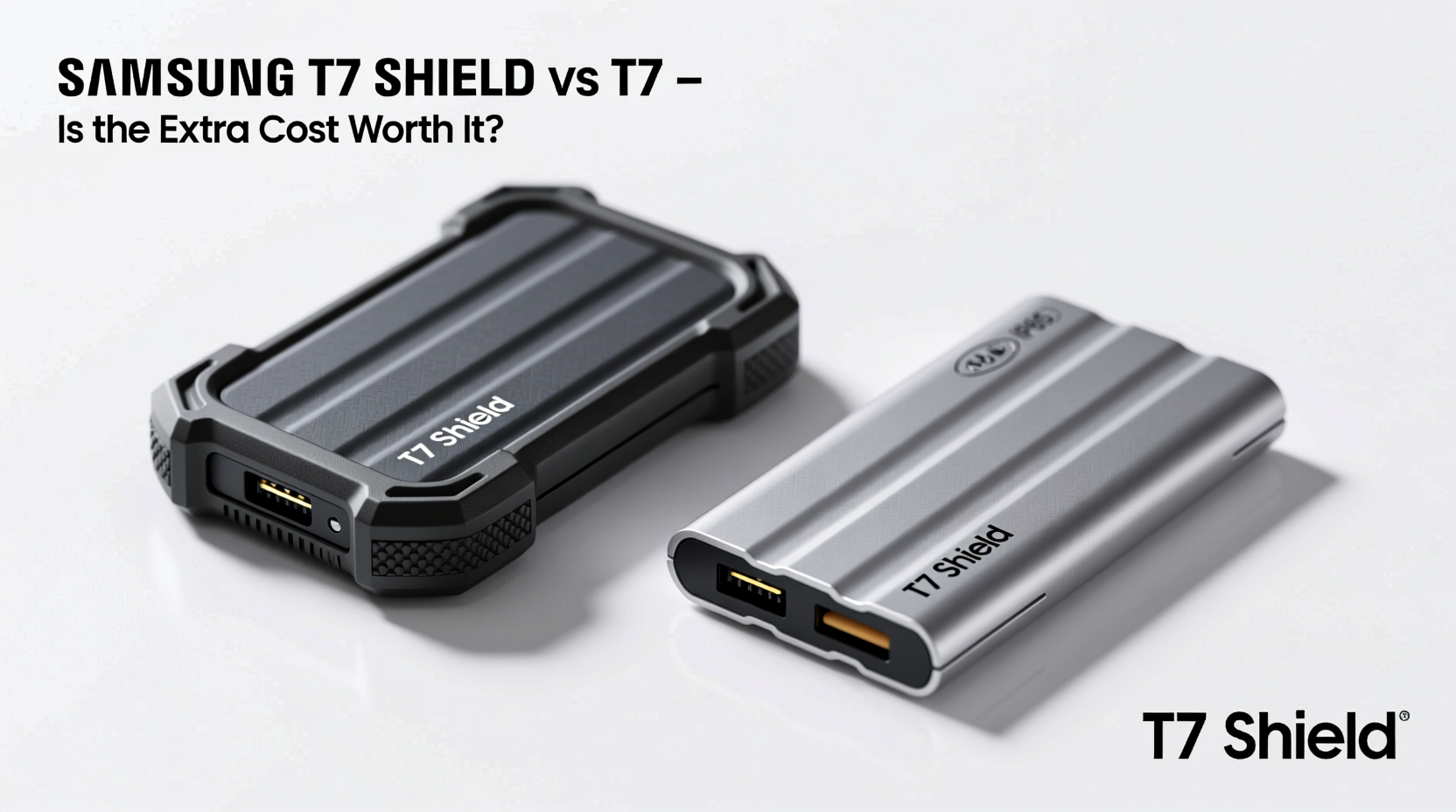
The most significant distinction between the T7 and T7 Shield lies in their physical construction. The original T7 features an aluminum unibody chassis, which gives it a sleek, minimalist look and helps dissipate heat. However, this metal shell offers minimal protection against drops or moisture.
In contrast, the T7 Shield wraps its internals in a rubberized, shock-absorbent exterior. It’s officially rated for:
- IP65 dust and water resistance (protected against low-pressure water jets and total dust ingress)
- Drop resistance up to 3 meters (nearly 10 feet)
- Crush resistance of up to 1.5 tons
This makes the Shield far more suitable for outdoor work, travel, or environments where spills, rain, or accidental drops are common. If you're using the drive on construction sites, film sets, or hiking trips, these protections aren’t just nice-to-have—they’re essential.
Performance: Nearly Identical Under the Hood
Despite their different exteriors, both drives use the same internal components: Samsung’s high-performance NVMe-based controller and V-NAND technology. As a result, their read and write speeds are nearly identical:
| Model | Sequential Read Speed | Sequential Write Speed | Interface |
|---|---|---|---|
| Samsung T7 | Up to 1,050 MB/s | Up to 1,000 MB/s | USB 3.2 Gen 2 (10Gbps) |
| Samsung T7 Shield | Up to 1,050 MB/s | Up to 1,000 MB/s | USB 3.2 Gen 2 (10Gbps) |
In real-world testing, file transfers—whether copying 4K video clips or large photo libraries—perform indistinguishably between the two. Both support hardware encryption (AES 256-bit), password protection via Samsung Magician software, and work seamlessly across Windows, macOS, Android, and some Linux systems.
If raw speed and data security are your top priorities, neither drive clearly wins. Your choice should instead hinge on environmental resilience, not performance.
Portability and Design: Trade-offs in Size and Grip
The T7 Shield is noticeably bulkier than the standard T7. While the original measures 85 x 57 x 8 mm and weighs just 58 grams, the Shield comes in at 89 x 60 x 13.5 mm and 118 grams—more than double the weight and significantly thicker.
This added mass improves grip and drop protection but reduces pocketability. The T7 slips easily into a jeans pocket or small camera bag; the Shield feels more like a mini tool than a sleek gadget. For everyday carry in urban settings, the lighter T7 remains more convenient.
However, the Shield’s textured rubber coating provides superior handling in wet or cold conditions. This becomes critical when working with gloves or in humid climates, where the metal T7 can become slippery or conductive.
“Ruggedness isn’t about surviving one fall—it’s about enduring daily abuse without failure.” — David Lin, Field Data Engineer at Outdoor Imaging Solutions
Real-World Use Case: Photographer on Location
Consider Alex, a freelance adventure photographer who shoots mountain expeditions and coastal documentaries. He previously used the standard T7 to back up RAW files from his mirrorless camera in the field. During a sudden rainstorm in Patagonia, he left the drive exposed on a rock while changing lenses. Within minutes, moisture seeped into the USB port, corrupting half his backup.
After replacing the damaged drive, Alex upgraded to the T7 Shield. On his next trip—a kayaking expedition through Alaska—he accidentally dropped the drive into a shallow river. He retrieved it within seconds, dried it off, and continued transferring files without issue. The IP65 rating and sealed port cover prevented any damage.
For Alex, the extra $30–$50 premium was a no-brainer. His workflow now includes leaving the drive clipped to his backpack during hikes, confident it can handle mud, snow, and splashes. The peace of mind outweighs the slight increase in size.
Price and Value Analysis
At launch, the T7 Shield typically costs 20–30% more than the standard T7 for the same capacity (500GB, 1TB, 2TB). As of 2024, average street prices are:
- T7 (1TB): ~$80–$90
- T7 Shield (1TB): ~$110–$125
That’s a $30–$35 gap for enhanced durability. Whether this is justified depends entirely on your use case:
For office workers, students, or home users who keep their drive in a laptop bag and avoid extreme conditions, the standard T7 delivers identical performance at a lower cost. But for travelers, field technicians, or anyone regularly operating outside climate-controlled environments, the Shield’s protections offer tangible value.
Step-by-Step: How to Choose Between T7 and T7 Shield
Follow this decision path to determine which drive suits your needs:
- Assess your environment: Do you often work outdoors, in wet/dusty areas, or carry gear in rugged conditions? → Lean toward Shield.
- Evaluate risk tolerance: Would losing data due to a spill or drop be catastrophic? → Shield adds insurance.
- Check portability needs: Must the drive fit in a tight pocket or ultra-slim bag? → Standard T7 wins.
- Compare budget: Is saving $30+ important for your use case? → T7 offers better value if durability isn’t critical.
- Test handling habits: Are you prone to dropping devices or exposing them to elements? → Shield mitigates human error.
Frequently Asked Questions
Can I use the T7 Shield with my smartphone?
Yes. Both the T7 and T7 Shield support OTG (On-The-Go) functionality via USB-C. You can connect them directly to modern Android phones and many tablets using the included USB-C to USB-C cable. Samsung’s Smart Switch app allows easy file browsing and transfer.
Is the T7 Shield truly waterproof?
No. The IP65 rating means it’s protected against water jets and dust, but not full submersion. It can survive splashes, rain, or brief contact with puddles, but shouldn’t be used underwater or left soaking. Always dry the port thoroughly before connecting.
Do both drives require drivers?
No. Both are plug-and-play. They come pre-formatted in exFAT, compatible with Windows and macOS without reformatting. No additional software is required, though Samsung Magician enhances security and firmware updates.
Final Verdict: Who Should Upgrade?
The Samsung T7 Shield isn’t faster or smarter than the standard T7—but it is tougher. Its rugged design fills a niche the original doesn’t: reliable storage in unpredictable conditions.
If your life happens mostly indoors, in controlled environments, the standard T7 remains the smarter buy. You get the same blazing speeds and encryption at a lower price, with a slimmer, more stylish profile.
But if you routinely face rain, dirt, drops, or extreme temperatures—if your data travels where accidents are more likely—the T7 Shield’s extra cost buys something invaluable: resilience. In those scenarios, it’s not just worth the upgrade—it’s essential.




 浙公网安备
33010002000092号
浙公网安备
33010002000092号 浙B2-20120091-4
Comments
No comments yet. Why don't you start the discussion?