
In an era where technology evolves rapidly and new gadgets flood the market every few months, the allure of saving hundreds on high-end electronics is strong. Refurbished devices—phones, laptops, tablets, and even gaming consoles—are increasingly popular among budget-conscious consumers and eco-aware buyers alike. But while the price tags are tempting, so are the questions: Are these devices reliable? Could you be buying someone else’s problems? And what exactly does “refurbished” even mean?
The truth is, buying refurbished isn’t inherently risky—but doing it blindly is. With the right knowledge, you can unlock significant value without sacrificing performance or peace of mind. However, without caution, you might end up with a device that fails weeks after purchase, lacks warranty support, or contains undisclosed damage.
This guide cuts through the confusion. We’ll explore what refurbishment really means, compare the real risks against tangible rewards, and equip you with practical steps to make informed decisions—so you can save money without compromising quality.
What Does “Refurbished” Actually Mean?
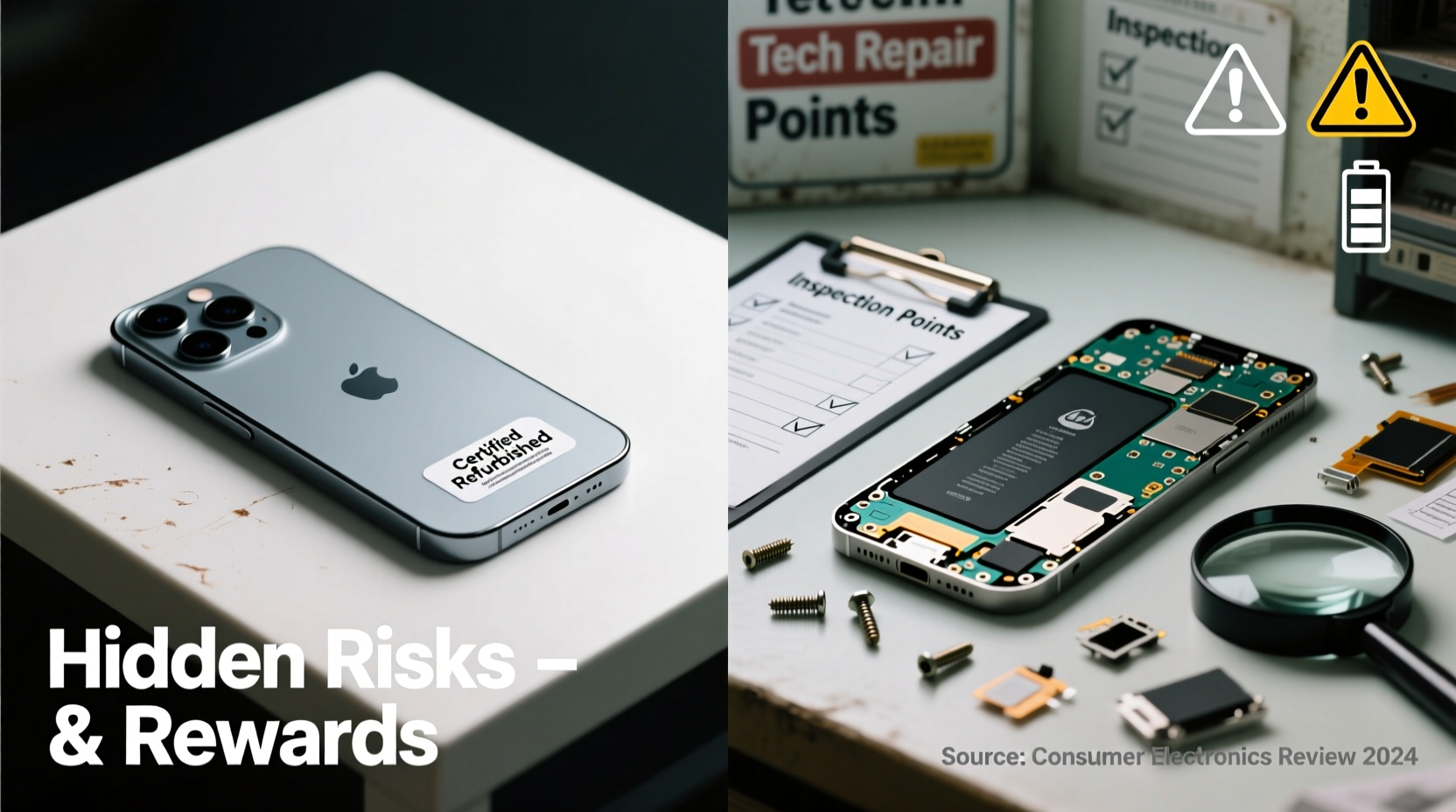
The term “refurbished” is often misunderstood. It doesn’t simply mean “used.” A refurbished electronic has typically been returned by a customer, damaged in transit, or part of an overstock lot. Instead of being discarded, the manufacturer or a certified third party inspects, repairs, and restores the device to working condition.
The level of restoration varies significantly depending on who handles it:
- Manufacturer-refurbished: Devices restored directly by the brand (e.g., Apple Certified Refurbished, Dell Outlet). These undergo rigorous testing, include new batteries or housings if needed, and come with full warranties.
- Third-party refurbished: Sold by resellers or independent repair shops. Quality depends heavily on the seller’s standards. Some offer excellent service; others cut corners.
- Open-box: Often confused with refurbished, open-box items were merely unboxed and returned, unused. They may not have been tested or repaired at all.
The key takeaway? Not all refurbished electronics are created equal. The source matters more than the label.
The Real Rewards: Why Refurbished Can Be a Smart Move
When done right, buying refurbished offers compelling advantages that go beyond just saving money.
1. Significant Cost Savings
You can typically save 20% to 50% off the retail price of a new device. For example, a previous-generation iPhone might cost $300 refurbished versus $700 new. That same logic applies to MacBooks, iPads, and even high-end headphones.
2. Access to Premium Gear on a Budget
Refurbished models allow access to flagship-tier technology that would otherwise be out of reach. A student can afford a powerful MacBook for college, or a freelancer can upgrade to a top-spec laptop without draining their savings.
3. Environmental Benefits
Electronics manufacturing contributes heavily to carbon emissions and rare earth mining. By extending the life of existing devices, you reduce e-waste and lower demand for new production. According to the United Nations, only 17.4% of global e-waste was properly recycled in 2023. Buying refurbished supports a circular economy.
4. Warranty and Return Options (on Reputable Platforms)
Many manufacturer-refurbished products come with warranties as long as those on new devices—sometimes up to one year. You also get return windows, typically 14 to 30 days, giving you time to test performance.
“Choosing refurbished isn’t a compromise—it’s a smarter way to consume tech when you know where to look.” — Sarah Lin, Sustainable Tech Analyst at GreenGadget Report
The Hidden Risks: What Could Go Wrong?
Despite the benefits, there are real pitfalls—especially when purchasing from unknown sources.
1. Inconsistent Quality Control
While major brands maintain strict standards, many third-party sellers do minimal testing. A device might power on but have underlying issues like overheating, poor battery calibration, or malfunctioning ports.
2. Shortened Lifespan
Even well-refurbished electronics have already endured wear. Components like batteries degrade with use and charging cycles. A phone with 80% battery health may seem fine initially but could require replacement within a year.
3. Limited or No Warranty
Some sellers offer no warranty, or only a 7–14 day window. If something fails after that period, you’re on your own. This is common on auction sites or small online stores.
4. Misleading Descriptions
Terms like “like new” or “excellent condition” aren’t regulated. One seller’s “excellent” might be another’s “heavily scratched.” Photos may be stock images, not actual product shots.
5. Security and Data Risks
If a device wasn’t properly wiped, remnants of previous user data could remain. While rare with reputable vendors, it’s a concern with uncertified resellers. Factory resets don’t always erase data permanently—specialized tools are needed.
How to Buy Refurbished Electronics Safely: A Step-by-Step Guide
Making a safe, smart purchase requires diligence. Follow this process to minimize risk and maximize value.
- Determine your needs and budget. Know what specs you actually need—not just want. Avoid overspending on features you won’t use.
- Choose trusted sources. Prioritize manufacturer-certified programs (Apple, Dell, Microsoft, Samsung) or reputable retailers like Best Buy Refurbished, Amazon Renewed Premium, or B&H Refurbished.
- Check the return policy and warranty. Look for at least a 30-day return window and a 90-day warranty minimum. Manufacturer-backed warranties are best.
- Review condition grades. Many sellers use grading systems:
- A Grade: Like new, minimal to no visible marks.
- B Grade: Light scratches, fully functional.
- C Grade: Noticeable wear, but works well.
- Verify battery health (for phones/laptops). Ask for battery cycle count or maximum capacity. On iPhones, anything below 80% is a red flag. For laptops, aim for 85% or higher.
- Inspect photos and descriptions carefully. Look for actual product images, not stock photos. Check for notes about cosmetic flaws or replaced parts.
- Read recent customer reviews. Focus on feedback about long-term reliability and customer service experiences.
- Test immediately upon arrival. Power on, connect to Wi-Fi, test cameras, speakers, charging port, and touchscreen responsiveness. Run a quick benchmark app if possible.
Do’s and Don’ts When Buying Refurbished
| Do | Don’t |
|---|---|
| Buy from manufacturer-certified programs | Assume “refurbished” means “like new” |
| Check warranty length and coverage | Ignore customer reviews |
| Ask for battery health reports | Pay with irreversible methods (e.g., wire transfer) |
| Use credit cards for buyer protection | Buy high-risk items (e.g., used batteries, water-damaged devices) |
| Compare prices across multiple trusted sellers | Skimp on research to save time |
Real Example: A Cautionary Tale and a Success Story
The Risky Purchase: Mark bought a “refurbished” Android tablet from a little-known online store for 60% off. There was no warranty, and the listing used generic photos. Within three weeks, the screen developed flickering lines. He contacted the seller—no response. The bank declined his chargeback because he paid via PayPal Friends & Family, which offers no protection. Total loss: $180.
The Smart Buy: Lisa needed a reliable laptop for remote work. She researched and found a Dell Outlet refurbished XPS 13 with an Intel i7, 16GB RAM, and 512GB SSD—$650 less than new. It came with a one-year warranty, free shipping, and a 30-day return policy. She tested it thoroughly, kept the receipt, and two years later, it still performs flawlessly.
The difference? Source, safeguards, and scrutiny.
Frequently Asked Questions
Is a refurbished phone as good as new?
Not identical, but often close. Manufacturer-refurbished phones are tested to meet original performance standards, may include new batteries and outer shells, and function like new devices. However, they’ve had prior ownership, so long-term durability can vary slightly.
Can I trust Amazon Renewed?
Amazon Renewed has tiers. “Renewed Premium” is trustworthy—devices are inspected, come with a 90-day warranty, and are eligible for returns. Standard “Renewed” listings vary by third-party seller, so check ratings and reviews carefully.
Are refurbished electronics covered by insurance?
Yes, most third-party insurers (like SquareTrade or Safeware) and credit card protections cover refurbished devices the same as new ones—as long as you have proof of purchase and the device meets eligibility criteria.
Final Checklist Before You Buy
- ✅ Is the seller authorized or certified by the manufacturer?
- ✅ Does the listing include actual photos of the item?
- ✅ Is there a warranty of at least 90 days?
- ✅ Can I return the item within 30 days for any reason?
- ✅ Has the battery health been disclosed (if applicable)?
- ✅ Are customer reviews mostly positive, especially regarding long-term use?
- ✅ Am I paying with a method that offers fraud and return protection?
Conclusion: Make the Smart Choice
Buying refurbished electronics isn’t about settling for less—it’s about making a more informed, responsible, and economical decision. The rewards are real: substantial savings, access to premium technology, and a smaller environmental footprint. But the risks are equally real if you skip due diligence.
The difference between a great deal and a regrettable mistake comes down to one thing: where you buy. Stick to manufacturer-certified programs or highly rated retailers with clear policies. Insist on warranties, verify condition, and protect your payment. Do this, and you’re not just saving money—you’re upgrading your buying intelligence.
Next time you consider a new gadget, pause and ask: Do I need brand-new, or can I get nearly the same experience for half the price? With the right approach, the answer might surprise you.




 浙公网安备
33010002000092号
浙公网安备
33010002000092号 浙B2-20120091-4
Comments
No comments yet. Why don't you start the discussion?