
For competitive gamers, every millisecond counts. The difference between a win and a loss often hinges on reaction speed, precision, and input lag. As a result, many players are turning to hardware modifications—commonly known as \"mods\"—to gain an edge. One of the most talked-about upgrades is modifying a gaming controller to reduce response time. But is it worth it? And what trade-offs come with tinkering under the hood of your favorite gamepad?
This article dives deep into the world of controller mods, examining how they affect response time, the tangible benefits they offer, and the potential drawbacks that could outweigh the gains. Whether you're a casual player curious about optimization or a tournament-level competitor seeking every advantage, understanding the reality behind these modifications is essential.
How Controller Response Time Works
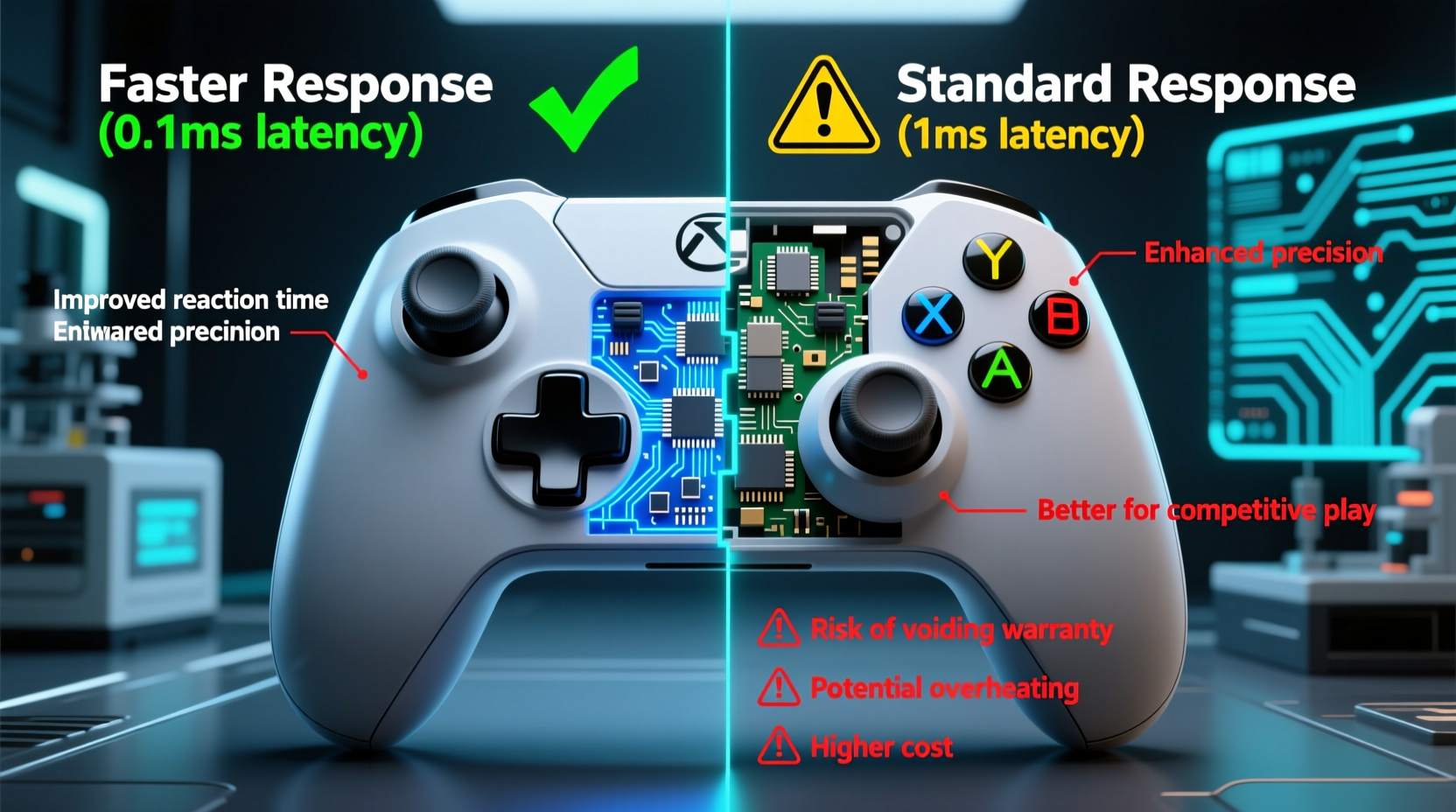
Response time refers to the delay between pressing a button and the in-game action occurring. This latency is influenced by several factors: the controller’s internal circuitry, switch type, firmware processing, wireless transmission (if applicable), and the console or PC’s input handling.
Standard controllers typically have a response time ranging from 4ms to 16ms depending on model and connection method. Wired connections generally offer lower latency than Bluetooth or proprietary wireless systems. However, even within this narrow window, competitive players look for ways to shave off fractions of a millisecond.
Modifications aim to improve this performance by upgrading key components:
- Mechanical switches: Replacing membrane buttons with mechanical microswitches (e.g., Omron) reduces actuation force and travel distance.
- Paddle installation: Adds secondary triggers without lifting fingers, improving access speed.
- Firmware tweaks: Custom code can optimize polling rates and debounce timing.
- Debounce reduction: Lowers the software delay used to prevent false inputs, speeding up signal transmission.
While none of these changes alone revolutionize gameplay, together they can create a noticeably more responsive feel—especially in fast-paced titles like fighting games, first-person shooters, or rhythm games.
The Pros of Modding for Faster Response Time
Reduced Input Lag
The primary goal of any performance mod is to minimize delay. High-quality microswitches paired with optimized firmware can cut down debounce time from 5–8ms to under 2ms. In high-refresh-rate environments (e.g., 144Hz+ monitors), this becomes perceptible during rapid-fire actions or frame-tight combos.
Improved Button Feel and Consistency
Stock controllers often use rubber dome or conductive pad systems that degrade over time. Mechanical switches provide tactile feedback, consistent actuation points, and longer lifespan—often rated for 50 million+ presses compared to 5–10 million on standard pads.
Customization for Play Style
Mods allow personalization beyond factory limitations. Players can adjust trigger stops, remap buttons, add back paddles, or fine-tune sensitivity curves. For example, shortening the pull distance on a trigger can simulate \"hair-trigger\" functionality useful in FPS games like *Call of Duty* or *Valorant*.
Competitive Edge at High Levels
In elite circles, marginal gains matter. Top-tier players in games like *Super Smash Bros.*, *Street Fighter*, or *Apex Legends* frequently use modded controllers. A 3–5ms improvement may not sound significant, but when reacting to opponent moves at sub-20-frame windows, it can be decisive.
“Even if the raw numbers seem small, the confidence boost from knowing your inputs register instantly changes how aggressively you play.” — Daniel Reyes, Pro Fighting Game Player & Coach
The Cons and Risks of Controller Modifications
Voiding Warranty and Potential Damage
Opening a controller immediately voids the manufacturer warranty. Soldering errors, incorrect wiring, or static discharge can permanently damage components. Even experienced modders occasionally brick devices during firmware flashing or switch replacement.
Limited Real-World Benefit for Most Gamers
For non-competitive or casual players, the difference between 8ms and 4ms response time is imperceptible. Human reaction times average around 200–250ms; reducing controller lag by a few milliseconds won't impact overall performance unless already operating near physical limits.
Increased Risk of Accidental Inputs
Aggressive debounce tuning or overly sensitive switches can lead to unintended activations. A slightly bumped shoulder button triggering a grenade throw or weapon swap mid-match can cost dearly. Balance between speed and reliability is crucial.
Compatibility and Enforcement Issues
Some online platforms and tournaments restrict modified hardware. While Sony and Microsoft generally allow user-modded controllers for personal use, official competitions may require stock configurations to ensure fairness. Always verify rules before using a modded device in ranked or LAN events.
Cost vs. Return on Investment
Professional-grade mods can cost $100–$250 when done through reputable builders. DIY kits range from $30–$70, but require tools and technical knowledge. For many, investing in better peripherals (e.g., high-refresh monitor) or practice yields greater returns than controller mods.
Controller Mod Comparison: Stock vs. Modified
| Feature | Stock Controller | Modified Controller |
|---|---|---|
| Average Response Time | 8–16ms | 4–8ms |
| Button Actuation Life | 5–10 million presses | 20–50 million presses |
| Ease of Repair | Moderate (official support) | Difficult (requires expertise) |
| Tournament Legality | Always allowed | Varies by event |
| Typical Cost Increase | $0 (included) | $50–$250 |
| Input Accuracy Risk | Low | Moderate (if poorly tuned) |
Real-World Example: Competitive Fighter’s Journey
Carlos Mendez, a regional *Street Fighter VI* competitor, struggled with inconsistent special move execution during tense matches. Despite flawless timing in training mode, inputs would occasionally fail to register under pressure. After consulting with a hardware specialist, he opted to install Omron microswitches and reprogram his controller’s polling rate from 125Hz to 1000Hz (1ms report interval).
The results were subtle but meaningful. Within two weeks, Carlos reported increased confidence in executing charge moves and reversals. His quarter-final finish at a major regional event was attributed partly to improved input consistency. However, he noted one downside: early firmware settings caused double-input issues on light attacks, forcing him to recalibrate debounce values twice before finding a stable configuration.
His experience underscores a key truth: mods don’t automatically make you better—they remove bottlenecks so skill can shine through more reliably.
Step-by-Step Guide to Evaluating a Controller Mod
- Assess Your Needs: Are you playing competitively? Do you notice input delays in-game? If not, mods may offer negligible benefit.
- Research Compatible Mods: Check forums like Reddit’s r/ControllerMods or specialized sites like Scuf, Shift Control, or local mod builders for compatible upgrades.
- Decide: DIY or Professional? Beginners should consider pre-modded controllers or professional services. DIY requires soldering iron, multimeter, desoldering braid, and patience.
- Backup Firmware (if possible): Some advanced mods allow firmware backup. This ensures you can restore original settings if needed.
- Test Thoroughly: After modification, test each button, stick, and trigger across multiple games. Use input testing tools like JoyToKey or Gamepad Tester websites to verify responsiveness.
- Adjust Settings Gradually: Fine-tune debounce, polling rate, and dead zones incrementally. Avoid extreme settings that sacrifice reliability.
- Monitor Long-Term Performance: Track durability, comfort, and consistency over several weeks before declaring success.
Frequently Asked Questions
Does modding a controller really reduce lag?
Yes, but only within a limited range. Well-executed mods can reduce end-to-end input latency by 3–6ms, primarily by minimizing switch debounce and improving electrical contact. However, this assumes optimal system conditions (fast display, low-latency cable, responsive game engine).
Are modded controllers allowed on Xbox or PlayStation?
Generally yes—for personal use. Both Microsoft and Sony permit user-modified hardware as long as it doesn’t enable cheating (e.g., macros, auto-aim). However, third-party tournaments may ban them. Always check event-specific rules.
Can I go back to stock settings after modding?
Physically reversing a mod is possible but not always practical. Once switches are soldered or casings altered, returning to factory condition requires spare parts and labor. Some companies sell “mod-ready” shells to preserve original units.
Final Thoughts: Is It Worth It?
Modifying a controller for faster response time sits at the intersection of engineering, ergonomics, and ambition. For the average gamer, the investment rarely justifies the return. Stock controllers today are highly optimized, and most performance bottlenecks lie elsewhere—such as network latency, screen refresh rate, or human reaction speed.
However, for serious competitors pushing the boundaries of mechanical execution, a well-tuned modded controller can serve as a reliable extension of muscle memory. It removes uncertainty from input registration, allowing split-second decisions to translate faithfully into gameplay.
The decision ultimately depends on your goals. If you're chasing pixel-perfect combos, frame traps, or flick shots at the highest level, then exploring mods makes sense. Just remember: no amount of hardware tweaking replaces deliberate practice, strategy, and game sense.
“The best controller is the one that disappears in your hands.” — Lena Park, Esports Hardware Analyst




 浙公网安备
33010002000092号
浙公网安备
33010002000092号 浙B2-20120091-4
Comments
No comments yet. Why don't you start the discussion?