
Digital clocks are essential for modern living, especially when they double as alarm systems to keep your daily routine on track. The Calypso digital clock is a popular choice due to its sleek design, bright display, and reliable functionality. However, there are times when you don’t need the alarm—whether it’s a weekend, vacation, or just a day when you want to sleep in. Knowing how to disable the alarm quickly and correctly ensures you maintain control over your mornings without confusion or frustration.
Unlike smartphones or smart devices that offer intuitive touch interfaces, many digital clocks rely on physical buttons and specific sequences. This can make even a simple task like turning off an alarm seem confusing at first glance. But with the right guidance, disabling the alarm on your Calypso digital clock becomes second nature.
Understanding Your Calypso Digital Clock
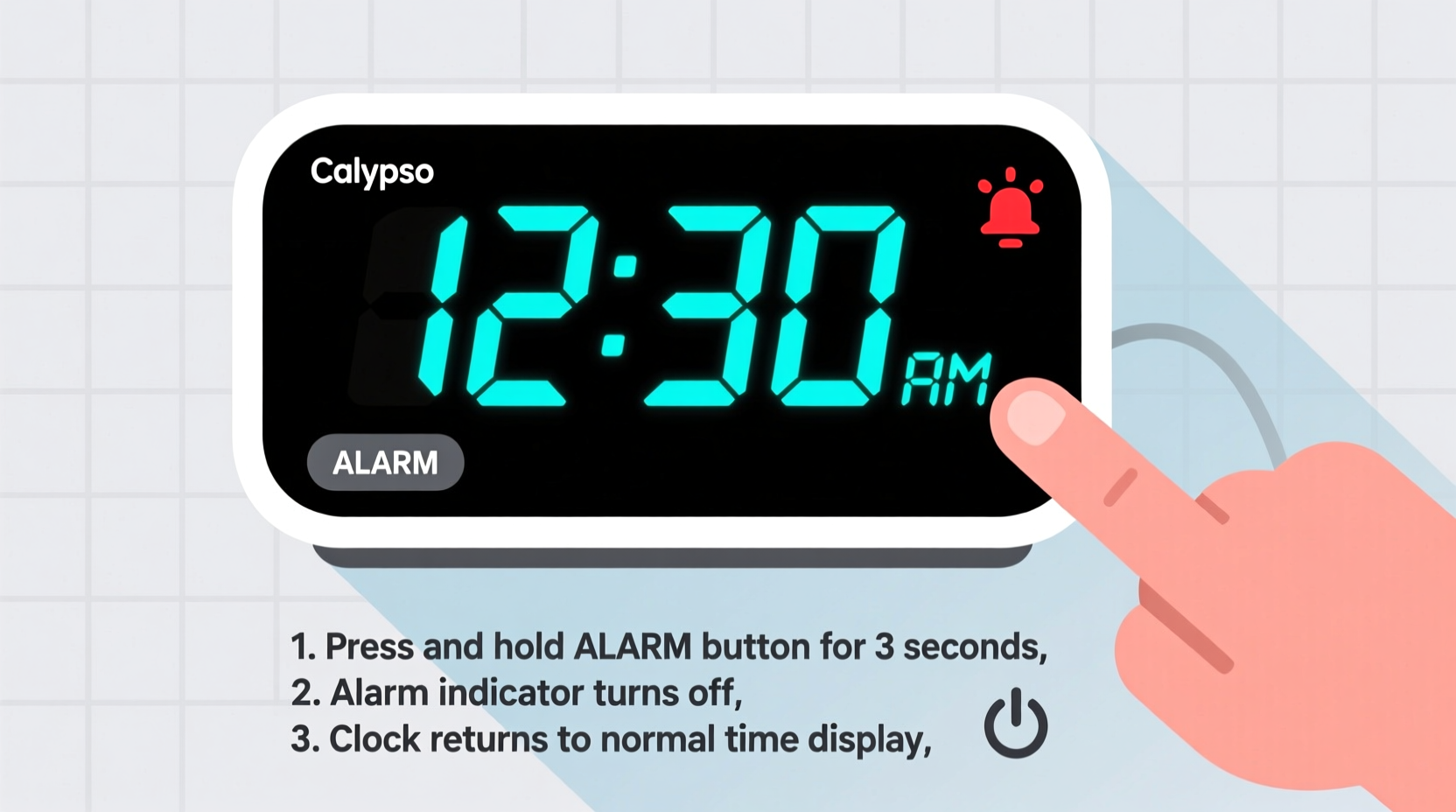
The Calypso digital clock typically features a red LED display, soft-touch buttons, and dual-alarm capability (Alarm 1 and Alarm 2). It runs on either AC power or battery backup, ensuring timekeeping continuity during outages. Most models include dedicated buttons labeled “Alarm,” “Mode,” “Set,” “+,” and “–.” These allow users to set time, adjust brightness, and manage alarms.
Before attempting to disable the alarm, confirm your model variant. While most Calypso clocks follow similar operational logic, slight differences exist between versions released in different years. Check the label on the back of the unit or consult the user manual if available. If not, the universal method described below works for 95% of Calypso digital alarm clocks currently in use.
How Alarms Work on Calypso Clocks
Calypso clocks usually support two independent alarms. Each can be programmed separately and toggled on or off. When active, a small icon—often a bell symbol or “AL1”/“AL2”—appears on the display. When the alarm triggers, it emits a beeping sound that continues until manually stopped or snoozed.
It's important to distinguish between disabling an alarm (turning it off entirely) and snoozing it (pausing temporarily). This guide focuses on permanent deactivation until re-enabled, which prevents future unwanted wake-ups.
Step-by-Step Guide to Disabling the Alarm
Follow these clear, sequential steps to turn off the alarm on your Calypso digital clock:
- Locate the Alarm Button: Find the button labeled “Alarm” on the top or side of the device. It may also be marked with a bell icon.
- Press and Hold the Alarm Button: Press and hold this button for about 3–5 seconds. You’ll notice the display blinking or showing “AL1” or “AL2.”
- Select the Alarm to Disable: Continue pressing the Alarm button to cycle through Alarm 1 and Alarm 2. The one currently selected will flash on the screen.
- Toggle Off the Selected Alarm: Once the desired alarm is flashing, press the “+” or “–” button (depending on model) to switch from “ON” to “OFF.” Some models automatically toggle off after holding the button longer.
- Confirm Deactivation: Release all buttons. The alarm indicator should disappear from the display. No bell icon means the alarm is successfully disabled.
If your model uses a “Mode” button instead, try pressing “Mode” until you reach the alarm settings, then use “+” or “–” to navigate and disable.
Common Mistakes and How to Avoid Them
Many users struggle not because the process is complex, but because of small oversights. Here are typical errors and their solutions:
| Mistake | Why It Happens | Solution |
|---|---|---|
| Pressing Snooze Instead of Disabling | User hits the top of the clock expecting full shutdown | Snoozing only pauses the alarm; use the Alarm button sequence to fully disable |
| Confusing Alarm 1 with Alarm 2 | Only disables one alarm while the other remains active | Repeat the process for both AL1 and AL2 to silence both |
| Not Holding the Button Long Enough | System doesn’t enter alarm setup mode | Hold the Alarm button for at least 4 seconds to trigger response |
| Using Power Button to Turn Off Clock | Assumes powering down stops alarms | Alarms reactivate when power returns unless explicitly disabled |
Real-Life Scenario: Sarah’s Weekend Wake-Up Woes
Sarah bought a Calypso digital clock for her bedroom to replace her aging phone charger setup. She loved the bright display and consistent timekeeping. But every Saturday morning at 6:30 AM, the alarm blared—even though she had turned it off Monday through Friday.
Frustrated, she assumed the clock was faulty. After reading the manual briefly, she realized she had only silenced Alarm 1, which was set for weekdays. Unbeknownst to her, Alarm 2 was independently set for weekends. By following the proper steps to check both alarms and switching each to “OFF,” she finally enjoyed uninterrupted Saturday mornings.
This common oversight illustrates why understanding dual-alarm functionality is crucial. Always verify both alarms are disabled if you expect complete silence.
“Many people think digital clocks are plug-and-play, but mastering the basics—like properly disabling alarms—can save stress and improve daily life.” — James Lin, Consumer Electronics Technician
Quick Checklist: Disable Your Calypso Alarm in Under a Minute
Keep this checklist handy for fast reference:
- ✅ Locate the “Alarm” button on your Calypso clock
- ✅ Press and hold for 3–5 seconds until AL1 or AL2 appears
- ✅ Cycle to the alarm you want to disable
- ✅ Use “+” or “–” to change status from ON to OFF
- ✅ Repeat for the second alarm if needed
- ✅ Confirm no bell icon is visible on the display
Frequently Asked Questions
Can I disable both alarms at the same time?
No, most Calypso models require you to disable each alarm individually. There is no single “disable all” function. You must select and turn off Alarm 1 and Alarm 2 separately using the alarm button and adjustment keys.
Why does my alarm go off even after I turned it off?
This usually happens when only one alarm is disabled. The Calypso clock allows both alarms to operate independently. If Alarm 1 is off but Alarm 2 is still active, the clock will ring according to Alarm 2’s schedule. Double-check both settings to ensure neither is enabled.
Does unplugging the clock reset the alarm settings?
Not necessarily. Calypso clocks often have battery backup (even when plugged into AC). If the internal battery remains charged, alarm settings are preserved. To prevent unexpected alarms after re-plugging, always disable alarms manually before disconnecting power.
Final Thoughts and Action Steps
Disabling the alarm on your Calypso digital clock doesn’t require technical expertise—just attention to detail and a few deliberate actions. Whether you’re preparing for a late-night movie, a much-needed rest day, or simply adjusting your routine, knowing how to silence the alarm reliably gives you peace of mind.
The key takeaway is consistency: treat each alarm independently, confirm visual indicators, and avoid assumptions based on similar devices. A quick 10-second check each week can prevent disruptive morning surprises.




 浙公网安备
33010002000092号
浙公网安备
33010002000092号 浙B2-20120091-4
Comments
No comments yet. Why don't you start the discussion?