
In an age where smartphones are both essential tools and expensive investments, protecting them from drops and mishaps is more important than ever. Wrist straps offer a practical solution—keeping your device tethered to your hand during commutes, workouts, or travel. However, improper use can lead to strain, screen damage, or even theft risk. Understanding how to use a wrist strap correctly ensures both convenience and safety. This guide delivers actionable, expert-backed strategies to help you integrate a wrist strap into your daily routine without compromising security or device integrity.
Choose the Right Strap for Your Lifestyle
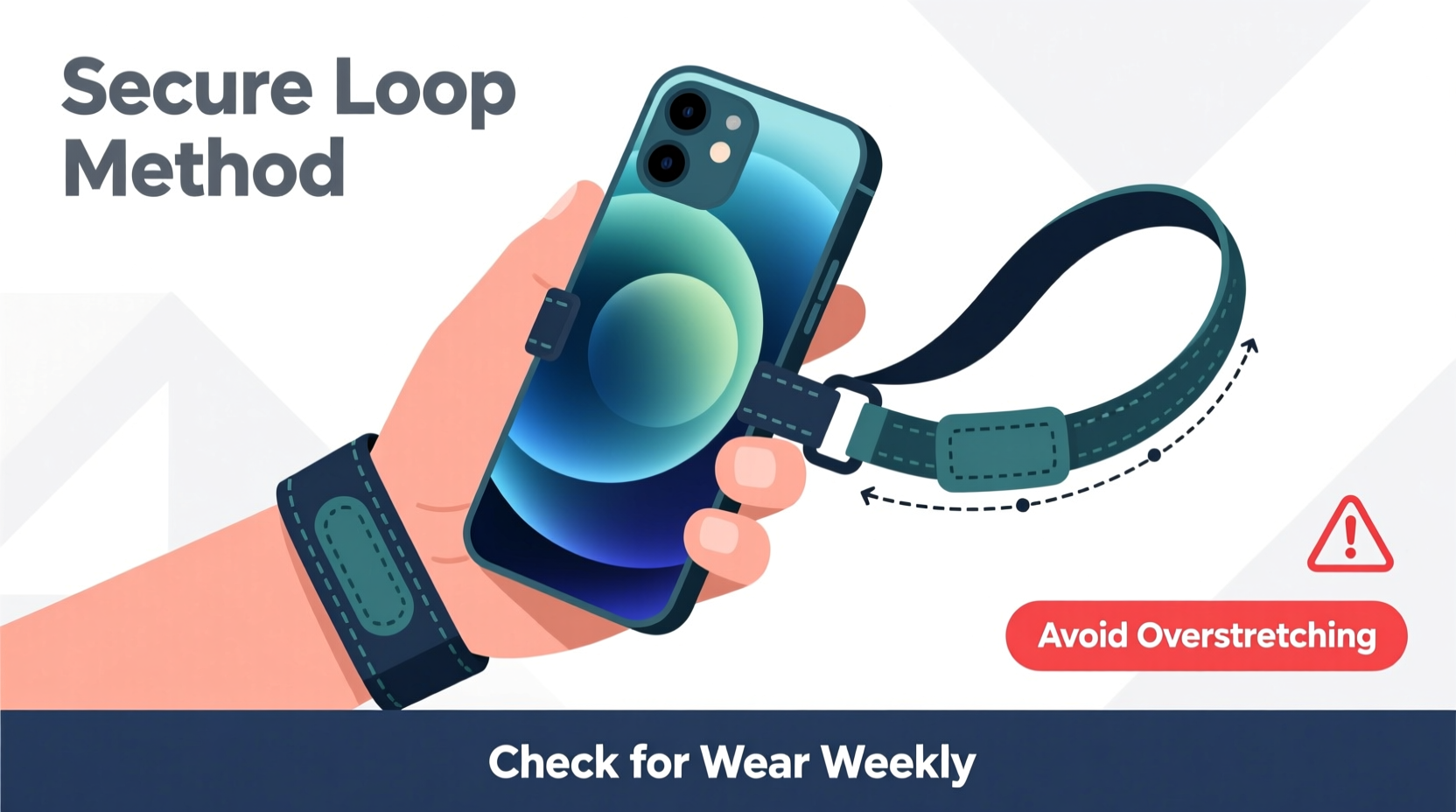
Not all wrist straps are created equal. The best choice depends on your usage patterns—whether you're a frequent traveler, fitness enthusiast, or urban commuter. Materials like nylon, silicone, and braided steel each offer different benefits in strength, flexibility, and comfort.
Nylon straps are lightweight and adjustable, ideal for everyday carry. Silicone options provide a softer feel against the skin but may stretch over time. Braided steel or Kevlar-reinforced straps offer maximum durability and cut resistance, making them suitable for high-risk environments.
Secure Installation: Avoiding Common Attachment Mistakes
The weakest point of any wrist strap system isn’t usually the strap itself—it’s the attachment method. Many users rely on lanyard loops built into cases or third-party adapters that aren’t rigorously tested. A poorly secured strap can snap under tension, leading to a fall.
To ensure reliability:
- Use cases specifically designed with reinforced lanyard holes or integrated anchor points.
- Avoid cheap silicone or rubber cases with thin perforations—they tear easily.
- If modifying a case, consider using metal grommets to reinforce the hole.
- Double-check that the connector (carabiner, snap hook, or loop) is rated for at least 5–10 kg of tensile strength.
“Over 70% of strap failures stem from inadequate anchoring, not strap breakage.” — Dr. Lena Torres, Product Safety Engineer at Mobile Durability Labs
Proper Wearing Technique to Prevent Injury and Damage
Wearing the strap incorrectly can cause discomfort, restrict blood flow, or increase the risk of sudden jerks damaging your phone. Follow these guidelines for safe wear:
- Loop the strap around your wrist—not your fingers—to maintain control without restricting movement.
- Adjust the length so the phone rests comfortably near your palm when hanging, minimizing swing.
- Never wrap the strap tightly; allow room for one finger between the strap and skin to prevent circulation issues.
- When putting the phone down, unclip or loosen the strap rather than stretching it across surfaces.
Avoid letting the phone dangle freely while seated or navigating tight spaces. In public transit or crowds, keep the phone in hand or stowed—dangling devices attract pickpockets.
Step-by-Step Guide: How to Safely Attach and Use a Wrist Strap
- Select a compatible case with a dedicated lanyard hole or mounting point.
- Thread the strap through the hole from the outside and secure it with a knot or hardware lock.
- Test the connection by gently pulling on the strap to ensure no slippage.
- Adjust the length so the phone sits just below your wrist when extended.
- Wrap securely around your wrist, ensuring the strap lies flat and smooth.
- Use mindfully—avoid swinging the phone or relying solely on the strap during physical activity.
Do’s and Don’ts of Wrist Strap Usage
| Do’s | Don’ts |
|---|---|
| ✔ Use a reinforced case with a sturdy lanyard point | ✖ Attach straps to flimsy pop sockets or magnetic mounts |
| ✔ Adjust strap length for minimal slack | ✖ Wrap the strap tightly around your wrist for long periods |
| ✔ Inspect the strap monthly for fraying or wear | ✖ Leave the phone dangling near edges or stairs |
| ✔ Remove the strap when charging wirelessly | ✖ Use wet or sweaty straps that degrade faster |
| ✔ Carry backup adhesive anchors if using non-lanyard cases | ✖ Rely on the strap alone during intense motion (e.g., running) |
Real-World Scenario: When a Strap Prevented a Costly Drop
Sophia, a freelance photographer in Seattle, regularly walks between outdoor shoots with her phone clipped to a braided nylon wrist strap. During a rainy afternoon, she slipped on wet pavement while reviewing shots. Her phone flew from her hand—but the strap held firm, stopping it just inches from cracking on the concrete. “I’d just upgraded to a new model,” she said. “If I hadn’t had that strap properly installed, I would’ve lost hundreds in repairs. Now I check my gear weekly.”
This incident highlights not only the physical protection a strap offers but also the importance of correct installation and material quality. A weaker strap might have snapped under impact, negating its purpose.
Maintain Longevity: Care and Inspection Routine
Like any wearable accessory, wrist straps degrade over time. Exposure to UV light, sweat, dirt, and friction weakens fibers. To extend lifespan and maintain safety:
- Clean fabric straps monthly with mild soap and water; air dry completely.
- Inspect stitching and connectors for signs of unraveling or corrosion.
- Rotate between multiple straps if used daily to reduce wear on a single unit.
- Store in a dry place away from sharp objects or heat sources.
Replace any strap showing visible fraying, stiffness, or reduced elasticity—even if it still appears functional. Prevention is far cheaper than replacing a shattered screen.
Frequently Asked Questions
Can a wrist strap damage my phone case?
Yes, if the case isn’t designed for lanyard use. Constant friction or stress on a poorly reinforced hole can crack plastic or tear silicone. Always use cases engineered for strap compatibility or reinforce the attachment point yourself.
Are wrist straps safe for children?
With supervision, yes. Choose shorter, adjustable straps made from soft, non-abrasive materials. Teach kids not to swing the phone and to remove the strap when playing. Avoid long straps that could pose entanglement risks.
Do wrist straps interfere with wireless charging?
They can. Most straps attach near the bottom or side of the case, which may block placement on flat charging pads. Remove the strap before charging, or opt for detachable models that unhook quickly.
Final Thoughts: Safety Meets Smart Design
A wrist strap is more than a simple accessory—it’s a smart layer of defense against accidental drops and loss. But its effectiveness hinges on informed choices: selecting durable materials, installing it correctly, and using it responsibly. Whether you’re hiking rugged trails, commuting through busy stations, or simply juggling bags and coffee, a well-fitted strap gives peace of mind.
Technology evolves rapidly, but basic principles of ergonomics and safety remain constant. By treating your wrist strap as a critical part of your phone’s protection system—not an afterthought—you ensure both longevity and usability.




 浙公网安备
33010002000092号
浙公网安备
33010002000092号 浙B2-20120091-4
Comments
No comments yet. Why don't you start the discussion?