
Home lighting automation has evolved from simple timers to full voice and app-based control. As more homeowners embrace smart technology, two solutions dominate the market: smart bulbs and smart switches. Both promise convenience, energy savings, and enhanced ambiance, but they differ significantly in how they deliver control, function, and long-term value. Choosing between a smart bulb and a smart switch isn't just about preference—it's about understanding your home’s electrical setup, usage patterns, and automation goals.
While both options allow remote access, scheduling, dimming, and integration with platforms like Alexa, Google Assistant, or Apple HomeKit, their underlying mechanics create distinct advantages and limitations. One shines in flexibility; the other excels in permanence. This guide breaks down the real-world differences to help you decide which solution offers superior control over your home lighting.
How Smart Bulbs Work
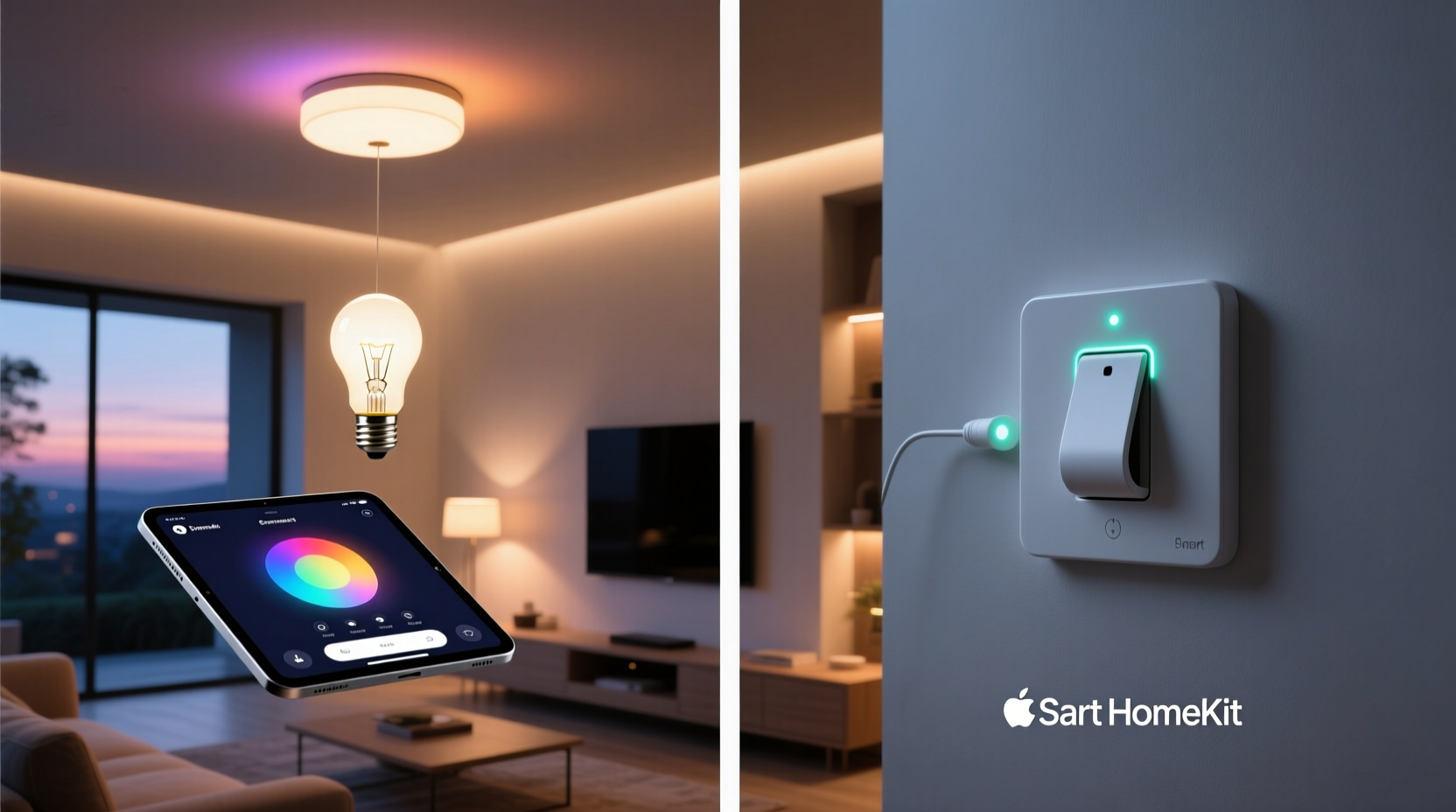
Smart bulbs replace traditional incandescent or LED bulbs in existing fixtures. They contain built-in Wi-Fi or Bluetooth radios (sometimes Zigbee or Z-Wave) that connect directly to your home network or hub. Once paired with a mobile app, each bulb can be controlled individually or grouped by room.
Most smart bulbs support color tuning, brightness adjustment, and preset scenes. For example, you can set warm white light for evenings and cool daylight tones for mornings. Brands like Philips Hue, LIFX, and Nanoleaf offer rich ecosystems with advanced features such as music synchronization and geofencing.
Because each bulb operates independently, you can assign unique behaviors per fixture. A single lamp in the living room might follow a sunset-to-sleep routine, while overhead lights respond to motion sensors or voice commands.
How Smart Switches Work
Smart switches replace standard wall light switches. Instead of controlling power at the bulb level, they manage electricity flow at the circuit level. When installed, any connected fixture turns on/off—or dims—via the switch itself, an app, or voice command.
Unlike smart bulbs, the intelligence resides in the switch, not the bulb. This means you can use regular, non-smart LED bulbs and still achieve automation. Most smart switches require a neutral wire for consistent power, though some newer models work without one.
Popular models from Lutron, TP-Link Kasa, and Leviton support scheduling, remote access, and integration with smart home platforms. Dimmer variants allow smooth brightness transitions, and multi-way setups enable multiple switches to control the same light—a common need in hallways or staircases.
Because the switch governs the entire circuit, all lights tied to it behave uniformly. This simplifies control but limits individual fixture customization unless you install multiple switches.
Comparing Control: Granularity vs. Simplicity
The core difference lies in control granularity. Smart bulbs offer per-fixture precision. You can have ten bulbs in one room, each with its own color, brightness, and schedule. Want blue ambient glow behind the TV and warm pool lighting above the dining table? Smart bulbs make this possible.
Smart switches, by contrast, control everything on the circuit. If your ceiling fan and overhead light are on the same switch, they turn on together. While this reduces complexity, it also limits fine-tuning. However, switches provide a more natural user experience: flipping a physical toggle still works, even if the internet goes down.
Reliability is another factor. Smart bulbs depend on constant connectivity. If your Wi-Fi drops, you may lose remote access until it returns. Some systems buffer commands locally, but many rely on cloud servers. Smart switches often support local control via hubs (e.g., Home Assistant or Hubitat), enabling faster response times and offline functionality.
“Smart bulbs give you pixel-level control over lighting design, while smart switches offer robust, whole-circuit automation that feels integrated into the home.” — Daniel Reyes, Smart Home Systems Engineer
Detailed Comparison Table
| Feature | Smart Bulbs | Smart Switches |
|---|---|---|
| Installation | Simple screw-in replacement; no electrician needed | Requires wiring changes; may need professional installation |
| Bulb Compatibility | Must use specific smart bulbs | Works with any standard bulb (LED, incandescent, etc.) |
| Control Level | Per-bulb customization (color, brightness, schedules) | Circuit-wide control (all lights on switch act together) |
| Offline Access | Limited; often requires internet/cloud | Better; supports local processing with compatible hubs |
| Cost per Fixture | Higher ($15–$60 per bulb) | Lower long-term ($30–$70 per switch, covers multiple lights) |
| Lifespan | Tied to bulb life (~15,000–25,000 hours) | Switch lasts 10+ years; bulbs remain replaceable |
| Energy Monitoring | Rare; limited to high-end models | Available in many models (e.g., Kasa HS220) |
| Voice & App Integration | Excellent across platforms | Good, but varies by brand and protocol |
Real-World Scenario: The Modern Family Home
The Thompsons live in a three-bedroom suburban house. Their goal: reduce energy use, improve safety, and create adaptable lighting for movie nights, homework, and relaxation.
They initially installed smart bulbs in every room. It worked well—each child could personalize their bedroom lighting, and the living room had dynamic scenes. But problems emerged. When the Wi-Fi crashed during a storm, all lights became unresponsive remotely. Also, replacing burned-out smart bulbs was costly, and guests were confused when wall switches turned off power to “always-on” bulbs.
After consulting an electrician, they switched to a hybrid model. Smart switches were installed in main rooms (living room, kitchen, hallways), providing reliable, circuit-level control. Smart bulbs remained in accent fixtures—floor lamps, under-cabinet strips, and outdoor string lights—where color and individual control mattered most.
This approach gave them stability, lower maintenance costs, and greater design freedom. Motion-triggered hallway lights now activate via switch automation, while sunset-themed patio lighting runs on smart bulbs synced to weather data.
Step-by-Step Guide to Choosing the Right Option
- Assess Your Lighting Needs: Identify which rooms require color tuning or scene control versus those needing basic on/off automation.
- Check Electrical Setup: Verify if your switch boxes have neutral wires. Many smart switches require them. Older homes may lack neutrals, limiting switch options.
- Evaluate Existing Fixtures: Are your lamps easily accessible? Do you use dimmers? Smart bulbs work best in open sockets; smart switches suit hardwired ceiling lights.
- Estimate Long-Term Costs: Calculate total bulbs vs. number of circuits. Replacing 20 bulbs with $25 smart LEDs totals $500. Four smart switches at $50 each cost $200 and cover more lights.
- Test Reliability Requirements: If uptime is critical (e.g., nightlights, security), prioritize smart switches with local control. Cloud-dependent bulbs may fail during outages.
- Plan for Scalability: Choose systems that integrate with your preferred ecosystem (Apple Home, Google Home, etc.). Avoid brands with poor API support or discontinued apps.
- Consider Hybrid Solutions: Combine both technologies. Use switches for primary lighting and bulbs for accents. This maximizes control without sacrificing reliability.
Common Pitfalls to Avoid
- Ignoring Neutral Wires: Assuming all smart switches work in old homes can lead to flickering or failure. Confirm wiring compatibility first.
- Overloading Circuits: Adding multiple high-wattage smart bulbs on one switch may exceed load limits, especially with dimmers.
- Using Non-Dimmable Bulbs with Dimmer Switches: Even smart bulbs must be labeled \"dimmable\" to work correctly with smart dimmer switches.
- Forgetting Physical Switches: Turning off a wall switch cuts power to smart bulbs, disabling their functions. Educate household members to use apps or voice instead.
- Brand Lock-In: Some ecosystems don’t interoperate. Philips Hue bulbs won’t work with Lutron switches natively. Stick to open standards like Matter when possible.
FAQ
Can I use smart bulbs with a smart switch?
Yes, but only if the switch doesn’t cut power completely. If the switch turns off, the bulb loses power and can’t respond to commands. To use both, install a smart switch that maintains low-voltage power (like a “switch + neutral” setup) or use the smart switch to control non-smart bulbs and keep smart bulbs on always-on circuits.
Which is better for renters: smart bulbs or smart switches?
Smart bulbs. They require no wiring changes, are easy to install and remove, and leave no permanent modifications. Simply screw them in and take them when you move. Smart switches usually require landlord permission and professional installation.
Do smart switches work when the internet is down?
It depends. Basic on/off via the physical switch always works. Remote app control typically fails without internet. However, systems with local hubs (e.g., Home Assistant, Hubitat, or Apple Home with HomePod) can maintain automation and voice control even during outages.
Final Recommendation: It Depends on Your Goals
If your priority is maximum control over lighting aesthetics—individual color, scene programming, and dynamic effects—smart bulbs are unmatched. They’re ideal for entertainment areas, bedrooms, and decorative lighting where personalization matters.
If you value reliability, simplicity, and long-term cost efficiency, smart switches are superior. They automate entire rooms with minimal ongoing expense, integrate seamlessly with existing decor, and function reliably even during network disruptions.
For most homes, the optimal path is hybrid: smart switches for primary lighting circuits and smart bulbs for targeted, expressive applications. This balances performance, cost, and usability while future-proofing your investment.
“The best smart lighting strategy isn’t choosing one over the other—it’s using both where they excel.” — Sarah Lin, Home Automation Consultant
Conclusion
When it comes to controlling home lighting, neither smart bulbs nor smart switches universally outperform the other. Each serves different needs and environments. Smart bulbs deliver precision and creativity; smart switches offer durability and system-wide automation. By evaluating your home’s layout, electrical infrastructure, and lifestyle demands, you can determine which solution—or combination—gives you the most effective, lasting control.




 浙公网安备
33010002000092号
浙公网安备
33010002000092号 浙B2-20120091-4
Comments
No comments yet. Why don't you start the discussion?