
Home automation has evolved from a luxury into a practical upgrade for modern living. At the heart of this transformation are lighting controls—specifically, smart bulbs and smart switches. Both promise convenience, energy savings, and integration with voice assistants like Alexa or Google Assistant. But when deciding between them, homeowners often face a dilemma: which option delivers more value over time?
The answer isn’t universal. It depends on your priorities—whether you want granular control over individual lights, plan to keep fixtures unchanged, or prefer a clean, permanent installation that works with any bulb. Understanding the strengths and limitations of each system is essential before investing.
Understanding the Core Differences
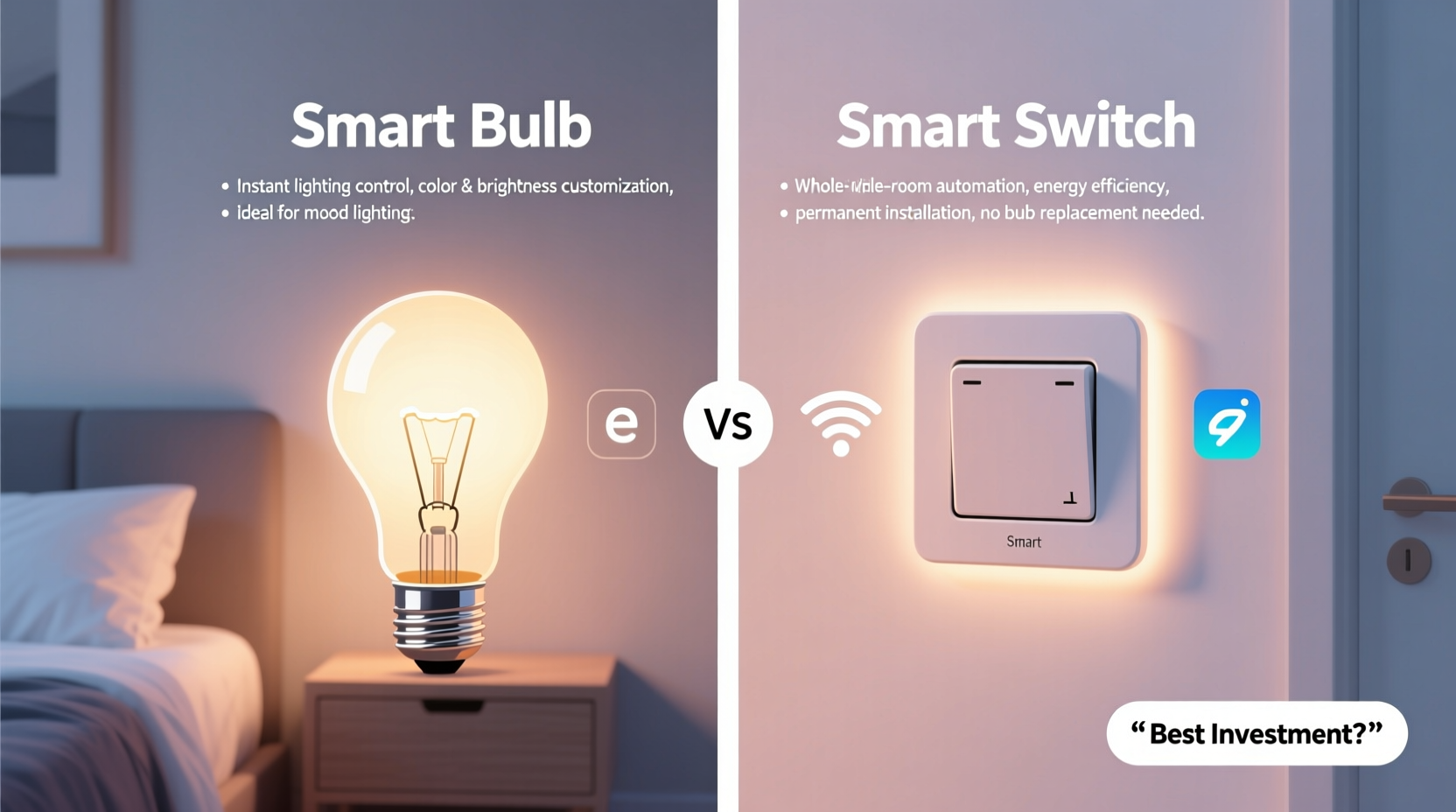
At first glance, smart bulbs and smart switches may seem interchangeable—they both let you turn lights on and off remotely. However, their underlying mechanisms differ significantly.
A smart bulb replaces your existing light bulb with one that contains built-in Wi-Fi or Bluetooth connectivity. This allows it to receive commands directly from an app or voice assistant. You can adjust brightness, change color (in RGB models), schedule routines, and even set scenes—all without touching a wall switch.
In contrast, a smart switch replaces the traditional wall switch itself. Once installed, it controls the flow of electricity to any connected fixture. The bulbs in those fixtures remain standard (or dimmable, if supported). All intelligence resides in the switch, not the bulb.
This fundamental distinction shapes everything from setup complexity to long-term usability.
Installation and Setup Complexity
Smart bulbs win on ease of installation. Anyone comfortable changing a lightbulb can install one—no electrician required. Simply screw it in, power it on, and pair it via an app using QR codes or Bluetooth. Most major brands, such as Philips Hue, LIFX, or TP-Link Kasa, offer intuitive mobile apps that guide users through the process.
Smart switches require more effort. Installation involves turning off the circuit breaker, removing the old switch, connecting wires (line, load, neutral, and ground), and securing the new device. While DIYers with basic electrical knowledge can manage this, improper wiring poses safety risks. For renters or those uncomfortable working with live circuits, professional help may be necessary—adding $100–$200 per switch in labor costs.
Control Flexibility and Lighting Features
If you value dynamic lighting experiences—such as setting mood lighting, syncing with music, or automating sunrise simulations—smart bulbs have a clear edge.
Color-tunable and white-spectrum smart bulbs allow precise adjustments across thousands of shades. You can program a bedroom lamp to shift from warm white at night to cool daylight in the morning, supporting circadian rhythms. Brands like Nanoleaf and Yeelight offer advanced scene customization, including animated effects.
Smart switches, by comparison, typically only control on/off states and dimming. They don’t affect the bulb’s color unless paired with compatible tunable fixtures (rare in most homes). However, they do support multi-way setups—meaning two switches can control the same light, just like traditional three-way wiring.
That said, some high-end smart switches, like Lutron Caséta, offer enhanced dimming precision and smoother transitions than cheaper smart bulbs. These systems use proprietary protocols (like Clear Connect RF) instead of Wi-Fi, reducing network congestion and improving reliability.
“Smart bulbs give you pixel-level control over light quality, but smart switches deliver seamless integration with your home’s architecture.” — Marcus Lin, Smart Home Systems Engineer
Energy Monitoring and Efficiency
One area where smart switches pull ahead is energy tracking. Many models—including TP-Link Kasa HS200 and Lutron Caséta—include real-time wattage monitoring. You can see exactly how much power each circuit consumes daily, weekly, or monthly. This data helps identify energy hogs and optimize usage patterns.
Smart bulbs rarely offer detailed energy reporting. While some hubs (like Philips Hue Bridge) estimate consumption based on bulb wattage and runtime, these figures are approximations. True metering happens at the switch level, not the bulb.
Additionally, smart switches cut power completely when turned off. A smart bulb left in a socket—even when “off” in the app—still draws a small amount of standby power to maintain connectivity. Over dozens of bulbs, this phantom load adds up.
Cost Analysis: Upfront vs Long-Term Investment
Pricing plays a crucial role in decision-making. Let’s break down the financial implications of each solution.
| Feature | Smart Bulb (Average) | Smart Switch (Average) |
|---|---|---|
| Unit Cost | $15–$50 per bulb | $30–$80 per switch |
| Installation | DIY only – free | DIY or pro ($100+) |
| Lifespan | 15,000–25,000 hours | 10+ years (mechanical) |
| Replacement Frequency | Every 3–7 years | Rarely needed |
| Network Load | High (each bulb = 1 device) | Low (one per circuit) |
Consider a typical five-light living room. Equipping all fixtures with smart bulbs could cost $75–$250 upfront. Replace them every five years, and you’re looking at recurring expenses. With a single smart switch, you pay once—for both the unit and installation—and control all lights indefinitely.
Moreover, switching means you can use inexpensive LED bulbs instead of premium smart ones. If you later decide to upgrade to color-changing LEDs, you still retain full control via the switch.
Reliability, Network Impact, and Future-Proofing
As homes accumulate smart devices, network stability becomes critical. Each smart bulb connects directly to your Wi-Fi, consuming bandwidth and IP addresses. In large deployments (e.g., 20+ bulbs), routers may struggle, leading to lag or disconnections.
Smart switches generate far less network traffic. Even Wi-Fi models usually communicate only when receiving commands. Z-Wave or Zigbee-based systems route signals through a hub, minimizing strain on your main network.
Firmware updates also differ. Smart bulbs rely heavily on cloud services. If a manufacturer shuts down its servers (as happened with Belkin WeMo Light), functionality can degrade or disappear entirely. Smart switches, especially locally controlled ones like Lutron or Inovelli, operate primarily offline, making them more resilient to service changes.
Mini Case Study: The Johnson Family Upgrade
The Johnsons wanted to automate their two-story home. They started with smart bulbs in every room—excited by the promise of colored lighting and voice control. Within months, they noticed delays during peak internet usage. Their router showed 30+ IoT devices online.
After a firmware update broke compatibility with their third-party automation platform, they reconsidered. They replaced hallway and kitchen switches with Lutron Caséta units and kept smart bulbs only in bedrooms and living areas where ambiance mattered.
The result? Faster response times, reduced network load, and consistent performance—even when their internet briefly dropped. They saved money long-term by using standard bulbs in high-use zones.
Choosing Based on Your Lifestyle and Goals
There’s no one-size-fits-all answer. Your ideal choice depends on several factors:
- Renters should lean toward smart bulbs. They’re removable, leave no trace, and don’t violate lease agreements.
- Homeowners planning long-term residence benefit more from smart switches. Permanent installations increase property value and simplify daily use.
- Tech enthusiasts who love automation may prefer a hybrid approach: smart switches for core lighting, smart bulbs for creative expression.
- Budget-conscious users save money over time with switches, despite higher initial costs.
“We’ve seen a shift in our customers—from early adopters buying dozens of smart bulbs to mature users opting for smarter switch deployments.” — Dana Patel, Customer Insights Lead at SmartHome Co.
Checklist: How to Decide Between Smart Bulbs and Smart Switches
- ✅ Determine whether you rent or own your home.
- ✅ Assess how many lights need automation.
- ✅ Decide if color-changing or tunable white light is essential.
- ✅ Evaluate your Wi-Fi network capacity and router capabilities.
- ✅ Consider hiring an electrician for switch installations.
- ✅ Research local building codes and safety requirements.
- ✅ Test one of each type before committing to a whole-home rollout.
FAQ
Can I use both smart bulbs and smart switches together?
Yes, but caution is advised. Running a smart bulb through a smart switch creates redundancy. If the switch cuts power, the bulb loses connectivity and cannot be controlled remotely. Best practice: leave the switch always on if using smart bulbs, or disable smart features if controlling via switch.
Do smart switches work with LED bulbs?
Yes, most modern smart switches are designed to work with LEDs, CFLs, and incandescents. Ensure your bulbs are labeled as “dimmable” if using a dimmer switch. Non-dimmable LEDs may flicker or fail prematurely under partial voltage.
Are smart bulbs a fire hazard if left in sockets 24/7?
No, certified smart bulbs (UL-listed, ETL-approved) are safe for continuous use. However, poor ventilation in enclosed fixtures can cause overheating. Always follow manufacturer guidelines for fixture compatibility.
Final Recommendation: Balance Control, Cost, and Convenience
For most homeowners, smart switches represent the better long-term investment. They offer reliable, low-maintenance control with minimal ongoing cost. Their ability to work with any bulb type and integrate seamlessly into walls makes them ideal for primary lighting circuits.
Smart bulbs shine in scenarios demanding visual versatility—bedside lamps, entertainment centers, or holiday displays. Their plug-and-play nature suits temporary setups and renters.
The optimal strategy? Combine both. Use smart switches for general illumination and smart bulbs where lighting design enhances experience. This hybrid model balances efficiency, aesthetics, and scalability.
Step-by-Step Guide to Getting Started
- Inventory your lighting needs: List rooms, fixture types, and desired functions (on/off, dimming, color).
- Start small: Install one smart bulb and one smart switch in low-risk areas (e.g., spare bedroom, garage).
- Test integration: Confirm compatibility with your voice assistant (Alexa, Google, Siri) and automation platform (Home Assistant, Apple HomeKit).
- Evaluate performance: Monitor responsiveness, app stability, and energy impact over two weeks.
- Scale gradually: Expand based on lessons learned, prioritizing high-use areas first.
- Document configurations: Keep notes on device names, groups, and automations for future troubleshooting.




 浙公网安备
33010002000092号
浙公网安备
33010002000092号 浙B2-20120091-4
Comments
No comments yet. Why don't you start the discussion?