
For anyone new to home automation, choosing between smart bulbs and smart switches can feel overwhelming. Both promise remote control, scheduling, and voice integration—but they work very differently under the hood. The real question isn’t just about features; it’s about simplicity. Which one is actually easier for someone who doesn’t want to wrestle with Wi-Fi settings, app logins, or circuit breakers? The answer depends on your comfort level, existing setup, and how much change you’re willing to embrace.
Smart lighting has become a gateway into broader home automation. But unlike seasoned tech users, non-techies prioritize reliability, ease of installation, and intuitive daily use. A system that requires constant troubleshooting defeats the purpose of convenience. This guide breaks down the practical differences between smart bulbs and smart switches, focusing on what matters most: user experience for everyday people.
Understanding the Basics: How They Work
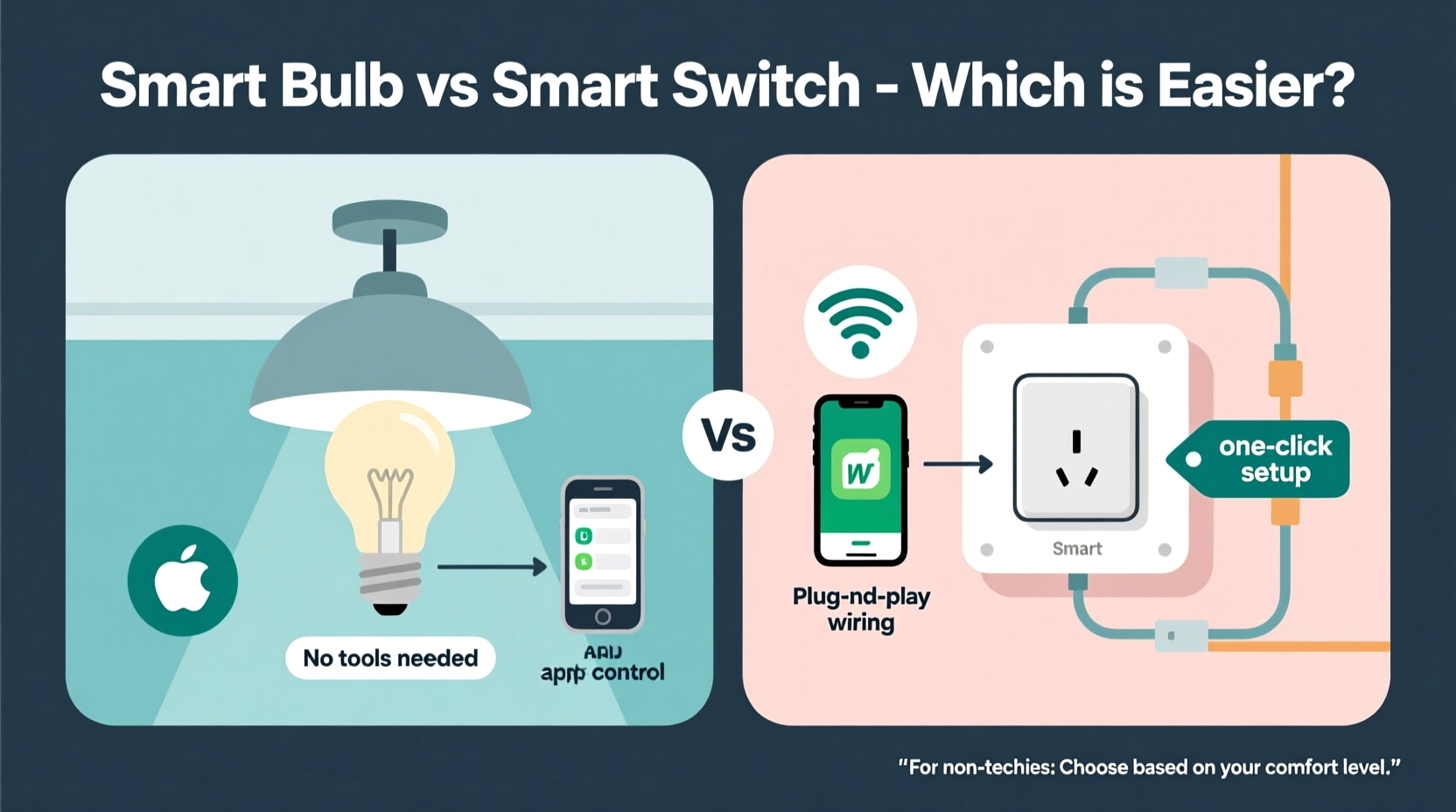
Before comparing ease of use, it’s important to understand what each device does.
Smart bulbs replace traditional light bulbs. They screw into standard sockets and connect directly to your Wi-Fi or a hub (like Zigbee or Z-Wave). Once set up, you can control them via smartphone apps, voice assistants like Alexa or Google Assistant, or automated schedules. Some even offer color tuning and brightness adjustment without touching a physical switch.
Smart switches, on the other hand, replace your wall light switch. They stay wired into your home’s electrical system and control power flow to the fixture. When installed, the physical switch may still function, but its behavior can be overridden or synchronized with an app. Like smart bulbs, they support remote control, automation, and voice commands.
The key difference? Smart bulbs operate at the fixture level, while smart switches operate at the circuit level. This distinction affects everything from installation to daily control.
Installation: Who Can Do It Safely?
For non-techies, installation is often the biggest hurdle. Safety, tools, and confidence play major roles.
Installing a smart bulb is as simple as changing a regular bulb. Turn off the light, unscrew the old one, screw in the smart bulb, and turn the power back on. No tools, no electrician, no risk. Most models come with clear instructions and QR codes linking to video tutorials. Even seniors and first-time users report success with this process.
Smart switches are a different story. Installation involves turning off the circuit breaker, removing the faceplate, disconnecting wires, connecting new ones (often using wire nuts), and securing the switch back into the wall. While many modern smart switches are designed for DIY use, mistakes can lead to short circuits, tripped breakers, or even fire hazards. According to the Electrical Safety Foundation International, improper switch installation accounts for over 15% of home electrical fires linked to DIY projects.
“Homeowners should never hesitate to call a licensed electrician when dealing with wall switches. The cost of professional help is far less than the risk.” — Carlos Mendez, Master Electrician & Home Automation Consultant
Setup and App Experience
Once physically installed, both devices require digital setup—connecting to your phone and Wi-Fi network. This step often trips up non-tech-savvy users.
Smart bulbs typically come with companion apps. You screw in the bulb, power it on, open the app, put the bulb into pairing mode (often by toggling the light switch on/off in a pattern), and follow prompts to connect to Wi-Fi. The process varies slightly by brand (Philips Hue, LIFX, TP-Link Kasa), but most take 5–10 minutes per bulb. If you have multiple bulbs, you repeat the process unless using a central hub.
Smart switches also use apps, but their pairing process is usually faster because they don’t rely on flickering lights to signal status. After wiring, you turn the power back on, press a sync button, and connect via Bluetooth or Wi-Fi. However, some models require neutral wires—a common absence in older homes—which can halt installation entirely.
| Factor | Smart Bulbs | Smart Switches |
|---|---|---|
| Physical Installation | Easy – screw-in only | Moderate to Hard – wiring required |
| Electrical Risk | None | Moderate – live wiring involved |
| App Setup Complexity | Moderate – light-flashing pairing | Low to Moderate – button-based pairing |
| Neutral Wire Required? | No | Often Yes |
| Multi-Bulb Control | Yes – group in app | Yes – by room or circuit |
Daily Use: What Feels More Natural?
After setup, usability becomes the deciding factor. A system that confuses family members won’t last long.
With smart bulbs, the wall switch must remain on for the bulb to receive power. If someone flips the switch off, the bulb loses connectivity and won’t respond to voice or app commands until switched back on. This causes frustration, especially for guests or elderly relatives who expect the switch to work normally.
Smart switches avoid this issue. Since they control the power and are always “on” in terms of connectivity, flipping the physical switch simply turns the light on or off—and that action is reflected in the app. Many models let you customize double-tap or hold actions (e.g., dimming, scene activation), making them more flexible long-term.
Voice control works well with both, but smart switches have an edge in reliability. Because they draw continuous power, they respond faster and maintain stable connections. Smart bulbs, especially budget ones, can lag or drop off the network if Wi-Fi fluctuates.
Real-Life Example: Sarah’s Kitchen Upgrade
Sarah, a retired teacher in her late 60s, wanted to add smart lighting to her kitchen. She’d heard about voice control and scheduling but had never used a smart device beyond her smartphone. She bought two smart LED bulbs and installed them in her overhead fixtures. The screw-in process was easy, and she followed the app tutorial with help from her grandson.
At first, it worked beautifully—she could turn on the lights with her voice while cooking. But after a week, her husband turned off the wall switch at night, cutting power to the bulbs. The next morning, the lights wouldn’t respond to Alexa. Confused, Sarah thought the bulbs were broken. It took a second visit from her grandson to explain that the switch needed to stay on.
Frustrated, she returned the bulbs and purchased a smart switch instead. The installation required an electrician ($75), but once done, the system worked seamlessly. Now, she uses voice commands daily and even set a schedule for the lights to turn on at sunset. “It just works,” she says. “And I don’t have to remember any rules about the switch.”
Cost and Long-Term Practicality
Price isn’t just about upfront cost—it includes labor, scalability, and durability.
Smart bulbs range from $15 to $50 each. If you want full-room control, you might need three or four bulbs, quickly adding up. Replacing every bulb in a multi-light fixture (like a chandelier) becomes expensive. Plus, smart bulbs have a shorter lifespan than traditional LEDs due to internal electronics and heat sensitivity.
Smart switches cost $30–$70 each, but one switch controls all lights on that circuit. Whether you have one bulb or ten, the price stays the same. They also last longer—typically 10+ years—and aren’t affected by fixture changes. If you swap out a ceiling light, the smart switch still works.
However, smart switches require compatible wiring. Homes built before the 1980s often lack neutral wires in switch boxes, making installation impossible without rewiring. In such cases, smart bulbs are the only viable option.
“When advising clients, I start by asking: ‘Do you want to control the light or the switch?’ For most families, controlling the switch is simpler and more reliable.” — Lena Park, Smart Home Integration Specialist
Step-by-Step: Choosing the Right Option for You
Follow this decision path to determine the best fit based on your needs and skills:
- Assess your comfort with electrical work. If you’ve never replaced a switch or are unsure about turning off the correct breaker, avoid smart switches.
- Check your switch box wiring. Remove the faceplate (with power off) and see if there’s a white (neutral) wire bundled in the back. No neutral? Most smart switches won’t work.
- Evaluate your light fixtures. Are they hard-to-reach (e.g., high ceilings)? Changing bulbs frequently? Smart switches eliminate future bulb swaps.
- Consider household habits. Do others in the home routinely flip switches? Smart switches adapt better to human behavior.
- Decide on budget. Need one light controlled? Try a smart bulb. Multiple fixtures in one room? A smart switch is likely cheaper and more reliable.
FAQ: Common Questions Answered
Can I use both smart bulbs and smart switches together?
Technically yes, but it’s not recommended for beginners. Running both creates redundancy and confusion. For example, turning off a smart switch cuts power to smart bulbs, disabling their features. Use one or the other per circuit.
Do smart bulbs use power when turned off?
Yes. Most smart bulbs draw a small amount of standby power (about 0.2–0.5 watts) to stay connected to Wi-Fi. Over time, this adds to your energy bill. Smart switches also use minimal standby power, but usually less than bulbs.
Which works better with voice assistants?
Both integrate well with Alexa, Google Assistant, and Siri (via HomeKit). However, smart switches tend to respond faster and more reliably since they’re hardwired and don’t depend on individual bulb firmware updates.
Final Recommendation: Simplicity Wins
For true non-techies, **smart switches are generally easier in the long run**, provided installation is handled safely. Once set up, they behave like normal switches while unlocking smart features. There’s no need to remember special rules about keeping switches on, and one device controls all lights in a room.
That said, **smart bulbs are the safer starting point** for those who want zero-risk entry into smart lighting. They’re perfect for renters, single-lamp setups, or homes with outdated wiring. Just be prepared for occasional hiccups when someone flips the wall switch.
The ideal approach? Start small. Try a smart bulb in a lamp you rarely touch. If you enjoy the experience, consider a professionally installed smart switch in a main living area. Build confidence gradually.




 浙公网安备
33010002000092号
浙公网安备
33010002000092号 浙B2-20120091-4
Comments
No comments yet. Why don't you start the discussion?