
As the holiday season approaches, more homeowners are turning to digital displays to bring animated Christmas scenes into their living spaces. From dancing snowmen to twinkling sleigh rides, these dynamic visuals add warmth and whimsy to any room. But with two dominant technologies—smart displays and projectors—choosing the right one can be a challenge. Each offers unique strengths in brightness, setup, immersion, and interactivity. Understanding their differences is essential to creating a seamless, magical experience without technical hiccups or unnecessary expense.
Understanding Your Display Options
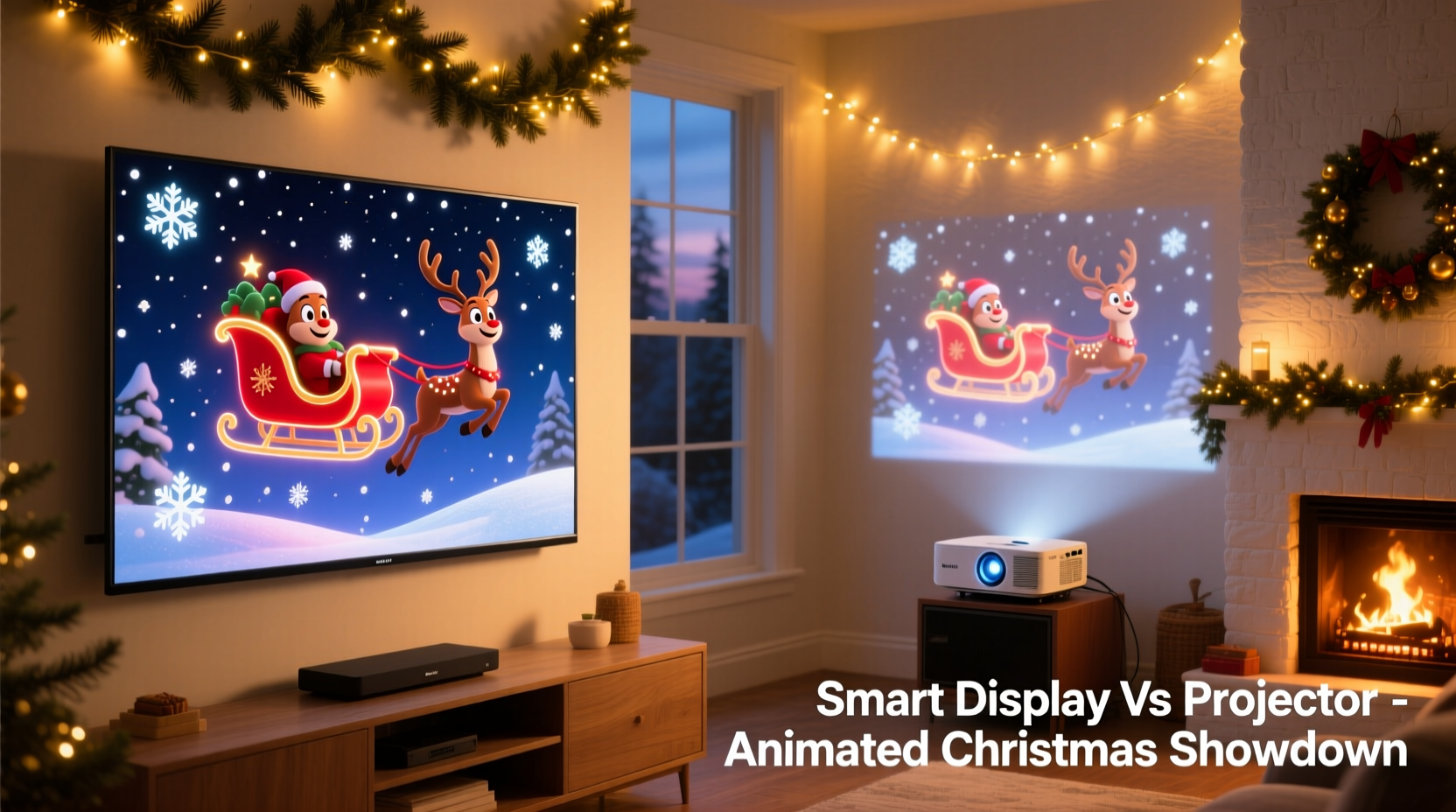
A smart display is an all-in-one screen device with built-in speakers, Wi-Fi, and often voice assistant integration (like Google Assistant or Alexa). These range from 8-inch kitchen tablets to large 27-inch touchscreen hubs. They’re designed for convenience, offering plug-and-play access to streaming apps, photo slideshows, and animated holiday content through platforms like YouTube, Netflix, or dedicated Christmas animation services.
In contrast, a projector creates images by projecting light onto a wall or screen. It requires external components—a media source (such as a streaming stick, laptop, or smartphone), sound system (unless it has basic onboard audio), and sufficient dark space. Projectors vary widely in resolution, brightness (measured in lumens), and throw distance. High-end models can produce cinematic 4K visuals up to 120 inches wide, making them ideal for immersive seasonal storytelling.
The core difference lies in form versus function: smart displays prioritize usability and integration; projectors emphasize scale and visual impact. For animated Christmas scenes, where movement, color, and atmosphere matter, this distinction becomes critical.
Visual Quality and Immersion Compared
When showcasing animated Christmas scenes, image size and ambient lighting play pivotal roles. A small smart display might struggle to capture attention across a living room, especially during evening gatherings. Even high-resolution screens lose visual drama when viewed from several feet away. While modern smart displays support Full HD and vibrant color reproduction, their physical dimensions cap the sense of immersion.
Projectors excel here. With proper calibration, they transform blank walls into expansive winter wonderlands. Imagine a looping animation of reindeer flying over snowy mountains stretching across your entire wall—this kind of environmental storytelling isn’t feasible on even the largest consumer smart displays. Projected images also blend naturally with dimmed holiday lighting, enhancing mood without competing with other decor.
However, projection quality depends heavily on environment. Ambient light drastically reduces contrast and color saturation. Unless using an ultra-short-throw (UST) laser projector designed for bright rooms, projections work best in low-light conditions. Smart displays, on the other hand, maintain consistent visibility regardless of room lighting thanks to self-emissive panels.
“Projection creates emotional space—it doesn’t just show a scene, it surrounds people with it.” — Lena Torres, Home Theater Designer & AV Consultant
Setup, Flexibility, and User Experience
Smart displays win on simplicity. Most require only power and Wi-Fi. Once connected, users can launch holiday animations via voice command (“Hey Google, play Christmas lights animation”) or touch interface. No mounting, focusing, or alignment needed. Updates happen automatically, and many integrate with smart home ecosystems—allowing synchronized lighting effects or timers that activate scenes at dusk.
Projectors demand more effort. Installation involves determining optimal placement (front, ceiling, or rear), adjusting focus and keystone settings, and ensuring the projection surface is flat and neutral-colored. Some models include automatic calibration, but manual tweaking is often necessary for crisp edges and accurate colors. Audio typically requires external speakers unless using a soundbar or smart TV box with passthrough capabilities.
Yet projectors offer unmatched flexibility. You can change screen size simply by moving the unit or adjusting zoom. Want a cozy fireplace loop on a smaller section of wall? Done. Need a full-wall nativity scene for Christmas Eve? Just reposition and resize. This adaptability makes projectors ideal for rotating seasonal themes or multi-room setups.
Step-by-Step Setup Comparison
- Smart Display: Plug in → Connect to Wi-Fi → Open animation app or website → Play content → Adjust volume/screen brightness.
- Projector: Mount or place unit → Connect HDMI/streaming device → Aim at wall/screen → Focus image → Calibrate aspect ratio → Pair external audio → Launch animation → Test in ambient light.
While the smart display process takes under five minutes, a projector setup may take 20–45 minutes initially—but subsequent uses are quicker once configured.
Cost, Longevity, and Multi-Use Value
Price is another deciding factor. Entry-level smart displays start around $100 (e.g., Lenovo Smart Display 5), while premium models reach $300+. They serve year-round purposes: checking weather, video calling, playing music, controlling smart devices. Their utility extends well beyond December.
Projectors span a broader range. Basic HD models begin at $200, but reliable 1080p units with decent brightness (2,000+ lumens) cost $400–$800. Ultra-short-throw models suited for bright living rooms (like the Samsung Premiere or Epson LS series) exceed $1,500. However, a good projector doubles as a movie theater, gaming rig, or presentation tool—making it a long-term investment.
| Feature | Smart Display | Projector |
|---|---|---|
| Initial Cost | $100–$300 | $200–$1,500+ |
| Installation Time | Under 5 min | 20–45 min |
| Screen Size | Fixed (5–27\") | Adjustable (60–150\"+) |
| Best Viewing Environment | All lighting | Low ambient light |
| Audio Quality | Built-in, adequate | Limited; needs external speakers |
| Year-Round Use | High (daily tasks) | Moderate (entertainment-focused) |
| Holiday-Specific Impact | Convenient but limited scale | Highly immersive and customizable |
Real-World Example: The Nelson Family’s Holiday Upgrade
The Nelsons in Portland, Oregon, used a 10-inch smart display for three years to run Christmas animations in their family room. While convenient, they noticed guests rarely paused to watch—the screen was too small amid festive clutter. Last year, they invested in a mid-range 1080p projector ($550) and mounted it on a bookshelf facing a white-painted accent wall.
The transformation was immediate. A looping “North Pole Express” animation filled nearly the entire wall, drawing kids and adults alike into the experience. They scheduled daily showings from 5–9 PM using a smart plug and Roku Streaming Stick. Though setup took a weekend, the payoff lasted all season. Neighbors began stopping by just to see the display, and the projector now serves as their primary movie night solution.
Their takeaway? “We thought we were done upgrading our holiday tech. But once we saw how much joy a big, smooth animation brought, we realized we’d been settling for convenience over magic.”
Which Should You Choose?
Selecting between a smart display and a projector hinges on four key considerations:
- Space available: Small apartments or kitchens benefit from compact smart displays. Larger living areas with open walls favor projectors.
- Budget: Under $200? A smart display is likely your best bet. Over $400? A projector unlocks transformative visuals.
- Technical comfort: If you dislike configuring cables or calibrating equipment, a smart display reduces friction.
- Desired effect: For subtle background charm, a smart display suffices. For center-stage spectacle, go with projection.
Checklist: Choosing the Right Solution
- Measure your viewing area and identify potential display surfaces.
- Assess ambient light levels during typical evening hours.
- Determine whether you’ll use the device outside the holiday season.
- Evaluate existing tech (Do you have a spare tablet or projector?)
- Decide on budget and installation tolerance.
- Test sample animations on both types if possible (via rentals or in-store demos).
- Plan placement and power/source access in advance.
Frequently Asked Questions
Can I use a smart display outdoors for holiday animations?
Most smart displays aren’t weather-rated and should remain indoors. Exposure to moisture, cold, or direct sunlight can damage internal components. For outdoor use, consider weatherproof projectors in enclosed enclosures or specialized outdoor TVs instead.
Do projectors need a special screen for Christmas animations?
Not necessarily. A smooth, light-colored wall works well for most indoor applications. However, a dedicated projector screen improves contrast and uniformity, especially in rooms with some ambient light. For seasonal use, temporary pull-down or frame screens offer excellent value.
Are there apps specifically for animated Christmas scenes?
Yes. Platforms like YouTube host countless free loops (search “animated Christmas fireplace” or “dancing Santa 4K”). Paid options include Christmas Animated Backgrounds on Roku, Holiday Loops on Apple TV, and subscription services like Festivify, which offer ad-free, high-frame-rate animations optimized for continuous playback.
Final Thoughts: Balancing Magic and Practicality
There’s no universal answer to whether a smart display or projector is better for animated Christmas scenes—the right choice reflects your lifestyle, space, and vision. A smart display delivers effortless charm for those who value simplicity and multitasking. A projector offers cinematic grandeur for those willing to invest time and resources into unforgettable holiday moments.
Consider starting small. Try running a holiday loop on a spare tablet or monitor this year. If engagement is high, plan for a projector next season. Alternatively, pair both: use a smart display in the kitchen for casual viewing and a projector in the main living area for prime-time shows.




 浙公网安备
33010002000092号
浙公网安备
33010002000092号 浙B2-20120091-4
Comments
No comments yet. Why don't you start the discussion?