
In today’s connected homes, the refrigerator has evolved from a simple cooling appliance into a high-tech hub of convenience. Manufacturers now pack smart fridges with touchscreens, cameras, voice assistants, and even barcode scanners. While some of these innovations genuinely streamline grocery management and meal planning, others serve more as marketing spectacle than practical utility. Understanding the difference between time-saving essentials and flashy distractions is key to making a smart investment—both in terms of money and daily efficiency.
The promise of a smarter kitchen is compelling: fewer spoiled groceries, less time spent shopping, and better meal coordination across busy households. But not every feature delivers on that promise. Some add meaningful automation, while others introduce complexity without tangible benefits. This guide breaks down the most common smart fridge features, evaluates their real-world impact, and helps you focus on what truly saves time—so you can avoid paying for digital clutter disguised as innovation.
Features That Actually Save Time
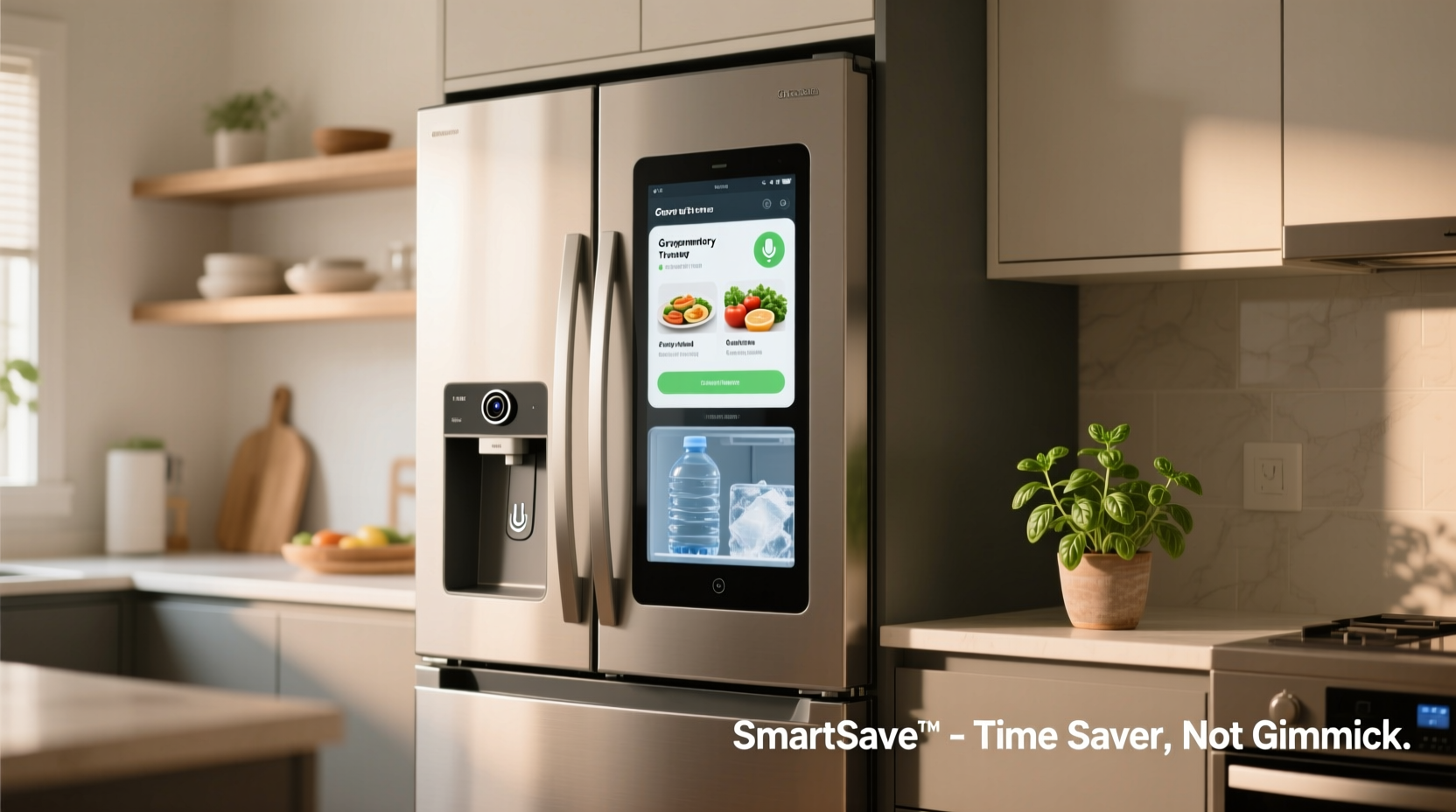
When evaluating a smart fridge, prioritize functions that reduce repetitive tasks, prevent waste, or simplify household logistics. These are the features backed by user experience and data-driven benefits.
Internal Cameras with Remote Viewing
One of the most impactful smart fridge features is built-in internal cameras. These allow users to view the contents of their fridge remotely via a smartphone app. This becomes invaluable when standing in a grocery store aisle, trying to remember if you need milk or whether you already have enough chicken for dinner.
According to a 2022 study by the Food Marketing Institute, nearly 40% of unplanned purchases stem from uncertainty about home inventory. A smart fridge with clear, well-lit internal cameras reduces this guesswork, cutting down shopping time and preventing duplicate buys.
Expiration Tracking and Inventory Management
Advanced smart fridges go beyond passive viewing—they actively track food items. Using barcode scanning, manual input, or AI-powered image recognition, these systems log when items are added and estimate expiration dates based on type and storage conditions.
This proactive monitoring sends alerts when food is nearing spoilage, prompting timely use or recipe suggestions. For families managing packed schedules, this means fewer forgotten leftovers and reduced food waste—saving both time and money.
“Smart inventory systems can reduce household food waste by up to 25%, directly translating to fewer emergency grocery runs.” — Dr. Lena Patel, Sustainable Living Researcher at MIT Urban Futures Lab
Voice Assistant Integration
Integration with Alexa, Google Assistant, or Bixby allows hands-free control and information retrieval. You can add items to a shopping list, set timers, check the weather, or pull up recipes—all without touching your phone or tablet.
For multitasking cooks or caregivers managing multiple responsibilities, voice commands eliminate screen navigation during critical moments. Simply saying “Add eggs to my shopping list” while cooking keeps workflow uninterrupted.
Seamless Grocery Ordering and App Syncing
Some smart fridges sync with grocery delivery platforms like Instacart, Amazon Fresh, or Walmart. When an item runs low, the fridge can suggest restocking or even auto-generate a reorder list based on usage patterns.
This level of automation is particularly useful for staple items (milk, bread, coffee) consumed regularly. It transforms replenishment from a reactive chore into a predictive process, reducing decision fatigue and last-minute trips.
Overhyped Features That Add Little Value
While manufacturers tout futuristic capabilities, many fall short in daily usability. These features often increase cost without delivering proportional benefits.
Built-In Touchscreens with Apps
Several premium models include large front-facing screens capable of running apps, browsing the web, or displaying family calendars. In theory, this turns the fridge into a kitchen command center. In practice, it rarely works as intended.
Most users find that smartphones and tablets are more convenient for these tasks. The fridge screen is often awkwardly positioned, slow to respond, and prone to smudges. Worse, many apps either lack updates or offer inferior versions compared to mobile counterparts.
Barcode Scanners for Item Logging
Some fridges come with integrated barcode scanners meant to automate inventory tracking. However, this process is often slower than manual entry or photo-based logging. Users must scan each item individually—defeating the purpose of speed.
Additionally, barcode databases may not recognize private-label brands or fresh produce, requiring manual overrides. As a result, the system becomes more of a novelty than a reliable tool.
Face Recognition for User Profiles
Certain high-end models claim to identify users via facial recognition and customize settings accordingly—like adjusting temperature zones or suggesting personalized meals. While technically impressive, this feature lacks practical depth.
In multi-user households, profiles rarely influence behavior significantly. Most people don’t change fridge settings frequently, and meal preferences are better managed through shared apps or calendars. The added cost for this capability rarely justifies its marginal utility.
Wi-Fi-Controlled Ice and Water Settings
Being able to adjust ice production or water temperature from an app sounds futuristic—but how often do you need to do this remotely? These adjustments are typically one-time setups or infrequent changes best handled locally.
Remote access adds complexity without solving a real pain point. Most users prefer physical controls or simple panel adjustments over navigating an app for minor tweaks.
Comparison Table: Useful vs. Unnecessary Features
| Feature | Time-Saving Benefit | Real-World Usefulness | Cost Impact |
|---|---|---|---|
| Internal Cameras | High – avoids repeat shopping trips | ★★★★☆ | Moderate |
| Expiration Alerts | High – reduces waste and last-minute decisions | ★★★★★ | High |
| Voice Assistant Support | Medium – enables hands-free operation | ★★★☆☆ | Low to Moderate |
| Grocery App Integration | Medium to High – automates reordering | ★★★★☆ | Moderate |
| Built-In Touchscreen | Low – redundant with other devices | ★☆☆☆☆ | High |
| Barcode Scanner | Low – slower than alternatives | ★☆☆☆☆ | Moderate |
| Facial Recognition | Negligible – no major time savings | ★☆☆☆☆ | Very High |
| Remote Ice/Water Control | Very Low – rare need for remote adjustment | ★☆☆☆☆ | Low |
Mini Case Study: The Martinez Family’s Smart Fridge Experience
The Martinez family of four upgraded to a top-tier smart fridge two years ago, lured by promises of seamless kitchen integration. Initially excited by the 27-inch touchscreen and facial recognition, they soon found themselves relying on only a few core features.
The internal cameras became indispensable during weekend grocery runs. “We used to call each other five times per trip,” said Maria Martinez. “Now we just open the app and see exactly what we need.”
They also appreciated expiration alerts. After receiving a notification that yogurt was nearing its expiry date, they incorporated it into a smoothie plan, avoiding waste. However, the touchscreen went largely unused after three months. “It was fun at first—playing music, checking recipes—but our phones do it faster,” she admitted.
The barcode scanner proved cumbersome, especially for bulk or unpackaged items. And facial recognition failed to work consistently with younger children. Ultimately, they concluded that 80% of their value came from just two features: cameras and inventory alerts.
Actionable Checklist: Choosing a Truly Useful Smart Fridge
Before purchasing, evaluate models using this checklist to ensure you're investing in functionality, not flash:
- ✅ Does it have high-resolution internal cameras with good lighting?
- ✅ Can it send expiration alerts or track perishables automatically?
- ✅ Is it compatible with your preferred voice assistant (Google, Alexa, etc.)?
- ✅ Does it integrate with grocery delivery services you use?
- ✅ Can you manually add items easily via app or touchscreen?
- ❌ Avoid if the main selling point is a large touchscreen with non-essential apps.
- ❌ Skip models that rely heavily on barcode scanning without alternative input methods.
- ✅ Prioritize Wi-Fi reliability and app performance over gimmicky features.
Step-by-Step Guide to Maximizing Your Smart Fridge’s Value
To get the most out of your smart fridge without falling into the trap of underused tech, follow this timeline:
- Week 1: Set Up Core Functions – Connect to Wi-Fi, install the companion app, and pair with your voice assistant. Test camera views and ensure remote access works.
- Week 2: Input Initial Inventory – Manually log frequently used items or take photos of shelves. Focus on staples like dairy, meats, and condiments.
- Week 3: Enable Expiration Tracking – Assign use-by dates where possible. Turn on notifications for spoilage warnings.
- Month 2: Integrate with Grocery Apps – Link your Instacart, Amazon Fresh, or supermarket account. Create a recurring reorder list for essentials.
- Ongoing: Review and Refine – Every month, assess which features you’re actually using. Disable or ignore those adding no value.
This phased approach ensures you build habits around the most useful tools while avoiding overwhelm from excessive features.
Frequently Asked Questions
Do smart fridges really reduce food waste?
Yes—when equipped with inventory tracking and expiration alerts. Studies show households using active monitoring systems reduce food spoilage by 15–25%. However, passive features like cameras alone have limited impact without consistent user engagement.
Are smart fridges worth the extra cost?
Only if you use the right features. If you’ll actively use internal cameras, expiration alerts, and grocery syncing, the time and waste savings can justify the premium. But if you’re paying mainly for a touchscreen or voice-controlled music, you’re likely overspending.
Can I add smart features to my existing fridge?
Limited options exist. Third-party clip-on cameras and shelf sensors are available but lack seamless integration. They often require separate apps and provide lower accuracy. For full functionality, a native smart fridge remains the best option.
Conclusion: Invest in Intelligence, Not Illusions
Smart fridges hold real potential to simplify kitchen life—but only when their technology aligns with actual human behavior. Features like internal cameras, spoilage alerts, and grocery app integration deliver measurable time savings and reduce daily friction. In contrast, built-in screens, barcode scanners, and facial recognition often serve as expensive distractions with minimal return.
The key is intentionality. Before upgrading, ask: Which tasks consume the most time in my kitchen? Where do I experience the most frustration—forgotten groceries, spoiled food, or chaotic meal planning? Choose a fridge that solves those problems, not one that dazzles with unnecessary bells and whistles.




 浙公网安备
33010002000092号
浙公网安备
33010002000092号 浙B2-20120091-4
Comments
No comments yet. Why don't you start the discussion?