
In an era where nearly every household appliance connects to Wi-Fi, the refrigerator has become a battleground between innovation and overengineering. Once a simple box for keeping food cold, today’s smart fridges come equipped with touchscreens, internal cameras, voice assistants, and apps that track your milk expiration dates. But behind the sleek interfaces and futuristic promises lies a critical question: Are these features genuinely useful, or are they just expensive tech clutter designed to sell you on upgrades you don’t need?
The answer isn't black and white. For some households, smart fridge capabilities streamline grocery management and reduce waste. For others, they’re underused novelties that add cost without value. Understanding which features deliver tangible benefits—and which ones are gimmicks—can help you make a smarter purchase decision.
What Makes a Fridge “Smart”?
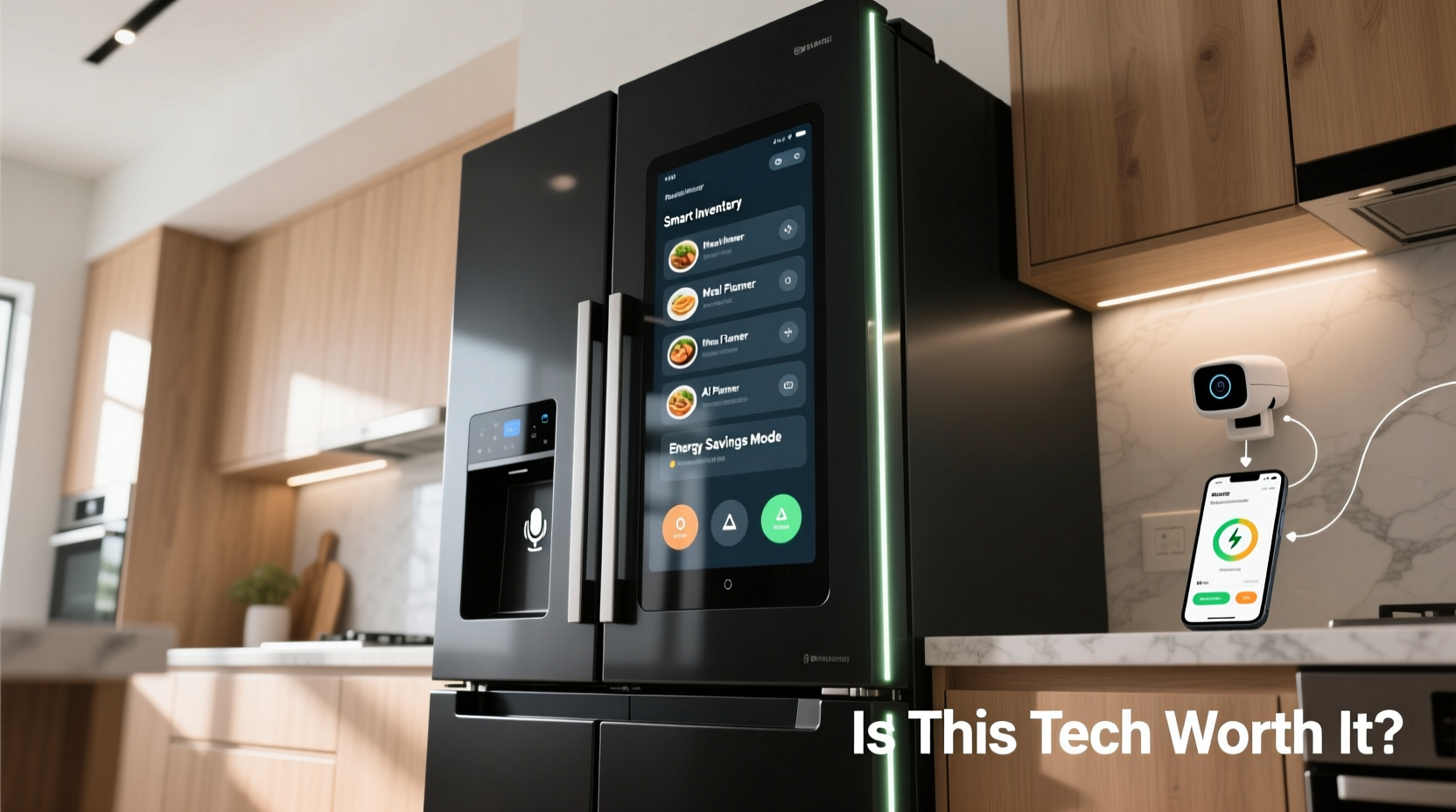
A smart fridge goes beyond temperature control. It integrates internet connectivity, sensors, and software to offer advanced functionality. Common features include:
- Wi-Fi and app connectivity for remote monitoring
- Internal cameras to view contents from a smartphone
- Voice assistant integration (e.g., Alexa, Google Assistant)
- Touchscreen displays for calendars, notes, and streaming
- Barcode or AI-based food tracking and expiration alerts
- Energy usage reports and maintenance diagnostics
- Family organization tools like shared shopping lists
These capabilities aim to enhance convenience, reduce food waste, and integrate the kitchen into a broader smart home ecosystem. But while the technology is impressive, its real-world utility varies significantly based on lifestyle, cooking habits, and digital literacy.
Features That Deliver Real Value
Not all smart fridge features are created equal. Some provide measurable improvements in efficiency and usability. These stand out as genuinely worthwhile:
Internal Cameras for Remote Inventory Checks
One of the most practical innovations is the built-in camera system. High-end models from Samsung, LG, and GE allow users to see inside their fridge via a smartphone app while at the grocery store. This reduces duplicate purchases and helps avoid coming home with missing ingredients.
A 2023 consumer survey by *HomeTech Insights* found that 68% of users with internal cameras reported fewer forgotten items and reduced impulse buys. The key is clarity and placement; models with multiple wide-angle lenses perform better than single-camera setups.
Expiration Tracking and Meal Planning Tools
Some smart fridges use barcode scanning or manual input to log when food was added. The system then sends alerts before items spoil. When paired with recipe suggestions based on available ingredients, this feature can significantly reduce food waste—a major issue, as the USDA estimates American households discard over 30% of purchased food.
“Smart tracking systems can help families save up to $1,500 annually by reducing spoiled groceries.” — Dr. Lena Patel, Food Waste Researcher at MIT Sustainable Living Lab
However, effectiveness depends on user discipline. If you don’t log items consistently, the system becomes useless. The best implementations use AI to recognize common items via camera input, minimizing manual entry.
Remote Temperature Control and Alerts
Imagine getting a notification that your fridge door was left open—or that a power outage caused temperatures to rise. Smart fridges monitor internal conditions in real time and alert users to anomalies. This is particularly valuable for second homes, vacation properties, or households with elderly members who may forget to close the door properly.
Remote adjustment also allows pre-cooling after restocking or adjusting zones for special storage needs (like chilling wine quickly).
Features That Often Fall Short
While some functions solve real problems, others exist more for marketing appeal than practical benefit. These are frequently cited as underused or frustrating:
Touchscreen Displays and In-Fridge Apps
Many smart fridges boast large touchscreen panels capable of playing YouTube, displaying recipes, or showing family calendars. In theory, this turns the fridge into a kitchen command center. In practice, users report limited engagement.
Condensation, fingerprints, and awkward positioning make screens difficult to use. Streaming videos while cooking rarely happens outside of novelty use. Most consumers prefer using tablets or phones for recipes and entertainment.
Voice Assistant Integration
Having Alexa or Google Assistant built into your fridge sounds futuristic. But how often do you ask your fridge for the weather or to add ketchup to your shopping list? Standalone smart speakers already fulfill these roles more effectively and are far less expensive.
Moreover, voice recognition suffers in noisy kitchens. Unless you're deeply invested in a fully integrated smart home, this feature adds little incremental value.
Onboard Entertainment and Web Browsing
Some premium models include web browsers and streaming platforms. While amusing, these features are rarely used. They increase production costs, which are passed on to consumers, and introduce security risks through connected devices.
Cost vs. Benefit: Is the Premium Worth It?
Smart fridges typically cost $2,000–$5,000, with high-end models exceeding $7,000. Compare that to a reliable conventional refrigerator at $1,000–$1,800. The price difference raises a crucial question: Does the added tech justify a 2–3x markup?
To evaluate this, consider long-term savings and quality-of-life improvements. Let’s break it down:
| Feature | Estimated Cost Increase | Potential Annual Savings/Value | Worth It? |
|---|---|---|---|
| Internal Cameras | $300–$500 | $200–$400 (reduced food waste) | ✅ Yes, for busy households |
| Food Expiration Tracking | $200–$400 | $150–$300 (if used consistently) | ⚠️ Conditional (depends on usage) |
| Touchscreen & Apps | $400–$600 | Limited practical return | ❌ Likely not |
| Voice Assistant | $100–$200 | Negligible (already available elsewhere) | ❌ No |
| Remote Monitoring & Alerts | $150–$250 | $100+ (prevents spoilage during outages) | ✅ Yes, especially for larger homes |
The data suggests that only a subset of smart features delivers meaningful returns. Buyers should prioritize models that focus on inventory management and climate control rather than entertainment or flashy interfaces.
Mini Case Study: The Martinez Family’s Smart Fridge Experience
The Martinez family of four in Austin, Texas, upgraded to a smart fridge in 2022. Both parents work full-time, and they have two school-aged children. They chose a mid-range model with internal cameras, app connectivity, and expiration alerts.
Initially skeptical, they found the camera feature invaluable during grocery runs. Within three months, they reduced duplicate purchases by 40%. The expiration tracker helped them use older items first, cutting their weekly food waste in half.
However, they never used the touchscreen for recipes or music. The voice assistant was redundant next to their existing Echo Dot setup. Over time, they disabled several unused apps to declutter the interface.
“We love the camera and alerts,” said Maria Martinez. “But the other stuff felt like tech for tech’s sake. If we bought again, we’d pick a simpler model with just the essentials.”
Their experience reflects a growing trend: selective adoption of smart features, with a clear preference for utility over spectacle.
How to Choose a Smart Fridge Wisely
Before investing in a smart refrigerator, follow this checklist to ensure you’re getting value, not just bells and whistles.
- ✅ Identify your top 2 pain points (e.g., forgetting what’s inside, spoiled food)
- ✅ Prioritize features that solve those specific issues (e.g., cameras, alerts)
- ✅ Avoid models with large screens unless you have a clear use case
- ✅ Check app reviews and reliability—poor software ruins good hardware
- ✅ Confirm compatibility with your existing smart home ecosystem
- ✅ Look for energy efficiency ratings—smart doesn’t mean efficient by default
- ✅ Consider long-term support: Will the company update the software in 5 years?
Also, consider modular alternatives. Some third-party devices, like SmarterFridgeCam or Instavolt ShelfSense, add smart functionality to conventional fridges at a fraction of the cost. These can be ideal for renters or budget-conscious buyers.
Frequently Asked Questions
Do smart fridges really reduce food waste?
Yes—but only if you actively use the tracking features. Studies show households that engage with inventory tools reduce spoilage by 20–30%. Passive ownership yields minimal results.
Are smart fridges secure?
Most reputable brands use encrypted connections and regular firmware updates. However, any internet-connected device carries some risk. To minimize exposure, keep software updated, use strong passwords, and disable unused features like remote access if not needed.
Can I add smart features to my current fridge?
Yes. Affordable aftermarket solutions include interior cameras, Bluetooth temperature monitors, and shelf sensors that sync with apps. These won’t replace a full smart fridge but can replicate core functionalities for under $150.
Conclusion: Tech Should Serve You, Not the Other Way Around
Smart fridge technology sits at a crossroads between genuine innovation and unnecessary complexity. Features like internal cameras, spoilage alerts, and remote diagnostics offer real benefits that can save money, time, and food. But touchscreens, voice commands, and built-in entertainment often serve more as marketing tools than practical aids.
The key is intentionality. Ask yourself: What problems am I trying to solve? If your goal is better grocery management and reduced waste, focus on models with robust inventory tools. If you just want a “cool” kitchen gadget, reconsider whether the investment aligns with actual needs.
Technology should simplify life, not complicate it. A smart fridge is only as intelligent as the way it’s used. Choose wisely, prioritize utility, and don’t pay a premium for features that will gather dust—much like forgotten leftovers in the back of your crisper drawer.




 浙公网安备
33010002000092号
浙公网安备
33010002000092号 浙B2-20120091-4
Comments
No comments yet. Why don't you start the discussion?