
The holiday season brings joy, warmth, and a desire for seamless celebration. With smart home technology, particularly Google Home, you can elevate your Christmas experience by automating lights, music, and even voice commands to set the perfect festive mood. No more manual switches or remembering playlists—just say the word, and your home transforms into a winter wonderland.
Google Assistant, integrated across Google Nest devices and compatible smart home ecosystems, allows users to schedule, trigger, and control multiple aspects of their holiday setup with precision and ease. From twinkling tree lights syncing to carols to welcoming guests with a jingle-filled entry sequence, automation makes the holidays not only magical but also manageable during busy times.
Why Automate Your Christmas Decorations?
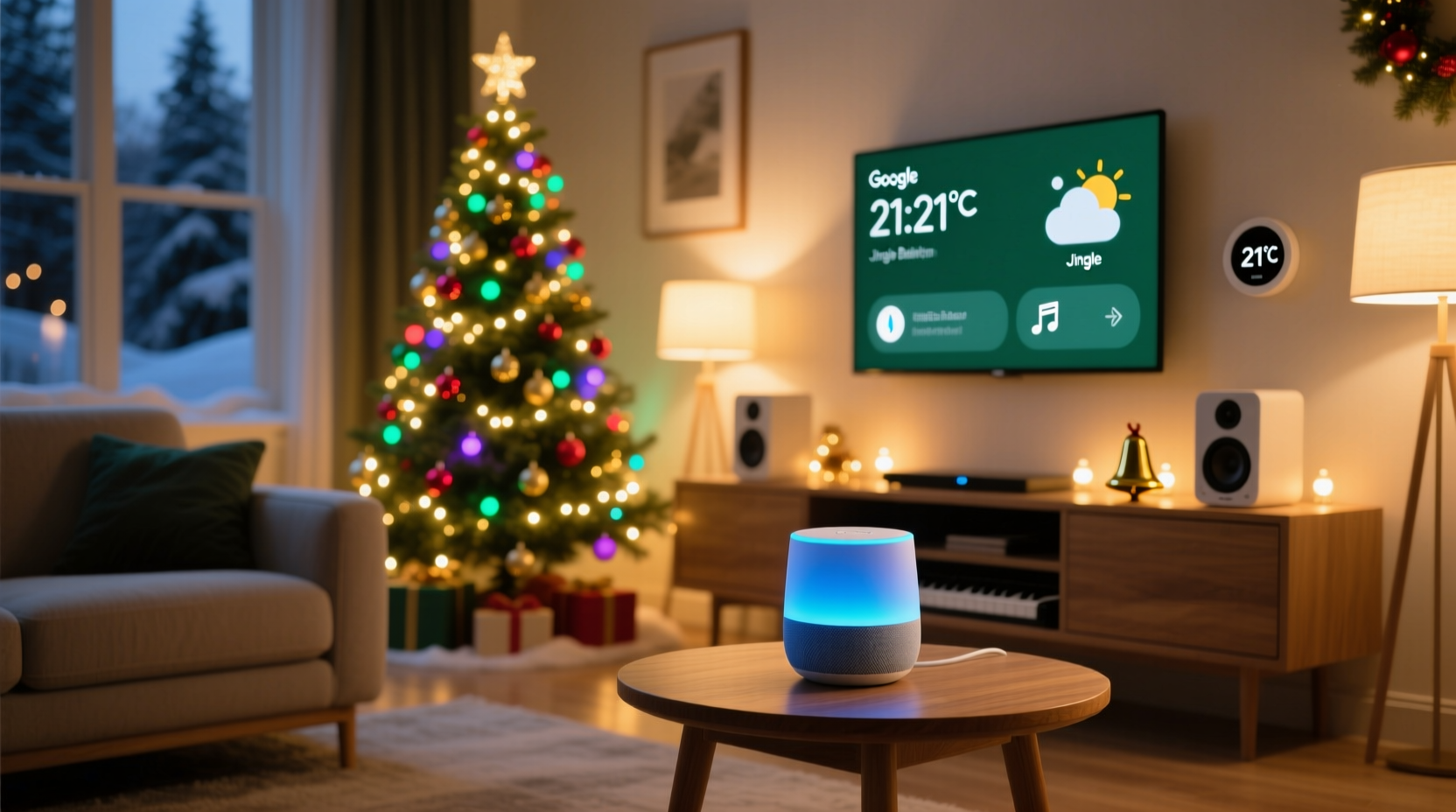
Automation isn’t just about convenience—it’s about consistency, atmosphere, and energy efficiency. Manually turning on decorations every evening or remembering to play music when guests arrive is tedious. Smart routines eliminate these tasks while enhancing the emotional impact of your holiday decor.
By linking Google Home with smart bulbs, speakers, plugs, and streaming services like Spotify or YouTube Music, you gain full control over ambiance through voice, schedules, or motion triggers. This integration ensures that your home feels festive the moment you walk in the door, without lifting a finger.
Setting Up Your Smart Holiday Ecosystem
Before creating routines, ensure your hardware and software are properly configured. Here's what you need:
- Google Nest Hub, Nest Mini, or any Google Assistant-enabled device
- Smart light bulbs or LED strips (Philips Hue, LIFX, Nanoleaf, or TP-Link Kasa)
- Smart plugs for non-smart lighting (e.g., outdoor displays)
- Google Home app installed on iOS or Android
- Streaming account linked (Spotify, YouTube Music, etc.)
Once devices are added to the Google Home app, organize them logically. Name your tree lights “Christmas Tree,” porch lights “Front Porch,” and group holiday speakers under “Living Room Speakers.” Clear naming prevents confusion when building routines.
Step-by-Step Setup Timeline
- Day 1: Install and connect smart lights/plugs via their respective apps, then link those apps to Google Home.
- Day 2: Test individual devices using voice commands (“Hey Google, turn on the Christmas Tree”).
- Day 3: Create device groups (e.g., “Holiday Lights”) in the Google Home app.
- Day 4: Link your preferred music service to Google Assistant.
- Day 5: Begin crafting simple routines before advancing to complex ones.
Take time to verify connectivity. A routine failing due to a misnamed device or expired login can disrupt the magic.
Creating Smart Christmas Routines with Google Home
Routines in Google Home let you execute multiple actions with one command or trigger. Whether activated by voice, time, or sensor input, they streamline your holiday experience.
Basic Voice-Activated Routine: “It’s Christmas Time”
Create a routine triggered by saying, “Hey Google, it’s Christmas time.” This could:
- Turn on all holiday lights
- Set brightness to 80%
- Start playing a “Holiday Favorites” playlist
- Display a festive photo frame on Nest Hub
To build this:
- Open Google Home app → Tap your profile → Routines
- Select “Add (+)” → Choose “Voice” as trigger
- Type “it’s Christmas time” as the phrase
- Add actions: select devices, adjust settings, pick music
- Save and test immediately
Scheduled Evening Ambiance Routine
Automatically set the mood each evening at sunset or a fixed time (e.g., 5:30 PM):
- Turn on indoor and outdoor Christmas lights
- Dim ambient lighting to 40%
- Play soft instrumental carols at low volume
- Announce “Merry Christmas from the Smith family” via speaker
This runs silently in the background, ensuring your home glows warmly as daylight fades—perfect for snowy evenings.
Guest Arrival Routine Using Motion Detection
If you have a smart doorbell (like Nest Doorbell), use its motion detection to trigger a welcome sequence:
- When motion is detected between December 1–31, 4 PM–9 PM
- Turn on front path lights and porch display
- Play “Here Comes Santa Claus” softly indoors
- Flash living room lights twice as a visual greeting
This subtle automation delights visitors and announces your festive spirit before anyone rings the bell.
Syncing Music and Lighting for Maximum Impact
Music and lighting together define holiday atmosphere. While Google Home doesn’t natively sync bulb colors to music beats, third-party tools and compatible systems offer workarounds.
Using Philips Hue with Spotify
Philips Hue’s “Hue Sync” feature (via mobile app) analyzes audio from Spotify and pulses lights accordingly. You can launch this manually or automate it:
- Create a Google Assistant routine that starts a specific Spotify playlist
- Simultaneously send a webhook or IFTTT command to start Hue Sync
- Set lights to react dynamically to songs like “Jingle Bell Rock”
Though not fully native, integrating IFTTT (If This Then That) bridges the gap between platforms.
Playlist Strategy for Different Times of Day
| Time | Mood | Recommended Playlist | Light Setting |
|---|---|---|---|
| Morning | Cheerful & bright | Upbeat Christmas Pop | White, 70% brightness |
| Afternoon | Cozy & warm | Acoustic Carols | Warm white, dimmed |
| Evening | Festive & lively | Classic Orchestral | Multi-color slow pulse |
| Night | Calm & peaceful | Soft Piano Christmas | Blue fade, 20% brightness |
Aligning sound and light with daily rhythms enhances comfort and immersion. Let mornings energize and nights soothe.
“Automation during holidays reduces stress and increases presence. Families spend less time managing tech and more time enjoying each other.” — Dr. Laura Bennett, Smart Living Researcher at MIT Media Lab
Real Example: The Thompson Family’s Holiday Automation
The Thompsons in Denver wanted to simplify their elaborate Christmas display. They own:
- Philips Hue lights (indoors and garden)
- Nest Minis in kitchen and living room
- Outdoor lights on Kasa smart plugs
- Spotify Premium subscription
Their solution:
They created a routine called “Deck the Halls” triggered at 4:30 PM daily from December 1–26. It turns on all exterior lights via smart plugs, sets indoor bulbs to red-and-green pulsing mode, and plays Bing Crosby’s greatest hits. On weekends, when both parents are home, the kids shout “Hey Google, snow day!” which activates a blizzard-effect light show synced to “Let It Snow” on full volume.
They also enabled a geofence so lights turn off automatically when the last family member leaves, saving energy. Over the season, they estimate saving nearly 8 hours of manual control and reduced electricity usage by 22% compared to the previous year.
Their favorite moment? When Grandma arrived unexpectedly and the porch lit up while “Winter Wonderland” began playing—she said it felt like walking into a Hallmark movie.
Avoiding Common Pitfalls
Even well-planned automations can go wrong. Be mindful of these common issues:
- Overcomplication: Don’t stack too many actions. A routine with 15 steps may fail if one device lags.
- Network overload: During peak usage (evenings), Wi-Fi congestion can delay responses. Use dual-band routers and prioritize IoT devices.
- Expired logins: If your Spotify disconnects, music won’t play. Reauthorize services monthly.
- Unintended triggers: Avoid phrases like “turn on Christmas” if someone says “Christmastime” in conversation. Use unique phrases like “ignite holiday mode.”
Do’s and Don’ts of Smart Holiday Routines
| Do | Don’t |
|---|---|
| Use descriptive names for devices and routines | Name everything “light 1,” “speaker 2” |
| Group holiday devices into a dedicated room | Leave devices scattered across rooms |
| Set end times for routines (e.g., lights off at 10 PM) | Forget to schedule shutdowns |
| Use gradual transitions (fade in/out) | Make lights snap on/off abruptly |
| Invite family members to contribute voice commands | Restrict access to one user only |
FAQ: Smart Home Christmas Routines
Can I automate Christmas lights without Wi-Fi?
No, Google Home requires internet connectivity to process voice commands and run scheduled routines. However, once programmed, some smart plugs can operate on timers locally—but advanced features like voice control need Wi-Fi.
How do I stop holiday music from playing all night?
Set a duration in your routine. For example, schedule music to stop after 2 hours or at bedtime (e.g., 9 PM). Alternatively, use a follow-up routine: “Goodnight Christmas” turns off lights and pauses music.
Can Google Home distinguish between family members’ voices?
Yes. Through Voice Match, Google Assistant recognizes individual voices and can personalize responses. One person might hear “Welcome home, Sarah” while another hears “Happy holidays, Dad.” This allows tailored experiences within shared routines.
Final Checklist: Launch Your Smart Christmas
- ✅ Connect all smart lights, plugs, and speakers to Google Home
- ✅ Name and group holiday devices clearly
- ✅ Link your music streaming service
- ✅ Create at least one voice-activated and one scheduled routine
- ✅ Test routines during the day and evening
- ✅ Set automatic shut-off times for lights and audio
- ✅ Share routine controls with family members
- ✅ Monitor performance and adjust brightness, volume, or timing as needed
Conclusion: Make This Christmas Effortlessly Magical
With Google Home, the holidays become less about management and more about moments. Automation handles the details so you can focus on laughter by the tree, cookies in the oven, and carols sung off-key. These small acts of technological care add up to a season that feels truly enchanted—not because everything is perfect, but because it feels personal, responsive, and alive.
Start simple. Build one routine this weekend. See how it feels to walk into a glowing home with your favorite song already playing. Then expand. Invite your kids to name the next routine. Let your home speak the spirit of the season.




 浙公网安备
33010002000092号
浙公网安备
33010002000092号 浙B2-20120091-4
Comments
No comments yet. Why don't you start the discussion?