
As the holiday season approaches, many homeowners use smart lighting to create festive cheer. But turning on your Christmas lights can be more than just a decorative gesture—it can serve as a powerful automation trigger for a full-home experience. When your holiday lights activate, they can initiate a cascade of smart actions across your home, from adjusting indoor lighting to enhancing security and even setting the mood with music. Done thoughtfully, this integration turns a simple switch into a seamless, immersive moment that elevates both comfort and convenience.
The key lies in designing intentional scenes—automated routines that respond to a single event. By leveraging platforms like Apple HomeKit, Google Home, Amazon Alexa, or Samsung SmartThings, you can synchronize multiple devices so that one action (like switching on Christmas lights) sets off a chain reaction tailored to your lifestyle.
Why Use Scene Triggers Based on Holiday Lighting?
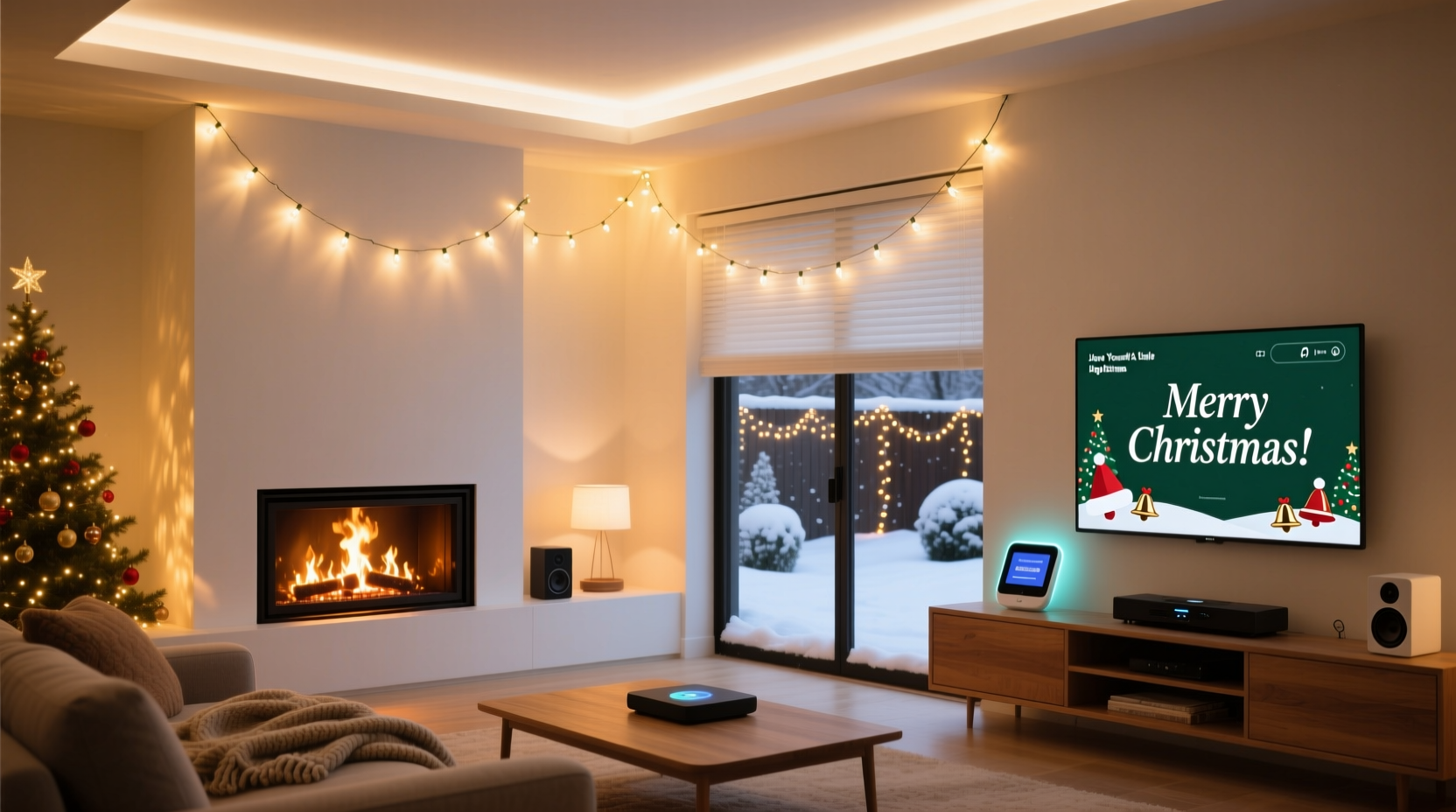
Smart homes thrive on context-aware automation. Rather than manually adjusting each device, scene triggers allow your environment to adapt intelligently. Using Christmas lights as a trigger makes sense because their activation is seasonal, predictable, and emotionally resonant. It marks a transition—from ordinary days to festive ones—and your home should reflect that shift instantly.
For example, imagine arriving home after dark during winter. As soon as your outdoor Christmas lights detect motion or are turned on via schedule, your porch light brightens, the thermostat adjusts to a cozier temperature, and soft background music begins playing inside. This isn’t magic—it’s smart home engineering at its most practical and delightful.
“Automation shouldn’t just save time—it should enhance emotion. A well-designed holiday scene turns technology into tradition.” — Lena Patel, Smart Living Strategist at HomeTech Insights
Essential Devices to Include in Your Christmas Light Scene
To build a meaningful response to your Christmas light activation, consider which connected devices already exist in your ecosystem. The best scenes combine functionality, atmosphere, and safety. Below is a breakdown of categories and recommended integrations:
- Indoor Lighting: Sync warm-toned bulbs in living rooms, hallways, or staircases to gradually illuminate when lights turn on outside.
- Thermostats: Slightly raise the indoor temperature to welcome guests or family members returning from cold weather.
- Entertainment Systems: Start a holiday playlist on smart speakers or display a seasonal screensaver on TVs.
- Security Cameras & Doorbells: Enable recording mode or send alerts if motion is detected near entry points.
- Blinds or Shades: Close motorized window coverings to improve insulation and showcase interior decorations.
- Air Quality Devices: Activate diffusers with pine, cinnamon, or vanilla scents to reinforce the holiday atmosphere.
Step-by-Step Guide to Setting Up Your Trigger
Creating a reliable automation requires planning and platform-specific configuration. Follow these steps regardless of your smart home system:
- Identify the Trigger Source: Confirm whether your Christmas lights are controlled via a smart plug, strip, or built-in module. Ensure it reports status changes to your hub (e.g., “on” state).
- Select Target Devices: Choose up to five devices that will respond meaningfully. Prioritize those already grouped in zones (e.g., “Living Room,” “Front Entrance”).
- Define Conditions (Optional): Add time-of-day restrictions (e.g., only between 4 PM and 10 PM) or occupancy sensors to prevent unwanted activations.
- Create the Automation: In your smart home app, select “Create Automation,” choose “Device Turns On” as the trigger, pick your Christmas lights, then add actions for each secondary device.
- Test Thoroughly: Manually turn on the lights and observe all responses. Adjust delays where needed—for instance, delay music by 5 seconds to avoid abrupt starts.
- Schedule Seasonal Activation: Set the automation to run only from early December through early January to prevent accidental triggering later in the year.
Smart Scene Ideas Beyond Basic Illumination
Don’t stop at ambiance. Think about how your home supports different needs once the holidays begin. Here are four advanced scene concepts you can implement:
1. “Guest Arrival” Mode
When Christmas lights turn on between 5 PM and 9 PM, assume visitors may arrive. Automatically:
- Brighten the front walkway and porch light
- Unlock the smart lock (if safe and authorized)
- Play a short greeting message over the speaker: “Welcome! Come on in!”
- Display a live feed from the doorbell camera on your TV
2. “Evening Coziness” Transition
Trigger dimmed, warm lighting indoors (2700K), lower blinds, start a fireplace video on the TV, and play instrumental carols at low volume. Ideal for winding down after dinner.
3. “Security Enhancement” Routine
Holiday lighting often attracts attention. Use the same trigger to boost surveillance:
- Arm exterior cameras
- Enable floodlights with motion detection
- Send a silent notification to your phone confirming system status
4. “Energy-Saving Night Mode”
If lights turn on past 10 PM, assume someone forgot them. After 15 minutes, automatically dim non-essential indoor lights, lower thermostat slightly, and send a reminder: “Don’t forget to turn off holiday decor tomorrow.”
| Scene Type | Trigger Condition | Recommended Actions | Best For |
|---|---|---|---|
| Welcome Home | Lights on + geofence arrival | Porch light, music, temp up 2° | Families returning after work/school |
| Mood Ambiance | Lights on after sunset | Dimmable bulbs, scent diffuser, soft audio | Relaxation evenings |
| Outdoor Safety | Lights on + motion detected | Floodlights, camera alert, chime sound | Preventing theft or accidents |
| Auto-Off Reminder | Lights remain on past 11 PM | Push notification, suggest shutdown | Energy conservation |
Real Example: The Johnson Family’s Holiday Setup
The Johnsons live in a two-story suburban home with a mix of Philips Hue, Ring, Ecobee, and Sonos devices. Every evening at dusk starting December 1st, their outdoor LED net lights turn on via a scheduled command. That action now triggers a custom scene called “Holiday Evening.”
Here’s what happens:
- Their front path lights brighten to 80% brightness
- Living room blinds close automatically
- Hue bulbs in the great room shift to warm white (2200K) and fade in gently over 10 seconds
- A Sonos speaker plays a curated playlist titled “Winter Nights” at 30% volume
- The Ecobee thermostat increases the temperature by 1.5°F to counteract evening chill
- A Lutron Caseta switch turns on a floor lamp near the tree nook
The result? A cohesive, welcoming environment that feels intuitive rather than technical. “We don’t even think about it anymore,” says Mark Johnson. “The house just knows it’s holiday time.”
Checklist: Building Your Own Christmas Light Scene
Before finalizing your automation, verify the following:
- ✅ All target devices are online and responding to manual commands
- ✅ Christmas lights are properly labeled in your app (e.g., “Front Yard Lights”)
- ✅ You’ve tested the trigger manually (turn lights on/off) to confirm detection
- ✅ Secondary actions are timed appropriately (e.g., music doesn’t blast immediately)
- ✅ The automation is disabled outside the holiday season (Dec 1 – Jan 10)
- ✅ Family members know how to override or pause the scene if needed
- ✅ Backup power sources (UPS) support critical hubs during outages
Common Pitfalls to Avoid
Even experienced users make mistakes when layering automations. Watch out for:
- Circular triggers: Don’t set a rule like “Turn on Christmas lights when indoor lights go on,” while also having “Turn on indoor lights when Christmas lights go on.” This creates an infinite loop.
- Overlapping schedules: If multiple automations fire simultaneously, devices may conflict (e.g., one lowers blinds while another raises them).
- Ignoring user presence: Avoid loud sounds or sudden light changes when no one is home unless it’s for security purposes.
- Using unreliable triggers: Some budget smart plugs don’t report status accurately. Test thoroughly before relying on them as primary triggers.
“Automation fails not because of bad tech, but because of poor sequencing. Always ask: ‘What would a thoughtful host do?’ Then program accordingly.” — David Lin, IoT Experience Designer
Frequently Asked Questions
Can I use voice assistants to control this scene?
Yes. Once the automation is created, you can assign a voice command. For example: “Alexa, start Holiday Mode,” which could include turning on the lights and activating the full scene. However, relying solely on voice reduces spontaneity—automatic triggers based on actual light status offer a more seamless experience.
What if my Christmas lights lose power or disconnect?
Most smart home systems will skip the automation if the trigger device is offline. To mitigate this, ensure your lights are on a surge-protected circuit and consider using a smart plug with battery backup or energy monitoring to detect failures. You can also create a separate alert: “If Christmas lights are off during scheduled hours, notify me.”
Are there privacy concerns with linking so many devices?
Yes. Any automation involving cameras, microphones, or location tracking should be reviewed for privacy. Disable unnecessary data collection, use local processing when available (e.g., Apple Home’s on-device automation), and regularly audit device permissions. Never allow public access to your automation logic.
Final Thoughts: Make Technology Serve the Moment
Your smart home shouldn’t just work harder—it should help you savor the holidays more deeply. When your Christmas lights turn on, let the rest of your house respond with warmth, care, and intention. Whether it’s preparing the perfect ambiance for family movie night or ensuring your porch is safe for visiting relatives, these small automations accumulate into meaningful experiences.
The beauty of modern smart systems is their flexibility. You don’t need every gadget to get started. Begin with one or two additions—like syncing indoor accent lights or playing a favorite song—and expand as you discover what enhances your celebrations.




 浙公网安备
33010002000092号
浙公网安备
33010002000092号 浙B2-20120091-4
Comments
No comments yet. Why don't you start the discussion?