
In an era where homes are increasingly connected, the shift from traditional keyed entry to smart locks feels inevitable. With voice commands, smartphone access, and temporary digital keys for guests, smart locks promise convenience like never before. But as adoption grows, so do concerns: Are these high-tech solutions truly secure? Can hackers bypass them with a few lines of code? And when compared to a century-old keyed lock, which option actually keeps your home safer?
The answer isn’t binary. While smart locks offer advanced features and remote control, they also introduce new vulnerabilities—especially when misconfigured or built on weak software. Meanwhile, traditional keyed entry resists digital attacks but remains susceptible to physical tampering. Understanding the trade-offs is essential for making an informed decision about your home’s security.
How Smart Locks Work: Beyond the App
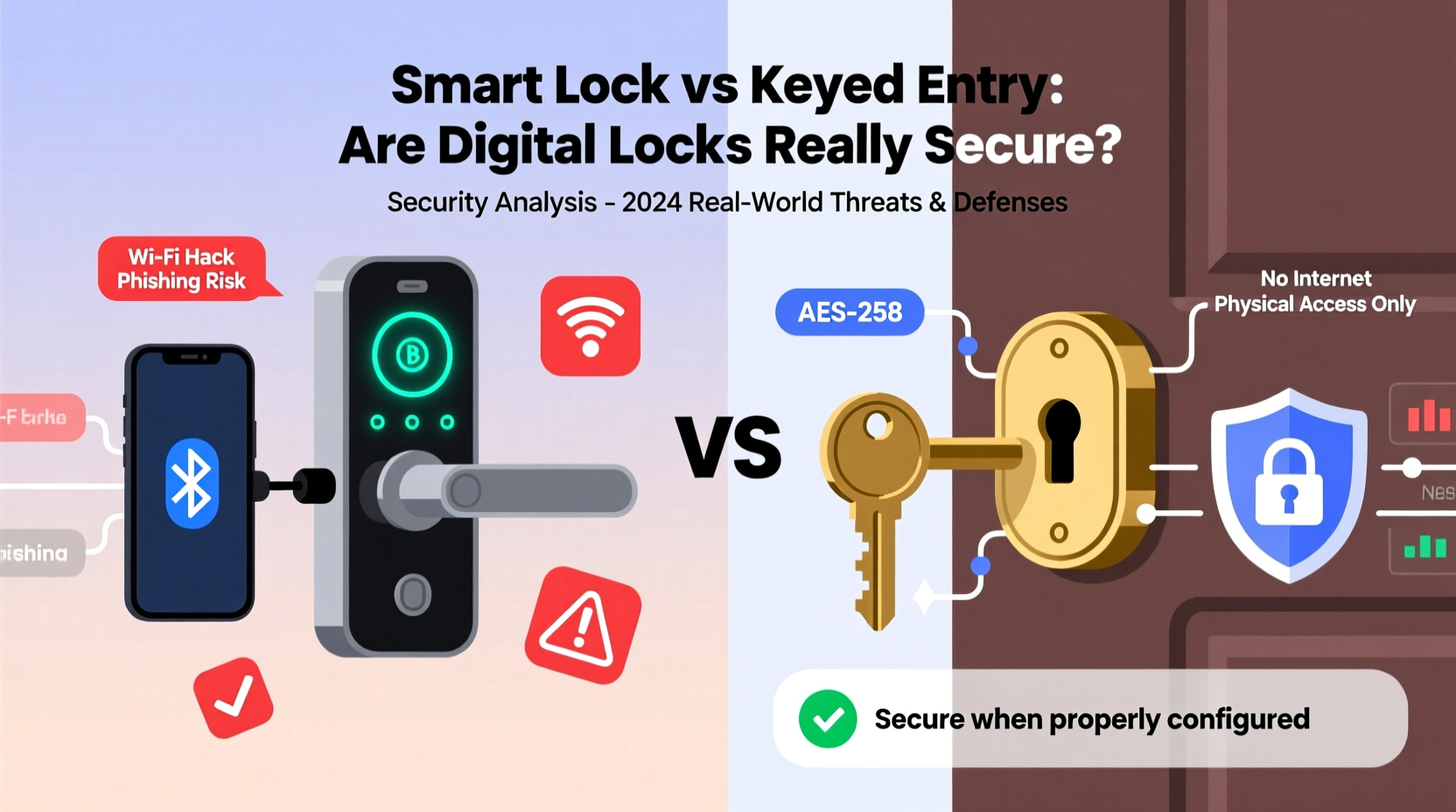
Smart locks replace or augment traditional deadbolts with electronic mechanisms that can be controlled remotely or via authentication methods such as PIN codes, biometrics, Bluetooth, Wi-Fi, or even voice assistants. Most models integrate with home automation platforms like Apple HomeKit, Google Home, or Amazon Alexa, enabling seamless routines—like unlocking the door when you arrive home.
Behind the scenes, smart locks rely on encrypted communication protocols (such as Z-Wave, Zigbee, or AES-128 encryption) to transmit data between the lock, your phone, and cloud servers. However, this connectivity is both their strength and their Achilles’ heel. Every wireless signal, firmware update, and third-party app integration represents a potential entry point for attackers.
Security researcher Marc Rogers once demonstrated how a popular smart lock could be compromised in under 30 seconds using a simple replay attack—a method where intercepted signals are rebroadcast to unlock the door. “The convenience of wireless access opens up attack surfaces we didn’t have to worry about with mechanical locks,” he noted.
“Any device connected to the internet expands your threat surface. A smart lock isn’t just a lock—it’s a computer on your front door.” — Dr. Lior Frenkel, Cybersecurity Engineer & IoT Specialist
Common Hacking Methods Targeting Smart Locks
Hacking a smart lock doesn’t always require advanced skills. Some attacks exploit design flaws, while others take advantage of user error. Here are the most common threats:
- Bluetooth Sniffing: Hackers within range can intercept Bluetooth signals between your phone and the lock, potentially capturing unlock commands.
- Wi-Fi Network Compromise: If your home network is breached, attackers may gain access to all connected devices—including your smart lock.
- Replay Attacks: By recording and retransmitting valid unlock signals, hackers can trick the lock into opening without knowing the actual code.
- Firmware Exploits: Outdated or poorly coded firmware can contain vulnerabilities that allow remote takeover.
- Phishing & Account Takeover: If a hacker gains access to your smart lock account (via phishing or weak passwords), they can unlock your door remotely.
- Physical Tampering: Some low-end models can be forced open with minimal effort, bypassing digital security entirely.
Smart Lock vs Keyed Entry: A Security Comparison
To evaluate real-world security, it helps to compare smart locks and traditional keyed entry across key dimensions. The table below outlines strengths and weaknesses of each system:
| Factor | Smart Locks | Keyed Entry |
|---|---|---|
| Digital Hacking Risk | High – Vulnerable to network exploits, malware, and signal interception | None – No digital interface to attack |
| Physical Bypass Risk | Moderate – Varies by brand; some resist picking better than others | High – Susceptible to lock picking, bumping, and drilling |
| Access Control | Excellent – Temporary codes, logging, remote management | Poor – Keys can be copied; no usage tracking |
| User Error Impact | High – Weak passwords, unpatched firmware increase risk | Moderate – Lost keys or predictable lock habits create exposure |
| Convenience | High – Hands-free entry, guest access, automation | Low – Requires carrying keys; no remote functionality |
| Power Dependency | Yes – Battery failure can lock you out | No – Mechanical operation requires no power |
The data shows a clear divide: smart locks excel in access management and convenience but introduce digital risks. Traditional locks avoid cyber threats but lack accountability and flexibility. Neither is inherently “safer”—the best choice depends on your environment, habits, and threat model.
Real-World Example: The Vacation Home Breach
In 2022, a family in Colorado returned from a two-week vacation to find their mountain cabin ransacked. No signs of forced entry were present. Surveillance footage showed no intruders. The mystery deepened until investigators reviewed the smart lock logs.
The homeowner had shared a temporary access code with a cleaning service weeks earlier—but never revoked it. A former employee, aware of the schedule, used the still-active code to enter during the family’s absence. The breach wasn’t the result of sophisticated hacking, but poor access hygiene.
This case illustrates a critical truth: the weakest link in smart lock security is often not the technology, but how it’s used. Digital convenience enables oversight—like forgetting to revoke access—that physical keys rarely permit at scale.
Best Practices for Securing Smart Locks
If you choose a smart lock, security doesn’t end at installation. Ongoing maintenance and smart habits are crucial. Follow this checklist to minimize risk:
- Choose models certified by recognized standards (e.g., UL 294, FCC, or Works with Apple HomeKit).
- Use strong, unique passwords for your smart lock account—never reuse credentials.
- Enable two-factor authentication (2FA) wherever available.
- Regularly update firmware to patch known vulnerabilities.
- Avoid public Wi-Fi when managing your lock remotely.
- Disable guest codes immediately after use.
- Monitor access logs weekly for unauthorized entries.
- Install a secondary physical deadbolt for layered defense.
- Store emergency backup keys in a secure, hidden location—not under the mat.
- Test battery levels monthly; replace before they drop below 20%.
Additionally, consider using a dedicated VLAN (Virtual Local Area Network) for IoT devices. This isolates your smart lock from computers and phones, limiting lateral movement if your main network is compromised.
When Keyed Entry Still Makes Sense
Despite the allure of smart technology, there are scenarios where traditional keyed entry remains the more secure or practical option:
- Rural or Off-Grid Homes: Where internet reliability is poor, a smart lock’s connectivity becomes a liability.
- High-Security Environments: Government facilities or safes often forbid wireless devices due to signal leakage risks.
- Older Adults or Tech-Averse Users: Complexity increases the chance of misconfiguration or forgotten updates.
- Budget Constraints: High-quality smart locks cost $150–$300; a Grade 1 keyed deadbolt offers robust protection for under $75.
Moreover, skilled locksmiths argue that a well-installed, high-security keyed lock (like those from Medeco or Mul-T-Lock) can resist picking and drilling far better than many consumer-grade smart locks. As one veteran put it, “A $500 mechanical lock with anti-bump pins is harder to crack than a $250 smart lock running outdated firmware.”
Frequently Asked Questions
Can someone hack my smart lock from another country?
Possibly, but only if your account or home network is compromised. Direct long-range attacks are rare unless the lock has a known vulnerability and lacks encryption. Most hacks occur locally or through stolen login credentials.
Do smart locks work during a power outage?
Yes, most run on batteries (typically 6–12 months lifespan). Even during a blackout, they function normally. However, if the battery dies and you don’t have a physical key override, you may be locked out.
Are fingerprint smart locks more secure than PIN codes?
Not necessarily. While biometrics add convenience, spoofing techniques (like lifted prints turned into fake fingerprints) exist. Also, biometric data can’t be changed if compromised. For maximum security, combine biometrics with PIN or 2FA.
Conclusion: Balancing Innovation and Safety
The debate between smart locks and keyed entry isn’t about declaring a winner—it’s about understanding risk in context. Smart locks are not inherently insecure, but they demand more responsibility. They introduce digital threats that didn’t exist before, yet offer unprecedented control over who enters your home and when.
For tech-savvy users willing to follow best practices, a high-quality smart lock can be both convenient and secure. But for those prioritizing simplicity, reliability, or minimizing digital exposure, a sturdy keyed deadbolt remains a proven, effective solution.
The future of home security likely lies in hybrid models: smart locks backed by physical reinforcements, multi-factor authentication, and regular audits. Technology evolves, but vigilance is timeless. Whether your door clicks shut with a key or unlocks silently via app, the real safeguard is not the mechanism itself—but how thoughtfully you use it.




 浙公网安备
33010002000092号
浙公网安备
33010002000092号 浙B2-20120091-4
Comments
No comments yet. Why don't you start the discussion?