
For renters, upgrading home security often comes with limitations. You can't make permanent changes, you may need landlord approval, and your budget is usually tight. Yet, the desire for stronger door access control remains high—especially in urban areas or shared buildings where break-ins are a real concern. Two popular solutions have emerged: smart locks and keyless entry pads. Both eliminate traditional keys, but they differ significantly in functionality, installation, security architecture, and suitability for rental living. Understanding these differences helps tenants make informed decisions that balance convenience, safety, and lease compliance.
Understanding the Core Differences
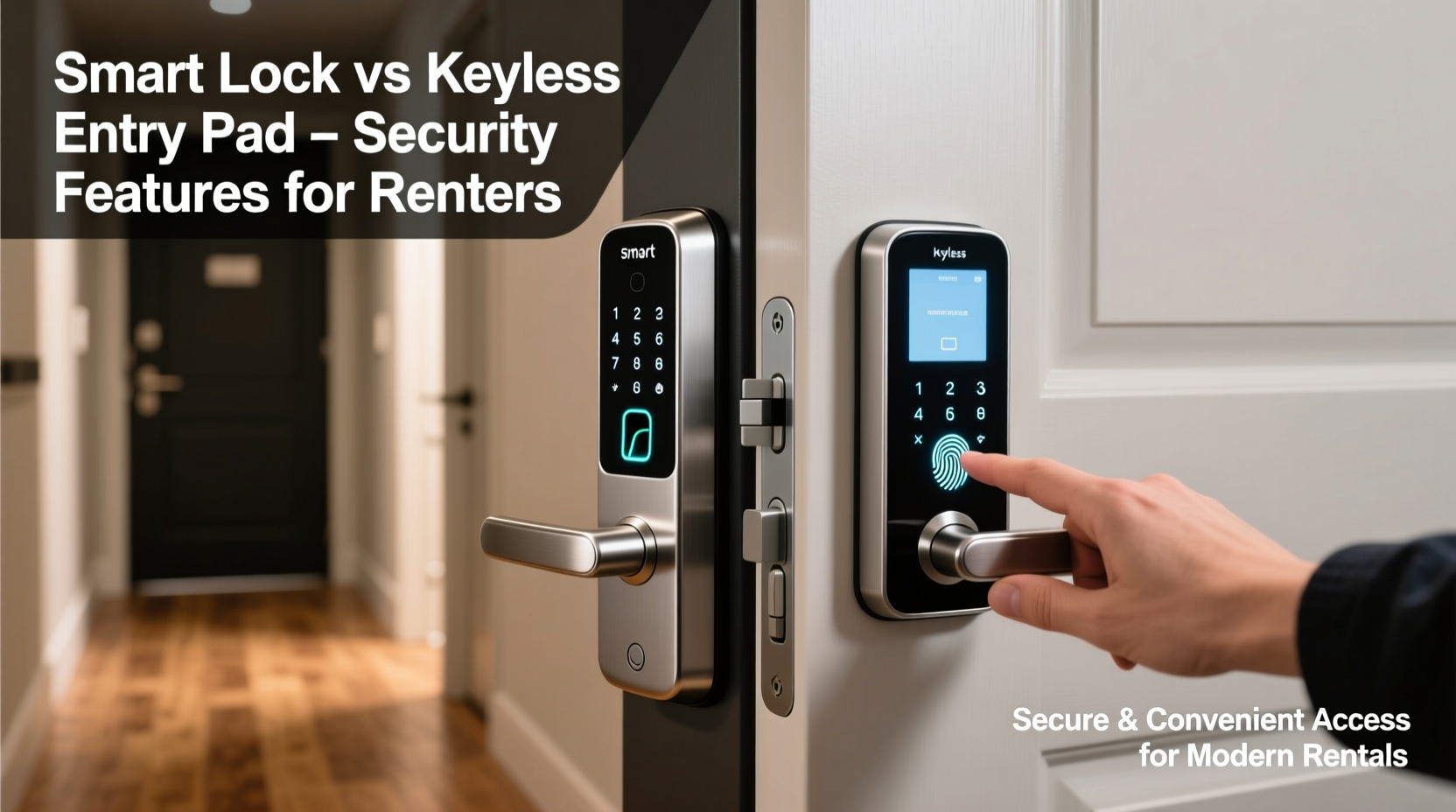
A smart lock is a Wi-Fi- or Bluetooth-enabled device that replaces or modifies your existing deadbolt. It allows remote access via smartphone apps, voice assistants (like Alexa or Google Assistant), and integration with home automation systems. Some models support auto-locking, guest access scheduling, and real-time notifications when someone unlocks the door.
In contrast, a keyless entry pad is typically a standalone numeric keypad mounted on or near the door. It connects directly to an electric strike, magnetic lock, or motorized deadbolt. Users enter a PIN code to unlock the door. These systems don’t require internet connectivity and often operate on low-voltage wiring or batteries.
While both offer key-free access, their underlying technologies create divergent user experiences and security profiles—especially important for those who don’t own their space.
Installation & Landlord Considerations
Renters must consider whether modifications are allowed. Smart locks usually replace the interior side of the deadbolt and can be installed without damaging the exterior hardware. Many are designed to be tenant-friendly, requiring only a screwdriver and leaving no permanent marks. However, models that require drilling or hardwiring into electrical systems are typically off-limits unless approved by management.
Keyless entry pads present a bigger challenge. They often require running wires from the keypad to the locking mechanism and sometimes even connecting to a power source. This involves drilling through walls or doors—modifications most landlords won’t permit. Battery-powered versions exist, but they’re less common and may still require surface mounting that could violate lease terms.
Security Features Compared
The primary goal of any access system is to prevent unauthorized entry. Here’s how smart locks and keyless entry pads stack up across critical security dimensions.
Authentication Methods
Smart locks support multiple authentication layers: PIN codes, biometrics (on premium models), smartphone-based unlocking (via Bluetooth or app), and even facial recognition when paired with video doorbells. Many allow temporary digital keys for guests—ideal for Airbnb hosting or letting friends in while you're away.
Keyless entry pads rely solely on PIN codes. While simple, this creates vulnerabilities. Default codes are often easy to guess, and repeated use can lead to visible wear on frequently pressed buttons, making it easier for intruders to deduce likely combinations. Some advanced models offer anti-peep features (e.g., allowing dummy digits before or after the correct code), but not all do.
Encryption & Cybersecurity
Smart locks communicate over encrypted protocols (like AES-128 or TLS). Reputable brands regularly issue firmware updates to patch vulnerabilities. However, because they connect to Wi-Fi or Bluetooth, they’re potential targets for hacking—especially if users neglect software updates or use weak passwords.
Keyless entry pads, particularly non-networked ones, are largely immune to remote cyberattacks. Without internet access, there's no attack vector for online hackers. Their threat model is physical: shoulder surfing, brute-force guessing, or tampering with wiring.
“From a cybersecurity standpoint, disconnected systems like basic keypads are inherently safer against remote breaches—but only if physical access is controlled.” — Marcus Lin, Senior Security Analyst at Urban Shield Labs
Access Logging & Monitoring
One of the strongest advantages of smart locks is activity tracking. Most models record every unlock attempt—successful or failed—including the method used and timestamp. Renters can review logs remotely, helping detect suspicious behavior. For example, if someone tries several incorrect PINs late at night, you’ll receive an alert.
Basic keyless entry pads rarely include logging capabilities. Higher-end commercial-grade units might store event data locally, but retrieving it usually requires direct physical access and technical know-how—neither ideal for renters.
Detailed Feature Comparison Table
| Feature | Smart Lock | Keyless Entry Pad |
|---|---|---|
| Internet Connectivity | Yes (Wi-Fi/Bluetooth/Zigbee) | No (typically) |
| Remote Access | Yes – unlock from anywhere via app | No – local access only |
| Guest Access | Yes – time-limited digital keys | Limited – fixed or rotating PINs |
| Installation Difficulty | Low to medium – fits standard deadbolts | Medium to high – may require wiring |
| Lease Compliance | High – removable, no damage | Low – often requires permanent mods |
| Cyber Risk | Moderate – depends on network hygiene | Negligible – no remote interface |
| Physical Security | Good – varies by build quality | Good – resistant to bumping/picking |
| Activity Logs | Yes – cloud or local storage | Rare – mostly absent in consumer models |
| Battery Life | 6–12 months | 12–24 months (lower power draw) |
| Cost (Average) | $100–$250 | $80–$200 (plus install if wired) |
Real-World Scenario: A Renter’s Dilemma
Jamie lives in a ground-floor apartment in a mid-rise building. The main entrance is secured, but individual units rely on outdated keyed locks. Concerned about package theft and break-ins, Jamie wants better control over access.
After consulting the lease, Jamie learns that structural modifications aren’t allowed. Hardwiring a keyless entry pad would violate the agreement. Instead, Jamie chooses a reversible smart lock that attaches to the interior of the existing deadbolt. It pairs with a smartphone app and sends alerts when the door is unlocked.
When Jamie goes on vacation, a friend housesits. Using the app, Jamie generates a temporary access code valid only during the visit. Afterward, the code expires automatically. Meanwhile, the system logs every entry—giving peace of mind without breaking lease rules.
This scenario highlights how smart locks offer flexibility and strong monitoring within rental constraints, whereas a keyless entry pad would have required permission Jamie couldn’t obtain.
Actionable Checklist for Renters
Before choosing between a smart lock and a keyless entry pad, follow this checklist:
- ✅ Review your lease agreement for clauses about door modifications or electronic devices
- ✅ Confirm with your landlord whether temporary or reversible installations are permitted
- ✅ Measure your current deadbolt type (standard vs. European cylinder) to ensure compatibility
- ✅ Decide if remote access and guest management are essential features for your lifestyle
- ✅ Evaluate your comfort level with managing app permissions, firmware updates, and password hygiene
- ✅ Choose a model with strong encryption and reputable brand support (e.g., August, Yale, Schlage)
- ✅ Test backup access methods—most smart locks include emergency key overrides or offline PIN options
- ✅ Plan for battery replacements and keep spares on hand
Step-by-Step Guide: Upgrading Your Door Securely as a Renter
- Assess Needs: Determine what you want—remote access, guest codes, logging, or just keyless convenience.
- Check Lease Terms: Look for language around alterations, electronics, or security systems. If unclear, request clarification in writing.
- Choose a Non-Invasive Option: Select a smart lock that doesn’t require drilling or permanent changes. Avoid anything needing wall wiring.
- Purchase From a Reputable Brand: Stick with established manufacturers known for security updates and customer support.
- Install Carefully: Follow instructions precisely. Use included tools and avoid forcing parts. Take photos during disassembly for reassembly later.
- Configure Security Settings: Set a strong master PIN, enable two-factor authentication in the app, and disable default settings.
- Test Thoroughly: Try locking/unlocking manually, via app, and with backup methods. Ensure auto-lock works if enabled.
- Document Everything: Keep purchase receipts, installation notes, and removal instructions. This helps during move-out inspections.
Frequently Asked Questions
Can I take my smart lock with me when I move?
Yes, most smart locks designed for renters are fully removable. Simply uninstall using a screwdriver and reinstall the original deadbolt. Store the smart lock for future use, provided the next rental has compatible hardware.
Are keyless entry pads more secure than smart locks?
Not necessarily. While keyless pads avoid cyber risks, they lack modern safeguards like intrusion alerts, access revocation, and usage logs. Smart locks provide layered security—if properly maintained. Physical hardening (e.g., reinforced strike plates) matters more than the type of lock alone.
What happens if the smart lock loses power or my phone dies?
Reputable models include fail-safes: backup PIN entry, physical key override, or emergency power via USB-C port (some let you tap a charged phone to it). Always set up multiple access methods and keep spare batteries nearby.
Final Recommendations
For most renters, smart locks represent the optimal balance of security, convenience, and lease compliance. They offer granular control over access, detailed monitoring, and the ability to adapt to changing needs—all without permanent installation. Keyless entry pads, while robust in commercial settings, are generally impractical for typical rentals due to wiring requirements and limited feature sets.
That said, security is only as strong as its weakest link. No lock prevents forced entry through windows or weak frames. Pair your chosen system with other measures: peephole cameras, motion-sensor lights, and neighborhood watch participation. And always prioritize communication with your landlord—transparency builds trust and increases the chances of approval.




 浙公网安备
33010002000092号
浙公网安备
33010002000092号 浙B2-20120091-4
Comments
No comments yet. Why don't you start the discussion?