
As homes grow smarter, so do their locks. The traditional key is giving way to digital access—keypads, smartphone apps, voice commands, and biometrics now guard our front doors. Among the most popular upgrades are Wi-Fi-enabled smart locks and electronic keypad deadbolts. But with convenience comes concern: Are these modern systems truly secure enough for a home’s primary entry point?
This question sits at the heart of many homeowners’ upgrade decisions. While both smart locks and keypad deadbolts offer keyless access, they differ significantly in connectivity, functionality, and vulnerability. Understanding these differences is essential for making an informed, security-first choice.
Understanding the Key Differences: Smart Lock vs Keypad Deadbolt
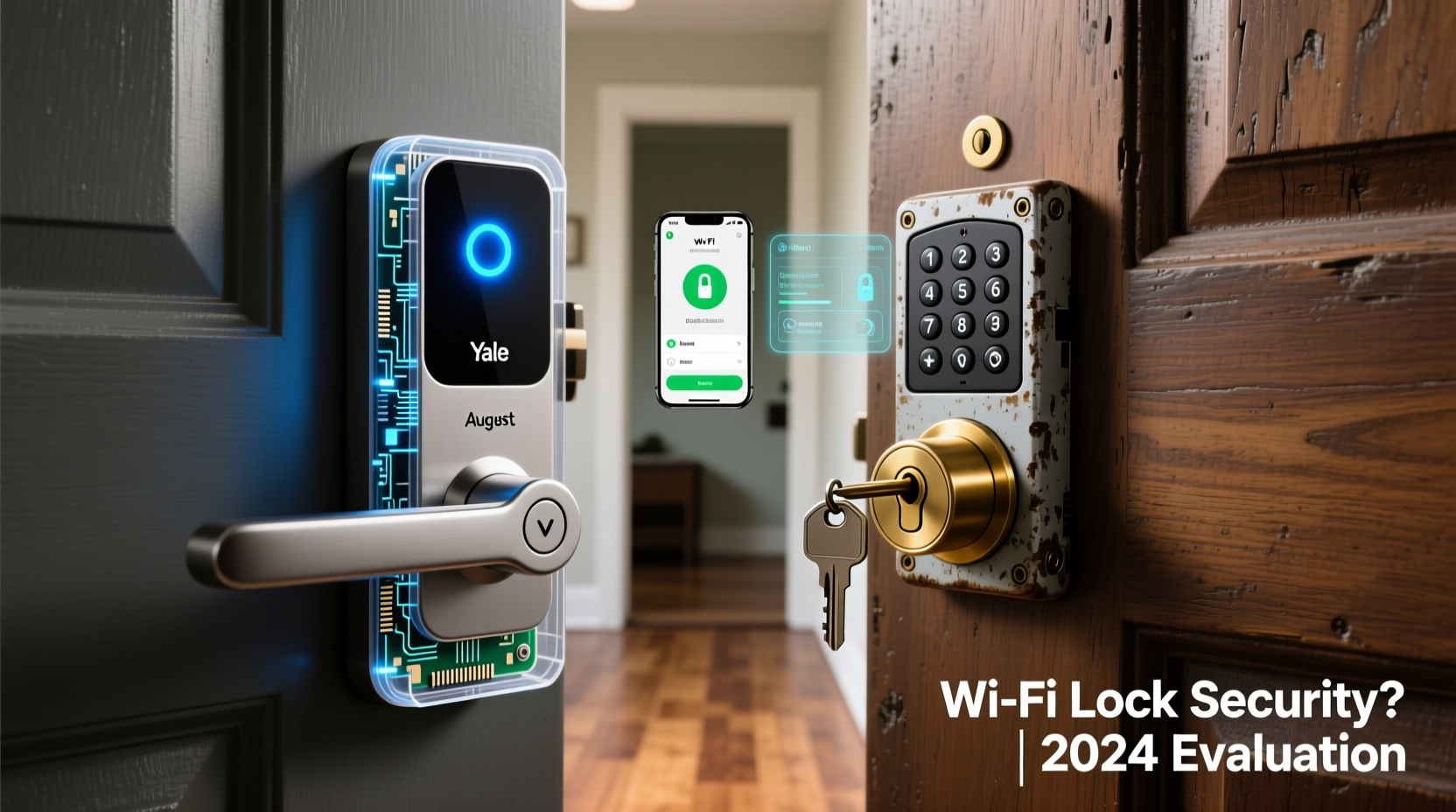
At first glance, smart locks and keypad deadbolts may seem interchangeable. Both eliminate physical keys and allow entry via numeric codes. However, their underlying technology, integration capabilities, and security models diverge in critical ways.
A keypad deadbolt is typically a standalone device powered by batteries, requiring no internet connection. Users input a PIN code directly on the exterior keypad to unlock the door. These locks often include backup mechanical keyholes and limited programmability—such as temporary guest codes or master codes.
In contrast, a Wi-Fi smart lock connects to your home network and can be controlled remotely via a mobile app. Many integrate with smart home ecosystems like Apple HomeKit, Google Home, or Amazon Alexa. Features such as auto-locking, real-time notifications, voice control, and remote access elevate convenience—but also expand the potential attack surface.
Security Risks of Wi-Fi Smart Locks: What You Need to Know
Connectivity is the double-edged sword of smart locks. While remote access allows you to let in a plumber while at work or check if your teenager got home safely, it also introduces vulnerabilities not present in offline systems.
The primary concerns with Wi-Fi smart locks include:
- Network Vulnerabilities: If your home Wi-Fi is compromised, attackers may gain access to connected devices, including your lock.
- Firmware Exploits: Outdated firmware can contain known security flaws that hackers exploit to bypass authentication.
- Cloud Dependency: Some locks rely on cloud servers to process commands. If the service goes down or is breached, your lock could become inaccessible or exposed.
- Bluetooth & Zigbee Risks: Even if a lock uses Wi-Fi sparingly, Bluetooth pairing during setup can be intercepted through techniques like “bluejacking” or brute-force PIN attacks.
- Data Privacy: Usage logs, access history, and user profiles are stored digitally—sometimes on third-party servers—raising privacy concerns.
“Any device connected to the internet increases your home’s digital footprint. A smart lock isn’t just a lock—it’s a node in your network. Secure it accordingly.” — Dr. Marcus Lin, Cybersecurity Researcher at the Center for IoT Safety
Despite these risks, reputable smart lock manufacturers implement robust countermeasures: end-to-end encryption, two-factor authentication, local processing (so commands don’t route through the cloud), and regular over-the-air (OTA) updates.
Comparing Security: Smart Lock vs Keypad Deadbolt
To assess which system offers better protection, consider both digital and physical threats. The table below compares key security aspects between Wi-Fi smart locks and standalone keypad deadbolts.
| Feature | Wi-Fi Smart Lock | Keypad Deadbolt |
|---|---|---|
| Internet Connectivity | Yes – enables remote control and monitoring | No – operates offline |
| Cyberattack Surface | High – vulnerable to hacking if poorly configured | Low – no network exposure |
| Encryption | Varies – high-end models use AES-128 or TLS | Limited – mostly internal, no data transmission |
| Physical Tampering Risk | Moderate – reinforced models resist drilling | Moderate – similar construction standards |
| Power Source | Battery + Wi-Fi drain = more frequent changes | Battery only – longer lifespan |
| Backup Access | App, key, or voice assistant | Physical key or manual override |
| Real-Time Alerts | Yes – push notifications for lock/unlock events | No – silent operation |
| User Management | Advanced – time-limited codes, remote deactivation | Limited – fixed or manually deleted codes |
The trade-off is clear: smart locks offer superior monitoring and management but require active cybersecurity hygiene. Keypad deadbolts are simpler, less prone to digital intrusion, but lack remote oversight and granular access control.
Best Practices for Securing a Wi-Fi Smart Lock
If you choose a Wi-Fi smart lock, its security depends heavily on how you install and maintain it. A high-end model can still be compromised by weak passwords or outdated software.
Follow this checklist to maximize your smart lock’s safety:
- ✅ Choose a lock with end-to-end encryption and local authentication mode
- ✅ Use a strong, unique password for the companion app
- ✅ Enable two-factor authentication (2FA) where available
- ✅ Keep firmware updated automatically
- ✅ Isolate the lock on a separate IoT network (via VLAN or guest Wi-Fi)
- ✅ Disable unused features like remote unlock if not needed
- ✅ Regularly audit access logs and remove expired user codes
- ✅ Install a physical security plate to deter撬 (drilling or prying)
One often-overlooked step is router security. Since the smart lock connects through your router, ensure your router uses WPA3 encryption, has a strong admin password, and disables remote administration.
Real Example: When Convenience Overrode Caution
Consider the case of a homeowner in Austin, Texas, who installed a popular Wi-Fi smart lock for easy access during frequent travel. He used the default app password (“password123”) and never enabled two-factor authentication. After noticing unexplained unlock events in the log, he discovered his account had been breached through a credential-stuffing attack—his login had appeared in a previous data breach.
Though the lock itself wasn’t hacked, the weak account security allowed remote access. Fortunately, the intruder didn’t know the physical address, but the incident prompted a full smart home security overhaul: new passwords, 2FA, network segmentation, and firmware audits across all devices.
This scenario illustrates a crucial point: the weakest link in a smart lock’s security is often not the hardware, but the user’s habits.
When a Keypad Deadbolt Might Be the Smarter Choice
For many households, especially those without a need for remote access or integration with smart assistants, a keypad deadbolt provides sufficient convenience with fewer risks.
These locks are ideal for:
- Families who want keyless entry but don’t use smartphones for home control
- Secondary entrances like garages or side doors
- Older adults uncomfortable with apps or tech troubleshooting
- Regions with unreliable internet or frequent power outages
Modern keypad deadbolts from brands like Schlage and Yale meet ANSI Grade 1 standards—the highest for residential locks—offering excellent resistance to forced entry. They’re also immune to Wi-Fi outages, app crashes, or server downtimes that can temporarily disable smart locks.
However, they lack real-time alerts and remote management. If a guest forgets to lock up, you won’t know until you return. Lost codes must be reset manually, and there’s no way to grant temporary access remotely.
FAQ: Common Questions About Smart Lock Security
Can someone hack my smart lock from afar?
Possible, but unlikely with proper setup. Most attacks require proximity (e.g., Bluetooth interception) or access to your network credentials. Using strong passwords, updated firmware, and network isolation makes remote hacking extremely difficult.
Do smart locks fail during power outages?
No—smart locks run on batteries (typically 6–12 months life). During a power outage, they continue working. Most send low-battery alerts weeks in advance. Always keep a backup key accessible in a secure location.
Is a keypad deadbolt easier to pick than a smart lock?
Not necessarily. Physical picking applies to any lock with a cylinder. High-quality keypad deadbolts have anti-pick pins and hardened steel bolts comparable to smart models. Digital locks aren’t “picked” in the traditional sense but face different threats like code guessing or replay attacks.
Conclusion: Balancing Security, Convenience, and Realistic Needs
The decision between a smart lock and a keypad deadbolt isn’t about which is universally better—it’s about matching the technology to your lifestyle and threat tolerance.
Wi-Fi smart locks are secure enough for front doors—if you treat them like any other connected device requiring proactive maintenance. For tech-savvy users who value automation, remote access, and detailed access logs, they offer meaningful benefits that outweigh the added complexity.
On the other hand, if your priority is simplicity, reliability, and minimizing digital exposure, a high-grade keypad deadbolt delivers proven security without the cyber overhead. It’s a mature, well-understood technology that does one job well: keeping your door locked.
Ultimately, no lock is impenetrable. The strongest defense combines quality hardware, sound installation, and vigilant user behavior. Whether you go fully smart or stay analog, ensure your choice aligns with how you live—and how much risk you’re willing to manage.




 浙公网安备
33010002000092号
浙公网安备
33010002000092号 浙B2-20120091-4
Comments
No comments yet. Why don't you start the discussion?