
As home security evolves, many homeowners are replacing traditional keyed locks with digital alternatives. Among the most popular options are smart locks and keypad locks. While both offer convenience and modern access control, they also introduce new security challenges. Understanding their vulnerabilities is essential to making an informed decision about which system truly protects your home.
Unlike mechanical locks that rely solely on physical keys, digital systems depend on electronics, software, and sometimes internet connectivity—each of which opens potential attack vectors. This article breaks down the core differences between smart locks and keypad locks, examines their respective security flaws, and provides practical steps to mitigate risks.
How Smart Locks Work and Where They’re Vulnerable
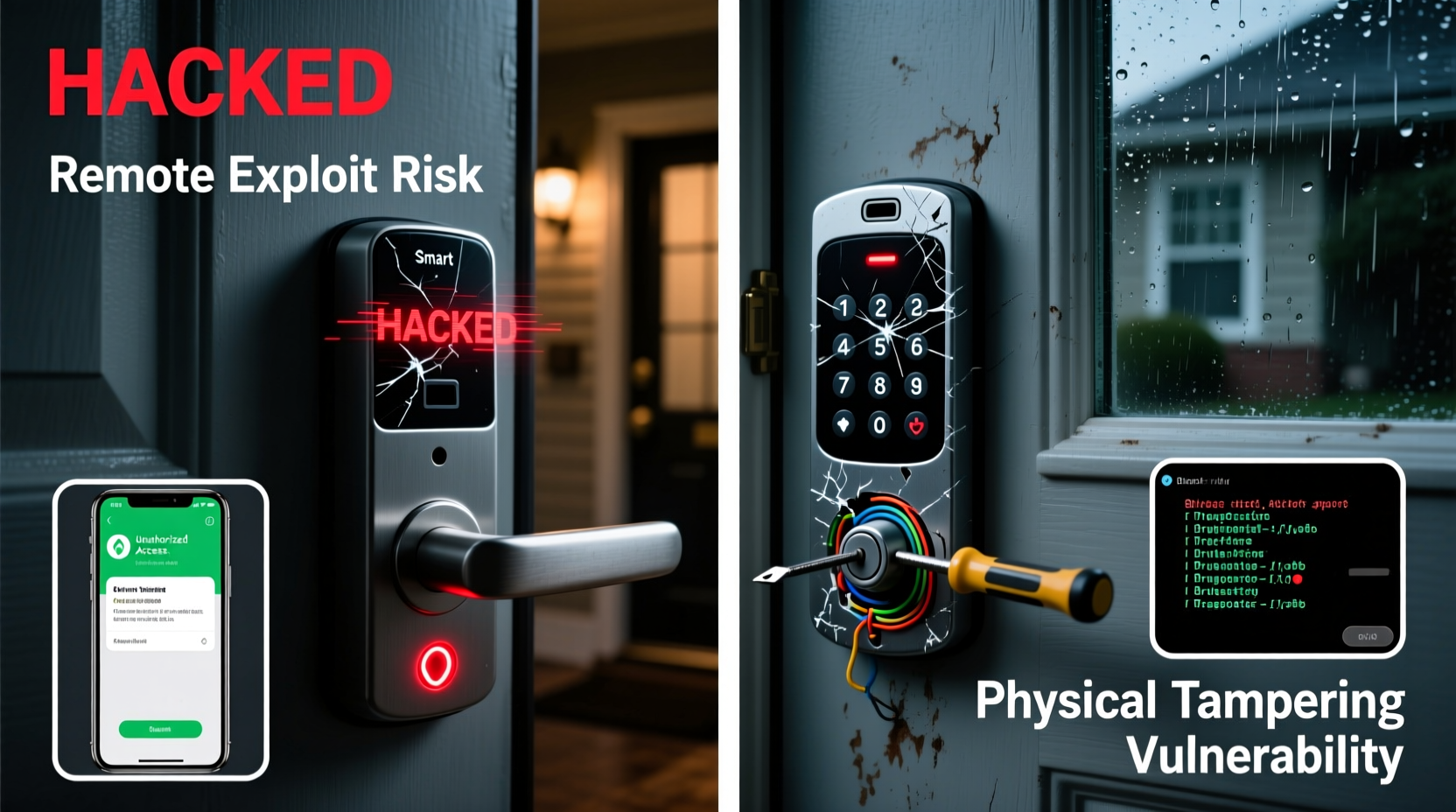
Smart locks integrate wireless technologies such as Bluetooth, Wi-Fi, or Z-Wave to allow remote access via smartphone apps, voice assistants, or cloud-based platforms. Some models support auto-locking, geofencing, guest access scheduling, and integration with home automation systems like Google Home or Apple HomeKit.
While these features enhance usability, they expand the attack surface significantly. A smart lock isn’t just a lock—it’s a networked device, and like any connected gadget, it can be compromised through:
- Wi-Fi or Bluetooth interception: Hackers within range may intercept signals used to unlock the door, especially if encryption is weak.
- Firmware exploits: Outdated or poorly coded firmware can contain bugs that allow unauthorized access.
- Cloud server breaches: If the manufacturer’s cloud infrastructure is hacked, attackers could gain control over thousands of devices at once.
- Phishing attacks: Users might unknowingly give away login credentials through fake app notifications or emails.
- Denial-of-service (DoS) attacks: Overloading the lock’s network connection can prevent legitimate users from unlocking the door during emergencies.
One well-documented incident involved researchers at the University of Michigan who demonstrated a \"DolphinAttack\" using ultrasonic waves to manipulate voice-controlled smart locks by sending inaudible commands to integrated assistants like Alexa.
“Connected devices add layers of convenience but also layers of risk. Every new feature is a potential vulnerability.” — Dr. Linus Chen, Cybersecurity Researcher at MIT Computer Science Lab
Keypad Locks: Simpler, But Not Immune to Threats
Keypad locks—sometimes called electronic keyless entry locks—require users to enter a numeric code directly on a physical panel. Unlike smart locks, most do not connect to the internet or rely on mobile apps. This reduced complexity often makes them more resilient to remote cyberattacks.
However, keypad locks have their own set of weaknesses:
- Code observation (shoulder surfing): Someone watching you enter your PIN can easily replicate it later.
- Wear patterns: Frequent use of certain digits leaves visible smudges or wear marks, helping intruders guess common combinations like “1234” or “0000.”
- Limited user codes: Many basic models only support one or two user codes, reducing flexibility and auditability.
- Brute-force attacks: Without lockout mechanisms after failed attempts, attackers can systematically try every possible combination.
- Battery failure: Dead batteries render the lock inoperable unless there's a physical override (like a backup key).
In a real-world scenario, a homeowner in Austin reported a break-in where thieves watched family members enter the code through a window over several days before successfully accessing the property. The lock had no logging capability, so there was no record of unauthorized entries.
Improving Keypad Lock Security
To reduce exposure, consider these upgrades:
- Use longer codes (at least 6 digits) to increase complexity.
- Enable anti-peep features such as dummy digits or scrambling keypads.
- Change codes regularly, especially after guests stay over.
- Choose models with temporary lockouts after multiple incorrect entries.
- Install near areas without clear sightlines from public spaces.
Comparative Analysis: Smart Lock vs Keypad Lock Vulnerabilities
| Security Factor | Smart Lock Risk Level | Keypad Lock Risk Level | Mitigation Strategy |
|---|---|---|---|
| Remote Hacking | High | Low | Disable Wi-Fi, update firmware monthly, use local-only mode if available |
| Physical Observation | Medium | High | Use privacy shields, randomize finger placement, change codes frequently |
| Data Logging & Tracking | High (cloud-dependent) | Low to None | Review permissions, disable unnecessary data syncing |
| Battery Dependency | High | High | Replace batteries proactively; keep backup power source or mechanical key |
| Brute Force Resistance | Variable (depends on model) | Low (without lockout) | Enable automatic lockout, use longer codes |
| Firmware/Software Updates | Critical | Rarely Available | Automate updates or check monthly; discontinue unsupported models |
This comparison shows that while smart locks face higher cyber risks, keypad locks are more exposed to physical surveillance and lack advanced access controls. Neither option is inherently superior—the best choice depends on your threat model and usage environment.
Real-World Example: The Compromised Vacation Rental
A vacation rental property manager in Colorado installed smart locks across five properties to streamline guest check-ins. Each guest received a time-limited digital key via an app. However, six months after deployment, an unauthorized individual accessed one unit mid-week while it was supposed to be vacant.
Investigation revealed that the owner had reused the same master password across multiple accounts—including an old email linked to the smart lock service. That email had been part of a third-party data breach years earlier. Attackers used credential-stuffing tools to test stolen usernames and passwords until they gained access to the lock management dashboard.
From there, they generated a temporary access code and entered the property undetected. The system logged the event, but no alerts were configured. It wasn't until the next guest arrived that the intrusion was discovered.
This case highlights a critical point: even the most advanced hardware fails when basic cybersecurity hygiene is ignored. The lock itself wasn’t flawed—the human processes around it were.
Action Plan: Securing Your Digital Entry System
Regardless of whether you use a smart lock or keypad lock, follow this checklist to minimize risk:
- ✅ Use a unique, strong password for your lock account—never reuse passwords.
- ✅ Enable two-factor authentication (2FA) if supported.
- ✅ Change default PINs and avoid simple sequences like “1111” or “birthday” codes.
- ✅ Update firmware regularly—or replace devices that no longer receive updates.
- ✅ Limit remote access; disable Wi-Fi if you don’t need it.
- ✅ Monitor access logs weekly for suspicious activity.
- ✅ Install locks away from windows or angles where keypads can be observed.
- ✅ Keep a mechanical backup key in a secure off-site location.
- ✅ Educate all household members on safe practices (e.g., covering keypad input).
- ✅ Decommission old user codes immediately after tenants or contractors leave.
FAQ: Common Questions About Lock Security
Can someone hack my smart lock from another country?
Potentially, yes—if your lock connects to the internet and relies on a cloud service, a determined attacker could exploit vulnerabilities in the manufacturer’s servers or your account credentials. However, most attacks occur locally via Bluetooth spoofing or Wi-Fi sniffing. The risk increases if you use weak passwords or unsecured networks.
Are keypad locks safer than smart locks?
It depends on context. Keypad locks are generally less vulnerable to remote hacking because they aren’t connected to networks. However, they are more susceptible to physical observation and brute-force guessing. For high-traffic or rental environments, smart locks with detailed access logs and temporary codes may actually offer better accountability and control.
What happens if the power goes out or the battery dies?
Most digital locks run on batteries (typically AA or lithium). When power is lost, the lock will usually still operate until the battery is fully drained. Once dead, you’ll need to use a backup method—either a physical key, external power source (some models support 9V battery jump-starts), or manual override. Always monitor low-battery warnings and replace batteries annually, even if not prompted.
Final Recommendations and Next Steps
The debate between smart locks and keypad locks isn’t about which is universally better—it’s about aligning technology with your actual security needs. If you value remote access, guest management, and integration with other smart home devices, a well-configured smart lock can be secure. But it demands ongoing maintenance, awareness, and disciplined digital habits.
On the other hand, standalone keypad locks offer simplicity and resistance to cyber threats but require vigilance against physical snooping and poor code management. They work best in low-turnover homes where access patterns are predictable.
No digital lock eliminates the need for broader home security practices. Pair your chosen lock with good lighting, surveillance cameras, and neighborhood watch participation for layered protection. Remember: technology enhances security, but it doesn’t replace responsibility.
“The weakest link in any security system is rarely the hardware—it’s the human behind it.” — Sarah Nguyen, Director of Residential Security at SafeHaven Institute




 浙公网安备
33010002000092号
浙公网安备
33010002000092号 浙B2-20120091-4
Comments
No comments yet. Why don't you start the discussion?