
In an era where digital convenience meets physical protection, homeowners face a critical decision: should they rely on traditional keypad locks or upgrade to smart locks for enhanced security and usability? Both options eliminate the need for physical keys, but their approach to access control, integration with modern technology, and resistance to tampering differ significantly. Understanding these differences is essential for choosing a system that not only secures your home but also fits seamlessly into your daily routine.
The rise of connected homes has made smart locks increasingly popular, yet many still opt for standalone electronic keypads due to simplicity and lower cost. This article examines both technologies in depth—evaluating security mechanisms, user experience, vulnerability to attacks, and long-term reliability—to help you determine which solution truly offers superior protection and convenience.
Understanding Keypad Locks: Simplicity with Limitations
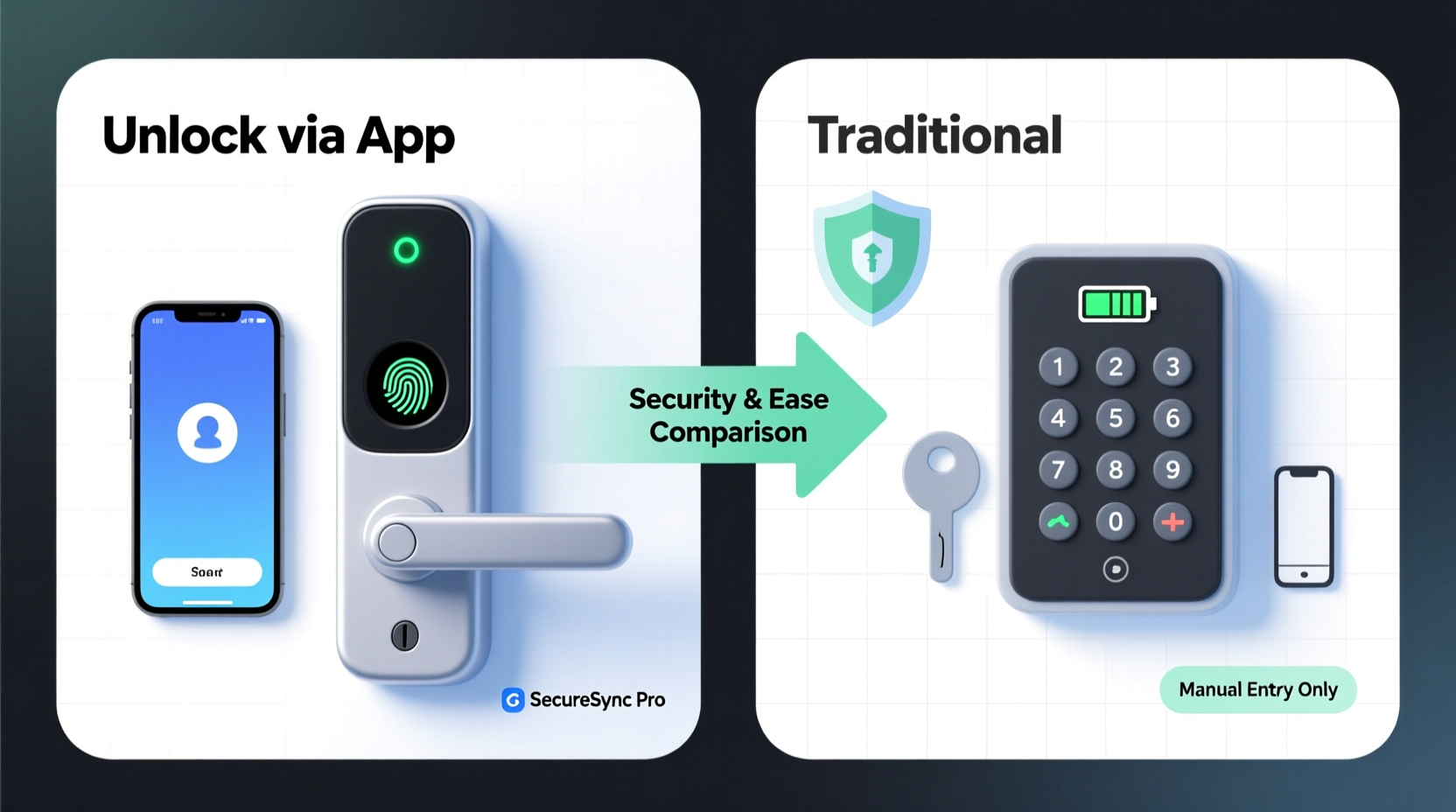
Keypad locks, often referred to as electronic deadbolts or code-based entry systems, operate using pre-programmed PIN codes. Users enter a numeric sequence on a physical keypad mounted on the door, which unlocks the mechanism if the input matches one of the stored codes. These systems are typically self-contained, powered by batteries, and do not require Wi-Fi or smartphone connectivity.
One of the main appeals of keypad locks is their straightforward design. There’s no app to download, no network setup, and minimal maintenance beyond battery replacement. They work well in environments where internet access is unreliable or unnecessary. However, this simplicity comes at a cost—limited functionality and reduced oversight compared to more advanced alternatives.
Most keypad systems allow multiple user codes, making them suitable for families or rental properties. Some models even support temporary codes with set expiration times. But without remote monitoring or logging capabilities, tracking who entered and when becomes nearly impossible unless paired with a separate security camera.
Smart Locks: Connected Security with Advanced Features
Smart locks go beyond simple code entry by integrating with home automation ecosystems such as Apple HomeKit, Google Home, Amazon Alexa, and Zigbee or Z-Wave networks. These devices offer remote access via smartphone apps, voice commands, real-time notifications, and detailed activity logs. Many can be controlled from anywhere in the world, provided there's a stable internet connection and proper hub configuration.
Access methods vary widely across smart lock models. In addition to PIN codes through a built-in or virtual keypad, users may unlock doors using Bluetooth proximity (auto-unlock when near), NFC tags, biometrics (fingerprint readers), or facial recognition on high-end models. Integration with video doorbells allows visual verification before granting access remotely—a feature absent in standard keypad systems.
Another major advantage is administrative control. Homeowners can grant, revoke, or modify access permissions instantly, receive alerts when doors are locked or unlocked, and view historical entry data. For instance, if a house cleaner arrives early, you’ll know immediately. If a child forgets to lock up after school, you can secure the door with a tap on your phone.
“Smart locks provide unprecedented visibility into home access patterns. The ability to audit entries and respond in real time adds a layer of security that static codes simply can't match.” — David Lin, Cybersecurity Analyst at SafeHaven Labs
Security Comparison: Where Each System Excels and Fails
When it comes to actual security, both keypad locks and smart locks have strengths and vulnerabilities. A direct comparison reveals trade-offs between technological sophistication and attack surface exposure.
| Security Factor | Keypad Locks | Smart Locks |
|---|---|---|
| Physical Tampering Resistance | High – Few external components; harder to disable without visible damage | Moderate – More electronics exposed; some models vulnerable to撬动 (prying) |
| Digital Hacking Risk | Low – No network connection reduces cyberattack risk | Higher – Vulnerable to Bluetooth spoofing, weak encryption, or app breaches |
| Code Reuse & Shoulder Surfing | High Risk – Static codes visible via smudge marks or observation | Lower Risk – Supports dynamic passcodes, geofencing, auto-relock |
| Firmware Updates | Rarely supported – Fixed software throughout product life | Regular updates patch security flaws and improve performance |
| Backup Access Methods | Usually includes mechanical key override | Variety: key override, backup codes, biometrics |
While keypad locks benefit from air-gapped operation (no internet), they suffer from predictable weaknesses. Smudge attacks—where fingerprints reveal frequently pressed numbers—are common. Additionally, lost or stolen codes cannot be revoked unless manually reset, leaving former tenants or employees with potential access.
Smart locks, though more complex, mitigate these issues through dynamic authentication and audit trails. However, their reliance on wireless protocols introduces new threats. Poorly secured Bluetooth implementations can allow relay attacks, where hackers amplify signals between a paired phone and the lock to trick it into unlocking. Ensuring end-to-end encryption and regular firmware updates is crucial to minimizing such risks.
Real-World Example: A Rental Property Manager’s Dilemma
Consider Maria, who manages five vacation rentals across the Pacific Northwest. She used basic keypad locks for years, assigning each guest a unique four-digit code. But she quickly encountered problems: guests wrote down codes on notebooks, cleaners reused old codes, and she had no way of knowing whether someone overstayed or forgot to lock up.
After switching to smart locks with Wi-Fi bridges and mobile management, her workflow transformed. Now, she generates time-limited digital keys for each booking, receives instant notifications when guests arrive, and automatically relocks units after checkout. When a dispute arose over alleged property damage, she reviewed the access log and confirmed the cleaning crew had entered outside scheduled hours—an insight impossible with her previous system.
Despite initial concerns about connectivity issues, Maria found that even during brief outages, local Bluetooth access allowed her or contractors to unlock doors using their phones. The added visibility and control justified the higher upfront cost and slightly steeper learning curve.
Usability and Daily Convenience
Ease of use plays a decisive role in long-term satisfaction. While both systems eliminate fumbling for keys, their interaction models differ substantially.
Keypad locks demand manual code entry every time, regardless of how familiar you are with the door. For individuals with mobility challenges or those carrying groceries, typing a sequence can be cumbersome. Lighting conditions also matter—poorly lit keypads make nighttime entry difficult.
Smart locks excel in seamless integration. Geofencing enables automatic unlocking as you approach your front door, provided your phone is within range. Voice assistants allow hands-free operation (“Alexa, unlock the garage”). Temporary access sharing—sending a digital key to a plumber via text—is faster and safer than hiding spare keys under mats.
However, dependency on smartphones introduces its own friction. A dead phone battery renders most smart functions useless unless backup methods exist. Moreover, older adults or tech-averse users may struggle with app navigation or pairing procedures.
Step-by-Step Guide: Choosing the Right System for Your Needs
- Assess your threat model: Are you more concerned about break-ins, unauthorized internal access, or convenience?
- Evaluate your internet reliability: Frequent outages may hinder smart lock performance unless local control is available.
- Determine user complexity: Will children, elderly relatives, or frequent visitors need access? Simpler interfaces may favor keypads.
- Check compatibility: Ensure the lock works with your existing door hardware (deadbolt type, backset measurement).
- Review integration needs: Do you want linkage with alarms, cameras, or voice assistants? Smart locks offer broader ecosystem support.
- Set a budget: Keypads typically range from $80–$150; smart locks cost $150–$300+, plus possible hub expenses.
- Test backup options: Confirm whether mechanical overrides, emergency power sources, or offline modes are included.
Common Pitfalls and How to Avoid Them
- Using default factory codes: Always change preset PINs immediately upon installation.
- Ignoring battery warnings: Low-battery alerts should prompt immediate replacement—don’t wait until the lock fails.
- Overlooking physical security: Even the most advanced lock won’t stop someone from breaking the glass beside it.
- Granting permanent access: Use temporary codes for guests and service providers whenever possible.
- Skipping firmware updates: Enable automatic updates or check monthly for patches.
FAQ: Smart Locks vs Keypads
Can smart locks be hacked?
Yes, though the risk varies by brand and implementation. High-quality smart locks use military-grade encryption, secure boot processes, and regular updates to defend against intrusion. Cheap or outdated models may lack these protections. To minimize risk, purchase from reputable manufacturers (e.g., August, Yale, Schlage) and keep software current.
Do keypad locks work during power outages?
Yes. Most run on batteries (typically 9V or AA), so they continue functioning even during electrical failures. However, if the battery dies and no backup method exists, you may be locked out. Regular maintenance prevents this issue.
Are smart locks worth the extra cost?
For homeowners seeking automation, remote monitoring, and flexible access control, yes. Families, landlords, and those integrating smart home systems benefit most. If you only want keyless convenience without connectivity, a keypad lock offers solid value at a lower price point.
Final Recommendation: Balance Security with Lifestyle Needs
The question isn’t necessarily which technology is “better,” but rather which aligns best with your priorities. Keypad locks deliver dependable, no-frills security ideal for low-tech environments or secondary doors. Their isolation from networks makes them inherently less vulnerable to cyber threats, though they lack granular control and monitoring.
Smart locks, while more complex and potentially exposed to digital risks, offer transformative benefits: real-time awareness, adaptive access, and integration with broader home safety systems. When properly configured and maintained, they represent a significant upgrade in both security and convenience.
For maximum protection, consider a hybrid approach: install a smart lock with a built-in keypad, allowing both app-based control and PIN entry. This ensures redundancy—if Wi-Fi drops or your phone dies, you still have multiple ways to enter. Prioritize models with strong encryption, regular updates, and optional two-factor authentication.




 浙公网安备
33010002000092号
浙公网安备
33010002000092号 浙B2-20120091-4
Comments
No comments yet. Why don't you start the discussion?