
Smart mirrors—two-way glass surfaces powered by Raspberry Pi or similar microcomputers—have evolved from novelty gadgets into sophisticated ambient interfaces. When combined with programmable Christmas lights, they become dynamic holiday canvases: reflecting the viewer while simultaneously animating synchronized light patterns triggered by movement, voice, time of day, or even weather data. This integration bridges functional interior design with festive interactivity—not as a gimmick, but as a cohesive experience where reflection, illumination, and responsiveness converge. Done well, it transforms a hallway or living room into a living seasonal installation that responds thoughtfully rather than flashing chaotically.
Why This Integration Matters Beyond Aesthetics
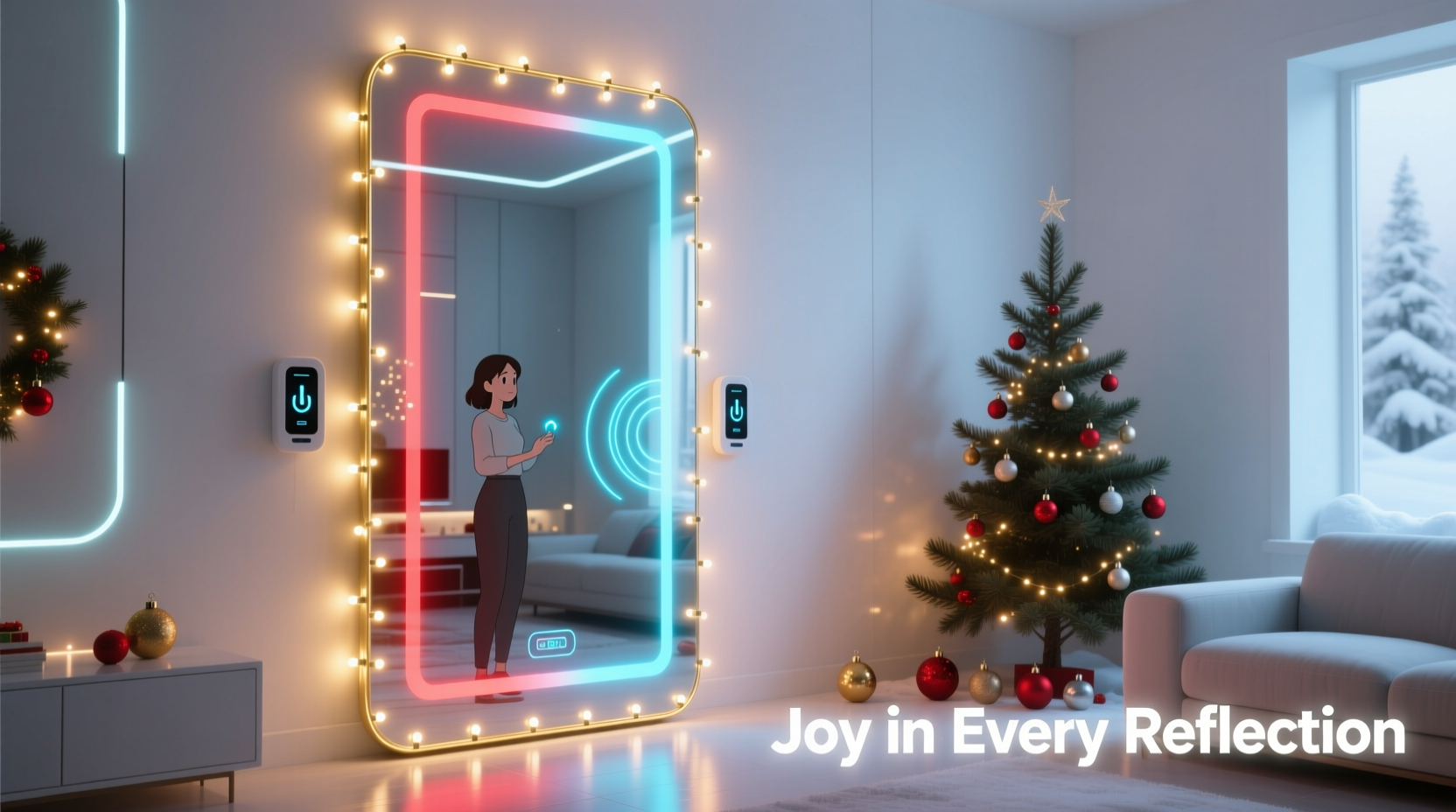
Traditional holiday lighting remains static: pre-set sequences on timers, often disconnected from human presence. Smart mirror integration adds contextual awareness. A person pausing before the mirror might trigger a gentle pulse in warm-white LEDs; children waving could initiate a snowflake-inspired chase pattern across the garland; ambient light sensors can dim lights when daylight is sufficient—reducing energy use without sacrificing ambiance. This isn’t about complexity for its own sake. It’s about intentionality: using accessible tools to create moments of quiet delight, shared interaction, and subtle personalization during a season saturated with sensory overload.
Crucially, this approach respects the mirror’s primary function. Unlike projection-based setups that obscure reflection, LED strips mounted *behind* or *around* the mirror frame preserve full visibility while adding layered depth. The result feels integrated—not tacked on. As lighting designer Lena Torres notes in her 2023 workshop at the International Lighting Design Forum:
“True interactivity in domestic lighting doesn’t shout—it listens. When a mirror ‘notices’ you without cameras pointed at your face, and responds with light that enhances rather than competes with your presence, that’s where technology becomes humane.” — Lena Torres, Lighting Interaction Designer
Core Hardware Requirements & Compatibility Considerations
Successful integration hinges on selecting interoperable components—not just high-spec parts. Prioritize reliability, power efficiency, and physical integration over raw capability. Below is a comparison of essential subsystems with real-world compatibility notes:
| Component | Recommended Options | Critical Compatibility Notes |
|---|---|---|
| Smart Mirror Core | Raspberry Pi 4 (4GB), Pi 5 (recommended for multi-threaded light control + UI); optional: NVIDIA Jetson Nano for advanced computer vision | Avoid Pi Zero for real-time light + UI + sensor processing. Ensure GPIO pins support PWM (Pulse Width Modulation) for smooth LED dimming. |
| LED Lights | WS2812B or SK6812 RGBW addressable strips (30–60 LEDs/meter); IP65-rated for indoor durability | WS2812B requires precise timing—use libraries like rpi_ws281x. Avoid non-addressable AC-powered strings unless paired with ESP32-based relay controllers. |
| Sensors | PIR motion sensor (HC-SR501, adjustable delay/sensitivity); BMP280 (temp/pressure); PMS5003 (optional air quality for “fresh snow” mode) | PIR must be mounted *outside* the mirror’s reflective surface—e.g., recessed in frame molding—to avoid visual clutter and false triggers from reflections. |
| Power Supply | 5V/10A+ regulated switching supply (for 1–2m strip); separate 5V/3A for Pi; use ferrite cores on all DC lines | Underpowered supplies cause flicker and data corruption. Never daisy-chain power for >1m of dense LEDs—split power injection points every 0.5m. |
| Mirror Assembly | 1/4\" two-way acrylic mirror (80% transmission / 20% reflection) or high-quality dielectric glass mirror; black foam tape for edge sealing | Standard bathroom mirrors reflect >90%—too opaque for display visibility. Acrylic is lighter and safer; glass offers superior clarity but requires professional mounting. |
A Real-World Implementation: The Henderson Family Living Room
In Portland, Oregon, the Henderson family installed a 36\" × 48\" smart mirror above their fireplace mantel in late November 2023. Their goal: a display that welcomed guests without overwhelming daily use. They used a Raspberry Pi 5 running MagicMirror² with custom modules, a 2m WS2812B strip mounted in a routed oak frame behind the mirror, and a PIR sensor discreetly embedded in the mantel’s left corner.
Key decisions shaped their outcome:
- They limited animations to three modes: Presence (soft breathing glow when motion is detected), Twinkle (random star-like flicker during idle hours), and Sunrise/Sunset Sync (gradual warm-to-cool white shift aligned with local twilight times via API).
- No voice activation—privacy was prioritized over novelty. Instead, a physical momentary switch hidden under the mantel toggled between modes.
- They added a simple “guest mode”: holding the switch for 3 seconds activated a slow, expanding ripple effect—ideal for parties, but disabled by default.
Step-by-Step Integration Workflow
Follow this sequence—not as rigid steps, but as interdependent phases. Skipping calibration or power testing risks cascading failures later.
- Phase 1: Frame & Mounting Prep (2–3 hours)
Build or modify a frame with a rear channel deep enough for LED strip + wiring. Line the channel with black velvet tape to absorb stray light. Secure the two-way mirror with silicone adhesive (not clips—vibrations cause micro-movement and visual shimmer). Verify level alignment with laser tool. - Phase 2: Power & Data Wiring (1.5 hours)
Run 22AWG stranded copper wire from Pi GPIO pin 18 (PWM-capable) to LED DIN. Run separate 5V/GND lines from power supply to first LED, then inject power again at 0.5m and 1.0m marks. Use heat-shrink on all connections—no exposed solder joints near wood or insulation. - Phase 3: Software Stack Setup (3–4 hours)
Flash Raspberry Pi OS Lite (64-bit). Install Node.js v20+, rpi_ws281x library, and MagicMirror². Configure/boot/config.txtto disable audio (conflicts with PWM) and enable I2C. Test LED output withstrandtest.pybefore loading UI modules. - Phase 4: Sensor Calibration & Trigger Logic (2 hours)
Mount PIR 1.2m above floor, angled slightly downward. Adjust sensitivity to ignore pets under 12 lbs. In code, implement a 5-second debounce window and require two motion events within 8 seconds to activate lights—eliminating false triggers from passing cars or HVAC drafts. - Phase 5: Ambient Integration & Refinement (Ongoing)
Log ambient light levels hourly for one week. Use data to set automatic brightness curves: 30% max intensity at noon, 100% only after 5 PM. Add hysteresis to motion triggers—lights stay active for 90 seconds after last detection, not 5 minutes. Document every change in a physical notebook beside the setup.
Do’s and Don’ts for Safe, Sustainable Operation
Electrical safety and thermal management are non-negotiable. Holiday lighting failures often stem from overlooked fundamentals—not coding errors.
| Do | Don’t |
|---|---|
| Use UL-listed power supplies with over-current and short-circuit protection | Power LEDs directly from Pi’s 5V pin—risk of brownout and SD card corruption |
| Mount PIR sensors away from heat sources (fireplaces, radiators, HVAC vents) | Place motion sensors facing reflective surfaces—causes phantom triggers from bouncing IR |
| Test all LED segments at 20% brightness for 30 minutes before full deployment | Run dense LED strips (>60/m) continuously at 100% for >2 hours without heatsinking |
| Label every wire with heat-shrink tags: “LED DATA”, “PIR OUT”, “5V IN” | Bundle data and power cables tightly—EMI from switching power can corrupt LED signals |
| Update firmware quarterly; subscribe to security advisories for your Pi OS version | Leave default SSH passwords or enable remote desktop without firewall rules |
FAQ: Addressing Common Technical Hurdles
Can I use my existing Philips Hue or Nanoleaf lights with a smart mirror?
Yes—but with caveats. Hue bulbs introduce ~200ms latency per command, making real-time motion response impractical. Nanoleaf panels work better via their official API, but lack the granular per-LED control needed for precise reflection-aligned effects (e.g., light “following” a hand gesture across the mirror plane). For tight synchronization, dedicated addressable strips remain superior. If using Hue, restrict it to ambient background layers—never primary interactive elements.
How do I prevent the mirror from fogging or developing condensation behind the glass?
Fogging occurs when humid indoor air meets cold mirror surfaces. Mitigate by: (1) Sealing the rear perimeter with silicone caulk, leaving only a 3mm vent gap at the bottom; (2) Placing a desiccant pack (silica gel) inside the frame cavity during assembly; (3) Running the Pi’s CPU fan exhaust *into* the frame cavity—warm, dry air displaces moisture. Monitor humidity with a DHT22 sensor; if readings exceed 65% RH for >4 hours, trigger a 5-minute fan boost cycle.
Is it possible to add voice control without compromising privacy?
Yes—using on-device, offline speech recognition. Tools like Vosk (lightweight, supports 20+ languages) run entirely on the Pi without cloud calls. Train a custom wake word (“Yule Light”) locally, then map commands to light modes. All audio processing occurs in RAM; no audio leaves the device. Crucially, disable microphone when not in active listening mode—use a physical hardware mute switch wired to GPIO. This satisfies GDPR and CCPA requirements for residential deployments.
Conclusion: Building Meaningful Interactivity, Not Just Motion
Smart mirror integration with Christmas lights succeeds not when it dazzles, but when it resonates. It’s the difference between a light show that demands attention and an ambient layer that deepens presence—making a hallway feel warmer, a greeting more intentional, a quiet evening more contemplative. This isn’t about accumulating tech, but curating context: choosing when light responds, how gently it breathes, and what it chooses not to do. Every line of code, every solder joint, every calibrated sensor should serve that quiet intention.
Start small. Wire one meter of LEDs. Write a script that dims them when your phone’s Bluetooth signal disappears. Observe how that single behavior changes the room’s mood over three evenings. Then expand—not to add features, but to refine meaning. Your mirror shouldn’t just reflect you. It should reflect your care for the space, your respect for stillness, and your belief that technology, at its best, helps us notice what matters most.




 浙公网安备
33010002000092号
浙公网安备
33010002000092号 浙B2-20120091-4
Comments
No comments yet. Why don't you start the discussion?