
As the holiday season approaches, one of the most common frustrations isn’t decorating—it’s remembering to turn on your Christmas lights. Whether you're caught in evening traffic or simply lost track of time, coming home to a dark yard can dampen the festive spirit. The solution? Smart plug automation. With a few simple setups, you can ensure your Christmas lights illuminate your home every evening without lifting a finger.
Smart plugs are no longer just for turning coffee makers on remotely. When paired with modern scheduling features, voice assistants, and geofencing, they become powerful tools for seasonal automation. This guide dives into practical, tested methods to automate your holiday lighting using smart plugs—ensuring your display shines bright night after night, effortlessly.
Why Automate Your Christmas Lights?
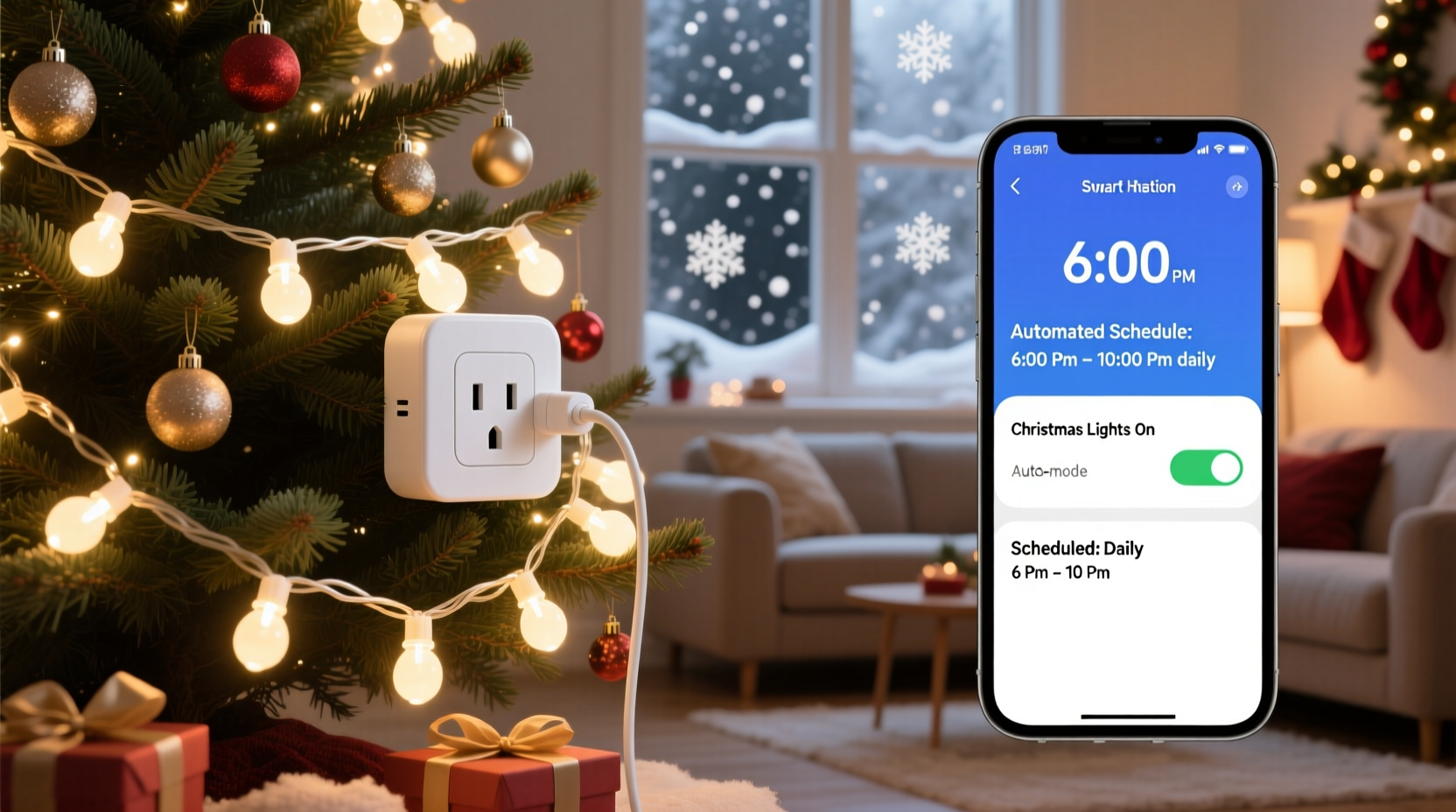
Manual control means inconsistency. Some nights you remember. Others, you don’t. Automation eliminates that uncertainty while enhancing safety, energy efficiency, and visual impact.
Automated lights contribute to neighborhood cheer more reliably. A study by the National Retail Federation found that 86% of Americans decorate their homes for Christmas, but only about half maintain consistent lighting schedules. By automating your setup, you join the minority who create a dependable, welcoming ambiance.
Beyond aesthetics, scheduled lighting deters potential intruders. Consistent illumination signals occupancy, even when you’re away. And since most smart plugs track energy usage, you’ll know exactly how much power your display consumes—helping avoid surprise utility bills.
Choosing the Right Smart Plug
Not all smart plugs are created equal—especially when used outdoors or under seasonal conditions. Consider these factors before purchasing:
- Weather Resistance: If placing outside, choose an outdoor-rated model (e.g., TP-Link Kasa KP400 or Wemo Mini Outdoor).
- Wi-Fi Compatibility: Ensure it works with your home network (2.4 GHz only for most models).
- App Reliability: Look for apps with strong reviews and regular updates.
- Voice Assistant Support: Works with Alexa, Google Assistant, or Siri via HomeKit for hands-free control.
- Scheduling Precision: Must allow daily recurring schedules and multiple on/off times.
Avoid cheap, unbranded plugs. They often lack firmware support, fail in cold weather, or disconnect from Wi-Fi during peak usage.
“Using a reliable smart plug is like hiring a silent elf for your holidays—one that never forgets its duties.” — Jordan Lee, Smart Home Automation Consultant
Step-by-Step Guide: Setting Up Automatic Evening Lighting
Follow this timeline to have your lights running on autopilot before the first snowfall.
- Week 1: Purchase and Test Equipment
Select a weatherproof smart plug and test it indoors with a lamp. Confirm app connectivity and basic on/off control. - Week 2: Install and Position
Place the plug in an outdoor outlet (use a covered one if possible). Connect an extension cord rated for outdoor use if needed. Plug in a small string of lights for testing. - Week 3: Create Your Schedule
Open your smart plug’s app (e.g., Kasa, SmartThings, or Wemo). Navigate to “Schedules” and set:- On Time: 5:30 PM (adjust based on sunset)
- Off Time: 11:30 PM (or midnight)
- Repeat: Every day from December 1–31
- Week 4: Add Advanced Triggers (Optional)
Enable geofencing so lights turn on early if you’re heading home late, or use voice routines (“Alexa, start Holiday Mode”) for manual override. - Final Check: Monitor for three consecutive evenings. Verify timing, brightness, and stability.
This phased approach prevents last-minute failures and gives you time to troubleshoot connectivity or positioning issues.
Advanced Hacks for Smarter Control
Once the basics are working, elevate your setup with these expert-level tweaks.
Use Sunset-Based Scheduling
Instead of fixed times, use dynamic triggers based on local sunset. Many smart platforms (like IFTTT or Apple Shortcuts) allow rules such as “Turn on lights 15 minutes after sunset.” This adjusts automatically throughout December as days grow shorter.
Layer Multiple Plugs for Zoned Displays
Control different sections independently:
- Front porch: On at 5:30 PM, off at midnight
- Lawn trees: On at 6:00 PM, off at 11:00 PM
- Roofline: On at 5:45 PM, off at 11:30 PM
Integrate with Holiday Scenes
Create a “Holiday Lights” scene in your smart home system. One command can trigger:
- Christmas lights on
- Indoor tree lights activated
- Play festive playlist
- Set thermostat to cozy mode
Monitor Energy Usage
Most smart plugs provide real-time wattage tracking. Use this data to:
- Compare LED vs. incandescent consumption
- Identify faulty strands drawing excess power
- Calculate total monthly cost of your display
Do’s and Don’ts: Smart Plug Safety Checklist
| Action | Recommended? | Reason |
|---|---|---|
| Use indoor plug outdoors under cover | No | Moisture can seep in; risk of short circuit |
| Plug multiple light strands into one smart outlet | Yes (with caution) | Stay under the plug’s max load (usually 15A/1800W) |
| Use timer-only mechanical timers instead | No | No remote access, weather vulnerability, no sunrise/sunset sync |
| Pair with GFCI outlet | Yes | Essential for outdoor electrical safety |
| Leave lights on all night | No | Increases energy use and light pollution; may violate HOA rules |
| Update firmware before deployment | Yes | Ensures bug fixes and new features are active |
Mini Case Study: The Johnson Family’s Flawless Front Yard
The Johnsons live in a suburban neighborhood where holiday decorations are a friendly competition. In past years, their lights were inconsistent—sometimes forgotten until bedtime, other times left on until dawn. Last October, they invested in two TP-Link Kasa KP400 outdoor smart plugs and restructured their entire display.
They divided their setup: one plug for roofline icicle lights, another for lawn reindeer and tree wraps. Using the Kasa app, they created a schedule synced to local sunset times. They also added a voice routine: “Hey Google, turn on the holiday magic,” which activates both plugs and starts a fireplace video on their TV.
Results? Their house was featured in the local newspaper’s “Best Decorated Homes” list. More importantly, they saved 2+ hours per week compared to manual switching—and received compliments from neighbors who started asking for setup tips.
“It’s not about showing off,” said Mark Johnson. “It’s about sharing joy. And knowing the lights come on every night, rain or shine, makes it feel like our home is always ready to welcome people.”
Frequently Asked Questions
Can I schedule different times for weekends?
Yes. Most smart plug apps allow custom schedules per day. You might set weekday lights from 5:30–11:00 PM and weekend lights from 5:00–1:00 AM to accommodate later gatherings.
What happens if my Wi-Fi goes down?
Many smart plugs retain their last known schedule and will continue operating locally. However, remote control and app updates won’t work until connection resumes. For critical reliability, consider a model with local execution support (e.g., Home Assistant integration).
Are smart plugs safe for outdoor Christmas lights?
Only if they are rated for outdoor use. Indoor-only plugs can degrade quickly when exposed to moisture and temperature swings. Always check the IP (Ingress Protection) rating—look for at least IP44 for outdoor durability.
Expert Insight: The Future of Holiday Automation
Smart lighting is evolving beyond simple on/off cycles. Emerging trends include AI-driven mood settings, motion-activated displays, and integration with community-wide holiday networks.
“We’re moving toward context-aware decor. Lights that brighten when kids walk by, dim during heavy snowfall, or pulse gently to carols playing nearby—that’s the next frontier.” — Dr. Lena Patel, IoT Researcher at MIT Media Lab
Today’s smart plug setups are the foundation. By mastering basic automation now, you position yourself to adopt advanced features seamlessly in future seasons.
Conclusion: Let Technology Handle the Holidays
Automating your Christmas lights isn’t just convenient—it transforms a chore into a consistent expression of joy. With a smart plug, a few minutes of setup, and thoughtful scheduling, your home becomes a beacon of holiday warmth, every single evening.
You don’t need expensive gear or technical expertise. Start small: one plug, one string of lights, one reliable schedule. Build from there. The goal isn’t perfection—it’s presence. A glowing window, a lit path, a twinkling tree—all saying, “We’re here. We’re celebrating. It’s good to be home.”




 浙公网安备
33010002000092号
浙公网安备
33010002000092号 浙B2-20120091-4
Comments
No comments yet. Why don't you start the discussion?