
As holiday seasons approach, more homeowners turn to smart technology to automate their Christmas light displays. The choice between a general-purpose smart plug and a dedicated Christmas light controller often comes down to two critical factors: scheduling precision and voice control reliability. While both options promise convenience, they differ significantly in performance, compatibility, and ease of use when managing seasonal lighting.
Understanding these differences is essential—not just for achieving the perfect twinkling effect at dusk, but also for ensuring your setup remains responsive through voice assistants like Alexa, Google Assistant, or Siri via HomeKit. This article compares smart plugs and specialized light controllers across functionality, automation depth, ecosystem integration, and real-world performance to help you make an informed decision.
Scheduling Capabilities: Precision and Flexibility
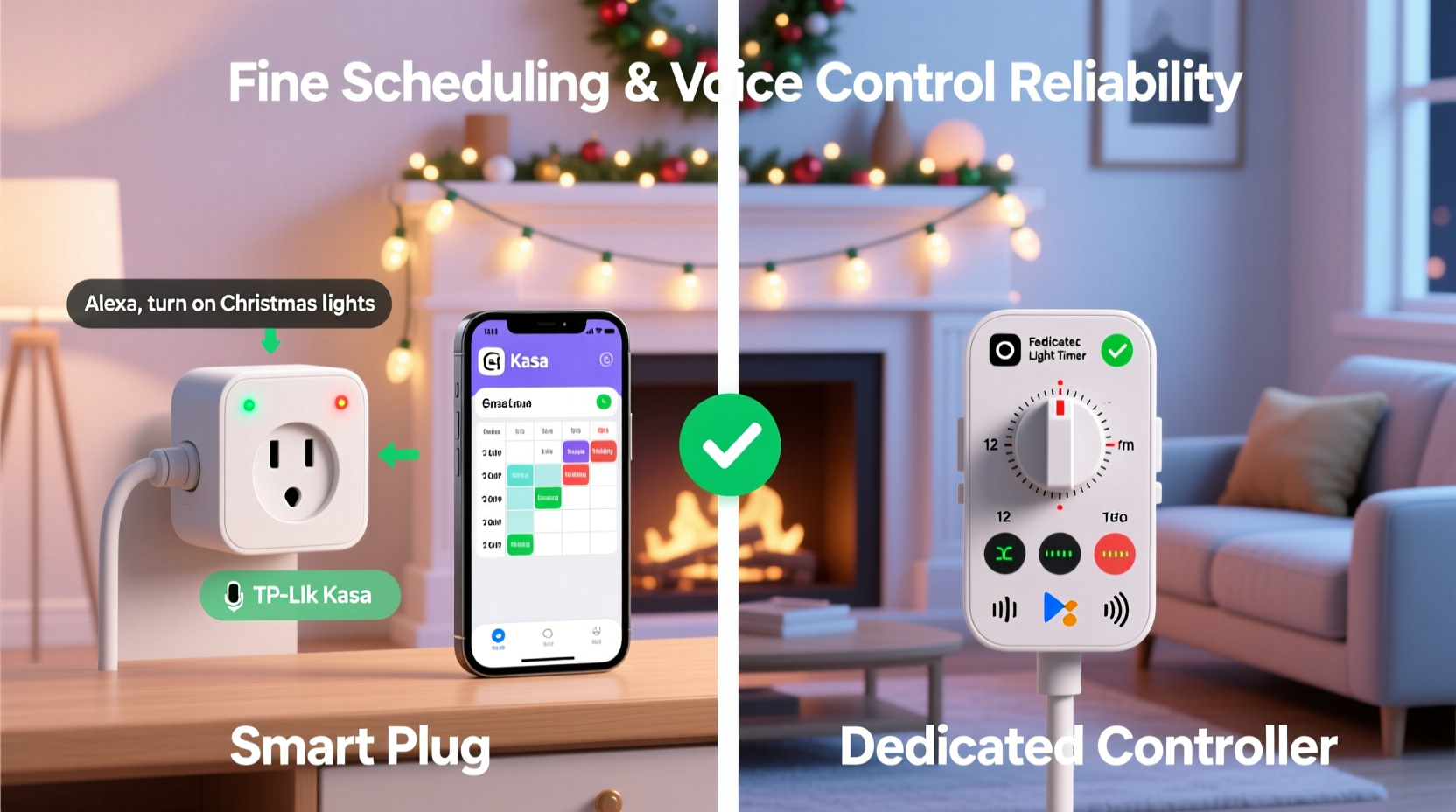
Scheduling is one of the most used features during the holidays. A reliable system should allow lights to turn on at sunset, dim after midnight, and shut off before dawn—all without daily manual input. Here’s where the distinction between smart plugs and dedicated controllers becomes clear.
Most smart plugs offer basic scheduling through companion apps. You can set daily on/off times, repeat schedules by day of the week, or use geofencing to trigger actions based on location. However, many lack dynamic time adjustments. For example, if sunset shifts by five minutes each day, a standard smart plug won’t automatically adapt unless it integrates with an external service like IFTTT or Apple Shortcuts using sunrise/sunset variables.
In contrast, dedicated Christmas light controllers—such as those from brands like Light-O-Rama, Twinkly, or GE Color Effects—are built specifically for lighting sequences. They support astronomical clocks, meaning they calculate local sunrise and sunset times in real time based on GPS coordinates. This allows for smooth, season-aware automation that requires no reprogramming throughout December.
Beyond static on/off events, advanced controllers support multi-event timelines. Imagine fading white lights at 7 PM, pulsing red and green at 8 PM, then dimming to 10% at 10:30 PM. These granular, layered schedules are difficult or impossible to replicate with standard smart plugs, which typically handle only binary states (on/off).
Voice Control Reliability: Response Accuracy and Ecosystem Fit
Voice control adds hands-free convenience, especially when adjusting timing or testing effects while decorating. But not all devices respond equally well to voice commands.
Smart plugs generally integrate well with major platforms—Alexa, Google Assistant, and Apple HomeKit. You can say, “Hey Google, turn on the porch lights,” and it will work reliably under normal network conditions. However, issues arise when multiple plugs are grouped together or when latency increases due to Wi-Fi congestion—a common problem during peak evening hours when everyone is home and online.
Dedicated controllers often go further. High-end models use dual-band communication (Wi-Fi + Bluetooth or RF) to maintain responsiveness even when internet connectivity dips. Some, like Twinkly’s LED strips, operate locally without cloud dependency, reducing lag and improving security. This means voice commands processed through a local hub (e.g., HomePod or Echo Plus) execute faster and more consistently than cloud-reliant smart plugs.
“Voice-controlled holiday lighting should feel instant. Delays break immersion and frustrate users—especially children expecting magic.” — Daniel Park, Smart Home Integration Specialist
Moreover, dedicated systems support richer command vocabularies. Instead of just “turn on,” you might say, “Set the tree lights to warm white sparkle mode,” or “Dim the roof lights to 30%.” Smart plugs cannot interpret such nuanced requests because they don’t understand lighting modes—they only control power flow.
Feature Comparison: Smart Plug vs Dedicated Controller
| Feature | Smart Plug | Dedicated Light Controller |
|---|---|---|
| Scheduling Granularity | Basic (on/off only) | Advanced (multiple daily events, fade-ins, effects) |
| Astronomical Clock Support | Limited (requires third-party tools) | Standard |
| Voice Command Range | Binary (on/off) | Multimodal (color, brightness, effects) |
| Local Control | Rare (mostly cloud-based) | Common (Bluetooth/RF fallback) |
| Network Load Impact | Low per device, high in bulk | Optimized for dense lighting setups |
| Cost (Average) | $15–$25 | $40–$120+ |
| Best For | Simple indoor/outdoor strings | Complex displays, RGB sequences, synchronized music |
The table highlights a key trade-off: cost versus capability. A smart plug wins on affordability and simplicity for basic applications. But once you move beyond turning strands on and off, the limitations become apparent. Dedicated controllers justify their higher price with superior software, deeper integrations, and professional-grade timing controls.
Real-World Example: The Holiday Display That Wouldn’t Sync
Consider Mark from Portland, Oregon, who installed six smart plugs to manage different sections of his yard display—roof line, tree, driveway arches, and window outlines. Each plug was scheduled independently via the same brand’s app. Initially, everything worked. But by mid-December, inconsistencies emerged: the tree turned on 90 seconds after the roof, the driveway arch flickered during Alexa commands, and one zone failed entirely during a neighborhood tour.
After troubleshooting routers, signal boosters, and firmware updates, Mark discovered the root cause: Wi-Fi congestion from neighboring networks and his own connected devices caused packet loss. Since each smart plug relied on a separate connection to the cloud, slight delays cascaded into visible desynchronization.
He replaced the setup the following year with a single Twinkly Pro controller managing addressable LEDs across all zones. Using local API control and precise millisecond-level timing, the display now runs flawlessly—even when triggered by voice. Neighbors regularly stop to watch the synchronized music show at 7 PM sharp.
This case illustrates how scalability matters. For small, isolated uses, smart plugs suffice. But for coordinated, high-expectation environments, purpose-built hardware delivers stability and precision that generic devices simply can’t match.
Choosing the Right Solution: A Step-by-Step Guide
Selecting between a smart plug and a dedicated controller depends on your goals, technical comfort, and display complexity. Follow this sequence to determine the best fit:
- Assess Your Lighting Setup: Are you controlling simple incandescent strings or programmable RGB LEDs? If the latter, lean toward a dedicated controller.
- Determine Automation Needs: Do you want lights to follow sunset times dynamically? If yes, check whether your smart plug supports astronomical timers natively.
- Evaluate Voice Assistant Usage: How often do you use voice commands? If frequently, test response speed and consistency in your environment before committing.
- Check Network Infrastructure: Measure Wi-Fi signal strength near your outlet. Weak signals degrade smart plug performance. Consider mesh extenders or Ethernet-to-Wi-Fi bridges if needed.
- Budget for Longevity: While smart plugs are cheaper upfront, replacing them due to poor performance adds hidden costs. Invest in durability and future-proofing.
- Test One Unit First: Buy a single unit of either type and run it for a week. Evaluate scheduling accuracy, app usability, and voice responsiveness before scaling up.
Essential Checklist Before Buying
- ✅ Does the device support sunrise/sunset-based scheduling?
- ✅ Is local control available (without internet)?
- ✅ Can it integrate with your existing voice assistant ecosystem?
- ✅ Does the app allow multiple daily schedule events?
- ✅ Is firmware updated regularly by the manufacturer?
- ✅ Does it support grouping or scene creation across multiple units?
- ✅ Is there a warranty or return policy for holiday-season purchases?
Frequently Asked Questions
Can I use a smart plug with any type of Christmas lights?
Yes, most smart plugs work with traditional incandescent, LED, and rope lights as long as they stay within the plug’s wattage limit (typically 1800W). However, avoid using them with older mechanical timers or damaged cords, as this may create safety hazards.
Do dedicated controllers require special lights?
Some do. Addressable LED systems (like WS2812B strips) require compatible controllers that can send data signals. Others, like GE Color Effects, use proprietary rails or hubs. Always verify compatibility before purchasing.
Which option uses less energy?
Neither consumes significant power individually—the difference lies in control efficiency. A dedicated controller may reduce energy waste by enabling partial activation (e.g., animating only parts of a strip), whereas a smart plug powers the entire circuit on or off.
Conclusion: Prioritize Purpose Over Price
When deciding between a smart plug and a dedicated Christmas light controller, focus on intended use rather than initial cost. For straightforward, low-maintenance setups—like powering a single indoor tree or porch wreath—a smart plug offers adequate functionality and seamless voice integration.
But for anyone aiming for precision timing, dynamic effects, or synchronized shows, a dedicated controller provides unmatched reliability and creative freedom. Its ability to adapt to natural light cycles, respond instantly to voice commands, and maintain synchronization across dozens of nodes makes it the superior choice for serious decorators and tech-savvy households alike.
The holiday season deserves more than sporadic twinkling and delayed responses. With the right tool, your lights don’t just turn on—they perform. Choose wisely, install confidently, and let your display shine exactly when and how you intend.




 浙公网安备
33010002000092号
浙公网安备
33010002000092号 浙B2-20120091-4
Comments
No comments yet. Why don't you start the discussion?