
Automating your lighting isn’t just a luxury—it’s a practical step toward energy efficiency, security, and convenience. Whether you're away from home often or simply want to streamline your daily routine, scheduling lights to turn on and off automatically can make a noticeable difference. Two of the most accessible tools for this task are smart plugs and outlet timers. While both serve similar surface-level functions, they differ significantly in capability, ease of use, and long-term value. Understanding these differences helps you choose the right solution based on your needs, budget, and technical comfort.
How Smart Plugs Work
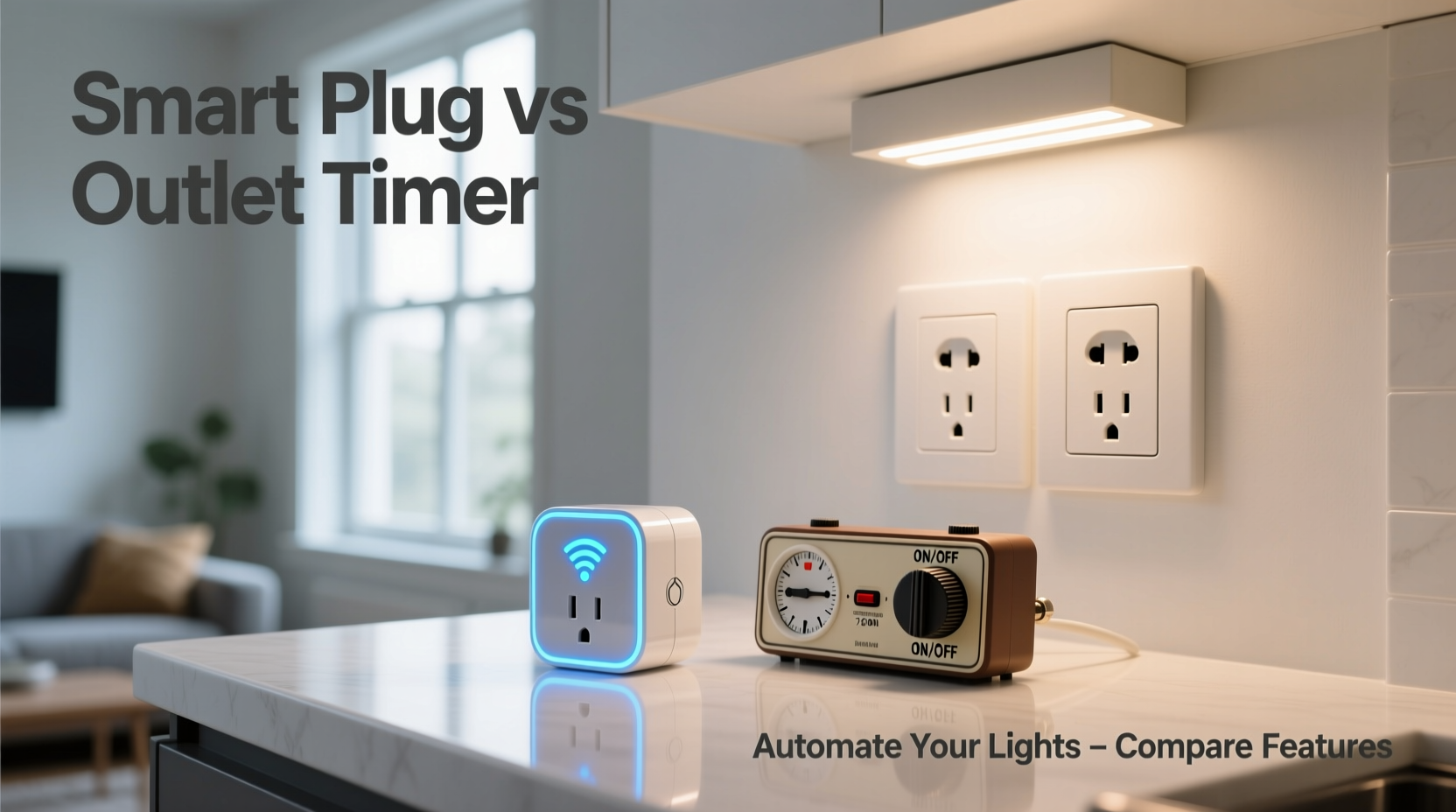
A smart plug is a Wi-Fi-enabled device that connects to your home network and allows remote control of any lamp or appliance plugged into it. Once set up through a mobile app—often compatible with voice assistants like Alexa, Google Assistant, or Siri—you can schedule, monitor, and control power delivery from anywhere using your smartphone.
Most smart plugs support custom automation rules. For example, you can program your living room lamp to turn on at sunset and off at 11 PM, adjust timing based on seasonal changes, or even trigger lights when motion is detected elsewhere in the home. Advanced models integrate with broader smart home ecosystems, enabling complex routines such as “Good Morning,” which gradually brightens lights while starting the coffee maker.
How Outlet Timers Function
Outlet timers are mechanical or digital devices that plug directly into a wall socket and provide timed power to whatever is plugged into them. Unlike smart plugs, most traditional outlet timers operate independently of your network. Mechanical versions use rotating dials with 15- or 30-minute segments to set on/off cycles, typically repeating the same pattern every day.
Digital outlet timers offer more precision, allowing exact start and stop times (e.g., 6:45 PM on, 11:30 PM off) and sometimes multiple events per day. However, they still lack remote access or integration with other systems. These devices are entirely local—adjustments require physical interaction, and there's no ability to override schedules remotely if plans change.
“Timers are reliable workhorses for basic automation, but they’re static. If your schedule shifts, so must the timer settings.” — Jordan Lee, Home Automation Consultant
Key Differences Between Smart Plugs and Outlet Timers
The decision between a smart plug and an outlet timer hinges on several factors: connectivity, flexibility, user experience, and future scalability. Below is a detailed comparison highlighting their core distinctions.
| Feature | Smart Plug | Outlet Timer |
|---|---|---|
| Connectivity | Wi-Fi + App Control | No network required |
| Remote Access | Yes (via smartphone) | No |
| Voice Control | Supported (Alexa, Google, Siri) | No |
| Scheduling Flexibility | Dynamic (sunrise/sunset, geofencing) | Fixed (manual programming) |
| Setup Complexity | Moderate (app setup needed) | Low (plug and dial) |
| Energy Monitoring | Available on many models | Rare |
| Cost (per unit) | $15–$30 | $8–$15 |
| Integration with Smart Home | High (works with hubs and sensors) | None |
When to Choose a Smart Plug
Opt for a smart plug if you value adaptability, remote management, or plan to expand your smart home ecosystem. Frequent travelers benefit from being able to turn lights on remotely to simulate occupancy while away. Shift workers or those with irregular schedules appreciate dynamic triggers—such as syncing light activation with sunset times that change throughout the year.
Smart plugs also excel in multi-room coordination. Imagine setting all bedroom and hallway lights to fade out at bedtime with a single command or having outdoor lighting respond to weather alerts. These nuanced automations aren’t feasible with standalone timers.
Additionally, troubleshooting becomes easier with real-time feedback. If a lamp fails to turn on, the app may notify you or allow immediate manual override—something impossible with a forgotten dial timer buried behind furniture.
When an Outlet Timer Is the Better Choice
For users seeking simplicity, reliability, and affordability, outlet timers remain a compelling option. They’re ideal for applications where the schedule rarely changes—like turning on a porch light every evening at 6 PM and off at midnight. Since they don’t depend on Wi-Fi or apps, they continue functioning during internet outages or power resets without reconfiguration.
Older adults or tech-wary individuals often prefer outlet timers because they involve minimal learning curves. There’s no need to download apps, create accounts, or link devices. Just plug in, set the dial or buttons, and forget about it. In rental units where permanent smart home installations aren’t allowed, outlet timers offer a non-invasive alternative.
Real-World Example: Sarah’s Vacation Strategy
Sarah lives alone and travels frequently for work. Concerned about home security during her absences, she initially used a basic outlet timer to turn her living room lamp on each evening. But she noticed flaws: the light came on too early in summer and too late in winter, making the pattern predictable. Worse, once she forgot to reset the timer after returning home, leaving the lamp running nightly for two weeks.
She switched to a smart plug. Now, her lamp turns on only when natural light drops below a certain level, adjusted automatically via GPS-based sunset data. She can also activate lights manually while viewing live security camera feeds. During one trip, she received an alert about unusual activity near her front door and immediately turned on multiple interior lights from her phone, deterring a potential intruder.
This case illustrates how context-aware automation enhances both safety and efficiency—capabilities far beyond what a fixed timer can deliver.
Step-by-Step Setup Comparison
Understanding how each device is installed and configured helps clarify their usability trade-offs.
Setting Up a Smart Plug
- Plug the smart device into a wall outlet.
- Download the manufacturer’s app (e.g., Kasa, TP-Link, Wemo).
- Power on the plug and put it into pairing mode (usually by pressing and holding a button).
- Follow in-app instructions to connect it to your Wi-Fi network.
- Name the device (e.g., “Living Room Lamp”).
- Create a schedule: set daily on/off times or use advanced options like sunrise/sunset.
- (Optional) Link to voice assistant for hands-free control.
Configuring a Digital Outlet Timer
- Insert the timer into the wall outlet.
- Press the “Clock” button to set current time using hour/minute buttons.
- Select “Program” mode and add events (e.g., ON at 6:00 PM, OFF at 11:00 PM).
- Repeat for additional daily cycles if supported.
- Plug your lamp into the timer.
- Switch the timer to “Auto” mode to begin operation.
Note: Mechanical timers skip digital steps—users physically press down tabs around a dial to indicate active periods.
Cost and Long-Term Value Analysis
While outlet timers have a lower upfront cost, smart plugs often provide greater long-term value. Consider the cumulative benefits:
- Energy savings: Some smart plugs detect idle power draw and shut off devices completely, reducing vampire loads.
- Scalability: One app can manage dozens of smart plugs across rooms, creating unified routines.
- Security enhancement: Randomized lighting patterns mimic human presence more convincingly than fixed schedules.
- Maintenance alerts: Receive notifications if a connected device fails to respond or experiences abnormal usage.
In contrast, outlet timers are disposable upgrades—once they fail or no longer meet needs, they’re usually replaced rather than upgraded. Their lack of software updates means no new features over time.
Checklist: Choosing the Right Option for You
Use this checklist to determine which solution aligns best with your lifestyle and goals:
- ✅ Do I want to control lights from my phone when I’m not home? → Choose smart plug
- ✅ Am I comfortable using a mobile app and connecting to Wi-Fi? → Smart plug viable
- ✅ Does my schedule change frequently (e.g., shift work)? → Smart plug recommended
- ✅ Will I integrate with voice assistants or other smart devices? → Smart plug essential
- ✅ Is internet unreliable in my home? → Outlet timer may be more dependable
- ✅ Am I looking for the lowest-cost solution for a simple, unchanging routine? → Outlet timer sufficient
- ✅ Am I renting and unable to modify wiring? → Both options acceptable; timer simpler
Frequently Asked Questions
Can a smart plug work without Wi-Fi?
No, most smart plugs require a stable Wi-Fi connection to function remotely or follow scheduled automations. However, some high-end models support local control via Bluetooth or Matter protocol, allowing limited functionality during outages.
Do outlet timers save energy?
They prevent lights from staying on indefinitely due to human error, which conserves energy compared to manual operation. However, they don’t measure consumption or optimize usage like smart plugs with energy monitoring.
Are smart plugs safe to leave plugged in all the time?
Yes. Reputable smart plugs are UL-listed and designed for continuous use. Avoid overloading them beyond their rated wattage (typically 1800W), and ensure proper ventilation around the unit to prevent overheating.
Final Recommendation
For most modern households, a smart plug offers superior functionality, adaptability, and long-term utility. It transforms a basic lamp into part of a responsive, intelligent environment. That said, outlet timers still hold relevance for straightforward, low-tech needs—especially in environments where connectivity is limited or unnecessary.
The best approach might be hybrid: use outlet timers for seasonal decorations or guest bathrooms with fixed routines, while reserving smart plugs for high-traffic areas like living rooms, bedrooms, and entryways where dynamic control adds tangible value.




 浙公网安备
33010002000092号
浙公网安备
33010002000092号 浙B2-20120091-4
Comments
No comments yet. Why don't you start the discussion?