
In the rapidly evolving world of home automation, terms like \"smart plug\" and \"smart outlet\" are often used interchangeably. But are they truly the same device serving the same function? For homeowners looking to integrate intelligent control into their lighting, appliances, or entertainment systems, understanding the distinction is crucial. While both devices allow remote access and automation of electrical devices, their form factors, installation requirements, capabilities, and long-term value differ significantly. Getting this right can impact everything from convenience and energy efficiency to safety and scalability of your smart home.
This article breaks down the functional, technical, and practical differences between smart plugs and smart outlets. Whether you're upgrading a single lamp or redesigning an entire home’s electrical system, clarity on these devices ensures smarter decisions and better integration with platforms like Amazon Alexa, Google Home, Apple HomeKit, or Samsung SmartThings.
What Is a Smart Plug?
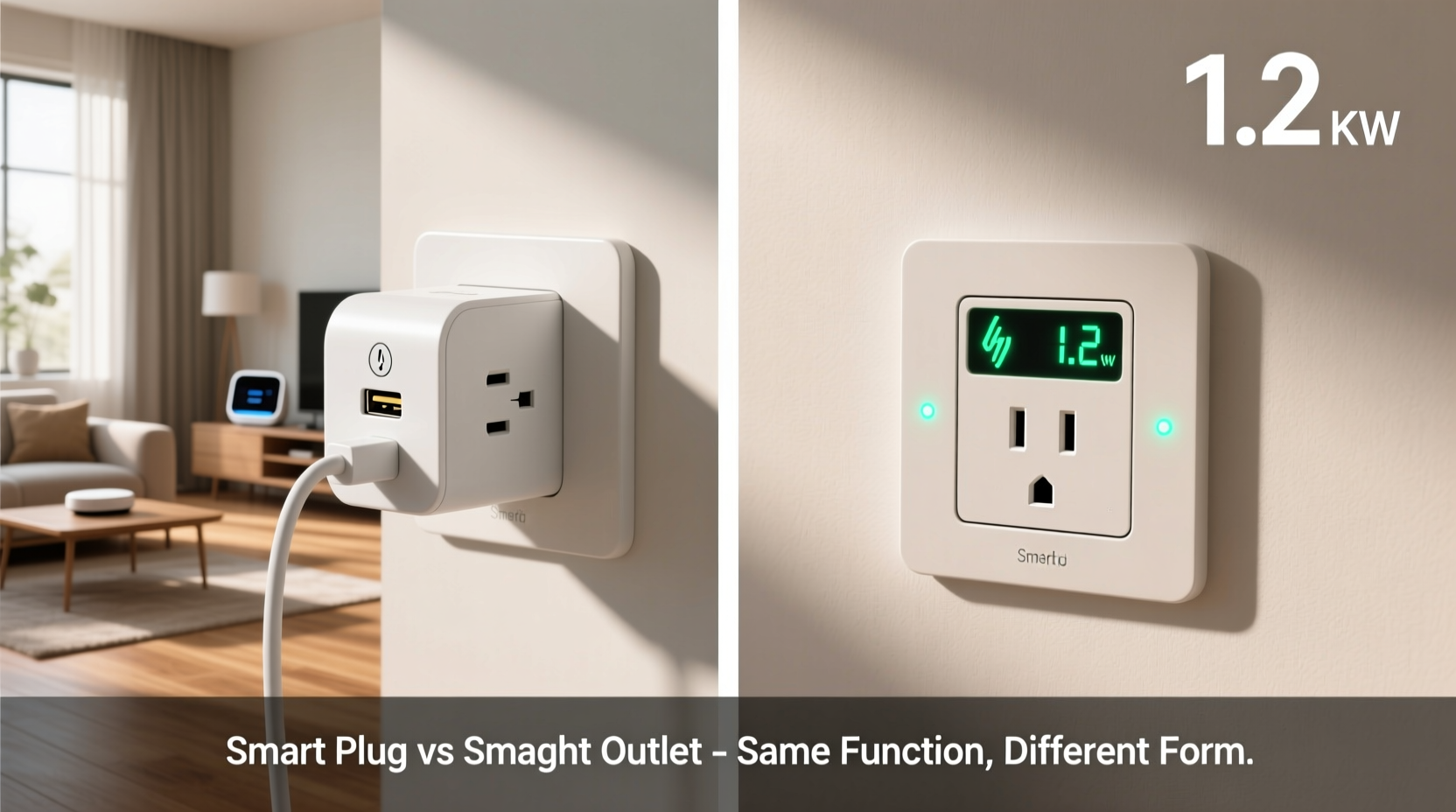
A smart plug is a portable, plug-in device that acts as an intermediary between a wall outlet and any standard electrical appliance. It typically resembles a small adapter block that you insert directly into an existing wall socket. You then plug your lamp, coffee maker, fan, or other device into the smart plug itself. Once connected, the plug communicates via Wi-Fi, Bluetooth, or Zigbee to enable remote control through a smartphone app or voice assistant.
Smart plugs are designed for simplicity and flexibility. Most models require no wiring or electrician involvement—just plug and play. They are ideal for renters or those who want to test smart home technology without permanent modifications. Common features include:
- Remote on/off switching via mobile app
- Voice control compatibility (Alexa, Google Assistant, Siri)
- Scheduling and timers (e.g., turn lights on at sunset)
- Energy monitoring (on higher-end models)
- Scene integration (e.g., “Goodnight” mode turns off all connected devices)
Because they sit externally, smart plugs are easy to move from one room to another and can be shared across multiple devices over time. However, they do occupy space around the outlet and may block adjacent sockets, especially in tightly packed power strips or double-outlet configurations.
What Is a Smart Outlet?
A smart outlet, also known as a smart wall outlet or smart receptacle, replaces a traditional wall outlet entirely. Unlike a plug-in smart plug, a smart outlet is hardwired into your home’s electrical system and installed directly into the wall junction box. This requires turning off the circuit breaker and, ideally, professional installation by a licensed electrician—especially if local building codes apply.
Once installed, a smart outlet functions like a built-in smart switch. It allows you to control anything plugged into it remotely, just like a smart plug. However, because it's integrated into the wall, it offers a cleaner aesthetic and doesn’t protrude from the wall or take up extra space.
Smart outlets often support advanced features such as:
- Individual outlet control (some models let you control top and bottom sockets separately)
- Enhanced load capacity for high-wattage appliances
- Built-in surge protection
- Local processing for faster response times and offline functionality
- Integration with home security or HVAC systems
They’re commonly used during home renovations, new constructions, or when homeowners aim for a seamless, clutter-free smart environment. Brands like Lutron, Leviton, and Eaton offer smart outlets compliant with UL standards and compatible with major smart home ecosystems.
“Smart outlets represent the next evolution in home electrification—they’re not just switches, but intelligent nodes in a responsive living ecosystem.” — Dr. Marcus Lin, Senior Researcher at the Institute for Smart Infrastructure
Key Differences Between Smart Plugs and Smart Outlets
While both devices serve the purpose of adding smart control to electrical circuits, their implementation and long-term implications vary. The following table outlines the core distinctions:
| Feature | Smart Plug | Smart Outlet |
|---|---|---|
| Installation | Plug-and-play; no tools required | Hardwired; requires electrician and wall modification |
| Portability | Highly portable; can be moved easily | Fixed location; permanent installation |
| Cost | $15–$30 per unit | $40–$80+ per unit + installation fees |
| Energy Monitoring | Available on select models | More common and accurate due to direct wiring |
| Aesthetic Impact | Bulky; may block adjacent outlets | Clean, flush-mounted look |
| Control Options | App, voice, scheduling | Same, plus potential for scene-based automation and multi-location syncing |
| Safety & Compliance | UL-listed; minimal risk | Must meet NEC codes; tamper-resistant models available |
| Lifespan | 3–5 years (plastic degradation, overheating risks) | 10+ years (industrial-grade components) |
The choice between the two often comes down to context: temporary needs favor smart plugs, while long-term upgrades lean toward smart outlets.
Real-World Use Case: Upgrading a Living Room Setup
Consider Sarah, a homeowner renovating her open-concept living area. She wants to automate her floor lamps, TV entertainment center, and seasonal holiday lighting. Initially, she uses smart plugs for each device—easy to set up and perfect for testing routines. After six months, she notices the plugs clutter the entertainment console and occasionally trip the circuit when multiple high-draw devices run simultaneously.
Determined to streamline, Sarah hires an electrician to replace three standard outlets with smart outlets. One powers the TV and soundbar (with separate top/bottom control), another handles ambient lighting circuits, and a third serves decorative plugs for art displays. The result? A sleeker appearance, more reliable performance, and centralized automation through her Apple HomeKit system. Voice commands now trigger full-room scenes: “Movie Night” dims the lights, turns on the TV, and adjusts the thermostat.
This transition highlights how smart plugs serve as excellent entry points, while smart outlets provide scalable, integrated solutions for mature smart homes.
Choosing the Right Option: A Step-by-Step Guide
Selecting between a smart plug and a smart outlet isn't just about preference—it's about matching the solution to your lifestyle, budget, and goals. Follow this step-by-step process to make an informed decision:
- Evaluate Your Goals: Are you automating temporarily or planning a long-term smart home upgrade?
- Assess Installation Feasibility: Do you own your home? Are you comfortable modifying walls or hiring an electrician?
- Check Device Power Requirements: High-wattage appliances (space heaters, microwaves) may exceed smart plug limits (typically 15A/1800W).
- Review Ecosystem Compatibility: Ensure the device works with your preferred platform (e.g., HomeKit, SmartThings, Alexa).
- Compare Features: Prioritize energy monitoring, scheduling, dual-outlet control, or guest access based on need.
- Calculate Total Cost: Include purchase price, installation fees, and potential labor for future removal or upgrades.
- Test with a Smart Plug First: Use a plug to validate usage patterns before committing to permanent outlets.
This methodical approach prevents costly mistakes and aligns technology with actual behavior—ensuring automation enhances rather than complicates daily life.
Common Mistakes to Avoid
- Overloading smart plugs: Exceeding wattage limits can cause overheating or fire hazards.
- Ignoring neutral wire requirements: Some smart outlets require a neutral wire in the junction box—verify your home’s wiring first.
- Using non-certified devices: Cheap, unlisted smart plugs may lack surge protection or fail safety tests.
- Forgetting aesthetics: Bulky smart plugs in visible areas can detract from interior design.
- Skipping firmware updates: Both devices need regular updates for security and feature improvements.
Frequently Asked Questions
Can I use a smart plug with a smart outlet?
Technically yes, but it's redundant. If you already have a smart outlet controlling a socket, adding a smart plug provides no additional benefit and may interfere with load sensing or energy reporting.
Do smart outlets work during a power outage?
Most lose connectivity during outages unless backed by a UPS or battery. However, some advanced models retain settings and reconnect automatically once power resumes. Smart plugs behave similarly but are more vulnerable to data loss due to simpler circuitry.
Are smart outlets safe for children?
Yes, many smart outlets come with tamper-resistant receptacles (TRR) that meet current NEC codes. These prevent foreign objects from being inserted into slots, making them safer than older outlets—even when not \"smart.\"
Final Checklist Before Buying
Before purchasing either device, confirm the following:- ✅ Compatible with your home’s voltage (120V in North America)
- ✅ Works with your primary voice assistant or hub
- ✅ Has necessary certifications (UL, FCC, CE)
- ✅ Supports required features (scheduling, energy tracking, away modes)
- ✅ Includes warranty and customer support
- ✅ Fits physically in your space (especially important for smart plugs)
- ✅ Allows local control (some devices rely solely on cloud servers, which fail if internet drops)
Conclusion: Making the Smart Choice
Smart plugs and smart outlets are not the same, despite fulfilling similar roles in home automation. Smart plugs offer accessibility, affordability, and flexibility—perfect for beginners, renters, or those experimenting with automation. Smart outlets deliver permanence, performance, and polish, making them ideal for owners investing in long-term home intelligence.
The most effective smart homes often use both: smart plugs for temporary or low-risk applications, and smart outlets for fixed, high-impact circuits. By understanding the strengths and limitations of each, you gain greater control—not just over your devices, but over the evolution of your living space.




 浙公网安备
33010002000092号
浙公网安备
33010002000092号 浙B2-20120091-4
Comments
No comments yet. Why don't you start the discussion?