
In today’s connected homes, electronics continue to draw power even when turned off—a phenomenon known as \"vampire power\" or \"phantom load.\" Devices like TVs, gaming consoles, coffee makers, and chargers consume small but cumulative amounts of electricity over time. The average U.S. household spends up to $100 annually on standby power alone, according to the U.S. Department of Energy. This makes intelligent energy management not just a sustainability goal, but a financial one.
Two popular tools for combating phantom loads are smart plugs and smart power strips. Both allow remote control and scheduling of devices, but they differ in design, functionality, and energy-saving potential. Understanding which option delivers better efficiency—especially for idle devices—is key to making an informed decision. Let’s break down how each works, where they excel, and which one actually saves more energy in real-world usage.
How Phantom Loads Work—and Why They Matter
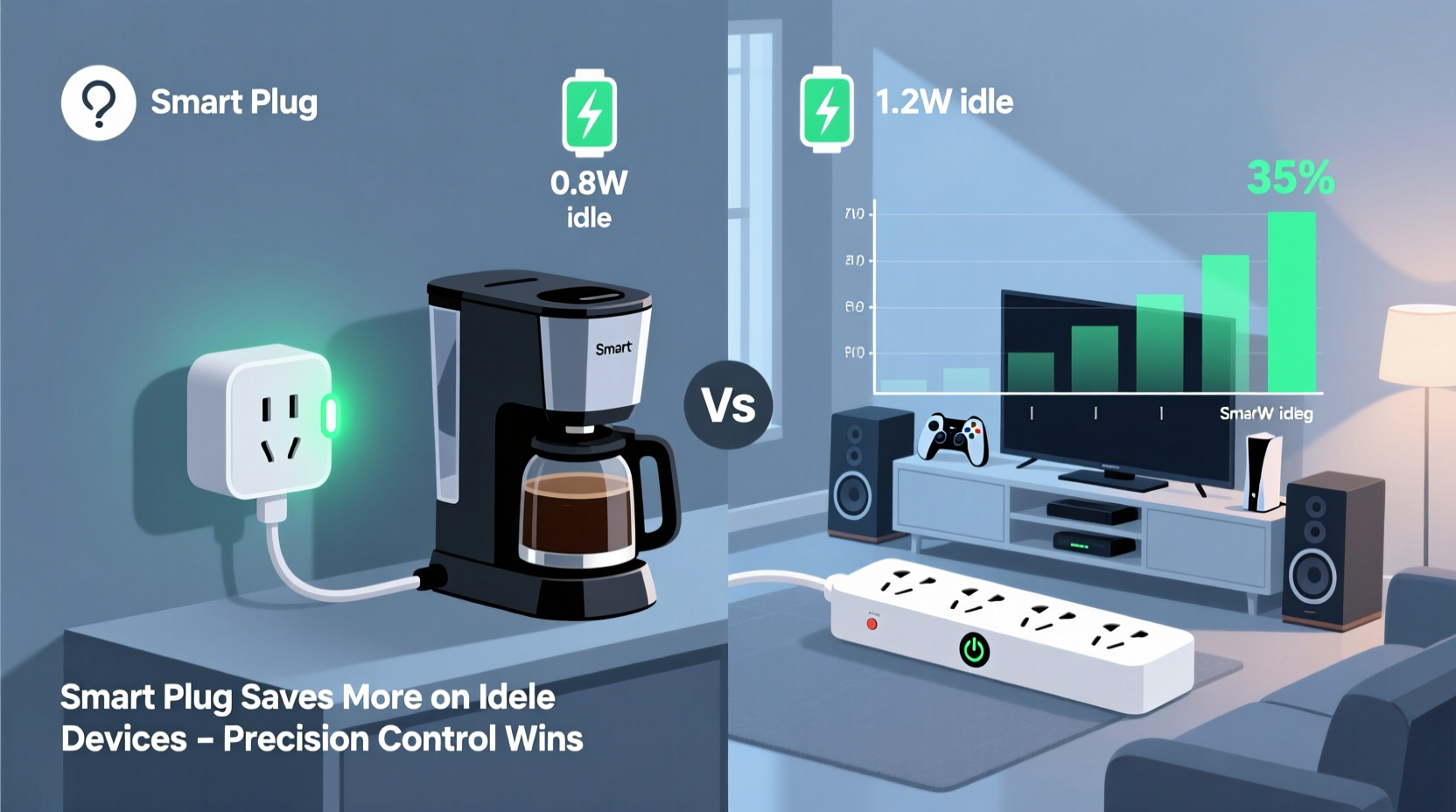
Phantom loads occur when electronic devices remain plugged in and draw power despite being switched off or in standby mode. Common culprits include:
- Entertainment systems (TVs, soundbars, streaming boxes)
- Gaming consoles with instant-on features
- Desktop computers and monitors
- Kitchen appliances with digital clocks or Wi-Fi connectivity
- Phone and laptop chargers left plugged in
While individual devices may only draw 1–5 watts in standby, these add up across multiple outlets. A single entertainment center might passively consume 20–30 watts continuously—equivalent to leaving a lightbulb on 24/7. Over a year, that’s nearly 263 kWh, costing about $30–$40 depending on local rates.
“Even when 'off,' many modern devices act like silent energy thieves. Smart controls are among the most effective ways to reclaim that lost power.” — Dr. Alan Pierce, Energy Efficiency Researcher at the Rocky Mountain Institute
The solution lies in cutting power completely when devices aren’t in use. That’s where smart plugs and smart strips come in.
Smart Plugs: Individual Control with Precision
A smart plug is a single-outlet adapter that connects between a wall socket and a device. Once paired with a home automation system via Wi-Fi or Zigbee, it allows users to remotely turn the outlet on or off using a smartphone app or voice assistant.
Key features include:
- Scheduling (e.g., shut off at midnight, restart at 7 a.m.)
- Voice control compatibility (Alexa, Google Assistant, Siri)
- Remote access from anywhere
- Energy monitoring (on select models)
Because smart plugs control one device at a time, they offer granular oversight. For example, you can set your coffee maker to power on only during weekday mornings or ensure your space heater shuts off if forgotten.
However, managing multiple smart plugs across different rooms requires separate configurations, which can become cumbersome without a centralized hub. Also, not all smart plugs report actual energy usage; cheaper models only provide on/off functionality.
Smart Strips: Grouped Power Management for Device Clusters
Smart power strips go beyond individual control by managing multiple outlets simultaneously. They typically feature:
- A “control” outlet (for a primary device like a TV or computer)
- Several “switched” outlets (for peripherals like speakers, routers, or lamps)
- One or more always-on outlets (for devices that must stay powered, like DVRs)
When the main device powers down, the smart strip automatically cuts power to the secondary outlets, eliminating phantom loads across an entire setup. For instance, turning off your TV triggers the strip to disable your soundbar, game console, and streaming stick—all without manual intervention.
This daisy-chain shutdown capability makes smart strips especially effective in entertainment centers and home offices. Unlike smart plugs, they operate autonomously once configured, reducing reliance on apps or schedules.
Some advanced models also integrate Wi-Fi and app control, combining the best of both worlds. However, traditional non-connected smart strips lack remote access or energy tracking, limiting visibility into actual savings.
Comparing Energy Savings: Plug vs Strip
To determine which tool saves more energy, consider typical usage patterns and device groupings.
| Feature | Smart Plug | Smart Strip |
|---|---|---|
| Number of Devices Controlled | 1 per unit | 3–6 (depending on model) |
| Best For | Single high-idle devices | Device clusters (e.g., home theater) |
| Automation Type | Schedule-based or manual | Behavior-based (via master device) |
| Energy Monitoring | Available on mid-to-high-end models | Limited; mostly on Wi-Fi-enabled strips |
| Installation Complexity | Low (plug-and-play) | Medium (requires correct outlet assignment) |
| Cost per Outlet | $10–$25 per plug | $20–$50 for 4–6 outlets (~$8–$12 per outlet) |
| Typical Annual Energy Saved* | 30–60 kWh (per plug) | 100–200 kWh (per strip) |
*Estimates based on average phantom load reduction in U.S. households (ENERGY STAR data).
The table reveals a critical insight: while smart plugs offer precision, smart strips deliver greater aggregate energy savings due to their ability to disable multiple idle devices at once. A single smart strip managing a TV, sound system, and game console can eliminate over 150 kWh/year—more than two standard smart plugs combined.
Mini Case Study: The Smith Family’s Home Theater Upgrade
The Smiths had a fully loaded entertainment center: a 65-inch OLED TV, Apple TV 4K, Sonos soundbar, Nintendo Switch, and cable box. All were left plugged in 24/7, drawing a collective 28 watts in standby—about 245 kWh annually.
They first tried three smart plugs, scheduling them to turn off nightly from 1 a.m. to 7 a.m. While helpful, this only reduced consumption by ~60 kWh/year because family members often forgot to manually turn off devices before bedtime.
After switching to a smart power strip with a master-slave configuration (TV as master), the peripheral devices powered down automatically whenever the TV was turned off. This simple change eliminated 210 kWh of phantom load annually—cutting their standby energy use by 85%.
Their takeaway? Automation beats intention. Even disciplined users struggle with consistency; behavior-based control ensures savings happen without effort.
Choosing the Right Tool: A Step-by-Step Decision Guide
Selecting between a smart plug and a smart strip depends on your setup and goals. Follow this timeline to make the optimal choice:
- Inventory Your Idle Devices (Week 1): Walk through your home and note every device that remains plugged in constantly. Use a plug-in power meter to measure actual standby consumption.
- Group Devices by Location (Week 1): Cluster devices that are used together—like a TV with its accessories or a desk setup with monitor, printer, and lamp.
- Evaluate Usage Patterns (Week 2): Determine whether devices are used individually (e.g., coffee maker) or in groups (e.g., gaming console + screen). Note how often they’re forgotten on.
- Select Control Method:
- If the device operates independently → Use a smart plug.
- If multiple devices turn on/off together → Use a smart strip.
- Purchase and Install (Week 3): Buy ENERGY STAR-certified or UL-listed models. Assign master devices correctly on smart strips (e.g., the last device turned off should be the master).
- Monitor and Optimize (Ongoing): Review energy reports weekly. Adjust schedules or reconfigure strips if certain devices need constant power (e.g., network equipment).
Actionable Tips for Maximum Savings
Frequently Asked Questions
Can a smart plug save more energy than a smart strip?
Individually, no. A smart plug controls one device, while a smart strip disables several at once. However, in setups where devices aren’t used together (e.g., a bedroom fan and a kitchen toaster), multiple smart plugs may collectively save more than a single strip deployed elsewhere.
Do smart strips work with all devices?
Most do, but caution is needed. Devices requiring constant background updates (like DVRs or VoIP phones) should be plugged into the “always-on” outlets. Also, some laser printers or audio equipment may malfunction if abruptly cut off—check manufacturer guidelines before automation.
Are there safety concerns with smart plugs or strips?
Reputable brands meet UL or ETL safety standards and include surge protection and overheating safeguards. Always avoid cheap, uncertified models, especially for high-wattage appliances. Regularly inspect cords and housings for damage.
Final Checklist Before You Buy
- ✅ Measure standby power of target devices with a watt-meter
- ✅ Identify whether devices operate solo or in clusters
- ✅ Choose smart plugs for independent devices, smart strips for grouped setups
- ✅ Prioritize models with energy monitoring and surge protection
- ✅ Ensure compatibility with your existing smart home ecosystem (e.g., Alexa, HomeKit)
- ✅ Install master device correctly on smart strips to avoid unintended outages
- ✅ Test automation rules and adjust based on real-world performance
Conclusion: Maximize Savings with the Right Strategy
When it comes to reducing energy waste from idle devices, both smart plugs and smart strips have valuable roles. But if your goal is maximum energy savings with minimal daily effort, smart power strips hold a clear advantage—especially in high-load areas like entertainment centers and workstations. Their ability to cut power across multiple peripherals automatically makes them more effective than individual smart plugs in most clustered environments.
That said, smart plugs shine in flexibility and precision. For standalone devices with irregular usage, they offer unmatched control. The smartest approach? Combine both. Use smart strips where devices operate in tandem, and deploy smart plugs for isolated energy hogs like microwaves, coffee makers, or workshop tools.
With the average household wasting over $100 a year on phantom loads, investing in intelligent power management pays for itself in under a year. Start today—audit your idle devices, choose the right tool, and take back control of your energy use.




 浙公网安备
33010002000092号
浙公网安备
33010002000092号 浙B2-20120091-4
Comments
No comments yet. Why don't you start the discussion?