
Every November, millions of households face the same quiet dilemma: how to automate their Christmas lights without wrestling with tangled cords, forgotten switches, or unreliable hardware. The two most common solutions—mechanical or digital timers versus smart plugs—look similar at first glance: both promise “set it and forget it” control. But beneath the surface, they differ sharply in installation effort, daily usability, long-term cost, adaptability to weather or schedule changes, and resilience against power interruptions. This isn’t about choosing between “techy” and “traditional.” It’s about matching the tool to your actual needs—not your neighbor’s Instagram post.
How Each System Actually Works (and Where They Break Down)
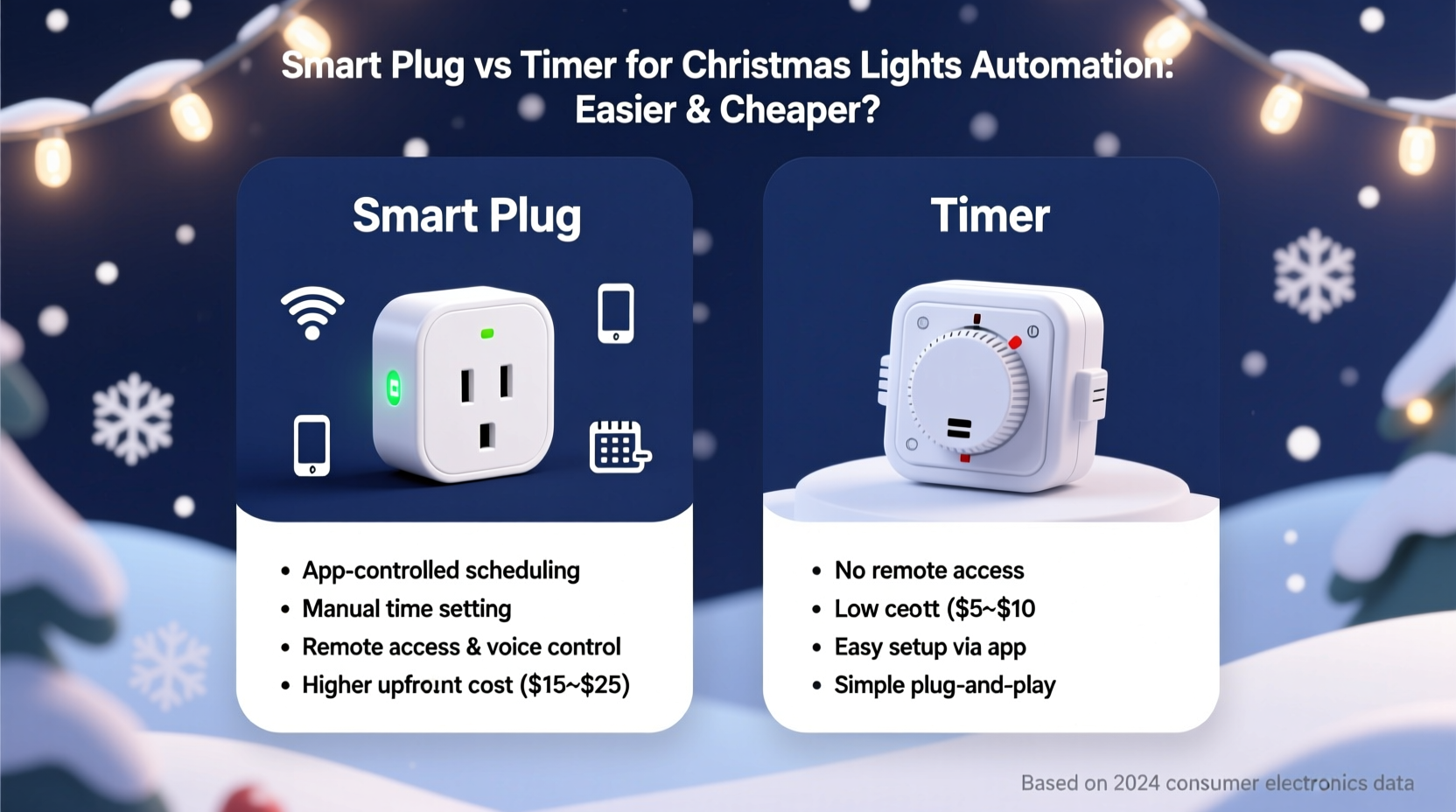
A timer—whether analog (dial-based) or digital (LCD display)—is a standalone device that connects between your outlet and your light string. It uses an internal clock (often quartz-based) to trigger on/off cycles based on pre-programmed times. Most models offer 1–7 day scheduling, sunrise/sunset modes (in higher-end units), and manual override buttons. Crucially, timers operate independently: no Wi-Fi, no app, no cloud dependency. If the power goes out, many digital timers retain settings via battery backup—but analog ones reset entirely.
A smart plug, by contrast, is a Wi-Fi-enabled outlet adapter that requires pairing with a mobile app (e.g., Kasa, Tapo, Wemo) and often integrates with voice assistants (Alexa, Google Assistant). It doesn’t have its own clock logic; instead, it relies on your phone’s internet connection and the app’s scheduling engine. When you set a “turn on at 5:00 p.m.” rule, the command originates from the cloud, travels to your router, then to the plug. That introduces latency—and potential failure points.
The critical distinction isn’t just “app vs dial.” It’s where the intelligence lives. Timers embed logic locally. Smart plugs delegate it remotely. That difference explains why one fails silently during a storm—and why the other frustrates users who want to adjust timing while traveling.
Setup & Daily Use: Which Saves Time Over the Holiday Season?
Setup time is where timers shine for most homeowners. A basic digital timer takes under 90 seconds: plug it in, press “Clock,” set hours/minutes using arrow buttons, then program “On at 17:00 / Off at 23:00.” No password entry. No firmware updates. No “device not responding” alerts. Analog timers take even less—just rotate dials and slide tabs.
Smart plugs demand more steps—and more patience. You must:
- Download the correct app (many brands don’t share ecosystems);
- Ensure your 2.4 GHz Wi-Fi network is visible (most smart plugs don’t support 5 GHz);
- Put the plug into pairing mode (often involving rapid button presses);
- Wait for the app to discover it—then confirm location, name it (“Front Porch Lights”), and assign to a room;
- Create a schedule (which may require toggling between “Recurring” and “Sunrise/Sunset” modes);
- Test it—only to find the lights didn’t turn on because the plug lost connection overnight.
Once configured, daily use diverges further. Want to extend lights until midnight for New Year’s Eve? With a timer, you press two buttons and reprogram. With a smart plug, you open your phone, wait for the app to load, navigate to schedules, edit the end time—and hope your guest Wi-Fi hasn’t kicked the plug offline.
Cost Analysis: Upfront Price vs. Real-World Lifetime Value
At first glance, smart plugs appear affordable: $15–$25 per unit. Timers range from $8 (analog) to $25 (premium digital with weatherproofing and solar sync). But cost isn’t just sticker price—it’s total ownership over three holiday seasons.
| Factor | Basic Digital Timer ($12–$18) | Wi-Fi Smart Plug ($18–$25) |
|---|---|---|
| Upfront cost | $12–$18 | $18–$25 |
| Battery replacement (for clock memory) | $2 every 2 years (CR2032) | None (but internal capacitor degrades) |
| Lifespan (typical) | 5–7 years (simple electronics) | 2–4 years (Wi-Fi modules fail first) |
| Repairability | Yes—replace battery or fuse | No—entire unit replaced |
| Power outage resilience | Digital: retains settings with battery; Analog: resets | Often loses schedule; requires manual re-sync |
| Weather resistance (outdoor-rated) | Common (IP44 rated models available) | Rare—most are indoor-only; outdoor versions cost $35+ |
Here’s what the data misses: opportunity cost. A homeowner who spends 12 minutes troubleshooting a smart plug’s “offline” status on December 10th isn’t just losing time—they’re delaying decoration, adding stress, and potentially abandoning automation altogether. That intangible cost compounds across households. According to a 2023 Home Automation Usability Survey by the Consumer Technology Association, 41% of smart home adopters abandoned scheduled lighting within two weeks due to reliability issues—not complexity.
Real-World Case Study: The Johnson Family’s Two-Year Comparison
The Johnsons live in Portland, Oregon—where winter means rain, temperature swings from 35°F to 48°F, and frequent brief power blips. In 2022, they bought a $22 smart plug for their front-yard LED net lights. Setup took 28 minutes. For the first week, it worked flawlessly. Then came a 90-second grid fluctuation during a windstorm. The plug went offline—and stayed offline for three days, despite rebooting the router and reinstalling the app. They manually turned lights on each evening until resetting the entire system.
In 2023, they switched to a $16 digital timer with IP44 weatherproofing and solar-sync capability (adjusts sunset time automatically). Setup: 47 seconds. During the same December storm—complete with a 4-minute outage—the timer kept perfect time thanks to its CR2032 battery backup. On December 23rd, when Grandma arrived early, they extended the runtime by holding the “+” button twice. No phone. No app. No frustration.
By January 2nd, they’d saved an estimated 3.2 hours in troubleshooting time—and avoided two late-night trips outside in the rain. Their verdict? “The timer didn’t impress us. It just worked. Every night.”
Which One Should You Choose? A Decision Framework
Forget blanket recommendations. Your best choice depends on three concrete factors:
1. Your Tech Comfort Level
- Choose a timer if: You’ve ever sighed at a software update notification—or prefer physical buttons to touchscreens.
- Choose a smart plug if: You already use Alexa/Google extensively, enjoy remote adjustments (e.g., turning lights on for guests arriving late), and accept occasional hiccups as part of the trade-off.
2. Your Environment
- Outdoor use? Prioritize IP44-rated timers. Most smart plugs lack proper weather sealing—even “outdoor” variants often require bulky enclosures.
- Frequent power fluctuations? Timers with battery-backed clocks win decisively. Smart plugs rely on consistent Wi-Fi, which falters after outages.
- Do you change schedules weekly? Smart plugs let you edit remotely. Timers require physical access—but most families set lights once and leave them.
3. Your Long-Term Intent
- If you plan to reuse the device for porch lights, patio stringers, or holiday fans next year: timers’ durability and repairability make them more sustainable.
- If you view this as a gateway to broader home automation (e.g., syncing lights with door sensors or music): a smart plug fits that ecosystem—even if it costs more upfront.
“Reliability trumps novelty every time in seasonal automation. A $15 timer that works flawlessly for six Decembers delivers far more value than a $25 smart plug that needs reconfiguration every season.” — Mark Delaney, Electrical Engineer & Founder of HolidayLightLab.com
Practical Checklist: Before You Buy Either Device
Don’t assume compatibility. Run through this checklist first:
- ✅ Check your outlet type: Is it GFCI? Is it on a circuit shared with high-draw appliances (garage freezer, sump pump)? Overloaded circuits cause premature timer/smart plug failure.
- ✅ Verify wattage limits: Most timers handle 1,800W max; smart plugs often cap at 1,500W. Add up all connected light strings (LEDs draw ~5–10W per 100 bulbs; incandescents draw 40–100W).
- ✅ Confirm Wi-Fi band: If using a smart plug, ensure your router broadcasts 2.4 GHz separately (not “band-steering”). Many modern mesh systems hide it by default.
- ✅ Read the fine print on weather ratings: “Water resistant” ≠ “outdoor rated.” Look for IP44 (splash-proof) or IP65 (jet-water resistant) for exposed locations.
- ✅ Test battery backup (for timers): Unplug the timer for 30 seconds, then restore power. Does the clock retain time? If not, skip it—battery backup is non-negotiable for December reliability.
FAQ
Can I use a smart plug with a mechanical timer for redundancy?
No—and it’s unsafe. Stacking timers or controllers creates unpredictable switching behavior, risks overheating, and violates UL safety standards. Choose one primary control method. If you need redundancy, install two separate circuits (e.g., front lights on a timer, backyard on a smart plug).
Why do some smart plugs lose connection after power outages but timers don’t?
Timers store time and schedules in local memory backed by a small coin-cell battery. Smart plugs rely on cloud synchronization: after an outage, they must reconnect to Wi-Fi, authenticate with servers, and download updated schedules. Network congestion, server downtime, or outdated firmware can stall this process for hours—or indefinitely.
Are there hybrid options that combine the best of both?
Yes—but sparingly. Some premium timers (like the Woods 59377) include Bluetooth for smartphone setup *without* cloud dependency—retaining local control while simplifying initial programming. These cost $28–$35 but avoid Wi-Fi fragility. True hybrids remain rare because they add engineering complexity most consumers don’t need.
Conclusion: Simplicity Isn’t a Compromise—It’s Strategic
Christmas lighting automation shouldn’t feel like managing enterprise IT infrastructure. The goal is warmth, tradition, and peace of mind—not notifications, firmware updates, or 3 a.m. troubleshooting sessions. For the vast majority of homeowners—those who decorate once, enjoy lights nightly, and prioritize reliability over remote control—a well-chosen digital timer delivers more value, lower stress, and longer service life than a smart plug. It’s cheaper upfront, cheaper over time, easier to use, and more resilient where it matters most: outdoors, in the cold, during power dips.
That said, if your household thrives on customization—changing colors by voice, syncing with music, or adjusting brightness for different holidays—a smart plug earns its place. Just go in with eyes wide open: understand its limitations, budget for replacement every 2–3 years, and never rely on it for critical safety lighting.
Ultimately, the “easier and cheaper” solution isn’t defined by specs or marketing claims. It’s defined by what disappears from your to-do list—and what stays reliably, quietly, beautifully lit.




 浙公网安备
33010002000092号
浙公网安备
33010002000092号 浙B2-20120091-4
Comments
No comments yet. Why don't you start the discussion?