
Automating your home lighting isn’t just about convenience—it’s about energy efficiency, security, and comfort. Whether you're managing indoor lamps, outdoor fixtures, or holiday displays, scheduling lights to turn on and off at specific times can make a significant difference. Two popular solutions dominate the market: smart sockets and built-in timers. While both serve similar purposes, they differ dramatically in functionality, scalability, and long-term value. Understanding these differences helps you choose the right system for precise, reliable, and adaptive light scheduling.
How Smart Sockets Work for Light Automation
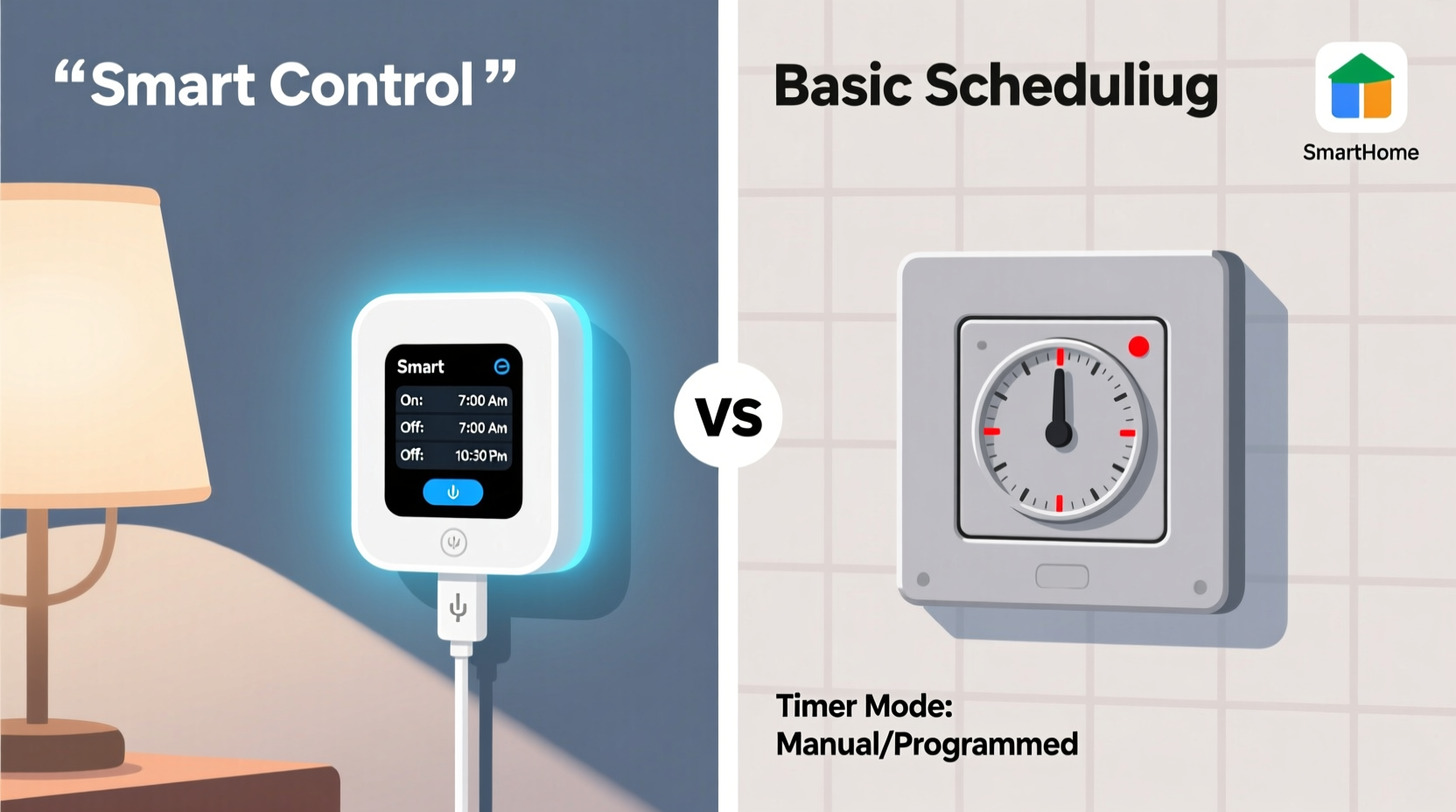
A smart socket (or smart plug) is a Wi-Fi-enabled device that plugs into a standard wall outlet. You then plug your lamp or light fixture into the socket. Through a companion app—often compatible with voice assistants like Alexa, Google Assistant, or Siri—you can control when the connected device turns on or off, set recurring schedules, and even monitor energy usage.
Modern smart sockets support advanced automation features such as geofencing (turning lights on when you arrive home), randomization (to simulate occupancy while away), and integration with broader smart home ecosystems. Some models also offer dimming capabilities or work within multi-device scenes—like “Good Morning,” where lights gradually brighten alongside coffee brewing.
The real strength of smart sockets lies in their remote access. Even if you’re miles from home, you can check whether a light is on and toggle it instantly. This makes them ideal for travelers or those seeking dynamic control without physical interaction.
Built-In Timers: Simplicity with Limitations
Built-in timers are mechanical or digital switches embedded directly into outlets, lamps, or extension cords. These operate independently of your network and typically require manual programming via buttons or dials. Once set, they cycle through on/off intervals based on a 24-hour clock, repeating daily unless adjusted.
Digital built-in timers often allow multiple events per day—say, lights on at 6 PM and off at 11 PM—and some include override buttons for temporary changes. However, they lack remote access, real-time adjustments, and integration with other systems. If the power goes out, many revert to default settings or lose programmed data unless they have battery backup.
These devices are best suited for static routines. For example, turning on porch lights every evening during winter months. They’re inexpensive, easy to install, and don’t rely on internet connectivity—but this simplicity comes at the cost of adaptability.
“Built-in timers are reliable for fixed patterns, but they fall short when life doesn’t follow a script.” — Marcus Lin, Home Automation Engineer at SmartDwell Labs
Comparing Control: Flexibility, Precision, and Adaptability
When evaluating which option provides better control over light schedules, consider three key dimensions: flexibility, precision, and adaptability.
- Flexibility: Smart sockets let you create complex rules based on time, location, sensor input, or external triggers (e.g., sunset/sunrise). Built-in timers usually support only fixed time-based events.
- Precision: Digital timers can be accurate to the minute, but modifying schedules requires physical access. Smart sockets allow second-by-second adjustments remotely.
- Adaptability: Life changes—vacations, daylight saving shifts, unexpected late nights. Smart sockets adjust instantly; built-in timers need manual reprogramming.
For households with evolving routines, smart sockets clearly outperform built-in timers. A parent working from home might delay evening lighting during a video call. With a smart socket, rescheduling takes seconds via an app. With a built-in timer, someone must walk to the outlet and reset it—assuming they remember.
Feature Comparison Table
| Feature | Smart Socket | Built-In Timer |
|---|---|---|
| Remote Access | Yes (via app) | No |
| Wi-Fi/Internet Required | Yes | No |
| Voice Assistant Support | Yes (Alexa, Google, Siri) | No |
| Multiple Daily Events | Yes (unlimited) | Limited (typically 3–6) |
| Sunset/Sunrise Automation | Yes | No |
| Energy Monitoring | Available on most models | Rare |
| Geofencing | Yes | No |
| Randomization (Security Mode) | Yes | No |
| Initial Cost | Moderate ($15–$30) | Low ($8–$15) |
| Maintenance Effort | Minimal (app updates) | Manual reprogramming needed |
Real-World Example: Managing Evening Lighting in a Busy Household
The Thompson family lives in a suburban neighborhood with two school-aged children and rotating work schedules. They wanted consistent evening lighting in the living room and kitchen from 6:30 PM to 9:00 PM on weekdays, later on weekends, and occasional overrides during movie nights or homework sessions.
Initially, they used a built-in timer on a power strip. It worked fine until daylight saving time shifted sunset earlier. The lights stayed off during dark evenings until someone remembered to adjust the timer—a task often forgotten. During a week-long vacation, neighbors noticed the house was dark every night, raising safety concerns.
They switched to smart sockets. Using their smartphone, they created a schedule synced to local sunset times. They enabled a “Movie Night” scene that delayed lighting by two hours with one tap. When traveling, they activated randomized lighting patterns to deter break-ins. Within a month, energy bills dropped slightly due to more accurate timing, and peace of mind increased significantly.
This case illustrates how dynamic lifestyles benefit from responsive, intelligent control rather than rigid programming.
Step-by-Step: Setting Up Superior Light Scheduling
Whether you choose a smart socket or stick with a built-in timer, proper setup ensures optimal performance. Here’s how to maximize control using either method—with emphasis on smart sockets for advanced results.
- Assess Your Lighting Needs: List all lights you want to automate. Note typical on/off times, special occasions (e.g., holidays), and rooms used irregularly.
- Choose the Right Device: For variable routines, select Wi-Fi smart sockets with app control. For seasonal decorations or permanent setups with unchanging schedules, a digital built-in timer may suffice.
- Install and Connect: Plug in the device, connect to power, and follow pairing instructions (for smart sockets, download the app and link to your Wi-Fi network).
- Set Base Schedule: Program daily on/off times. Use sunrise/sunset triggers where available. Avoid generic “7 PM to 11 PM” unless necessary.
- Add Exceptions and Scenes: Create weekend modes, vacation profiles, or event-specific automations (e.g., “Guest Mode” with extended lighting).
- Test and Refine: Observe operation over several days. Adjust timing based on actual use, not assumptions. Enable notifications to confirm state changes.
- Integrate with Other Systems (Smart Only): Link to motion sensors, door locks, or thermostats. Example: Lights turn on when front door unlocks after sunset.
Checklist: Choosing Between Smart Socket and Built-In Timer
Use this checklist to determine which solution fits your needs:
- ✅ Do you want to control lights from outside the home? → Choose smart socket
- ✅ Is your internet connection stable and secure? → Favors smart socket
- ✅ Are your light schedules predictable and rarely change? → Built-in timer may be sufficient
- ✅ Do you use voice assistants or have other smart devices? → Strong reason for smart socket
- ✅ Are you concerned about privacy or data collection? → Built-in timer avoids cloud dependency
- ✅ Do you travel frequently and want to simulate presence? → Smart socket with randomization wins
- ✅ Is budget a primary constraint? → Entry-level built-in timers are cheaper upfront
Frequently Asked Questions
Can I use a smart socket without Wi-Fi?
No. Smart sockets require Wi-Fi or another network protocol (like Zigbee or Thread) to function remotely. Without connectivity, basic power delivery works, but scheduling and app control are disabled. Some models support local control via Bluetooth, but range is limited.
Do built-in timers save more energy than smart sockets?
Not necessarily. Both can reduce energy use by preventing lights from staying on unnecessarily. However, smart sockets often provide energy monitoring tools that help identify waste. Their precision and automation lead to more consistent savings over time.
Are smart sockets safe for long-term use?
Yes, when purchased from reputable brands and used within rated load limits. Most comply with UL or ETL safety standards. Avoid covering them or plugging high-wattage appliances (like space heaters) unless specified. Regular firmware updates enhance security and reliability.
Conclusion: Why Smart Sockets Offer Superior Control
While built-in timers serve a purpose for simple, static applications, smart sockets deliver unmatched control over light schedules. Their ability to adapt to changing routines, integrate with smart home ecosystems, and respond to environmental cues makes them the superior choice for modern living. Remote access, automation intelligence, and future scalability ensure they remain useful as your needs evolve.
The initial investment is higher, but the long-term benefits—energy savings, enhanced security, and personalized convenience—justify the cost for most users. In a world where flexibility defines quality of life, settling for rigid automation no longer makes sense.




 浙公网安备
33010002000092号
浙公网安备
33010002000092号 浙B2-20120091-4
Comments
No comments yet. Why don't you start the discussion?