
A well-stocked pencil case can be both a blessing and a burden. While having all your essential writing tools in one place enhances preparedness, disorganization quickly turns convenience into chaos. A cluttered, overstuffed case makes it difficult to find what you need when you need it—especially during time-sensitive tasks like exams or creative brainstorming sessions. The solution lies not in reducing supplies, but in intelligent organization. By applying strategic systems tailored to accessibility, frequency of use, and personal workflow, even the largest pencil cases can become models of efficiency.
Assess Your Inventory and Usage Patterns
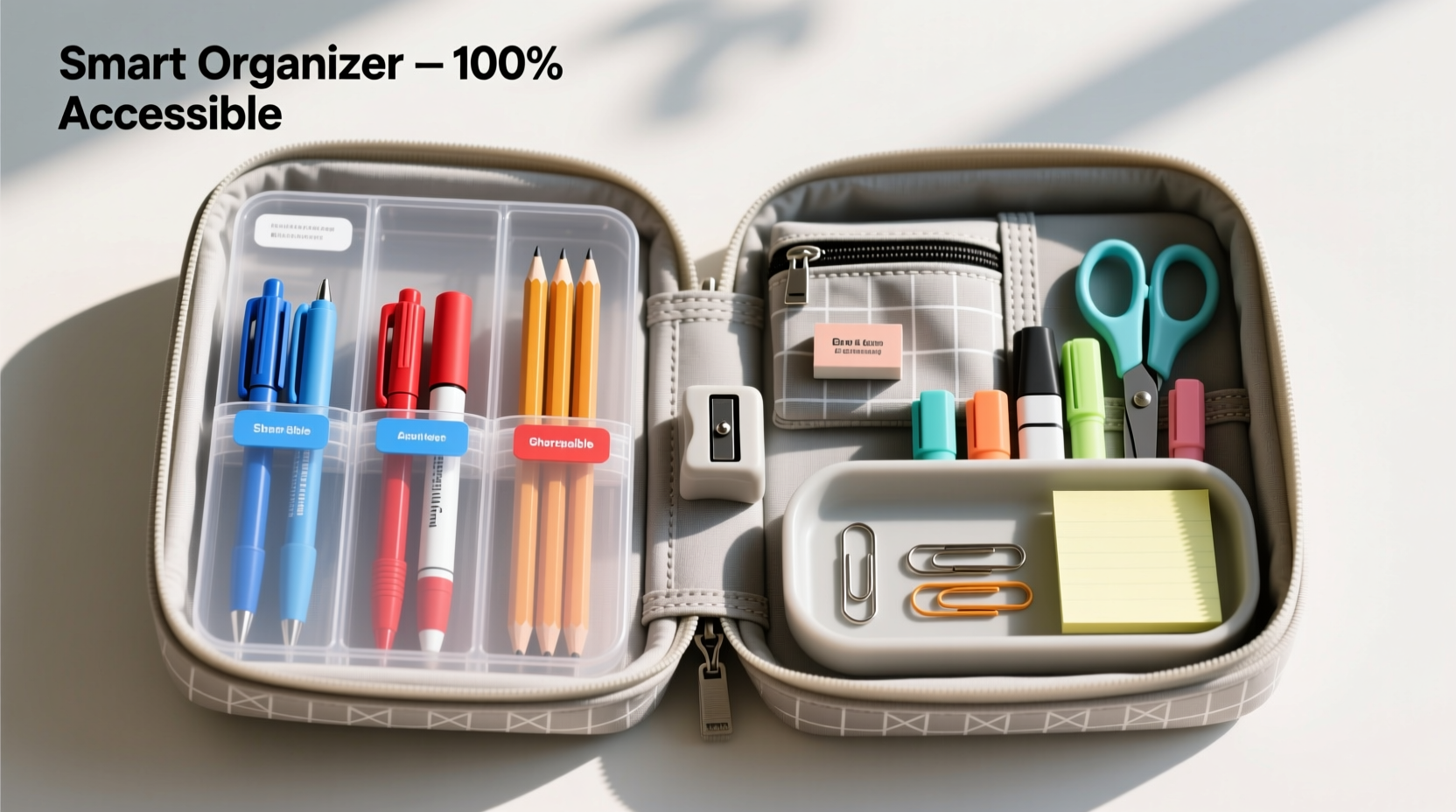
The foundation of any effective organizational system is understanding what you own and how you use it. Begin by emptying your entire pencil case onto a clean surface. Sort every item into categories: pens, pencils, highlighters, erasers, rulers, correction tools, specialty items (e.g., mechanical pencil lead, sharpeners), and miscellaneous accessories.
Next, evaluate each item based on three criteria:
- Frequency of Use: How often do you reach for this tool?
- Functionality: Is it in working condition? Does it serve a unique purpose?
- Duplication: Do you have multiple versions of the same item with minimal differences?
This audit often reveals redundancies—such as five blue ballpoint pens or expired markers—that can be removed or consolidated. Keeping only what you actually use streamlines access and reduces visual noise.
Create Zones Based on Function and Frequency
Once you've curated your essentials, the next step is spatial planning. Think of your pencil case as a miniature office supply drawer—efficiency comes from zoning. Divide your case into functional sections based on how often you use certain items and their role in your daily workflow.
Common zones include:
- Quick-Access Zone: Front or top compartment for daily-use items like favorite pens, a go-to pencil, and an eraser.
- Specialty Tools Zone: Dedicated space for less frequently used tools such as rulers, compasses, or technical drawing instruments.
- Maintenance Kit: Small pouch or corner for refills, spare leads, extra erasers, and mini-sharpeners.
- Highlight & Emphasis Zone: Group highlighters by color family or function (e.g., yellow for key points, pink for warnings).
Physical dividers, removable inserts, or even folded cardboard can help maintain these zones if your case lacks built-in compartments. For soft cases, consider inserting a narrow fabric organizer strip designed for travel toiletries.
“Organization isn’t about perfection—it’s about predictability. When you know exactly where each item lives, you eliminate decision fatigue before it starts.” — Dr. Lena Torres, Cognitive Efficiency Researcher
Implement a Color-Coding and Labeling System
Visual cues dramatically reduce search time. Adopt a consistent color-coding strategy that aligns with your workflow. For example:
- Black caps = permanent ink pens
- Blue caps = refillable rollerballs
- Red = correction tools (tape, fluid, pens)
- Green = eco-friendly or sustainable materials
If your tools lack distinguishing features, use colored heat-shrink labels, washi tape, or nail polish dots to mark them. For larger cases, attach tiny adhesive labels or tags indicating zone names or contents.
For students or creatives managing complex projects, consider assigning colors to subject areas or project types:
| Color | Purpose | Suggested Users |
|---|---|---|
| Yellow | Lecture notes, general writing | Students, Journalers |
| Purple | Creative writing, brainstorming | Writers, Designers |
| Teal | Mathematics, technical work | Engineers, STEM Students |
| Gray | Editing, proofreading | Editors, Proofreaders |
Optimize Layout with a Step-by-Step Setup Guide
Follow this sequence to build a high-accessibility system in your large pencil case:
- Empty and clean: Remove all contents and wipe down the interior with a dry microfiber cloth.
- Categorize: Group items by type and function.
- Prioritize: Identify the top 5 tools you use daily.
- Zone placement: Assign primary zones based on opening direction and internal structure.
- Insert dividers: Use foam strips, binder clips, or foldable cardboard to create physical separation.
- Load by frequency: Place most-used items at the front or top layer.
- Label zones: Add small stickers or handwritten tags for quick identification.
- Test access: Open the case and retrieve each common tool without looking—refine layout if needed.
This method ensures that your setup evolves from random storage to intentional design. Revisit the process every few months, especially after acquiring new tools or changing routines.
Real Example: A University Student’s Transformation
Jamal, a third-year architecture student, struggled with his oversized zipper pencil case. It contained over 30 items, including fineliners, colored pencils, scale rulers, and drafting tools. Every studio session began with a frantic dig for the right pen. After applying zonal organization and color coding, he restructured his case: left side for technical tools (grouped by scale), center for everyday pens, and a small Velcro pocket on the lid for lead refills and erasers. He also added red tape to his two most precise fineliners. His retrieval time dropped from nearly two minutes to under ten seconds, significantly improving focus during timed sketches.
Essential Checklist for Maximum Accessibility
- ✅ Empty and audit all contents
- ✅ Remove duplicates and broken tools
- ✅ Group items into logical categories
- ✅ Assign zones based on usage frequency
- ✅ Use dividers or inserts to maintain separation
- ✅ Apply color codes or labels
- ✅ Test ease of access for key tools
- ✅ Review and adjust monthly
Frequently Asked Questions
How do I prevent my pencil case from becoming overcrowded again?
Adopt a “one in, one out” rule: whenever you add a new tool, remove an old or unused one. This maintains balance and prevents accumulation. Additionally, conduct quarterly audits to reassess relevance and performance of stored items.
Are hard-shell or soft pouch pencil cases better for organization?
It depends on your needs. Hard-shell cases offer rigid compartments and better protection for delicate tools like compasses or fine-tip pens. Soft pouches are more flexible and portable, ideal for custom internal layouts using inserts. Choose based on your mobility requirements and tool sensitivity.
Can digital tools replace the need for physical organization?
While apps and styluses reduce reliance on traditional stationery, physical tools remain vital for tactile learning, sketching, and exam settings. Organizing your physical toolkit complements—not competes with—digital workflows. In fact, seamless integration between analog and digital tools often boosts overall productivity.
Conclusion: Turn Chaos Into Clarity
An efficiently organized pencil case is more than a tidy container—it's a productivity accelerator. By thoughtfully categorizing, zoning, and labeling your tools, you transform a simple storage solution into a precision instrument for daily success. Whether you're a student racing through exams, a designer sketching concepts, or a professional taking meeting notes, accessible tools mean fewer distractions and sharper focus. The strategies outlined here require minimal investment but yield long-term gains in time, clarity, and confidence.




 浙公网安备
33010002000092号
浙公网安备
33010002000092号 浙B2-20120091-4
Comments
No comments yet. Why don't you start the discussion?