
For decades, homeowners have relied on manual dial thermostats—simple, mechanical devices that let you set a temperature and forget it. But as smart home technology advances, smart thermostats are increasingly common in modern households. These Wi-Fi-connected devices promise energy savings, remote control, and adaptive learning. Yet many people hesitate, asking: Is the upgrade truly worth the learning curve?
The answer isn’t always straightforward. While smart thermostats offer compelling benefits, they also come with complexity, cost, and a shift in how you interact with your HVAC system. This article breaks down the real differences between smart and manual dial thermostats, evaluates long-term value, and helps you decide whether making the switch makes sense for your lifestyle and budget.
Understanding the Core Differences
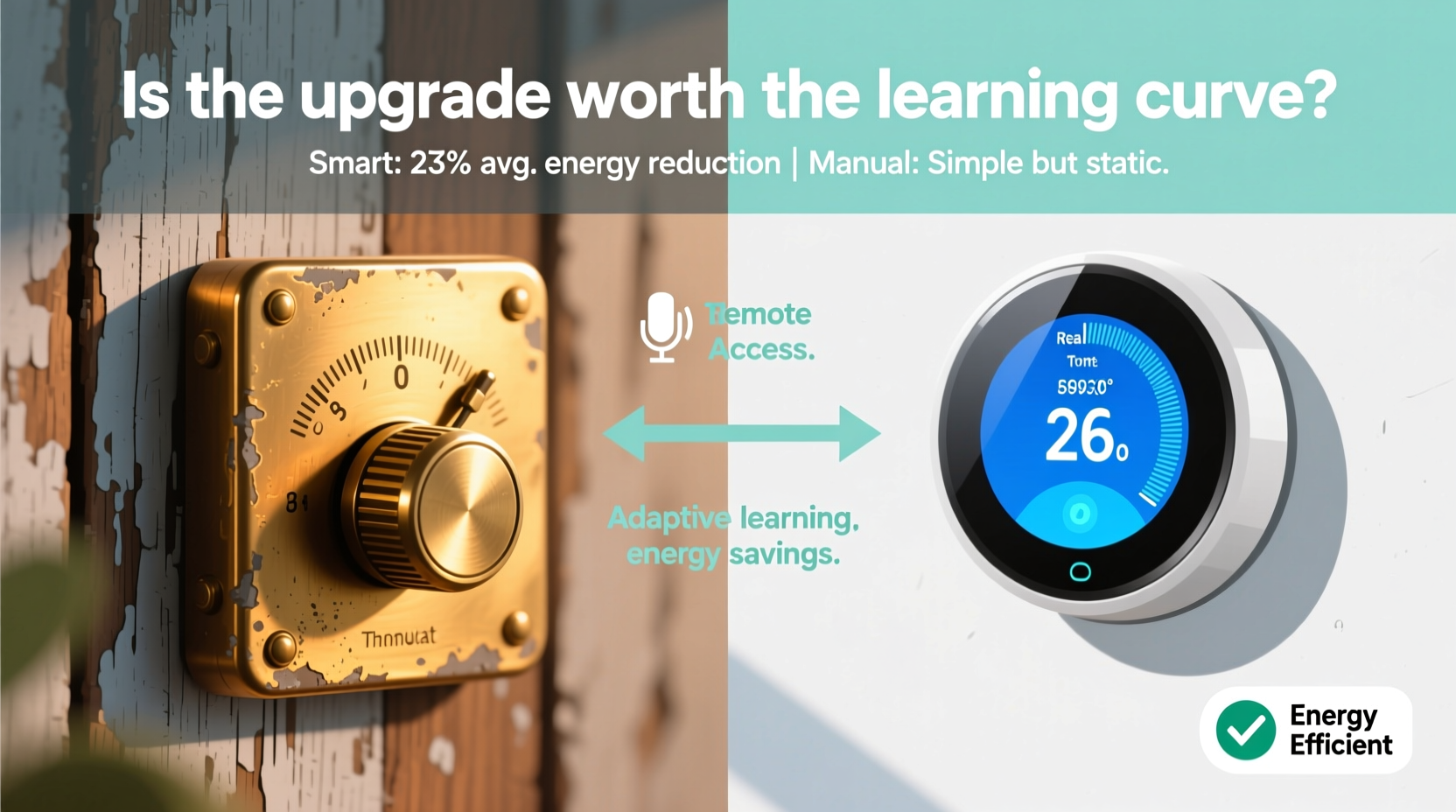
At first glance, both types of thermostats serve the same purpose: regulating indoor temperature. But their operation, capabilities, and impact on energy use vary significantly.
- Manual Dial Thermostats: These are analog, non-programmable units. You physically turn a dial to raise or lower the temperature. They require constant manual adjustment and lack scheduling features.
- Smart Thermostats: Digital, internet-connected devices that learn your habits, allow remote access via smartphone apps, and often integrate with voice assistants like Alexa or Google Assistant. Many models automatically adjust based on occupancy, weather, and usage patterns.
One key limitation of manual thermostats is inefficiency. If you forget to turn down the heat before leaving for work, your furnace continues running unnecessarily. Smart thermostats address this by detecting when no one is home and adjusting accordingly.
Energy Efficiency and Cost Savings
According to the U.S. Department of Energy, proper use of a programmable or smart thermostat can save up to 10% annually on heating and cooling costs—roughly $100 to $200 per year for the average household.
Manual dial thermostats don't support programming. That means maintaining comfort requires remembering to adjust settings throughout the day—a habit most people fail to sustain consistently. In contrast, smart thermostats automate this process.
Take the Nest Learning Thermostat as an example. After about a week of manual adjustments, it begins to predict your preferred temperatures and schedules. Over time, it reduces runtime during unoccupied hours and preconditions the house before you return. Studies by Nest Labs indicate users save an average of 10–12% on heating and 15% on cooling.
| Feature | Manual Dial | Smart Thermostat |
|---|---|---|
| Programming Capability | No | Yes (auto-scheduling) |
| Remote Access | No | Yes (via app) |
| Occupancy Detection | No | Yes (motion/sensors) |
| Average Annual Savings | $0 | $100–$200 |
| Upfront Cost | $20–$30 | $100–$250 |
| Lifespan | 10–15 years | 7–10 years |
The data shows clear efficiency advantages. However, savings depend heavily on user behavior. A smart thermostat only delivers value if you engage with its features. Leaving it in default mode or disabling geofencing reduces potential gains.
“Thermostats are the brain of your HVAC system. Upgrading to a smart model is like replacing a flip phone with a smartphone—you gain control, insight, and automation.” — Dr. Lena Patel, Energy Efficiency Researcher at the National Institute of Building Sciences
Navigating the Learning Curve
One of the most common concerns about smart thermostats is usability. For older adults or those uncomfortable with technology, the setup can feel overwhelming. Tasks like connecting to Wi-Fi, downloading companion apps, and configuring geofencing require digital literacy.
Installation itself is usually straightforward—many models are DIY-friendly with step-by-step instructions—but wiring compatibility can be a hurdle. Older homes may have outdated HVAC systems lacking a common “C-wire,” which powers smart thermostats continuously. Without it, battery-powered operation or add-on kits may be necessary.
Once installed, users must learn new interfaces. Unlike turning a dial, adjusting a smart thermostat often involves tapping screens, navigating menus, or using voice commands. Some find this inconvenient, especially during emergencies or power cycles.
Still, most manufacturers design these devices with intuitiveness in mind. The Ecobee and Nest apps, for instance, guide users through setup with visual prompts and real-time feedback. Within a few days, many report feeling confident managing settings remotely.
Step-by-Step: Transitioning from Manual to Smart
- Assess Your HVAC System: Check if your furnace/air handler supports smart thermostats and has a C-wire. Use online compatibility tools provided by brands like Nest or Ecobee.
- Choose the Right Model: Prioritize ease of use if you’re less tech-savvy. Look for large displays, voice control, and strong customer support.
- Install During Mild Weather: Avoid extreme seasons so HVAC downtime won’t cause discomfort.
- Set Up Schedules Gradually: Begin with simple weekday/weekend routines before enabling learning features.
- Enable Geofencing: Allow the app to detect when you leave or return home to automate temperature changes.
- Monitor Usage Reports: Review weekly energy summaries to understand consumption patterns and refine settings.
Real-World Example: The Thompson Family’s Upgrade
The Thompsons, a family of four in suburban Ohio, used a manual dial thermostat for over 15 years. Their routine involved turning down the heat each morning before school and work, then cranking it back up in the evening. But inconsistency was common—someone would forget, or guests would override settings.
In winter 2023, they installed a Nest Thermostat. Initially, the parents struggled with the app and were skeptical about privacy (“Does it really need to know when we’re home?”). But after two weeks of automatic adjustments and receiving their first energy report showing a 14% drop in gas usage, their perspective shifted.
They particularly appreciated vacation mode—turning off heat remotely while traveling—and the ability to warm the house before arrival on cold evenings. By year-end, they saved $167 on utility bills and reported improved comfort. “It learned our rhythm faster than I expected,” said Mark Thompson. “Now I can’t imagine going back.”
When a Manual Dial Might Still Make Sense
Despite the advantages of smart thermostats, there are scenarios where sticking with a manual dial—or even skipping automation altogether—is reasonable.
- Rental Properties: Landlords may prefer low-cost, tamper-resistant manual units to avoid tenant misuse or connectivity issues.
- Secondary Homes: Cabins or vacation houses used infrequently don’t benefit much from learning algorithms.
- Budget Constraints: If upfront cost is prohibitive and energy bills are already low, the ROI timeline may exceed practicality.
- Simplicity Seekers: Some individuals, especially seniors, value predictable, tactile controls over digital interfaces.
In these cases, a basic programmable thermostat offers a balanced compromise—automated scheduling without app dependency or subscription services.
Frequently Asked Questions
Do smart thermostats work without Wi-Fi?
Yes, but with limited functionality. They’ll still regulate temperature based on programmed or learned schedules, but you lose remote access, software updates, and geofencing. Reconnecting to Wi-Fi restores full features.
Can I install a smart thermostat myself?
Most models are designed for DIY installation and include detailed guides. However, if your system lacks a C-wire or uses complex multi-stage heating, professional help is recommended. Miswiring can damage your HVAC unit.
How long does it take to recoup the cost of a smart thermostat?
Based on average savings of $131/year (EPA estimate), a $150 thermostat pays for itself in under 14 months. In colder climates with high heating costs, payback can occur in under a year.
Final Verdict: Is the Upgrade Worth It?
The transition from a manual dial thermostat to a smart model involves a modest learning curve and an initial investment. But for most homeowners, the long-term benefits far outweigh the drawbacks.
Smart thermostats deliver tangible energy savings, enhanced comfort, and greater control—all while reducing environmental impact. They adapt to your life instead of forcing you to adapt to them. And as utility prices continue to rise, maximizing HVAC efficiency becomes not just convenient, but financially prudent.
The learning phase typically lasts one to two weeks. After that, the system runs largely on autopilot. Once configured, it asks little of you beyond occasional check-ins. For tech-averse users, starting with a simpler smart model or involving a family member in setup can ease adoption.
“The biggest barrier to smart thermostat adoption isn’t technology—it’s habit. People stick with what they know, even when better options exist.” — Carlos Mendez, HVAC Technology Consultant
Checklist: Is a Smart Thermostat Right for You?
- ✅ Do you leave the house regularly during the day?
- ✅ Are your heating or cooling bills above average for your region?
- ✅ Do you own a smartphone and feel comfortable using apps?
- ✅ Is your HVAC system relatively modern (less than 15 years old)?
- ✅ Are you interested in reducing your carbon footprint?
If you answered yes to three or more, a smart thermostat is likely a worthwhile upgrade.




 浙公网安备
33010002000092号
浙公网安备
33010002000092号 浙B2-20120091-4
Comments
No comments yet. Why don't you start the discussion?