
Heating and cooling account for nearly half of the average home’s energy use. With rising utility costs and growing environmental concerns, homeowners are reevaluating how they manage indoor climate control. One major decision is whether to stick with traditional manual thermostats or upgrade to smart models that automate temperature adjustments. While smart thermostats promise convenience and energy savings, many wonder: do they actually deliver measurable cost reductions? The answer isn’t a simple yes or no—it depends on usage patterns, home insulation, local climate, and user behavior.
This article breaks down the financial and functional differences between smart and manual thermostats, evaluates real-world savings, and provides actionable advice to help you determine which system makes the most economic sense for your household.
How Manual Thermostats Work—and Where They Fall Short
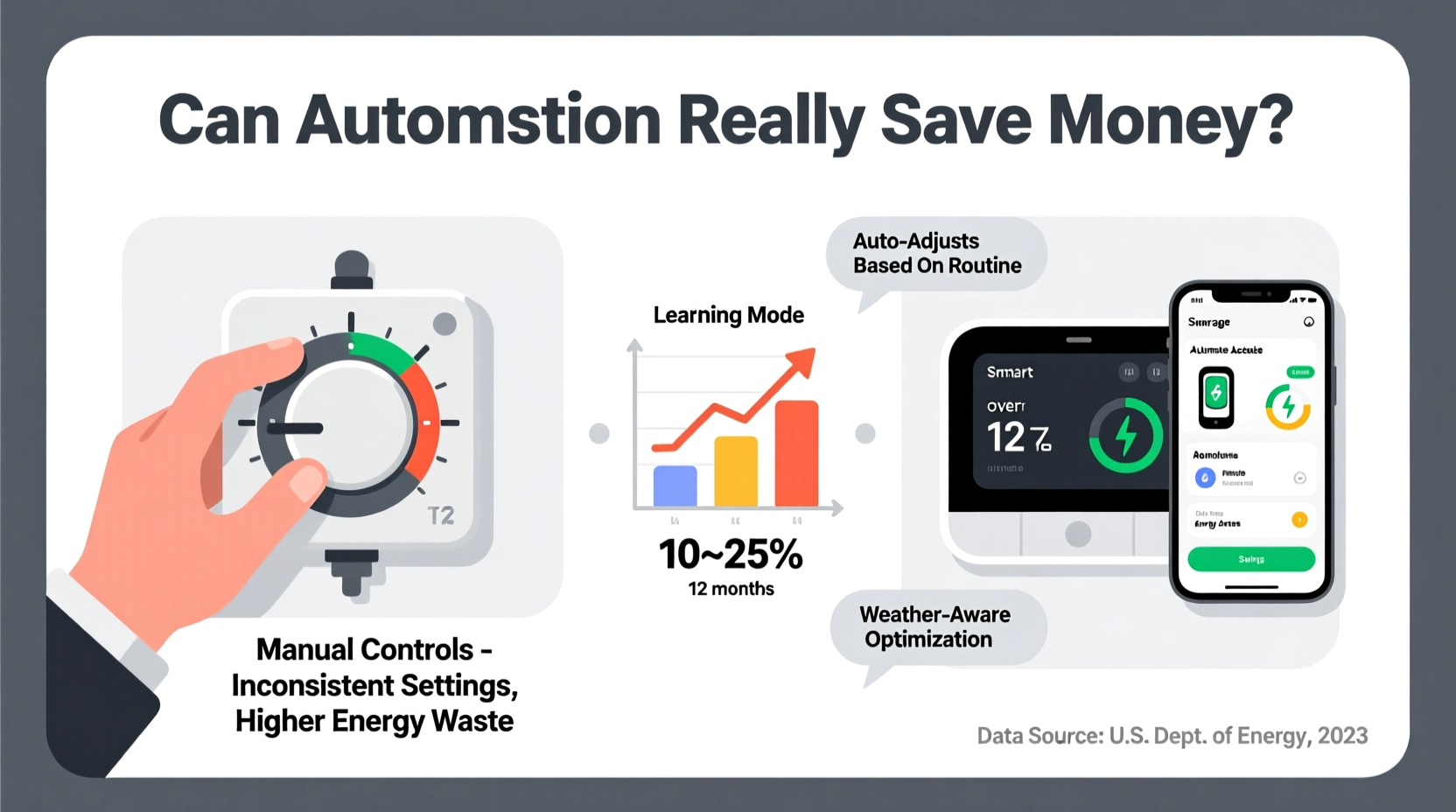
Manual thermostats have been the standard in homes for decades. These devices require users to physically adjust the temperature setting whenever comfort levels change. Whether dial-based or digital, they offer basic control but lack responsiveness to lifestyle changes or external conditions.
The primary limitation of manual systems is human inconsistency. Most people don’t adjust their thermostats frequently enough to optimize energy use. For example, leaving the heat at 72°F while away at work or sleeping results in unnecessary energy consumption. According to the U.S. Department of Energy, you can save up to 10% annually on heating and cooling by turning your thermostat back 7–10°F for eight hours daily.
Yet, few households maintain this discipline consistently. Without automation, reliance on memory and routine leads to inefficiencies—especially during seasonal transitions or irregular schedules.
Smart Thermostats: How Automation Translates to Efficiency
Smart thermostats like the Nest Learning Thermostat, Ecobee, and Honeywell Home T9 use sensors, Wi-Fi connectivity, and machine learning to adapt to your habits. Over time, they learn when you’re typically home, asleep, or away, and automatically adjust temperatures accordingly.
These devices go beyond scheduling. Many include occupancy detection, geofencing (using smartphone location), outdoor weather integration, and remote access via mobile apps. This means the system doesn’t just follow a rigid timetable—it responds dynamically. If you leave home early, it detects absence and switches to an energy-saving mode. When you’re returning, it pre-heats or cools the house so comfort is restored upon arrival.
Some models also provide energy usage reports, maintenance alerts (e.g., when your HVAC filter needs changing), and compatibility with other smart home systems, enabling deeper integration into energy-conscious living.
Key Features That Drive Savings
- Adaptive Scheduling: Learns your routine and adjusts without input.
- Geofencing: Detects when occupants leave or return using GPS.
- Vacation Mode: Automatically maintains efficient temps during extended absences.
- Energy Reports: Shows usage trends and identifies waste.
- Remote Access: Allows adjustment from anywhere via smartphone.
“Smart thermostats don’t just react—they anticipate. That predictive capability is where real energy savings begin.” — Dr. Alan Pierce, Energy Systems Engineer at MIT
Do Smart Thermostats Actually Save Money?
The short answer: yes, but only under certain conditions. Independent studies and consumer reports suggest that smart thermostats can reduce HVAC energy consumption by 10% to 23%, depending on climate and usage.
A comprehensive study by the American Council for an Energy-Efficient Economy (ACEEE) analyzed over 1,000 homes using Nest thermostats. It found an average heating energy reduction of 10–12% and cooling savings of 15%. However, the highest savings were observed in homes with previously inconsistent thermostat use or older HVAC systems.
Another factor is climate. In regions with extreme winters or hot summers, such as Minnesota or Arizona, the potential for savings increases due to longer HVAC runtime. In milder climates, the absolute dollar savings may be smaller, though percentage reductions remain significant.
It’s also important to consider the payback period. Smart thermostats typically cost between $100 and $250. At an average annual saving of $131 (based on the U.S. Energy Information Administration’s average HVAC bill of $1,300), the device pays for itself in about one to two years.
Real-World Example: The Thompson Family
The Thompsons, a family of four in Indianapolis, replaced their outdated manual thermostat with a Nest Learning Thermostat. Before the switch, they left the heat at 70°F year-round, even during work and school hours. After installation, the Nest learned their schedule within a week and began lowering the temperature to 62°F when everyone was out and raising it 30 minutes before return.
Over six months, their gas heating bill dropped from an average of $180/month in winter to $142—a 21% reduction. They also used the app to adjust settings remotely during unexpected schedule changes. Total savings: $228 in one heating season, with full device payback achieved in 11 months.
Comparative Analysis: Smart vs Manual Thermostats
| Feature | Smart Thermostat | Manual Thermostat |
|---|---|---|
| Temperature Adjustment | Automatic, adaptive, remote | Manual, requires physical input |
| Learning Capability | Yes (learns user habits) | No |
| Energy Reporting | Detailed usage analytics | None |
| Geofencing | Available (via smartphone) | Not available |
| Installation Cost | $100–$250 | $20–$50 |
| Average Annual Savings | $100–$180 | $0–$50 (if manually optimized) |
| Potential Payback Period | 1–2 years | N/A |
| Best For | Busy households, variable schedules, tech-savvy users | Simple setups, budget-conscious users, consistent routines |
Maximizing Savings: A Step-by-Step Guide
Whether you choose a smart or manual thermostat, optimizing its use is key to reducing bills. Follow this timeline to get the most value:
- Week 1: Assess Current Usage
Track your current thermostat settings and HVAC runtime. Note when heating or cooling runs unnecessarily. - Week 2: Set an Ideal Baseline
Establish target temperatures: 68°F when awake and at home, 62°F when asleep or away for heating; 78°F for cooling when home, 85°F when away. - Week 3: Install and Configure (If Going Smart)
Install the smart thermostat, connect to Wi-Fi, enable geofencing, and set initial preferences. Allow one week for learning mode. - Month 2: Review Energy Reports
Check the app or dashboard for usage patterns. Identify days with high consumption and adjust behavior or settings. - Ongoing: Maintain and Optimize
Update filters every 1–3 months, recalibrate schedules after seasonal changes, and use vacation mode when traveling.
When Manual Controls Might Be Enough
Smart thermostats aren’t universally superior. For some households, manual controls remain a practical and economical choice.
If your schedule is highly predictable—such as waking, leaving, and returning at the same time every day—a programmable manual thermostat can deliver similar savings without the added cost or complexity. Simply program setbacks during sleep and absence periods.
Additionally, renters or those in older homes with incompatible HVAC wiring may find installation challenging or prohibited. In these cases, disciplined manual adjustments can still yield meaningful savings.
The critical factor is consistency. A manual thermostat used effectively—by adjusting temps regularly—can save up to 10%. But if forgotten or ignored, it offers no benefit.
Frequently Asked Questions
Can I install a smart thermostat myself?
Most modern smart thermostats are designed for DIY installation and come with step-by-step guides. However, compatibility with your HVAC system (especially the need for a C-wire) can be a hurdle. If unsure, consult a licensed HVAC technician.
Do smart thermostats work with all HVAC systems?
While most are compatible with common systems (gas, electric, heat pump), some older or specialized units may not support smart features. Always check compatibility using the manufacturer’s online tool before purchasing.
Are there rebates for buying smart thermostats?
Yes. Many utility companies offer rebates of $50 or more for installing ENERGY STAR-certified smart thermostats. Check programs through providers like ComEd, PG&E, or Duke Energy, or visit energystar.gov for a rebate finder.
Action Plan: Choosing the Right System for Your Home
To decide between smart and manual thermostats, consider the following checklist:
- ✅ Do you have an unpredictable or changing daily schedule?
- ✅ Are you often forgetful about adjusting the thermostat?
- ✅ Is your current HVAC system more than 10 years old?
- ✅ Do you own a smartphone and feel comfortable with apps?
- ✅ Are you interested in long-term energy tracking and optimization?
If you answered “yes” to three or more, a smart thermostat is likely a sound investment. If your routine is stable, your budget is tight, and you’re diligent about adjustments, a well-programmed manual thermostat may suffice.
Final Thoughts: Automation Pays Off—With the Right Habits
Automation alone doesn’t guarantee savings. A smart thermostat installed but never configured will perform no better than a basic model. The true value lies in combining intelligent technology with informed usage.
For most modern households, especially those with variable routines or a desire for hands-off efficiency, smart thermostats deliver measurable financial returns within the first two years. Beyond cost savings, they enhance comfort, reduce carbon footprint, and integrate seamlessly into a connected home ecosystem.
However, technology is only as effective as the habits behind it. Even the most advanced thermostat can’t compensate for poor insulation, leaky ducts, or open windows during extreme weather. Use automation as part of a broader energy strategy—not a standalone fix.




 浙公网安备
33010002000092号
浙公网安备
33010002000092号 浙B2-20120091-4
Comments
No comments yet. Why don't you start the discussion?