
If your inbox has recently been flooded with suspicious offers, fake invoices, or strange messages from unknown senders, you're not alone. Millions of users worldwide have reported a sharp increase in spam emails over the past year. What was once a manageable trickle has turned into a relentless tide. The reasons behind this surge are complex but rooted in evolving digital threats, data breaches, and automated technologies. Understanding why this is happening—and what you can do about it—is essential for protecting your privacy, security, and peace of mind.
The Rise of Automated Spam Networks
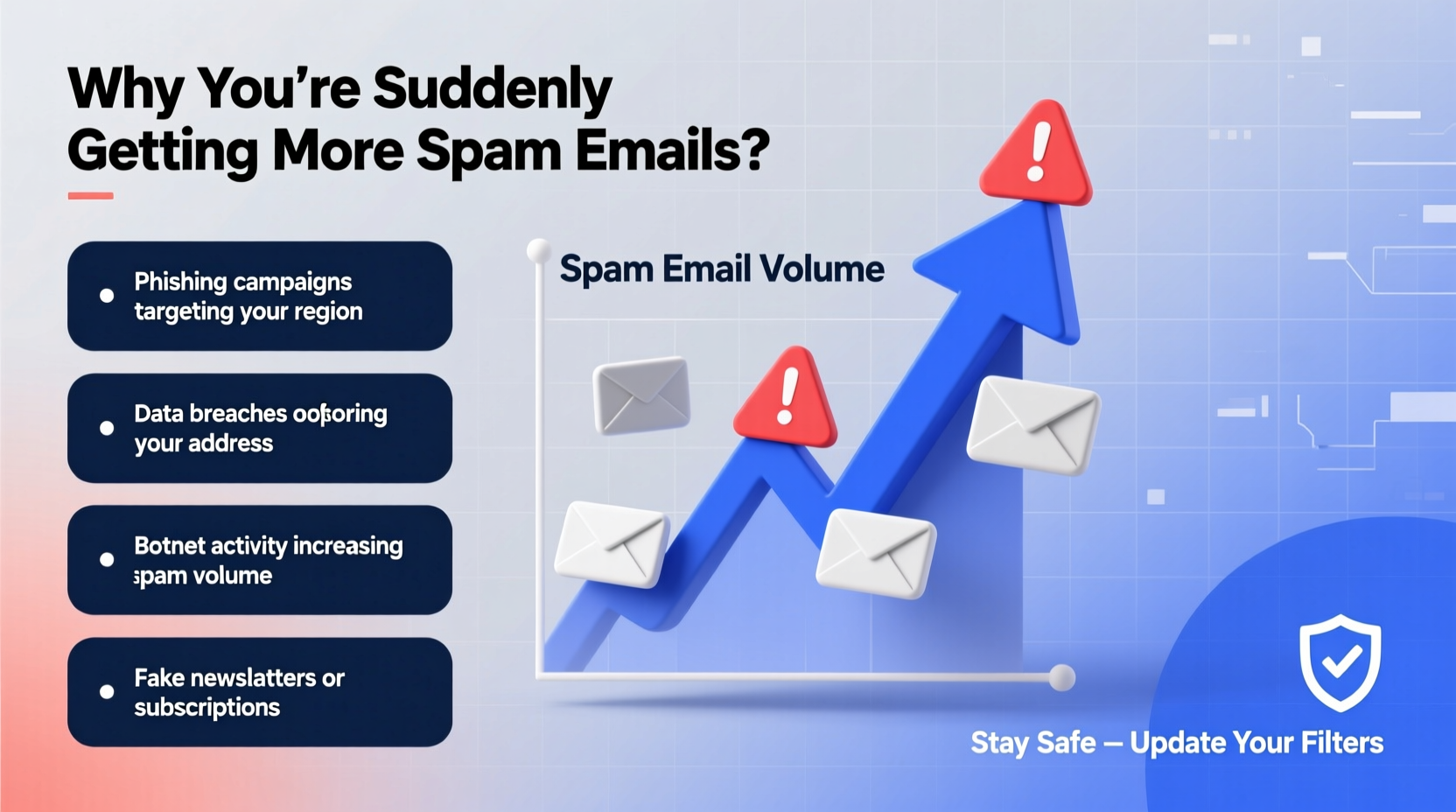
One of the primary drivers behind the sudden spike in spam emails is the advancement and accessibility of bot-powered email distribution systems. Cybercriminals now use sophisticated networks of compromised devices—known as botnets—to send millions of spam messages simultaneously. These botnets can bypass traditional filters by rotating IP addresses, mimicking legitimate email headers, and using domain spoofing techniques.
Modern spam operations often rely on AI-generated content that avoids obvious red flags like excessive capitalization or overtly promotional language. This makes spam harder to detect automatically. Instead of generic “YOU’VE WON A MILLION DOLLARS!” messages, today’s spam may appear as personalized notifications, shipping updates, or password reset requests—all designed to trick even cautious users.
Data Breaches Fuel Targeted Spam Campaigns
A major reason for the uptick in spam is the exponential rise in data breaches. In 2023 alone, over 2 billion records were exposed in publicly reported incidents. When personal information—including email addresses, passwords, and even behavioral data—is leaked, it quickly finds its way onto dark web marketplaces. Spammers purchase these lists to launch highly targeted campaigns.
For example, if your email was part of a breach at a retail site, you might start receiving fake order confirmations or refund scams referencing real brands. These phishing attempts are far more convincing than random spam because they leverage your actual history.
“Every large-scale data breach feeds directly into the global spam ecosystem. It only takes one compromised database for your inbox to become a target.” — Dr. Lena Patel, Cybersecurity Analyst at NetShield Labs
How Email Harvesting Techniques Have Evolved
Spammers no longer rely solely on guesswork or mass-scraping tools. They now use advanced methods to collect valid email addresses efficiently:
- Website Crawlers: Bots scan public websites, forums, and social media profiles for visible email addresses.
- Malware Infections: Keyloggers and info-stealers on infected devices extract contact lists and saved credentials.
- Form Injection Attacks: Hackers exploit vulnerabilities in online forms to intercept submissions, capturing new signups instantly.
- Social Engineering: Fake surveys, giveaways, or \"free trials\" lure users into voluntarily handing over their email addresses.
Once harvested, these addresses are validated using bulk verification services that test deliverability before launching full campaigns. This ensures higher success rates and fewer bounces—making spam more persistent and harder to block.
Step-by-Step Guide to Reducing Spam Exposure
You don’t need to accept spam as inevitable. By taking proactive steps, you can significantly reduce unwanted emails and improve your digital hygiene. Follow this timeline to regain control of your inbox:
- Week 1: Audit Your Current Inbox
Review recent spam messages. Identify patterns—common domains, subject lines, or types of scams. Use this insight to fine-tune filters. - Week 2: Enable Two-Factor Authentication (2FA)
Secure all accounts linked to your email. A breached account can be used to send spam or harvest contacts. - Week 3: Update Spam Filters and Blocklists
In Gmail, Outlook, or Apple Mail, adjust settings to mark suspicious senders as spam and auto-delete them. - Week 4: Remove Yourself from Data Broker Sites
Sites like Whitepages, Spokeo, or PeopleFinder often sell or expose your contact info. Opt out manually to limit exposure. - Ongoing: Use Disposable Emails for Signups
When registering for non-critical services, use temporary email providers like Mailinator or SimpleLogin to shield your primary address.
Do’s and Don’ts of Handling Spam
| Do | Don't |
|---|---|
| Report spam using your email provider’s “Report Spam” button | Reply to spam emails—even to unsubscribe |
| Use strong, unique passwords for each account | Click links or download attachments from unknown senders |
| Regularly update software to patch security flaws | Share your main email address publicly online |
| Set up separate email accounts for personal, work, and shopping | Forward chain emails or viral content that may spread malware |
Real Example: How One User Got Over 500 Spam Emails in a Week
Jamie, a freelance designer based in Portland, noticed her professional inbox being bombarded with fake client proposals and cloud storage alerts. Within days, she received over 500 spam messages. After investigation, she discovered that her email had appeared in a third-party design contest website that suffered a silent data breach months earlier. Though she hadn’t used the site since, her information remained active in their database.
She took immediate action: changed passwords, enabled 2FA, set up inbox filters, and began using an alias email service for future signups. Within two weeks, spam dropped by 90%. Her experience highlights how a single forgotten registration can trigger a flood of unwanted mail—and how simple defenses can restore order.
Frequently Asked Questions
Why am I getting so much spam all of a sudden when I didn’t before?
A sudden surge usually indicates your email address was recently exposed in a data breach, harvested from a public source, or sold to spammers. Changes in spammer tactics or weakened email filtering rules can also contribute.
Can spam emails infect my device just by opening them?
Simply opening an email is generally safe on modern platforms, which block automatic code execution. However, clicking links, downloading attachments, or enabling images in suspicious emails can trigger malware or phishing attacks.
Is it safe to click “Unsubscribe” in spam emails?
No—not if the email is truly spam. Legitimate companies include valid unsubscribe links, but scammers use fake ones to confirm your address is active or install tracking pixels. Always delete or report such messages instead.
Protect Your Inbox Before It Gets Worse
The spam surge isn’t a glitch—it’s a symptom of a broader shift in how cybercriminals operate. As artificial intelligence lowers the cost of creating convincing scams and data leaks become more frequent, everyone’s inbox is at greater risk. But awareness and smart habits make a critical difference. From using disposable emails to tightening privacy settings across platforms, small actions add up to strong protection.




 浙公网安备
33010002000092号
浙公网安备
33010002000092号 浙B2-20120091-4
Comments
No comments yet. Why don't you start the discussion?