
Sedentary work has become the norm in modern office environments, with millions spending eight or more hours daily seated at desks. Over time, prolonged sitting has been linked to chronic back pain, poor posture, and increased risk of musculoskeletal disorders. In response, standing desks have surged in popularity as a potential solution. But are they truly better for your back—or just another ergonomic trend without lasting impact?
The answer isn’t a simple yes or no. While standing desks offer tangible benefits for spinal alignment and muscle engagement, improper use can introduce new issues. The real advantage lies not in standing all day, but in movement, variation, and mindful posture. This article explores the science behind standing desks, their effects on back health, and how to integrate them effectively into your daily routine.
The Problem with Prolonged Sitting
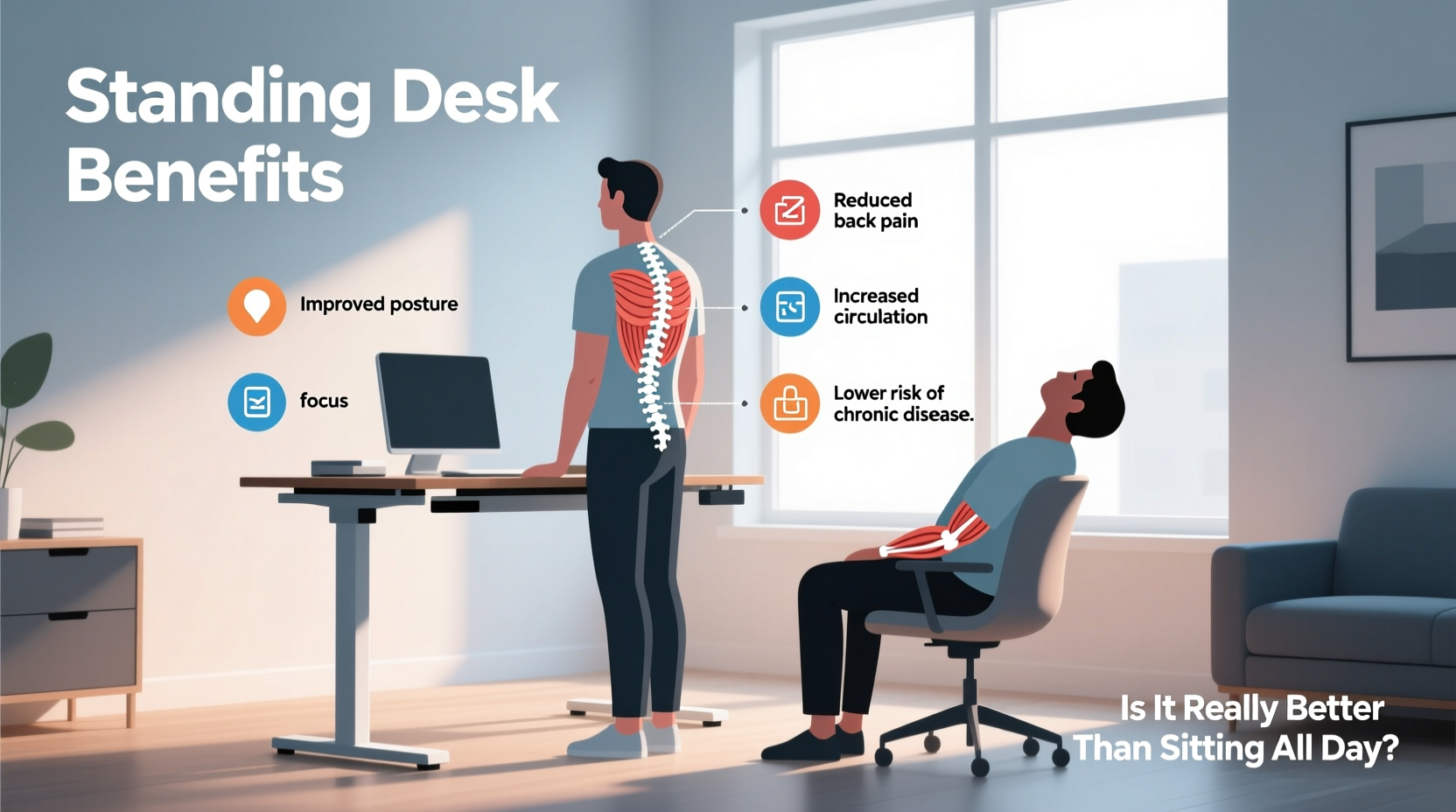
Sitting for extended periods places significant stress on the lumbar spine. When seated, especially in a slouched position, the natural inward curve of the lower back (lordosis) flattens. This misalignment increases pressure on intervertebral discs by up to 40% compared to standing, according to research published in Clinical Biomechanics.
Additionally, sitting reduces activation in core stabilizing muscles—particularly the glutes and deep abdominal muscles—leading to muscular imbalances over time. Weak glutes and tight hip flexors pull the pelvis forward, contributing to anterior pelvic tilt, a common postural issue associated with lower back pain.
“Prolonged static sitting is one of the most underappreciated contributors to chronic low back pain. It’s not just about posture—it’s about lack of movement.” — Dr. Laura Chen, Physical Therapist and Spine Health Specialist
How Standing Desks Can Improve Back Health
Standing encourages a more neutral spinal alignment when properly set up. With the monitor at eye level and elbows bent at 90 degrees, users naturally maintain an upright posture that reduces strain on the neck and lower back.
Standing also engages postural muscles throughout the core, legs, and back. This low-level muscular activity promotes circulation, reduces stiffness, and supports spinal stability. A 2020 study in the Journal of Occupational and Environmental Medicine found that employees using sit-stand desks reported a 32% reduction in lower back discomfort after six weeks.
However, the benefit comes from dynamic movement—not static standing. Remaining in one position, whether sitting or standing, leads to fatigue and strain. The key is regular transitions between positions.
Common Misconceptions About Standing Desks
Despite growing adoption, several myths persist about standing desks and back health:
- Misconception 1: Standing all day eliminates back pain. Reality: Prolonged standing can cause its own issues, including plantar fasciitis, varicose veins, and increased lower back strain due to poor weight distribution.
- Misconception 2: Any standing desk setup works. Reality: Improper height, monitor placement, or footwear can worsen posture and negate benefits.
- Misconception 3: You’ll burn hundreds of extra calories. Reality: Standing burns only about 0.15 more calories per minute than sitting—modest, but not a weight-loss strategy.
The goal isn’t to replace sitting with standing, but to reduce sedentary time through movement variability.
Optimal Desk Setup: Do’s and Don’ts
To maximize back support, proper ergonomics are essential—regardless of whether you're sitting or standing. Use this checklist to evaluate your workspace:
| Component | Do’s | Don’ts |
|---|---|---|
| Desk Height | Elbows at 90°, wrists straight when typing | Too high (shrugging shoulders) or too low (reaching up) |
| Monitor Position | Top of screen at or slightly below eye level, 20–30 inches away | Lower than eye level (causing neck flexion) |
| Footwear & Flooring | Supportive shoes; anti-fatigue mat if standing | Barefoot on hard floors or wearing heels |
| Posture | Neutral spine, shoulders relaxed, weight balanced | Leaning on one leg, locking knees, or slouching |
| Work Duration | Alternate every 30–60 minutes | Standing or sitting continuously for >90 minutes |
Step-by-Step Guide to Transitioning to a Standing Desk
Switching to a standing desk requires gradual adaptation. Jumping into full-day standing often leads to discomfort and discouragement. Follow this timeline to build endurance safely:
- Week 1: Acclimate Slowly
Start with 15–20 minutes of standing every 2 hours. Focus on posture and comfort. Total standing: 1–2 hours/day. - Week 2–3: Increase Intervals
Extend standing sessions to 30 minutes, alternating with sitting. Add light stretches between transitions. - Week 4: Establish Rhythm
Aim for a 1:1 ratio—30 minutes standing, 30 minutes sitting. Use a timer or smartwatch to stay consistent. - Week 5+: Optimize and Personalize
Adjust based on comfort. Some prefer 20:40 or 40:20 ratios. Listen to your body and prioritize movement over rigid rules.
Real-World Example: Sarah’s Back Pain Transformation
Sarah, a 38-year-old graphic designer, spent nearly 10 hours a day seated. After two years of recurring lower back pain, she consulted a physical therapist who identified weak glutes, tight hip flexors, and poor lumbar support from her chair.
She invested in an adjustable standing desk and followed a structured transition plan. For the first month, she stood for short intervals while doing repetitive tasks like email or sketching. She added daily core exercises and used an anti-fatigue mat.
By week six, her back pain decreased by 70%. She now uses a 45:15 sit-stand ratio during peak work hours and takes five-minute walks hourly. “It wasn’t the desk alone,” she says. “It was moving more, strengthening my core, and breaking up long sits.”
When Standing Desks Aren’t Enough: Complementary Strategies
A standing desk is just one tool in a broader strategy for back health. To achieve lasting relief, combine it with these evidence-based practices:
- Core Strengthening: Exercises like planks, bird-dogs, and dead bugs improve spinal stability.
- Stretching Tight Muscles: Daily hip flexor and hamstring stretches counteract sitting-related tightness.
- Ergonomic Chair Support: Even with a standing desk, choose a supportive chair with lumbar padding for sitting phases.
- Walking Breaks: Aim for 5–10 minutes of walking every hour to stimulate circulation and spinal pumping.
- Posture Awareness: Use apps or wearable devices that vibrate when slouching is detected.
“The best posture is the next posture. Movement is medicine for the spine.” — Dr. Rajiv Mehta, Orthopedic Spine Consultant
Frequently Asked Questions
Can standing desks cure chronic back pain?
No single intervention “cures” chronic back pain. However, standing desks can significantly reduce symptoms by improving posture, reducing disc pressure, and encouraging movement. They work best as part of a comprehensive approach including exercise, stretching, and professional care when needed.
How long should I stand at my desk each day?
There’s no universal rule, but research suggests limiting continuous standing to 30–60 minutes at a time. Most experts recommend alternating every 30–60 minutes. Total daily standing time should be personalized—start with 1–2 hours and increase gradually based on comfort.
Are standing desks suitable for people with existing back conditions?
Many are, but caution is required. Individuals with herniated discs, spinal stenosis, or sciatica should consult a healthcare provider before switching. In some cases, standing may aggravate symptoms. Custom adjustments—such as slight forward inclination or lumbar support—may be necessary.
Conclusion: Movement Over Static Postures
The question isn’t whether standing is better than sitting—it’s whether either is better than moving. Both postures have trade-offs. Sitting reduces muscle activation and increases disc load; standing increases lower limb fatigue and venous pressure if done excessively.
The true benefit of a standing desk lies in its ability to facilitate movement variability. By making it easier to change positions throughout the day, it helps break the cycle of sedentary behavior that contributes to back pain and poor spinal health.
Success depends not on the desk itself, but on how you use it. Pair your standing desk with intentional habits: regular transitions, proper ergonomics, strength training, and mindfulness about posture. These small changes compound into meaningful improvements in comfort, energy, and long-term back health.




 浙公网安备
33010002000092号
浙公网安备
33010002000092号 浙B2-20120091-4
Comments
No comments yet. Why don't you start the discussion?