
Sedentary work has become the norm in modern office culture. With growing awareness of the health risks tied to prolonged sitting—such as increased risk of cardiovascular disease, obesity, and musculoskeletal strain—many professionals are turning to standing desks or desk converters to stay active during the workday. But a common misconception persists: that standing all day is the solution. The reality is more nuanced. Alternating between sitting and standing, supported by proper ergonomic tools, delivers far greater health benefits than constant standing. This article breaks down the differences between full standing desks and desk converters, evaluates their effectiveness, and answers the critical question: do you actually need to stand all day to be healthy?
Understanding the Health Risks of Prolonged Sitting
Decades of research have linked extended periods of sitting with a range of chronic health conditions. A landmark study published in the Annals of Internal Medicine found that individuals who sit for more than eight hours daily with no physical activity face a mortality risk comparable to that of smoking or obesity. Sedentary behavior slows metabolism, reduces circulation, and places sustained pressure on the spine, especially the lower back.
However, simply replacing sitting with continuous standing introduces its own set of problems. Standing for long durations can lead to varicose veins, foot pain, lower back strain, and joint compression. The goal isn’t to eliminate sitting—it’s to reduce uninterrupted sedentary time through movement and posture variation.
“Movement is medicine. The human body thrives on variability. Standing all day isn’t healthier than sitting all day—it’s just a different form of immobility.” — Dr. Emily Chen, Ergonomics Researcher at Stanford University
Standing Desk vs Desk Converter: Key Differences
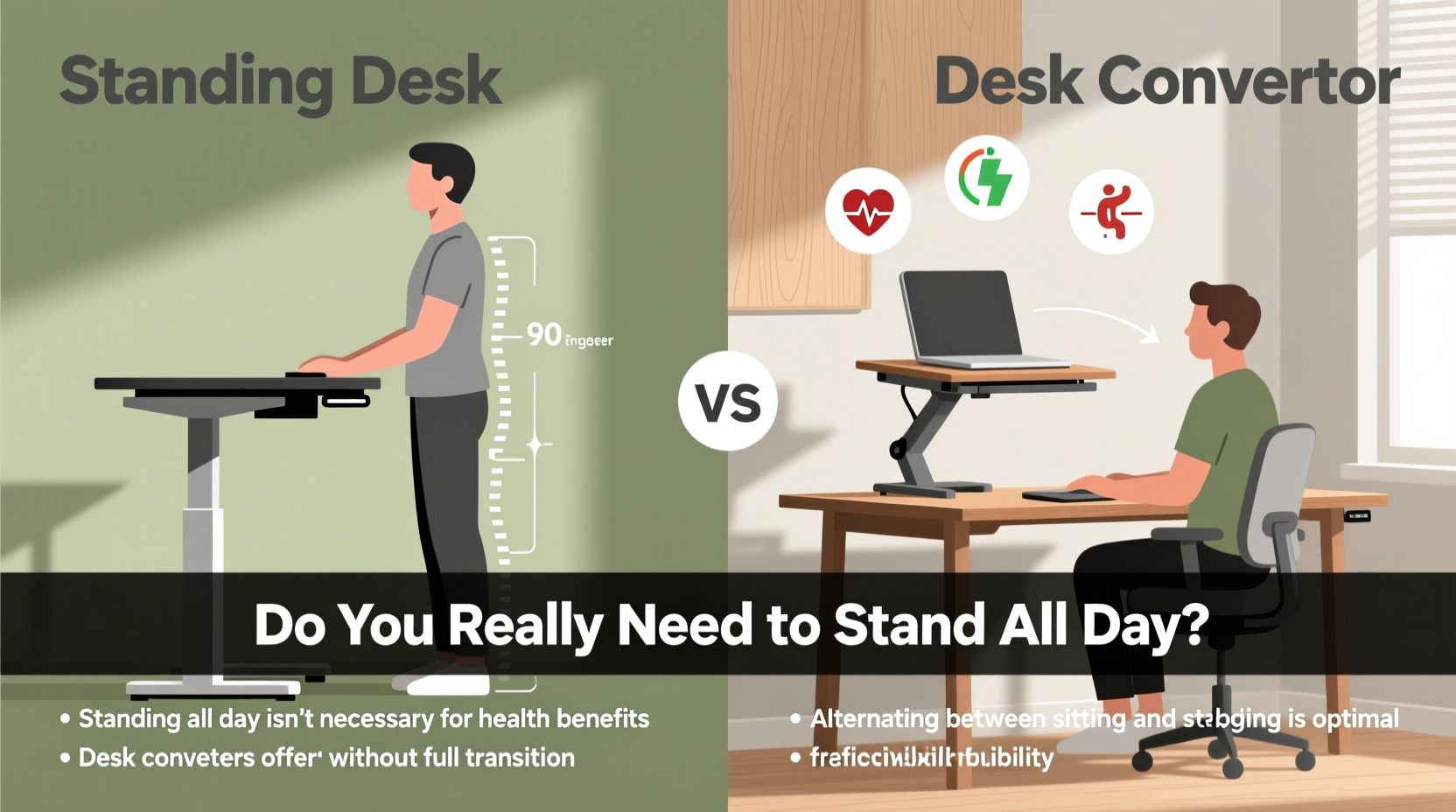
When exploring options to reduce sitting, two primary solutions emerge: full-height adjustable standing desks and desktop converters (also known as risers). While both promote postural changes, they differ significantly in design, cost, flexibility, and space requirements.
| Feature | Full Standing Desk | Desk Converter |
|---|---|---|
| Installation | Replaces entire desk; requires floor space | Placed on top of existing desk |
| Adjustability | Motorized or manual height adjustment for full desk surface | Limited platform height; keyboard tray and monitor lift independently |
| Cost | $300–$1,000+ | $100–$400 |
| Portability | Low—fixed setup | High—can be moved between desks |
| Ergonomic Flexibility | Superior—allows seamless transitions and full workspace alignment | Moderate—may require monitor repositioning or compromise on cable management |
| Ideal For | Dedicated home offices, long-term use, full customization | Shared workspaces, temporary setups, budget-conscious users |
The choice often comes down to commitment level and environment. A full standing desk offers a more integrated, ergonomic experience, while a desk converter provides an affordable entry point without replacing your current furniture.
The Truth About Standing All Day: Is It Necessary—or Healthy?
No. Standing all day is neither necessary nor beneficial for long-term health. The objective is not to replace one static posture with another but to introduce dynamic movement throughout the day. The ideal approach follows the “sit-stand-move” model: sit mindfully, stand periodically, and incorporate light activity such as stretching or walking.
Research from the CDC recommends breaking up sitting every 30 minutes. A practical guideline is the 20-8-2 rule: 20 minutes sitting, 8 minutes standing, and 2 minutes moving (e.g., walking, stretching) per hour. This rhythm supports circulation, reduces spinal load, and keeps muscles engaged without overfatigue.
Standing continuously, especially on hard surfaces, increases pressure on the feet, knees, and lower back. Over time, this can contribute to plantar fasciitis, joint inflammation, and venous insufficiency. Anti-fatigue mats help, but they don’t eliminate the need for regular positional shifts.
Real-World Example: Sarah’s Transition to a Sit-Stand Routine
Sarah, a software developer working remotely, purchased a desk converter after experiencing chronic lower back pain. Initially enthusiastic, she stood for four hours straight each morning. Within two weeks, she developed foot discomfort and calf tightness. After consulting an occupational therapist, she adjusted her routine: 30 minutes sitting, 30 minutes standing, alternating hourly. She added five-minute walks every two hours and began stretching her hip flexors and hamstrings daily. Within a month, her back pain decreased significantly, energy improved, and productivity remained stable.
Sarah’s experience illustrates a common pitfall: treating standing as a cure-all rather than part of a broader movement strategy.
How to Use a Standing Desk or Converter Effectively
Maximizing the benefits of either solution requires more than just adjusting height. Proper technique, timing, and complementary habits determine success.
Step-by-Step Guide to Building a Healthy Sit-Stand Routine
- Start slow: Begin with 15–20 minutes of standing per hour. Gradually increase as your body adapts over 2–3 weeks.
- Set reminders: Use a smartwatch, app, or timer to prompt posture changes every 30–60 minutes.
- Optimize ergonomics: When standing, align your monitor top at or slightly below eye level. Keep wrists neutral and shoulders relaxed.
- Wear supportive footwear: Avoid standing barefoot or in flat shoes. Cushioned soles or orthotics improve comfort.
- Add micro-movements: Shift weight, perform calf raises, or do gentle stretches while standing.
- Incorporate walking breaks: Take short walks to refill water, make calls, or stretch after prolonged standing.
- Listen to your body: Discomfort is a signal—not a challenge to push through. Adjust duration or posture accordingly.
Checklist: Optimizing Your Standing Workstation
- ✅ Monitor positioned at eye level (use riser if needed)
- ✅ Keyboard and mouse at elbow height when standing
- ✅ Wrists straight, shoulders relaxed, no hunching forward
- ✅ Anti-fatigue mat under feet
- ✅ Supportive shoes or slippers worn while standing
- ✅ Timer set for posture change alerts
- ✅ Space cleared for occasional stretching or stepping side-to-side
Common Misconceptions About Standing Desks
Despite growing popularity, several myths persist about standing desks and their impact on health.
- Myth: Standing burns massive calories. Reality: Standing burns only about 0.15 more calories per minute than sitting. A six-hour standing shift might burn an extra 50–100 calories—equivalent to a small apple. The real benefit lies in metabolic activation, not calorie deficit.
- Myth: You must stand to be productive. Reality: Cognitive performance varies by individual. Some people focus better standing; others prefer seated deep work. Flexibility—not forced standing—is key.
- Myth: Desk converters are just as good as full standing desks. Reality: While converters are cost-effective, they often compromise ergonomics. Limited adjustability can force awkward postures, especially for taller or shorter users.
“The best desk is the one that moves. Whether it’s a converter or a full desk, the ability to change positions throughout the day matters more than the hardware itself.” — James Lee, Certified Professional Ergonomist (CPE)
Frequently Asked Questions
Can standing desks help with weight loss?
Not significantly. While standing increases energy expenditure slightly compared to sitting, the difference is minimal. Standing for three hours daily burns roughly 150 extra calories—less than a slice of bread. Weight management depends more on diet, overall activity, and exercise. However, standing may reduce sedentary-related metabolic slowdown, supporting long-term metabolic health.
How long should I stand at my desk each day?
Aim for 30 to 60 minutes of standing per hour of work, broken into intervals. For an eight-hour day, that means 4 to 6 hours of cumulative standing—but not consecutively. Alternate every 30 to 60 minutes with sitting and brief movement. The exact ratio should be personalized based on comfort and job demands.
Are desk converters worth it for shared workspaces?
Yes, especially in hot-desking environments or co-working spaces. Converters offer portability and quick setup without requiring permanent installation. They allow multiple users to adapt the same desk for sit-stand use. Just ensure each user adjusts the converter properly for their height and monitor setup.
Conclusion: Movement Over Posture
The debate between standing desks and desk converters misses a larger truth: health at work isn’t about choosing one posture over another. It’s about rejecting stillness. Whether you invest in a high-end electric desk or start with a compact riser, the real win comes from building a habit of motion. Standing intermittently improves circulation, reduces stiffness, and encourages mindfulness about body positioning—but only when paired with sitting breaks and light activity.
You don’t need to stand all day to be healthy. You need to move more throughout the day. Start where you are. Use what you have. Adjust your workstation today, set a reminder for movement, and tune into how your body responds. Small, consistent changes compound into lasting well-being.




 浙公网安备
33010002000092号
浙公网安备
33010002000092号 浙B2-20120091-4
Comments
No comments yet. Why don't you start the discussion?