
Sedentary work culture has long dominated office environments, but awareness of its health risks—ranging from back pain to increased cardiovascular disease—is pushing more professionals toward active workstations. Standing desks and desk converters have emerged as popular solutions, promising improved posture, energy, and focus. Yet a critical question remains: Are you actually standing enough during the day to make these investments worthwhile?
The answer isn’t always straightforward. While both options promote movement, their cost, flexibility, and real-world usability vary significantly. More importantly, user behavior often undermines the intended benefits. Many people buy height-adjustable setups with good intentions but end up using them primarily in seated mode. Before spending hundreds on a new workstation, it’s essential to assess your actual standing habits, workspace needs, and long-term goals.
The Health Case for Standing (and Moving)
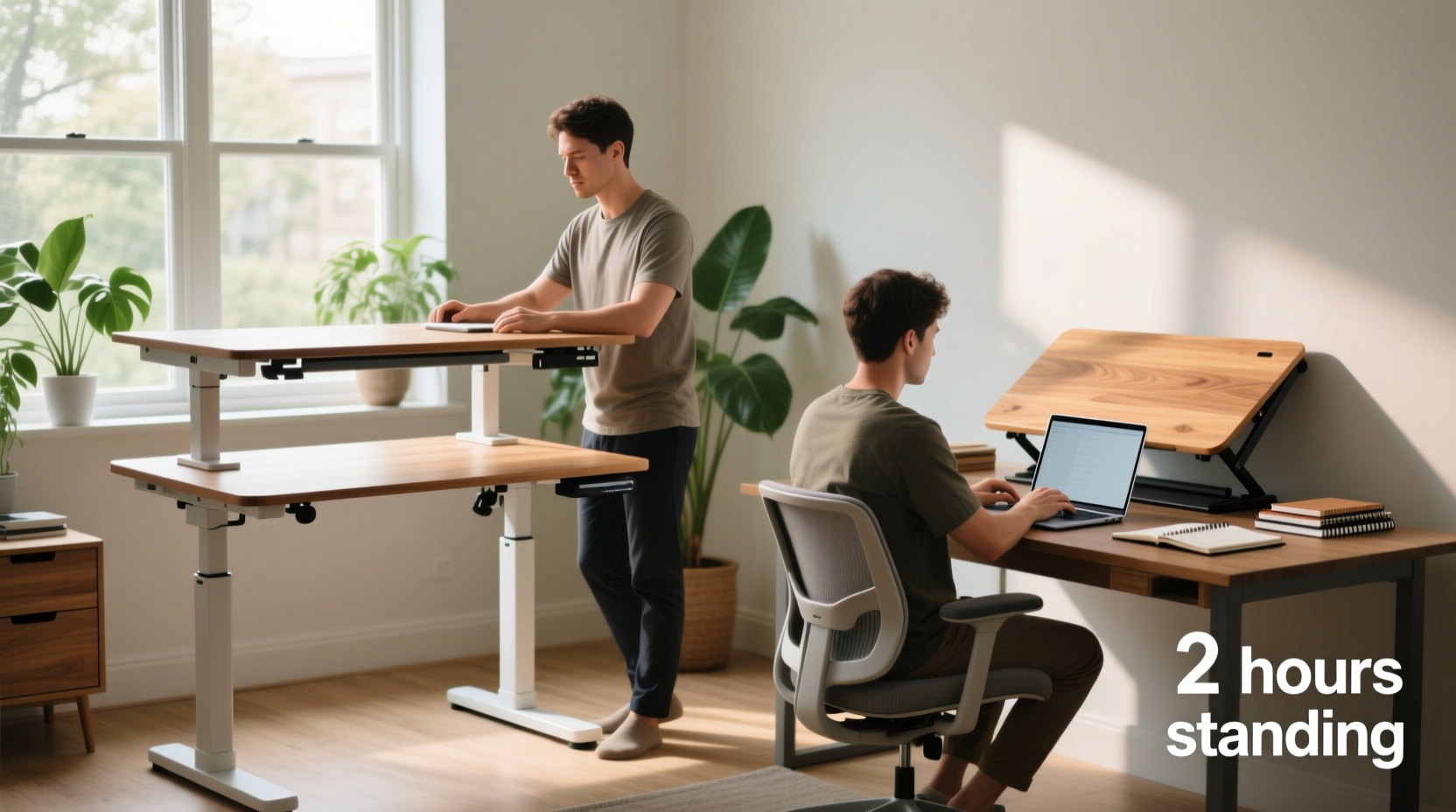
Decades of research link prolonged sitting to chronic health issues. According to the American Heart Association, sitting for more than eight hours a day with minimal physical activity carries risks comparable to smoking or obesity. Standing, even intermittently, helps engage core muscles, improves circulation, and reduces spinal compression.
However, standing all day isn’t the solution either. Experts emphasize movement over static postures. Dr. Joan Vernikos, former director of NASA’s Life Sciences Division and author of *Sitting Kills, Moving Heals*, states:
“Movement is medicine. It’s not about standing versus sitting—it’s about breaking stillness. Every time you shift positions, you stimulate blood flow and metabolic function.”
The goal isn’t to stand eight hours straight but to alternate between sitting and standing throughout the day. Studies suggest that standing for 30–60 minutes per hour offers measurable benefits without causing fatigue or musculoskeletal strain.
Standing Desk vs Desk Converter: Key Differences
Before evaluating whether you stand enough, understand what each option offers. The choice between a full standing desk and a desk converter hinges on budget, space, and adaptability.
| Feature | Standing Desk | Desk Converter |
|---|---|---|
| Cost | $300–$1,000+ | $150–$500 |
| Floor Space | Larger footprint; replaces existing desk | Fits atop current desk |
| Mobility | Permanent or semi-permanent setup | Portable; can be moved between workspaces |
| Ease of Adjustment | Motorized models offer smooth transitions | Manual or electric lift; may feel less stable |
| Cable Management | Built-in solutions common | Can complicate existing cable setups |
| Durability | Generally higher build quality | Varies widely by brand |
A full standing desk typically provides a more seamless and ergonomic experience, especially if you're redesigning your workspace. However, it requires commitment—not just financially, but spatially. If you share a workspace, rent your home, or frequently reconfigure your environment, a desk converter may be the smarter compromise.
Do You Actually Stand Enough?
Many users overestimate how much they stand. A 2022 study published in the Journal of Occupational and Environmental Medicine found that employees with access to sit-stand desks stood an average of only 54 minutes per day—far below the recommended thresholds for meaningful health impact.
Why the gap between intention and action?
- Discomfort: Standing on hard floors without proper mats leads to foot and leg fatigue.
- Habit: Sitting feels more natural for focused tasks like reading or writing.
- Lack of reminders: Without cues, people revert to default behaviors.
- Poor ergonomics: Monitors too low or keyboards misaligned discourage prolonged standing.
If you’re only standing for brief email checks or short calls, you likely aren’t gaining significant health returns. To determine whether your usage justifies the cost, track your standing time for one week. Use a smartwatch, app (like DeskTime or Stand Up!), or simple journaling to log when and how long you stand.
Real Example: Sarah’s Reality Check
Sarah, a graphic designer, invested $700 in a premium electric standing desk after experiencing lower back pain. She started strong—standing two hours daily the first week. But by week three, her routine regressed. Long design sessions pulled her into seated mode, and she realized she was only standing about 20 minutes a day.
After tracking her usage, she switched to a $220 desktop riser. With better monitor alignment and a cushioned mat, she found it easier to alternate postures. Her standing time increased to 75 minutes daily—not because the equipment was superior, but because it fit her workflow more naturally.
Sarah’s story illustrates a crucial point: Equipment alone doesn’t change behavior. Integration into daily rhythms does.
Smart Investment Checklist
Before purchasing any standing solution, evaluate your real-world needs. Use this checklist to guide your decision:
- ✅ Have I tracked my current standing habits for at least 3–5 workdays?
- ✅ Do I experience discomfort from prolonged sitting (e.g., back pain, stiffness)?
- ✅ Is my workspace large enough for a standing desk, or would a converter save space?
- ✅ Will I use this setup long-term, or might I relocate or change jobs soon?
- ✅ Can I pair this with supportive accessories (anti-fatigue mat, ergonomic chair)?
- ✅ Am I willing to set reminders or use apps to encourage posture changes?
- ✅ Does my budget allow for a high-quality option, or should I start mid-range?
If fewer than five apply, consider starting with a lower-cost converter. You can always upgrade later once you’ve established consistent standing habits.
Maximizing Value: How to Stand More Effectively
Just owning a standing station doesn’t guarantee results. To get real value from your investment—whether $200 or $800—you need strategies that support sustained use.
Step-by-Step Guide to Building a Standing Routine
- Week 1: Observe and Plan
Track when you naturally stand (e.g., taking calls, brainstorming). Identify 2–3 daily triggers to initiate standing. - Week 2: Start Small
Stand for 15 minutes during your first trigger (e.g., morning emails). Gradually add 5 minutes every two days. - Week 3: Optimize Ergonomics
Adjust your monitor top to eye level, elbows at 90 degrees, and wrists neutral. Use a mat if standing on tile or hardwood. - Week 4: Automate Transitions
Set phone or desktop alerts every 30–60 minutes. Pair standing with specific tasks (e.g., “I stand while reviewing documents”). - Ongoing: Reflect and Adjust
Monthly, review your comfort and consistency. Swap setups if needed. Celebrate milestones (e.g., 10 cumulative hours standing).
Expert Insight: What Physical Therapists Recommend
Mark Chen, a certified physical therapist specializing in workplace ergonomics, emphasizes balance:
“The ideal workstation isn’t fully standing or sitting—it’s dynamic. I recommend a 1:2 ratio: stand for 20 minutes, sit for 40. This keeps joints mobile without overloading the legs or spine. Also, wear supportive shoes—even at home. Going barefoot on hard floors increases plantar fasciitis risk.”
He also warns against “ergonomic enthusiasm” without follow-through: “I’ve seen clients spend over $1,000 on motorized desks they use as regular tables. A $200 converter used properly beats a $600 desk collecting dust.”
FAQ: Common Questions Answered
Can a desk converter support dual monitors and heavy equipment?
Yes, but check weight limits before buying. High-end converters like those from Vari or Uplift support up to 35 lbs. Ensure your monitors are mounted securely, preferably with VESA arms, to maintain balance.
Is standing all day healthier than sitting?
No. Prolonged standing introduces new risks: varicose veins, lower back strain, and foot pain. The key is variation. Movement stimulates lymphatic flow and muscle activation far more effectively than any single posture.
Will a standing desk increase my productivity?
For some, yes—but indirectly. Standing can boost alertness and reduce afternoon slumps. However, deep-focus tasks often require sitting. The real productivity gain comes from reduced fatigue and fewer sick days due to improved circulation and posture.
Conclusion: Justify the Cost with Consistent Use
The debate between standing desks and desk converters ultimately comes down to behavior, not hardware. A standing desk offers a sleek, integrated solution for those committed to transforming their workspace. A desk converter delivers flexibility and affordability for those testing the waters or working in constrained environments.
But neither pays off unless you actually stand—and move—regularly. If your logs show less than 30 minutes of daily standing, ask yourself: Is now the right time to invest? Perhaps start with a converter, refine your habits, and upgrade when usage stabilizes.
Technology enables change, but discipline sustains it. Whether you spend $150 or $900, the true ROI isn’t measured in dollars saved, but in hours of healthier, more engaged work.




 浙公网安备
33010002000092号
浙公网安备
33010002000092号 浙B2-20120091-4
Comments
No comments yet. Why don't you start the discussion?