
In recent years, the traditional office chair has faced stiff competition from two ergonomic alternatives: standing desks and treadmill desks. As more professionals seek ways to stay active during the workday, a critical question emerges—does walking while working enhance focus or undermine it? While standing desks promote posture and circulation with minimal movement, treadmill desks introduce low-intensity walking into the workflow. But at what cost to concentration? This article dives into the science, practical experiences, and real-world trade-offs between these two popular setups to determine whether walking at your desk is truly conducive to productive work—or just a distraction in disguise.
The Rise of Active Workstations
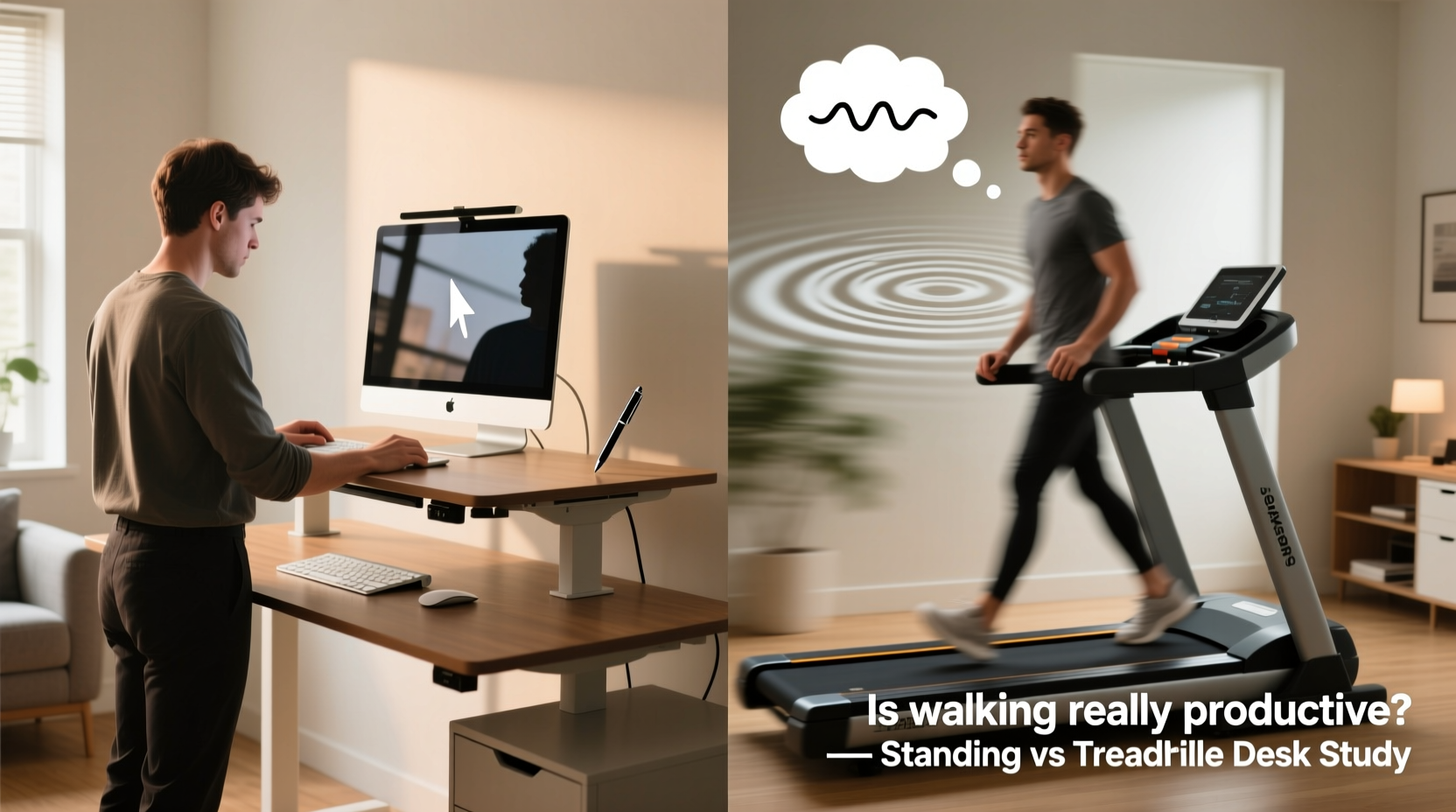
The shift toward active workstations reflects growing awareness of the health risks tied to prolonged sitting. Studies have linked sedentary behavior to increased risks of cardiovascular disease, obesity, and musculoskeletal issues. In response, companies and individuals alike have embraced alternatives that encourage movement. Standing desks gained popularity first, offering a simple way to reduce sitting time. Treadmill desks followed as a more ambitious solution—merging light physical activity with daily tasks.
Manufacturers like Steelcase, LifeSpan, and Vari now offer integrated treadmill desks designed for office use, often paired with height-adjustable workstations. These units typically operate at slow speeds—between 0.5 and 2 mph—meant to keep users in a “walking but not sweating” zone. The promise is clear: burn extra calories, improve circulation, and possibly boost mental clarity—all without leaving your desk.
But integrating motion into cognitive work raises an important concern: can the brain effectively manage typing, reading, and decision-making while simultaneously coordinating gait and balance?
Cognitive Load: Can You Walk and Think at the Same Time?
Multitasking isn’t always efficient. The human brain has limited cognitive bandwidth, and dividing attention between motor control and intellectual work can lead to performance trade-offs. When using a treadmill desk, even at slow speeds, the brain must continuously regulate balance, step rhythm, and spatial awareness. This background processing consumes executive resources—resources also needed for writing emails, analyzing data, or participating in video calls.
A 2016 study published in the Journal of Occupational and Environmental Medicine found that participants made more typing errors and experienced slower reading comprehension when walking at 1.5 mph compared to sitting or standing. However, creative thinking and idea generation showed slight improvement during walking, suggesting a potential benefit for brainstorming sessions.
“Low-intensity walking may prime the brain for divergent thinking, but it comes at the cost of precision tasks requiring sustained attention.” — Dr. Laura Chen, Cognitive Ergonomics Researcher, University of Michigan
This duality explains why many users report success with treadmill desks during routine or passive work—like taking phone calls or reviewing documents—but struggle during high-focus activities such as coding, editing, or financial modeling.
Comparing Standing Desks and Treadmill Desks: A Practical Breakdown
To better understand the differences, consider how each setup affects key aspects of work performance and well-being. The following table outlines a side-by-side comparison based on functionality, energy expenditure, cognitive impact, and ease of use.
| Feature | Standing Desk | Treadmill Desk |
|---|---|---|
| Movement Level | Static standing; occasional shifting | Continuous low-speed walking (0.5–2 mph) |
| Calories Burned (per hour) | ~100–130 kcal | ~150–250 kcal |
| Cognitive Demand | Minimal; no motor coordination required | Moderate; requires balance and gait control |
| Ideal Tasks | Writing, meetings, screen-based analysis | Phone calls, email triage, light reading |
| Fatigue Risk | Leg and lower back fatigue after prolonged use | Increased mental and physical fatigue over time |
| Setup Cost | $200–$600 | $800–$1,500+ |
| Learning Curve | Low; immediate usability | Moderate; requires adaptation period |
The data suggests that while treadmill desks offer greater physical benefits, they also impose higher demands on attention and are less universally applicable across task types. Standing desks, by contrast, provide a middle ground—reducing sedentary time without introducing significant cognitive load.
Real-World Experience: A Week with Each Setup
To assess practical implications, we followed the experience of Mark R., a technical writer at a software company, who tested both setups over two separate weeks.
In Week One, Mark used a standing desk for four hours daily, alternating with seated work. He reported improved posture, reduced afternoon sluggishness, and no noticeable drop in typing accuracy. His word output remained consistent, and he felt more alert during team meetings.
In Week Two, Mark switched to a treadmill desk, walking at 1.2 mph for three 30-minute blocks per day. During walking periods, he handled email, took internal calls, and reviewed documentation. However, when attempting to write technical guides, he noticed frequent typos and had to re-read paragraphs multiple times. “It felt like my brain was split,” he said. “I could walk fine or type fine—but doing both made me feel scattered.”
By Friday, Mark discontinued full treadmill use and reverted to using it only for administrative tasks. “It’s great for staying active, but I wouldn’t recommend it for deep work,” he concluded.
This case illustrates a common pattern: treadmill desks excel in supporting passive or conversational work but often hinder tasks requiring intense concentration. Standing desks, meanwhile, integrate more seamlessly into a variety of workflows without disrupting cognitive flow.
When Walking Helps—and When It Hurts
Not all work is created equal, and neither setup fits every task. Understanding which mode suits which activity can help maximize both productivity and wellness.
Tasks Best Suited for Treadmill Desks
- Answering routine emails
- Listening to podcasts or training videos
- Participating in audio-only conference calls
- Reviewing long-form content (e.g., reports, articles)
- Brainstorming or mind-mapping (when not typing)
Tasks Better Done Sitting or Standing
- Writing complex documents
- Programming or debugging code
- Editing visual media (photos, videos)
- Attending video meetings (to avoid distracting movement)
- Working with spreadsheets or detailed data entry
The key is intentionality. Using a treadmill desk doesn’t mean replacing all seated work—it means strategically incorporating movement where it adds value without compromising output quality.
“Movement should support cognition, not compete with it. The best active workstations are those that adapt to the task, not force the task to adapt to them.” — Dr. Nina Patel, Human Factors Specialist
Step-by-Step Guide to Integrating Movement Without Distraction
If you're considering either option—or already using one—follow this practical sequence to optimize your workspace for both health and performance.
- Assess Your Daily Task Mix: Track your work for three days. Categorize tasks as “high focus,” “moderate,” or “low demand.” This helps identify where movement can be safely introduced.
- Start with a Standing Desk: Begin by replacing 1–2 hours of sitting with standing. Use anti-fatigue mats and supportive footwear to reduce discomfort.
- Introduce Treadmill Use Gradually: If using a treadmill desk, begin with 15-minute walks during low-demand tasks. Monitor your typing accuracy and mental clarity.
- Set Usage Rules: Define which tasks are treadmill-approved. For example: “Treadmill = calls and emails only.” Stick to this boundary to prevent cognitive overload.
- Monitor Energy and Output: After two weeks, review your productivity metrics and self-reported focus levels. Adjust duration and timing accordingly.
- Rotate Throughout the Day: Aim for a balanced rhythm—sit for focused work, stand for collaboration, walk for routine tasks. This dynamic approach supports both body and mind.
Frequently Asked Questions
Can treadmill desks improve creativity?
Yes, in certain contexts. Light walking has been shown to stimulate divergent thinking—the ability to generate multiple ideas. A Stanford study found that participants produced 60% more creative ideas while walking compared to sitting. However, this benefit applies primarily to ideation, not execution. Use treadmill time for brainstorming, not final drafting.
Are standing desks better than treadmill desks for focus?
Generally, yes. Standing imposes minimal cognitive load while still reducing sedentary risk. It allows for full attention on complex tasks without the motor coordination demands of walking. For knowledge workers who prioritize concentration, standing desks offer a safer, more reliable upgrade from sitting.
How much walking is too much on a treadmill desk?
Most experts recommend limiting continuous treadmill use to 1–2 hours per day, broken into 20–30 minute intervals. Exceeding this can lead to mental fatigue, gait instability, or foot discomfort. Listen to your body: if you’re making more mistakes or feeling drained, it’s time to sit or stand quietly.
Conclusion: Choose Movement That Serves Your Mind
The choice between a standing desk and a treadmill desk isn’t about picking the “healthiest” option—it’s about aligning your workspace with your cognitive needs. Standing desks offer a seamless, low-risk way to reduce sedentary time without sacrificing focus. Treadmill desks provide added physical benefits but come with trade-offs in attention and precision, especially during demanding tasks.
Walking while working isn’t inherently distracting—but it becomes so when applied to work that requires full mental bandwidth. The most effective approach is not an all-or-nothing strategy, but a dynamic one: sit to focus deeply, stand to stay alert, and walk to refresh. By matching your posture and movement to the nature of your work, you create a smarter, healthier, and more sustainable workday.




 浙公网安备
33010002000092号
浙公网安备
33010002000092号 浙B2-20120091-4
Comments
No comments yet. Why don't you start the discussion?