
In today’s hybrid work environment, the modern desk is no longer just a surface for typing—it’s a hub for productivity, wellness, and digital connectivity. As more professionals invest in ergonomic upgrades, one question arises frequently: Should you buy a standing desk with a built-in charger, or is it smarter to start with a basic model and add charging accessories later? The answer depends on your budget, tech needs, and long-term usage patterns. This guide breaks down both options with real-world insights, comparisons, and expert-backed recommendations to help you make an informed decision.
The Evolution of the Smart Desk
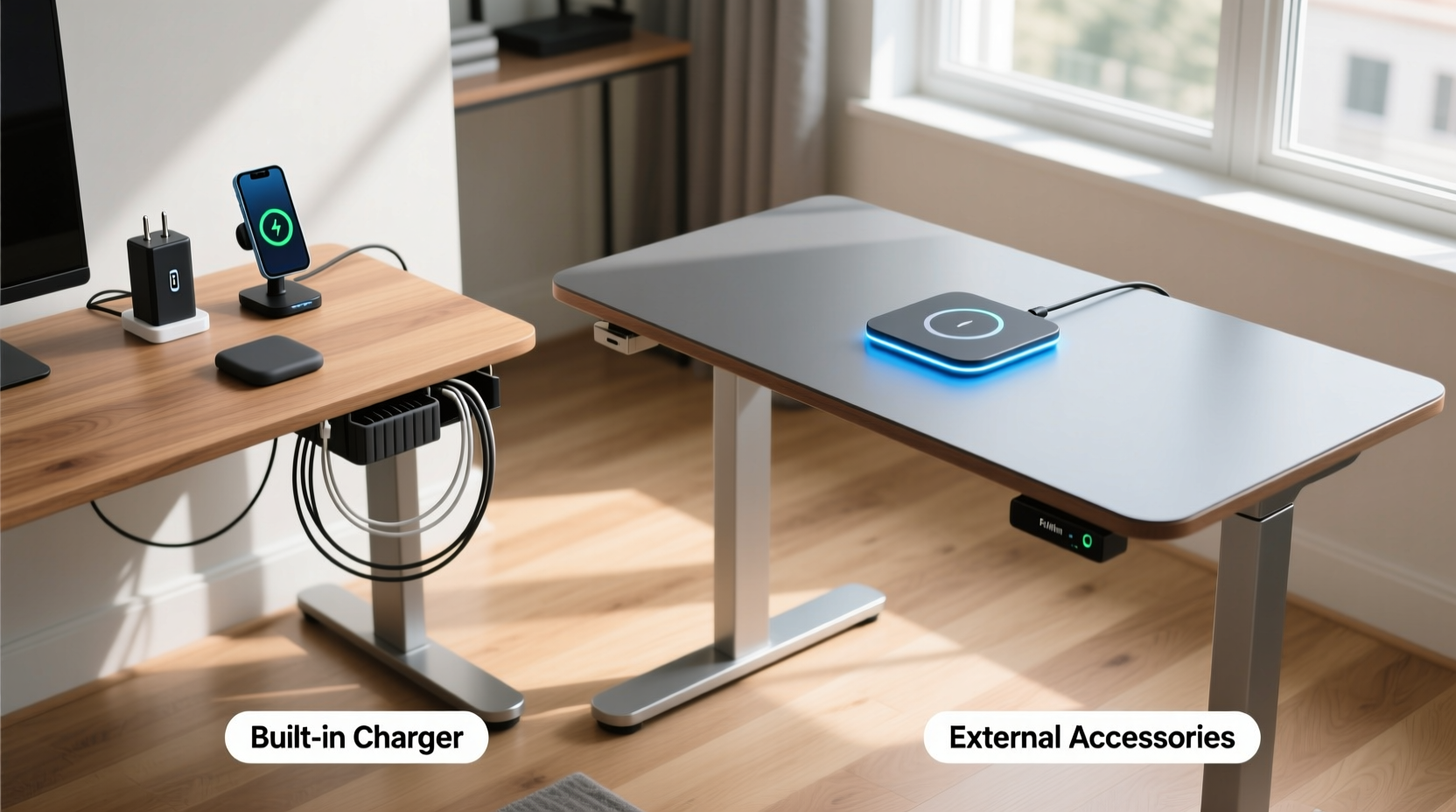
Standing desks have evolved from simple height-adjustable frames into intelligent workstations. Many premium models now come equipped with integrated USB ports, wireless charging pads, Bluetooth controls, and even app connectivity. These features promise convenience and a clutter-free workspace. However, they also come at a premium price. On the flip side, starting with a minimalist desk and customizing it with third-party accessories offers greater flexibility and often lower upfront costs. Understanding the trade-offs is key to building a functional, future-proof workspace.
What Does “Built-In Charger” Actually Mean?
When manufacturers advertise a “built-in charger,” it typically refers to one or more of the following:
- USB-A or USB-C ports embedded into the desktop or control panel
- Integrated wireless charging pad (usually Qi-compatible)
- Dedicated power outlets or surge protection within the frame
- Bluetooth-enabled control box with charging status feedback
These features are designed to reduce cable clutter and streamline device charging—especially useful for users who regularly switch between laptops, phones, tablets, and wearables. But integration doesn’t always mean optimization. Some built-in systems offer slower charging speeds or limited port availability compared to standalone solutions.
Pros and Cons of Standing Desks with Built-In Chargers
Purchasing a standing desk with integrated charging capabilities offers several advantages, but it also comes with notable limitations.
Advantages
- Neat, Cable-Free Design: Wires are routed internally, reducing visual clutter and tripping hazards.
- Convenience: Devices charge directly on the desk without needing extra hubs or power strips.
- Aesthetic Appeal: A clean, high-tech look that complements modern office decor.
- Plug-and-Play Setup: No need to research compatible accessories—everything works out of the box.
Drawbacks
- Higher Upfront Cost: Integrated tech can increase the price by $100–$300 over comparable non-charging models.
- Limited Upgradeability: If the charging module fails or becomes outdated, replacement may require professional service or render the desk obsolete.
- Fixed Configuration: You’re locked into the number and type of ports provided—no flexibility to add more later.
- Brand Lock-In: Repairs or replacements often depend on manufacturer support, which may be limited after a few years.
“Integrated tech looks sleek, but it’s rarely modular. Once you’re stuck with underpowered USB ports, upgrading means replacing the entire desk.” — Jordan Lee, Ergonomic Product Designer at WorkWell Labs
Building Your Own Charging Setup: Flexibility and Control
Choosing a standard standing desk and adding accessories à la carte gives you full control over your workstation’s functionality. This approach is particularly popular among tech-savvy users and those who anticipate changing their setup over time.
Common accessories include:
- Multi-port USB charging hubs (with up to 60W fast charging)
- Under-desk wireless charging pads
- Power strips with surge protection and USB ports
- Cable management trays and clips
- Bluetooth-enabled desk controllers with companion apps
This method allows you to mix and match components based on performance, brand reputation, and evolving needs. For example, if you upgrade to a laptop that supports PD (Power Delivery), you can easily swap in a higher-wattage USB-C hub without replacing your desk.
Cost Comparison Over Time
| Option | Initial Cost | Upgrade Flexibility | Maintenance Risk | Long-Term Value |
|---|---|---|---|---|
| Desk with Built-In Charger | $600–$900 | Low | Moderate (non-replaceable parts) | Moderate (obsolescence risk) |
| Basic Desk + Accessories | $400–$600 + $80–$150 | High | Low (modular parts) | High (customizable) |
As shown, the total cost of a DIY setup may still be lower—even when factoring in accessories—while offering significantly more adaptability. Additionally, individual components can be replaced or upgraded independently, extending the lifespan of your core desk investment.
Real-World Scenario: Sarah’s Home Office Upgrade
Sarah, a freelance graphic designer, recently transitioned to full-time remote work. She needed a reliable, tech-friendly workspace that could handle multiple devices: a MacBook Pro, iPad, iPhone, and Apple Watch. Her first instinct was to purchase a premium standing desk with built-in wireless charging and dual USB-C ports.
After researching models, she found one priced at $850 with integrated charging. However, reviews noted that the wireless pad only worked when the desk was stationary and occasionally interfered with motor adjustments. Undeterred, she considered alternatives.
She opted instead for a $520 adjustable desk frame with a solid wood top and invested $110 in a 4-port GaN USB-C hub, an under-desk Qi charger, and a fabric-covered cable sleeve. The result? Faster charging, better device placement, and the ability to move her phone freely during transitions. Six months later, when she upgraded to a new tablet requiring higher wattage, she simply replaced the hub—no desk replacement needed.
Sarah’s experience illustrates a growing trend: professionals are prioritizing modularity over integration, especially as personal tech evolves rapidly.
Step-by-Step Guide to Building a Custom Charging Desk
If you choose to go the accessory route, follow this sequence to create a seamless, high-performance setup:
- Choose a Standing Desk Without Built-In Tech: Focus on stability, motor quality, and desktop size. Avoid models with pre-drilled holes for chargers unless you plan to use them.
- Map Your Device Charging Needs: List all devices used daily and note their charging requirements (e.g., USB-C PD, Qi wireless, etc.).
- Select a Multi-Port Charging Hub: Prioritize brands like Anker, Satechi, or Belkin with high combined output (e.g., 100W total). Mount it to the back edge of the desk or inside a grommet hole.
- Add Wireless Charging (Optional): Install an adhesive or magnetic Qi pad on the desk surface or underneath the front lip for easy access.
- Manage Cables Strategically: Use braided sleeves, Velcro straps, or under-desk trays to keep cords organized and out of sight.
- Test and Optimize Placement: Ensure chargers don’t interfere with wrist posture or monitor arms. Adjust positions for ergonomics and accessibility.
This process takes slightly longer than unboxing an all-in-one desk, but the end result is tailored to your exact workflow and easier to maintain over time.
Expert Recommendations and Industry Insights
Ergonomic specialists and tech reviewers increasingly advise caution when selecting desks with permanent integrations. As David Kim, senior editor at *Workspace Tech Review*, explains:
“Manufacturers rush to include ‘smart’ features, but they often lag behind standalone consumer electronics in performance. A $20 USB hub from 2024 will outperform most built-in desk ports released in 2023.” — David Kim, Senior Editor, Workspace Tech Review
Additionally, repair data from iFixit shows that desks with embedded electronics have a 30% higher service cost over five years due to proprietary parts and labor complexity. In contrast, modular setups allow users to self-repair or replace components with off-the-shelf parts.
Frequently Asked Questions
Can I add wireless charging to a standing desk later?
Yes, absolutely. Adhesive Qi pads can be mounted on any flat surface, and under-desk models are widely available. Just ensure the location doesn’t interfere with hand clearance or cable routing.
Are built-in chargers safe with motorized desks?
Generally yes, but poor internal wiring can cause electromagnetic interference. Stick to reputable brands with EMI shielding certifications (like FCC or CE) to avoid disruptions in motor function or device charging.
Do built-in USB ports charge laptops effectively?
Rarely. Most built-in ports deliver only 5–12 watts, insufficient for charging modern laptops. You’ll still need a wall adapter for full-power charging, making dedicated high-wattage hubs a better investment.
Checklist: Choosing the Right Charging Solution
- ✅ Assess how many devices you charge daily
- ✅ Compare total cost: integrated desk vs. base desk + accessories
- ✅ Verify charging speed (wattage) of built-in ports
- ✅ Consider future tech upgrades (e.g., new phone, tablet, or laptop)
- ✅ Evaluate ease of repair and part replacement
- ✅ Prioritize cable management and ergonomic layout
- ✅ Read user reviews focusing on long-term reliability
Final Recommendation: Balance Convenience with Longevity
While standing desks with built-in chargers offer undeniable convenience and aesthetic appeal, they often sacrifice flexibility and long-term value. For most users—especially those who rely on multiple devices or expect to upgrade their tech—the modular approach delivers better performance, lower lifetime costs, and greater adaptability.
That said, built-in chargers can be ideal for minimalist setups, shared workspaces, or users who prioritize simplicity over customization. If you choose this route, select models from brands known for durable electronics and clear warranty terms.
The smartest investment isn’t necessarily the most advanced desk—it’s the one that grows with you. By treating your workspace as a customizable ecosystem rather than a fixed product, you gain control over both function and future-proofing.




 浙公网安备
33010002000092号
浙公网安备
33010002000092号 浙B2-20120091-4
Comments
No comments yet. Why don't you start the discussion?