
A standing desk can transform your workday—improving posture, reducing sedentary time, and boosting energy. But when every keystroke sends ripples through your monitor or your coffee cup dances with each movement, the benefits fade fast. Desk wobble isn’t just annoying; it undermines the very purpose of a healthy workspace. More than a mechanical flaw, instability disrupts concentration, strains joints, and erodes confidence in your equipment. Understanding why wobble happens—and how to fix it—is essential for anyone committed to productive, ergonomic work.
Why Stability Matters: The Hidden Cost of a Wobbly Desk
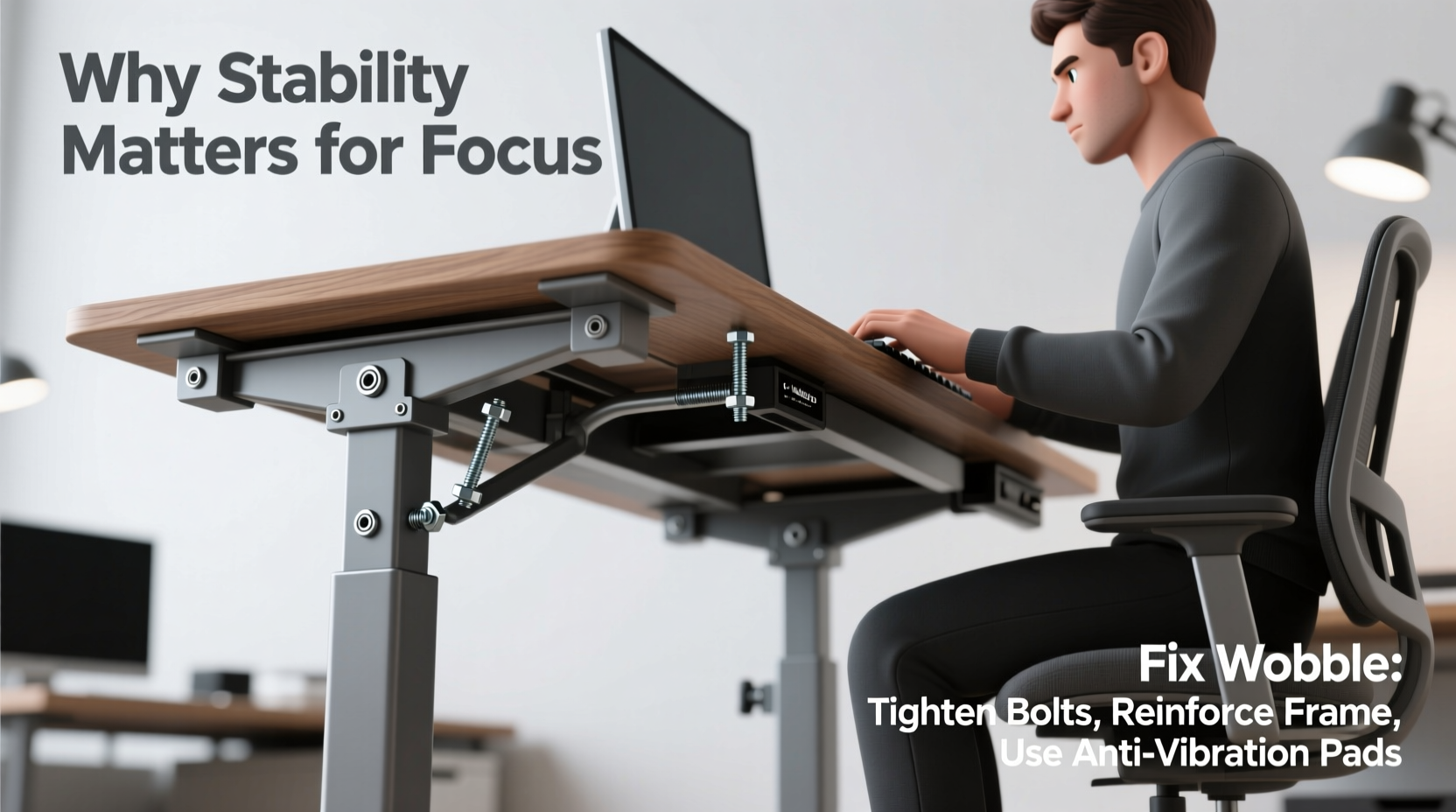
At first glance, a little shake might seem harmless. But over hours of typing, reading, and mouse use, even minor vibrations accumulate into physical and cognitive strain. A stable desk supports consistent posture by providing predictable resistance and balance. When the surface shifts under pressure, your body compensates—leaning, bracing, tensing muscles unconsciously. This micro-effort adds up, leading to fatigue, shoulder tension, and reduced endurance during long work sessions.
Equally important is the mental toll. Focus thrives on predictability. A shaky desk introduces sensory noise—visual distractions from swaying monitors, tactile feedback from unsteady keyboards—that competes for attention. Studies in environmental psychology suggest that even subtle environmental instability increases cognitive load, making deep work harder to achieve. In contrast, a solid workstation reinforces a sense of control, grounding both body and mind.
“Ergonomic integrity starts with foundation. If your desk moves more than you do, you’re fighting an uphill battle for posture and productivity.” — Dr. Lena Tran, Occupational Ergonomist
Common Causes of Standing Desk Wobble
Not all wobble is created equal. Identifying the source is critical to choosing the right fix. Most instability stems from one or more of these root causes:
- Poor frame design: Lightweight or narrow bases with insufficient cross-bracing struggle to support wide desktops.
- Long desktop span: Larger surfaces (especially 60+ inches) amplify flex and vibration without proper support.
- Uneven flooring: Carpets, sloped tiles, or warped hardwood create imbalance, causing legs to bear weight unevenly.
- Loose bolts or connections: Over time, constant height adjustments loosen joints between motors, legs, and tabletop.
- Insufficient leg thickness or motor column design: Single-stage actuators or thin tubing flex under lateral force.
- Improper assembly: Misaligned components or missing hardware compromise structural rigidity.
Wobble typically manifests in two forms: vertical bounce (up-and-down movement when pressing down) and lateral sway (side-to-side motion during typing). Each requires a different approach to resolve.
Step-by-Step Guide to Fix Standing Desk Wobble
Before investing in new parts or accessories, follow this systematic process to diagnose and correct instability.
- Inspect and tighten all hardware. Use the included Allen keys to check bolts at motor housings, crossbars, and leg connectors. Even slight looseness multiplies under stress. Retighten every joint, especially those near the base and top mounts.
- Ensure full contact with the floor. Place the desk on a hard, level surface. If using carpet, add furniture pads or leveling feet. Spin adjustable feet until all four corners touch the ground simultaneously. Rock the desk gently—if it pivots on two legs, adjust further.
- Reinforce the frame with a crossbar upgrade. Many budget desks come with flimsy or absent crossbeams. Aftermarket U-shaped or H-style braces significantly reduce lateral flex. Install one between the front and rear legs if space allows.
- Shorten the effective desktop span. For wide desks, consider adding a center support leg or third motor column. Alternatively, shift monitors and keyboard closer to the central axis to minimize cantilever effect.
- Add mass to dampen vibration. Attach heavy-duty steel brackets under the desktop edges or place dense materials (like lead sheets or metal plates) beneath the surface near corners. Weight reduces resonance and improves damping.
- Upgrade to thicker legs or dual-motor systems. If wobble persists, the frame may be undersized. High-end desks use dual motors per side and thicker tubing (1.5–2mm steel) to resist deflection. Consider replacing the entire frame if long-term stability is non-negotiable.
When to Accept Some Movement
Total rigidity is rare in electric standing desks—some give is inherent due to telescoping columns and moving parts. Minor vertical compression under firm palm pressure is normal. However, visible screen shake or audible creaking during typing is not. Know the difference between acceptable flexibility and problematic instability.
Do’s and Don’ts: Best Practices for Stable Desk Performance
| Do | Don't |
|---|---|
| Place the desk on a hard, flat surface like concrete or solid wood flooring. | Set it on thick carpet without leveling feet or floor protectors. |
| Use manufacturer-recommended tools to tighten bolts every 3–6 months. | Overtighten screws, which can strip threads or deform plastic inserts. |
| Center heavy equipment (monitors, printers) over the leg columns. | Mount large dual monitors far beyond the outer edges of the desk. |
| Add aftermarket stabilization kits designed for your model. | Modify the frame with DIY welds or clamps that void warranties. |
| Choose wider C- or L-shaped frames for larger desktops. | Select narrow single-beam bases for desks over 55 inches wide. |
Real-World Example: How Sarah Reduced Her Desk Shake by 80%
Sarah, a technical writer working from home, upgraded to a sit-stand desk hoping to ease her lower back pain. Within weeks, she noticed her dual-monitor setup would tremble whenever she typed quickly. The distraction broke her flow, forcing frequent pauses to reposition screens. Frustrated, she measured the deflection: pressing lightly on the far corner caused a 1.2-inch lateral swing.
She began troubleshooting methodically. First, she tightened all visible bolts and adjusted the leveling feet—gaining modest improvement. Next, she installed an aftermarket H-brace across the legs, which cut sway in half. Finally, she shifted her monitors 6 inches closer to the central支柱 and added 10 pounds of steel counterweights under the desktop overhang.
The result? A nearly rock-solid surface. Her typing no longer disrupted her view, and she reported regaining “the quiet focus” she once had at her old office desk. The total cost: $72 and two evenings of effort. The impact on her daily concentration was immediate and lasting.
Expert-Recommended Stabilization Accessories
Manufacturers and ergonomics labs have developed targeted solutions for common wobble issues. These are not gimmicks—they’re engineered responses to real mechanical challenges.
- Stabilization bars: Rigid metal rods that connect parallel legs, preventing independent movement. Look for models with rubber bushings to absorb micro-vibrations.
- Floor anchors: In commercial settings, bolting the base to the floor eliminates movement entirely. Not ideal for rentals but highly effective.
- Desk grommet weights: Decorative yet functional, these sit through desktop holes and add downward force directly above support points.
- Anti-vibration pads: Placed between the desktop and support beams, they reduce high-frequency oscillations caused by typing or fan motors.
FAQ: Common Questions About Standing Desk Stability
Is some wobble normal in standing desks?
Yes—especially in height-adjustable models. Electric mechanisms and slender legs inherently allow minor flex. However, noticeable shaking during regular use is not normal and should be addressed.
Can I fix wobble without spending money?
Often, yes. Start by retightening all hardware and ensuring the desk sits level. Repositioning equipment toward the center and avoiding overloading edges can also help. Many users resolve moderate wobble with free adjustments alone.
Does desktop material affect stability?
Indirectly. Heavier materials like solid wood or stone add mass that dampens vibration but increase stress on the frame. Lightweight composites may feel less steady but reduce load on motors. The frame design remains the primary factor in overall stability.
Checklist: Eliminate Desk Wobble in 7 Actions
- ✅ Tighten all bolts and connection points with appropriate tools.
- ✅ Level the desk on a flat, hard surface using adjustable feet.
- ✅ Check for gaps between legs and floor; ensure full contact.
- ✅ Install a crossbar or stabilization kit if not already present.
- ✅ Relocate heavy items (monitors, laptops) closer to support columns.
- ✅ Add counterweights or damping materials under overhanging areas.
- ✅ Evaluate frame upgrade options if wobble persists after fixes.
Conclusion: Build a Foundation for Focused Work
Your desk is more than furniture—it’s the platform for your ideas, productivity, and physical well-being. A wobbly surface undermines all three. By addressing instability with informed, practical steps, you reclaim not just stillness, but clarity. The small investments of time and attention required to stabilize your desk yield outsized returns: fewer distractions, better posture, and deeper engagement with your work.
Don’t accept constant shake as the price of standing. Diagnose the cause, apply the right fix, and create a workspace that supports—not sabotages—your focus. Whether you’re drafting reports, coding software, or designing graphics, a steady desk means a steadier mind.




 浙公网安备
33010002000092号
浙公网安备
33010002000092号 浙B2-20120091-4
Comments
No comments yet. Why don't you start the discussion?