
When Valve released the Steam Deck in 2022, it redefined portable PC gaming. The original model featured a 7-inch LCD screen with solid performance for its time. But in late 2023, Valve surprised the gaming world with an upgraded version: the Steam Deck OLED. This new model replaced the LCD panel with an OLED display and introduced several other hardware improvements. Now, consumers face a decision—does the jump to OLED justify the higher price tag?
The answer isn’t just about pixels or brightness. It’s about how the screen impacts gameplay, battery efficiency, portability, and long-term satisfaction. To determine whether the OLED upgrade is worth it, we need to examine the technical differences, real-world performance, and user experience across multiple dimensions.
Understanding the Core Display Technologies
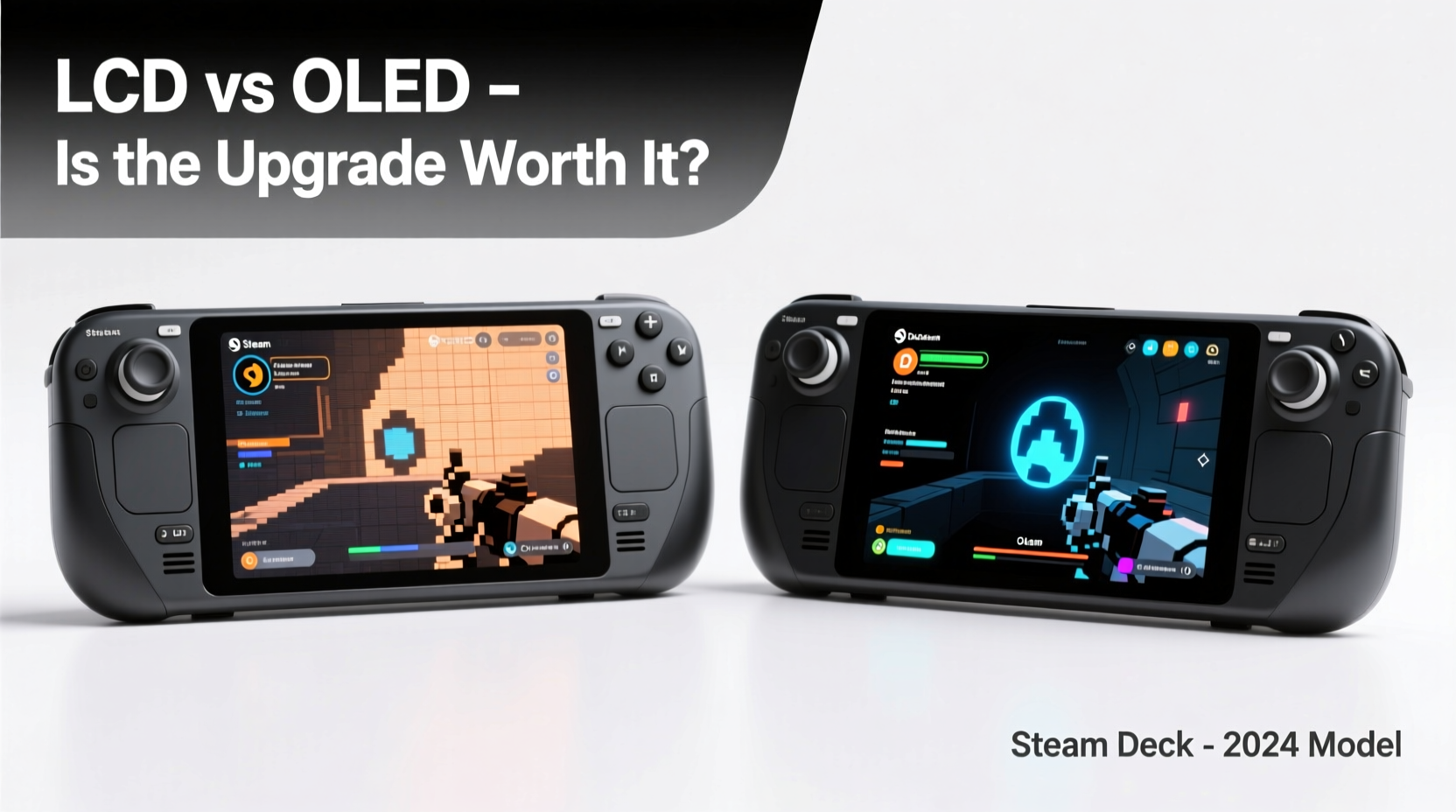
LCD (Liquid Crystal Display) and OLED (Organic Light-Emitting Diode) are fundamentally different in how they produce light and color. These differences affect contrast, response time, power consumption, and overall visual fidelity.
LCD screens use a backlight to illuminate liquid crystals that filter colors. This means every pixel relies on the same light source, even when displaying black. As a result, true blacks are difficult to achieve because some light always bleeds through. This leads to lower contrast ratios and less depth in dark scenes.
OLED technology, on the other hand, allows each pixel to emit its own light. When a pixel needs to display black, it turns off completely—resulting in perfect blacks and infinite contrast. This self-emissive property also enables faster response times, better viewing angles, and more vibrant colors.
Display Performance: A Side-by-Side Breakdown
The most noticeable difference between the two models lies in image quality. Let’s compare key display metrics side by side.
| Feature | Steam Deck LCD | Steam Deck OLED |
|---|---|---|
| Screen Type | 7-inch IPS LCD | 7.4-inch OLED |
| Resolution | 1280 x 800 | 1280 x 800 |
| Brightness (typical) | 400 nits | 1000 nits peak |
| Contrast Ratio | ~1000:1 | Infinite (per-pixel lighting) |
| Response Time | ~10ms | ~0.1ms |
| Refresh Rate | 60Hz | 60Hz (with improved motion clarity) |
| Viewing Angles | Good (IPS panel) | Excellent (near-perfect at all angles) |
The OLED model’s larger 7.4-inch screen offers slightly more screen real estate without increasing the device footprint dramatically. Combined with higher peak brightness and deeper blacks, this makes outdoor visibility far better than the LCD version. Sunlight-readable displays matter when gaming on patios, parks, or airplanes.
While resolution remains unchanged, the OLED's pixel-level control delivers sharper perceived detail in dark environments. Fast-moving action sequences in games like Doom Eternal benefit from near-instantaneous pixel transitions, reducing motion blur and ghosting.
Battery Life and Power Efficiency
One might assume that a brighter, more advanced screen would drain the battery faster. Surprisingly, the opposite is true. Despite its higher peak brightness, the Steam Deck OLED achieves longer battery life in many scenarios.
This counterintuitive result stems from OLED’s power-efficient design. Since black pixels consume no energy, games with dark UIs or night-time settings (e.g., Starfield, Resident Evil Village) actually use less power than on the LCD model. Valve reports up to **two additional hours** of gameplay under optimal conditions.
However, this advantage diminishes in bright scenes. Full-white screens or HUD-heavy strategy games can draw more power due to the high number of illuminated pixels. Overall, though, the average user sees a net gain in battery longevity.
“OLED isn’t just about better visuals—it’s a system-level improvement. The display alone contributes to longer runtime and cooler operation.” — Linus Sebastian, Tech Analyst at Linus Tech Tips
Real-World User Experience: A Mini Case Study
Consider Alex, a daily commuter who uses his Steam Deck for 45–60 minutes each way on the train. He originally owned the LCD model but upgraded to OLED after six months.
His primary complaints with the LCD were glare in daylight and short battery life during longer trips. After switching, he noticed immediate improvements: darker subway tunnels no longer washed out the screen, and he could finish entire chapters of narrative games without charging.
More importantly, Alex found that OLED reduced eye strain during extended sessions. The combination of higher contrast and reduced backlight flicker made prolonged reading in visual novels (Katawa Shoujo, Doki Doki Literature Club+) more comfortable.
For Alex, the $100 price increase was justified not by specs alone, but by cumulative comfort, usability, and enjoyment over time.
Additional Upgrades Beyond the Screen
It’s crucial to note that the OLED model isn’t just a screen swap. Valve bundled several meaningful hardware upgrades:
- Improved Wi-Fi 6E support – Faster, more stable wireless connections, especially beneficial for cloud gaming via GeForce NOW or Xbox Cloud.
- Newer SSD options (256GB/512GB) – NVMe-based storage with read speeds up to 2x faster than the original eMMC drives.
- Enhanced cooling system – Redesigned heatsink and fan allow quieter operation and sustained performance during intensive titles.
- Increased RAM bandwidth – Better memory efficiency improves frame pacing in CPU-heavy games.
- Revised hinge mechanism – Smoother opening/closing and improved durability.
These enhancements compound the value proposition. Even if you weren’t sold on OLED alone, the broader package makes the newer model objectively superior in nearly every technical category.
Is the Price Bump Justified? A Value Analysis
The base OLED model starts at $549 (256GB), compared to the original LCD’s $399 (64GB). That’s a $150 difference for the lowest-tier configuration. However, comparing equivalent storage tiers reveals a narrower gap:
- LCD 256GB (third-party reseller avg): ~$500
- OLED 256GB: $549
In effect, the premium for OLED and associated upgrades is closer to $50 when accounting for modern storage expectations. Given the generational leap in display quality, battery life, and internal components, this delta appears reasonable for most serious users.
For casual gamers who mostly play indie titles or emulated retro games, the LCD may still suffice. But for those investing in AAA ports, modded games, or streaming platforms, the OLED provides tangible benefits that accumulate over hundreds of hours.
Checklist: Should You Upgrade?
Use this checklist to decide if the OLED model aligns with your usage pattern:
- Do you play games with dynamic lighting or dark atmospheres? → OLED enhances depth and realism.
- Are you often gaming in bright environments? → Higher brightness improves visibility.
- Do you value longer battery life? → OLED delivers up to 2 extra hours depending on content.
- Do you care about system responsiveness and load times? → Faster SSD reduces wait times.
- Will you own the device for 2+ years? → Longevity favors future-proof hardware.
If three or more apply, the OLED is likely worth the investment.
Frequently Asked Questions
Can I notice the screen difference indoors?
Absolutely. While OLED excels outdoors, its infinite contrast ratio makes indoor gaming more immersive. Shadows appear richer, text is crisper, and colors pop without oversaturation. Even desktop navigation feels more polished.
Does OLED suffer from burn-in risk?
Potential, yes—but minimal in practice. Valve implemented software mitigations like pixel shifting, auto-brightness controls, and default screen timeout at 10 minutes. Most users report no issues after 1+ year of regular use. Avoid static HUDs for hours (e.g., spreadsheet apps) to minimize risk.
Is the larger screen harder to hold?
Not significantly. The 0.4-inch diagonal increase is offset by thinner bezels and refined ergonomics. Many users find the OLED version more balanced due to redistributed internal components.
Final Verdict: Who Should Buy Which Model?
The Steam Deck OLED isn’t merely an incremental update—it’s a refinement of the entire handheld concept. The screen is the headline feature, but it acts as part of a cohesive upgrade package that touches performance, efficiency, and usability.
For first-time buyers, the OLED model should be the default choice unless budget is strictly capped. At $549, it offers exceptional value for a full-fledged Windows-compatible PC in your hands. Resale demand remains high, indicating strong market confidence in its longevity.
Existing LCD owners should evaluate based on priorities. If you’re satisfied with current performance and don’t mind shorter battery life, upgrading may feel unnecessary. But if you crave better visuals, quieter fans, and longer sessions away from outlets, the transition pays dividends.
“The OLED Steam Deck doesn’t just look better—it *feels* like a next-generation device.” — Andrew Burnes, Senior Editor at IGN Hardware
Conclusion: Make the Choice That Fits Your Playstyle
Ultimately, choosing between the Steam Deck LCD and OLED comes down to what kind of experience you want. The LCD remains a capable machine, especially at discounted prices. But the OLED elevates every interaction—from booting into desktop to losing yourself in a dimly lit dungeon.
Technology advances not just in raw power, but in subtle refinements that shape how we engage with our devices. The Steam Deck OLED delivers those refinements in spades: deeper blacks, brighter highlights, longer endurance, and smoother operation. For most gamers, these aren’t luxuries—they’re quality-of-life improvements that make portable gaming more enjoyable day after day.
If you're ready to invest in a handheld that feels polished, powerful, and built to last, the OLED model isn't just worth the price bump—it sets a new standard.




 浙公网安备
33010002000092号
浙公网安备
33010002000092号 浙B2-20120091-4
Comments
No comments yet. Why don't you start the discussion?