
The battle for dominance in the handheld PC gaming space isn’t just about performance or screen quality—it’s also deeply rooted in how a device feels in your hands. Two of the most talked-about devices in this arena are Valve’s Steam Deck OLED and Ayaneo’s Pocket Air 2. While both offer powerful hardware and compact designs, their approach to controls couldn’t be more different. For gamers who prioritize tactile feedback, button placement, and long-term comfort, understanding these differences is essential.
This comparison focuses exclusively on control design—how buttons are laid out, how responsive they are, and how well they accommodate different play styles. Whether you’re a casual player or someone logging dozens of hours in RPGs and platformers, the right control scheme can make or break your experience.
Ergonomic Design and Form Factor
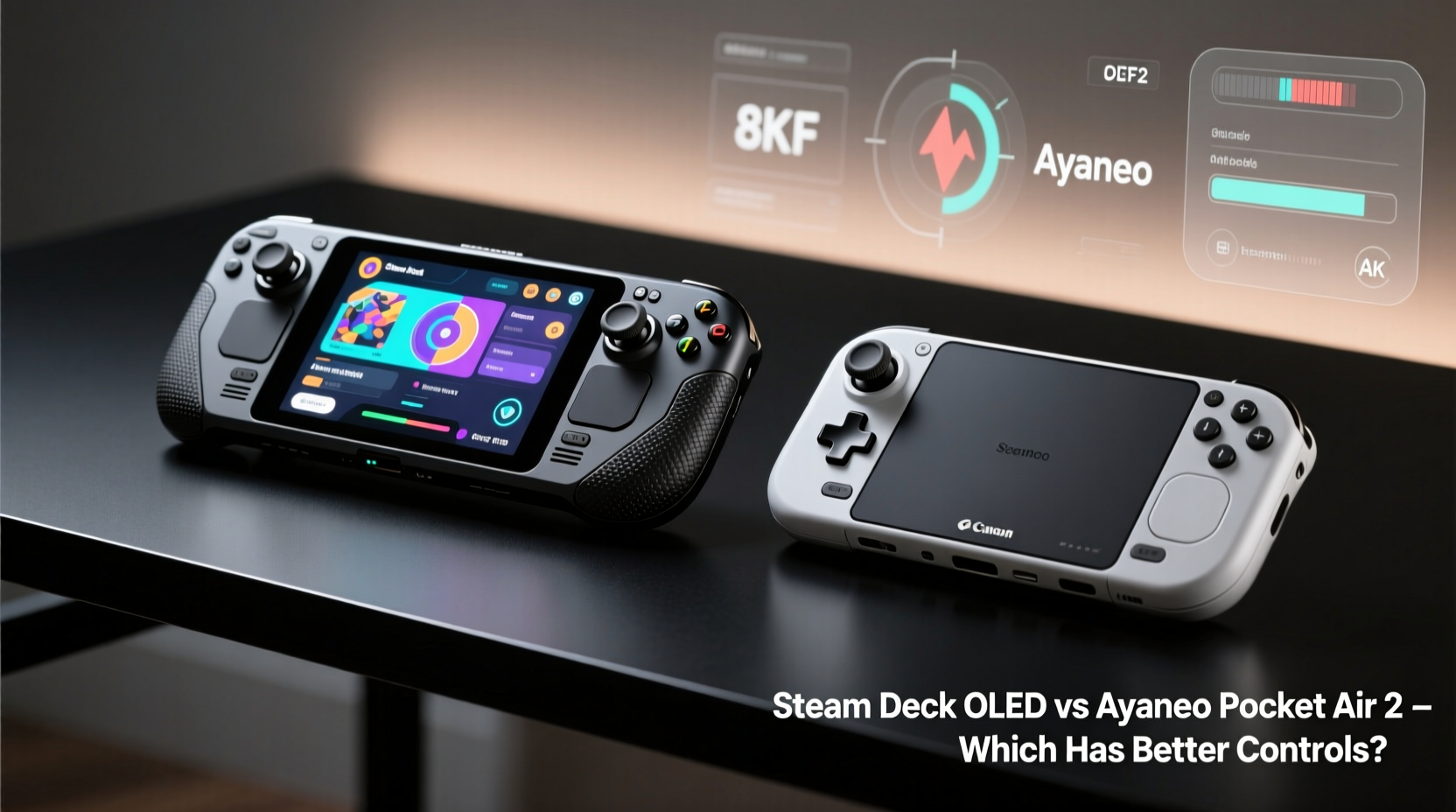
The first thing you notice when picking up either device is its shape and how it fits in your hands. The Steam Deck OLED follows a traditional gamepad layout with symmetrical analog sticks, D-pads, shoulder triggers, and face buttons arranged in a familiar console-like pattern. It's bulkier than the Pocket Air 2 but designed with grip depth and hand coverage in mind. Its rounded edges and textured grips provide a secure hold, even during extended sessions.
In contrast, the Ayaneo Pocket Air 2 adopts a slimmer, more smartphone-inspired profile. With a vertically centered screen and compact body, it’s significantly lighter and easier to hold one-handed. However, this minimalist design comes at a cost: the shoulder buttons are smaller, and the analog sticks are positioned closer together, which can feel cramped for users with larger hands.
Valve clearly optimized the Steam Deck for two-handed use over long periods, while Ayaneo targeted portability and sleek aesthetics. This fundamental difference shapes the entire control experience.
Button Layout and Accessibility
One of the most critical aspects of any handheld controller is how intuitively you can reach each button without shifting your grip. The Steam Deck OLED uses a standard Xbox-style layout: left stick and D-pad on the left, face buttons (A/B/X/Y) on the right, bumpers and triggers above, and rear paddles (user-programmable) near the back edge. All primary inputs are within easy thumb range, and the spacing allows precise actuation without accidental presses.
The Ayaneo Pocket Air 2, however, condenses everything into a tighter footprint. The face buttons are slightly recessed and aligned diagonally, reminiscent of older Nintendo DS layouts. Some users find this arrangement less intuitive, especially if they're used to PlayStation or Xbox symmetry. Additionally, the lack of rear buttons by default means fewer programmable options unless you opt for an aftermarket mod or firmware customization.
Another key distinction is the presence of trackpads. The Steam Deck includes two large capacitive touchpads that double as mouse replacements—a necessity for navigating desktop environments and non-controller-friendly games. While not “controls” in the traditional sense, they expand input versatility significantly. The Pocket Air 2 lacks trackpads entirely, relying solely on touchscreen interaction or external peripherals via Bluetooth.
“Physical input flexibility separates power-user devices from casual ones. The Steam Deck’s inclusion of trackpads gives it an edge in hybrid usability.” — Marcus Lin, Handheld Gaming Analyst at TechPlay Review
Haptic Feedback and Analog Stick Performance
Analog sticks are where many handhelds falter, particularly budget models. Both the Steam Deck OLED and Pocket Air 2 use Hall-effect joysticks, meaning they rely on magnetic sensors rather than physical contacts. This results in smoother movement, reduced drift over time, and greater durability.
That said, there are subtle differences in implementation. The Steam Deck’s sticks have a moderate resistance level and a slightly taller throw, making them ideal for precision aiming in shooters or nuanced platforming in indie titles. They’re also replaceable through official Valve service kits, adding to long-term maintainability.
The Pocket Air 2’s sticks are shorter and sit flush with the casing, reducing snagging but limiting travel distance. Some players report a “mushy” initial response, requiring extra pressure to register small movements. While adequate for most genres, they may frustrate competitive FPS players or those accustomed to higher-end controllers.
Vibration feedback also differs. The Steam Deck uses dual linear actuators that deliver dynamic, context-sensitive rumble—subtle tremors during stealth sections, sharp jolts during explosions. The Pocket Air 2 employs smaller eccentric rotating mass (ERM) motors, which produce noticeable but less refined vibrations. There’s no fine gradation; it’s largely on or off.
| Feature | Steam Deck OLED | Ayaneo Pocket Air 2 |
|---|---|---|
| Analog Sticks | Hall-effect, medium throw, replaceable | Hall-effect, short throw, fixed assembly |
| Trigger Buttons | Dual-stage (click + press), adjustable sensitivity | Standard digital triggers |
| Haptic Feedback | Dual linear actuators, variable intensity | Single ERM motor, binary vibration |
| Rear Inputs | Two programmable paddles | None (without mods) |
| Touch Input | Dual large trackpads + touchscreen | Touchscreen only |
Customization and Software Integration
Where the Steam Deck truly shines is in software-level control customization. Through SteamOS, users can remap every button, adjust dead zones on analog sticks, assign macros to rear paddles, and even create per-game profiles. You can simulate mouse movement via gyro or map trackpad gestures to specific actions. These features aren't just cosmetic—they transform how you interact with games originally designed for keyboard and mouse.
The Pocket Air 2 runs Windows 11 Home, giving it broader compatibility with legacy applications and emulators. However, native control customization requires third-party tools like reWASD or JoyToKey. Ayaneo’s own software suite offers limited tuning options compared to Valve’s seamless integration. While technically capable, the process feels fragmented and less accessible to average users.
Additionally, the absence of built-in gyro controls on the Pocket Air 2 limits motion-assisted gameplay. The Steam Deck includes six-axis motion sensing, enabling gyro aiming in supported titles—an increasingly popular feature among shooter fans. Without it, the Pocket Air 2 falls behind in immersive control mechanics.
Real-World Usage: A Mini Case Study
Consider Alex, a 32-year-old developer and avid gamer who commutes daily and plays during lunch breaks. He initially chose the Ayaneo Pocket Air 2 for its slim size and Android-like convenience. After three weeks, he found himself frustrated during longer sessions of *Hades* and *Dead Cells*. The compact stick placement led to fatigue, and the lack of rear buttons meant frequent menu navigation with his thumbs.
He borrowed a friend’s Steam Deck OLED for a weekend trip. Despite the added weight, he was surprised by how comfortable it felt after two hours of continuous play. The trackpads made navigating *Baldur’s Gate 3* far easier than tapping on glass, and the rear paddles let him bind dodge and attack modifiers without stretching. Within days, he sold the Pocket Air 2 and purchased a Steam Deck OLED—citing \"control longevity\" as the deciding factor.
This scenario reflects a common trend: users drawn to the Pocket Air 2 for its aesthetics often return to the Steam Deck for sustained usability.
Step-by-Step Guide: Evaluating Control Comfort Before Purchase
- Assess hand size and grip preference: Measure your palm span. If over 7 inches, the Steam Deck will likely fit better.
- Simulate gameplay posture: Hold a similarly sized object (like a large phone or remote) for 20 minutes to test fatigue points.
- Check analog stick spacing: On devices with tight clusters, practice quick 180-degree turns to see if accuracy suffers.
- Test thumb reach: Ensure you can press face buttons, triggers, and rear inputs without repositioning your grip.
- Evaluate software flexibility: Look up whether the OS supports deep remapping and profile saving.
- Read long-term user reviews: Focus on comments about wear, stick drift, and button durability after six months of use.
Frequently Asked Questions
Can I add rear buttons to the Ayaneo Pocket Air 2?
Yes, though not natively. Third-party accessories like clip-on paddles exist, and some users install DIY solutions using 3D-printed mounts. However, these may affect portability and balance.
Is the Steam Deck OLED too big for small hands?
Some users with very small hands (under 6-inch palm span) report difficulty reaching the right-side triggers comfortably. Using grip tape or a silicone sleeve can help stabilize the device and reduce strain.
Do both devices support external controllers?
Absolutely. Both can pair with Bluetooth gamepads, allowing you to use preferred controllers for certain games. However, this defeats the purpose of an all-in-one handheld unless used selectively.
Final Verdict: Which Has Better Controls?
If control quality is your top priority, the Steam Deck OLED emerges as the superior choice. Its thoughtful ergonomics, advanced haptics, programmable rear paddles, and deeply integrated software ecosystem create a more complete and adaptable control experience. It’s built not just for playing games, but for mastering them—especially those demanding high input precision or complex bindings.
The Ayaneo Pocket Air 2 excels in portability and visual appeal, offering a minimalist alternative for gamers who value discretion and lightweight design. But when it comes to tactile responsiveness, long-term comfort, and functional versatility, it doesn’t match the Steam Deck’s maturity. Its control layout feels like a compromise—one acceptable for casual use, but limiting under sustained pressure.
Ultimately, the best controls aren’t just about what’s physically present, but how well they serve your playstyle across genres and durations. The Steam Deck OLED delivers consistency, refinement, and adaptability. For serious handheld gamers, that makes all the difference.




 浙公网安备
33010002000092号
浙公网安备
33010002000092号 浙B2-20120091-4
Comments
No comments yet. Why don't you start the discussion?