
The handheld gaming market has exploded in recent years, with Valve’s Steam Deck and ASUS’s ROG Ally leading the charge. While both devices promise console-level PC gaming in your hands, they take fundamentally different approaches. The Steam Deck runs SteamOS, a Linux-based system optimized for games, while the ROG Ally ships with full Windows 11—offering broader software compatibility but raising questions about practicality. So, is Windows on a handheld actually usable? And how does the new Steam Deck OLED stack up against the ROG Ally in real-world use?
Design and Build: Form Meets Function
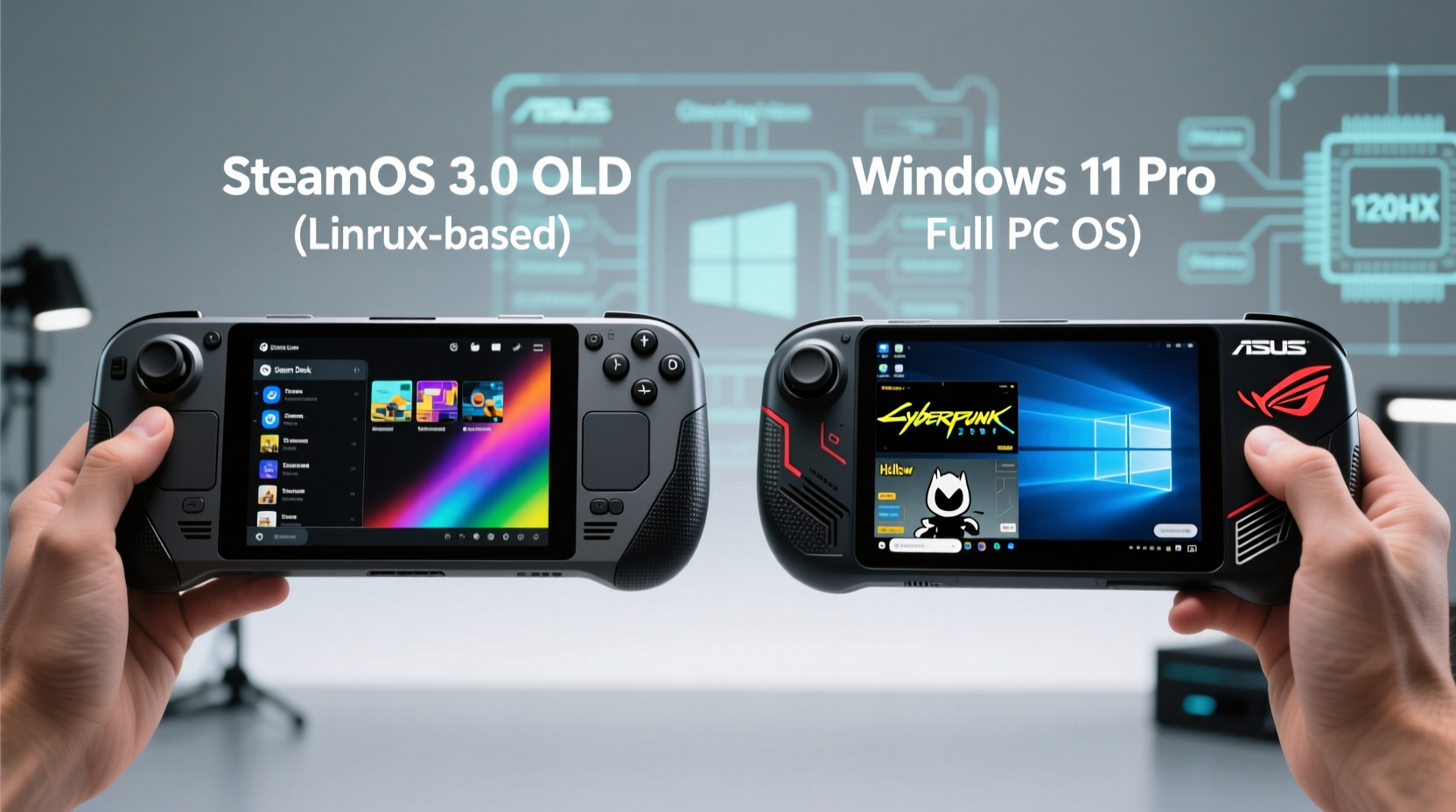
The physical design of a handheld directly impacts comfort during long gaming sessions. The Steam Deck OLED, released in late 2023, refined Valve’s original vision with a brighter display, improved battery life, and subtle ergonomic tweaks. Its 7.4-inch OLED screen delivers deeper blacks and richer colors, making it ideal for immersive single-player titles. The build feels solid, with textured grips that reduce slippage.
In contrast, the ROG Ally opts for a sleeker, more angular design with a 7-inch 1080p LCD at 120Hz. While slightly smaller, the higher refresh rate benefits fast-paced shooters and competitive games. ASUS also included customizable shoulder buttons and a built-in kickstand—a small but meaningful addition for tabletop play.
Weight distribution is where personal preference kicks in. The Steam Deck OLED weighs 640g, while the ROG Ally comes in at 608g. That difference is noticeable over time, especially when playing in handheld mode for hours. However, the Deck’s wider form factor may suit larger hands better, offering more natural thumb placement on the analog sticks.
Performance and Gaming Experience
Under the hood, both devices are built around AMD’s custom APUs, but their architectures differ significantly. The Steam Deck OLED uses a refreshed version of Valve’s first-gen APU, now clocked slightly higher and paired with faster RAM. It targets 30–60 FPS in native games, depending on settings, and excels in well-optimized titles like *Hades*, *Portal: Still Alive*, and *Baldur’s Gate 3*.
The ROG Ally packs a Ryzen Z1 Extreme chip—the same silicon powering many high-end handhelds—which offers substantially more CPU and GPU horsepower. In theory, this allows for higher frame rates and better performance in demanding games like *Cyberpunk 2077* or *Elden Ring*. However, raw power doesn’t always translate to smoother gameplay, especially when Windows isn’t tuned for handheld efficiency.
One major issue with the ROG Ally is thermal throttling. Despite its vapor chamber cooling solution, sustained loads can cause temperatures to spike, leading to inconsistent frame pacing. The Steam Deck OLED, meanwhile, benefits from years of firmware refinement. Its fan profile is quieter and more predictable, maintaining steady performance without sudden drops.
“Windows on handhelds gives you access to everything—but only if you’re willing to manage it.” — Mark Liu, Senior Hardware Analyst at TechPulse
Operating System: Linux Simplicity vs. Windows Flexibility
This is where the core debate lies. SteamOS, based on Arch Linux, is purpose-built for gaming. It boots directly into the Steam interface, minimizing distractions and background processes. Game Mode optimizes system resources, and Proton (Valve’s compatibility layer) now supports over 90% of Steam’s library with minimal user input.
On the other hand, the ROG Ally runs full Windows 11 Home. This means you can install any application—Discord, Chrome, OBS, even Adobe Suite—if you want. You can also access non-Steam platforms like Xbox Game Pass, EA App, and GOG natively. For multitaskers or streamers, this flexibility is invaluable.
But Windows brings overhead. Background updates, telemetry, and startup bloat can drain battery and interfere with gameplay. Even in “Game Mode,” Windows isn’t as tightly controlled as SteamOS. Input lag, driver conflicts, and unexpected pop-ups (like update notifications) have plagued early ROG Ally users.
ASUS has attempted to bridge the gap with Armoury Crate SE, a dashboard designed to mimic Steam’s Big Picture Mode. But it’s still a third-party launcher grafted onto an OS not designed for controllers. Navigating desktop apps with a joystick remains awkward, and some games fail to recognize controller inputs correctly without manual configuration.
Real-World Example: A Week with Both Devices
Consider Alex, a mid-core gamer who plays *Dead Cells*, *Disco Elysium*, and occasionally edits videos on the go. He bought the ROG Ally expecting seamless transitions between gaming and productivity. At first, it worked well—he launched *Forza Horizon 5* through Xbox Game Pass and edited footage in DaVinci Resolve.
But after a few days, frustrations mounted. Windows updated overnight, consuming bandwidth and rebooting during a game session. Battery life dropped to under three hours when streaming 4K video. Controller mapping broke in indie titles unless he manually edited config files. Eventually, he installed a lightweight Linux distro just to play older Steam games smoothly.
When he borrowed a friend’s Steam Deck OLED, the experience was strikingly different. Boot time was under 10 seconds. Games launched instantly. Battery lasted six hours in *Hades*. No updates interrupted gameplay. The trade-off? He couldn’t run his editing suite or access Game Pass PC. But for pure gaming, it felt more polished.
Comparison Table: Key Features at a Glance
| Feature | Steam Deck OLED | ROG Ally |
|---|---|---|
| Display | 7.4\" OLED, 1280×800, 60Hz | 7.0\" LCD, 1920×1080, 120Hz |
| OS | SteamOS 3.5 (Linux) | Windows 11 Home |
| Processor | Custom AMD APU (Zen 2, RDNA 2) | Ryzen Z1 Extreme (Zen 4, RDNA 3) |
| Battery Life | 3–7 hours (game-dependent) | 2–4 hours (high load), up to 5 (light) |
| Storage | 512GB / 1TB NVMe (user-replaceable) | 512GB / 1TB SSD (M.2 2230) |
| Ports | USB-C (DP 1.4, PD), headphone jack | USB-C (DP 1.4, PD), microSD, headphone jack |
| Controller Layout | Tactile trackpads, rear paddles | Standard ABXY, customizable triggers |
| Price (Starting) | $549 (512GB) | $699 (512GB) |
Is Windows on a Handheld Actually Usable?
The short answer: yes—but with caveats. Windows on the ROG Ally is technically functional, but it demands more effort from the user to achieve a smooth experience. Here’s what it takes to make it work well:
- Disable background apps: Turn off unnecessary startup programs via Task Manager.
- Schedule updates manually: Prevent automatic reboots by setting active hours and pausing updates.
- Use Game Bar wisely: Disable widgets and notifications that can interrupt gameplay.
- Optimize power settings: Set the plan to “Best Performance” only when needed; use “Balanced” otherwise.
- Install controller drivers: Use tools like DS4Windows or reWASD to ensure full compatibility.
Even with these steps, Windows remains inherently less efficient than a streamlined OS. The ROG Ally’s advantage lies in versatility, not consistency. If you value being able to run *Microsoft Excel* between gaming sessions or use specialized software, Windows makes sense. But if your priority is pick-up-and-play reliability, SteamOS wins.
Step-by-Step Guide: Optimizing the ROG Ally for Gaming
To get the most out of the ROG Ally, follow this optimization routine:
- Update BIOS and drivers: Visit the ASUS support site and install the latest firmware and AMD chipset drivers.
- Switch to GameFirst VI: Enable network prioritization for lower latency in online games.
- Adjust display scaling: In Settings > System > Display, set scaling to 150% for clearer text in desktop mode.
- Configure Armoury Crate: Set default performance mode to “Performance” and disable RGB lighting to save power.
- Enable Auto-Sync: Link your Steam, Epic, and Xbox accounts within Armoury Crate for unified game launching.
- Calibrate controls: Use the built-in calibration tool to fine-tune joystick dead zones and trigger sensitivity.
- Test battery life: Play a AAA title for one hour and monitor consumption; adjust graphics settings accordingly.
After setup, reboot and test with a mix of native and emulated titles. You’ll likely find that well-optimized games like *Guerrilla Wilds* or *Starfield* run acceptably, while older or poorly ported titles may require Proton-like wrappers or community patches.
Frequently Asked Questions
Can I install SteamOS on the ROG Ally?
Technically, yes—you can dual-boot or replace Windows with a Linux distribution like Arch or Nobara. However, GPU drivers and power management may not be fully optimized, potentially leading to reduced performance or battery life. Community projects like ChimeraOS aim to bring SteamOS-like experiences to x86 handhelds, but they’re still in development.
Does the Steam Deck OLED support external monitors?
Absolutely. Using a USB-C hub with DisplayPort Alt Mode, you can output up to 4K@60Hz to an external display. The Steam Deck automatically switches to docked mode, enabling desktop environment access. This makes it surprisingly capable as a minimalist travel PC.
Which device has better battery life?
The Steam Deck OLED consistently outperforms the ROG Ally in battery efficiency. Due to its lower-power display, optimized OS, and conservative clock speeds, it achieves 3–7 hours depending on the game. The ROG Ally, despite having similar battery capacity, often lasts only 2–4 hours under heavy load due to higher resolution, refresh rate, and Windows overhead.
Final Verdict: Choosing Your Path
The choice between the Steam Deck OLED and ROG Ally ultimately hinges on philosophy. Are you a focused gamer who wants a reliable, hassle-free experience? Then the Steam Deck OLED—with its superior battery life, refined interface, and growing library of compatible titles—is the smarter pick. Its OLED screen alone transforms visual storytelling in narrative-driven games.
But if you crave flexibility—if you want to browse the web, edit documents, stream, and tinker with settings—then the ROG Ally’s Windows foundation offers unmatched potential. It’s a full PC in handheld form, albeit one that requires maintenance and patience to unlock its best self.
Neither device is objectively “better.” They represent two visions of handheld gaming: curated simplicity versus open-ended power. As developer support improves and tools like Gamepass Cloud and cloud streaming evolve, the gap may narrow. For now, consider what kind of player you are—and choose accordingly.




 浙公网安备
33010002000092号
浙公网安备
33010002000092号 浙B2-20120091-4
Comments
No comments yet. Why don't you start the discussion?