
In today’s digital-first world, ordering online has become a daily necessity. From groceries to electronics, the convenience of shopping from home is unmatched. Yet, many people hesitate due to concerns about fraud, data breaches, or receiving counterfeit products. The truth is, with the right knowledge and habits, online ordering can be not only easy but also highly secure. This guide walks you through every essential step—from selecting trustworthy sites to safeguarding your payment information—so you can shop with confidence and peace of mind.
1. Choose Reputable Websites and Platforms
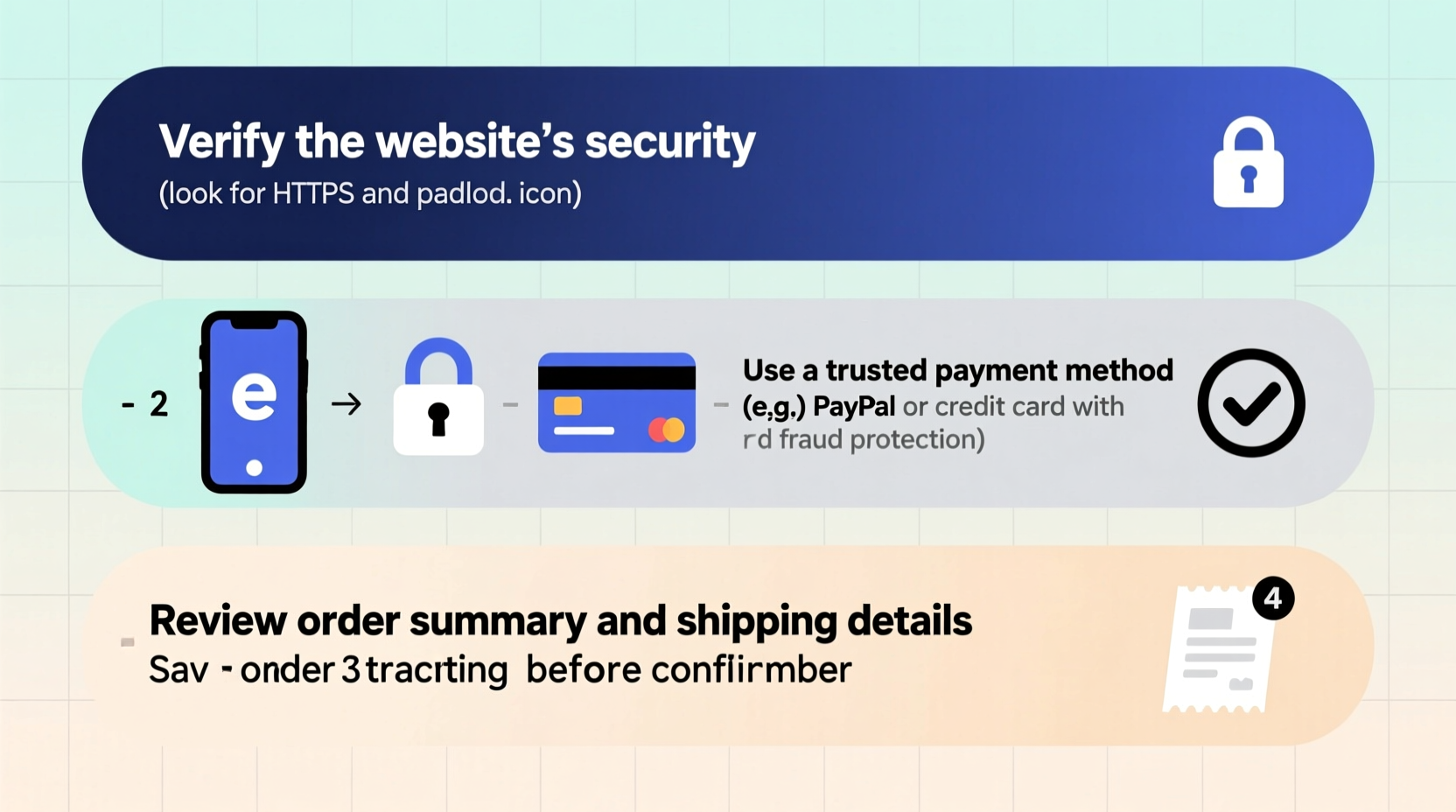
The foundation of safe online shopping starts with where you place your order. Not all websites are created equal, and some may exist solely to collect personal or financial data. Stick to well-known retailers like Amazon, Walmart, Target, or official brand stores (e.g., Nike.com, Apple.com). These platforms invest heavily in cybersecurity and customer protection.
If you're considering a lesser-known site, verify its legitimacy. Look for clear contact information, a physical address, and a customer service phone number. Avoid sites with poor design, broken links, or excessive pop-up ads—these are red flags.
How to Verify a Website’s Trustworthiness
- Check for HTTPS in the URL (look for the padlock icon in the address bar)
- Review third-party ratings on Trustpilot, Better Business Bureau (BBB), or Sitejabber
- Ensure the domain name matches the brand exactly (beware of “amaz0n-deals.net”)
- Look for clear return policies, shipping details, and privacy statements
“Always assume unfamiliar websites are risky until proven otherwise. One-time savings aren’t worth long-term data exposure.” — Sarah Lin, Cybersecurity Analyst at NetShield Security Group
2. Secure Your Device and Network
Your device is the gateway to every transaction. Even the most secure website can't protect you if your phone or laptop is compromised. Before placing any order, ensure your operating system, browser, and antivirus software are up to date. Outdated software often contains vulnerabilities that hackers exploit.
Avoid making purchases over public Wi-Fi networks—at cafes, airports, or hotels. These connections are rarely encrypted and make it easy for cybercriminals to intercept sensitive data. Instead, use your mobile data or a trusted private network.
Device Safety Checklist
- Install reputable antivirus software (e.g., Bitdefender, Norton)
- Enable automatic updates for your OS and apps
- Use a password manager to generate and store strong passwords
- Log out of shopping accounts after each session
- Clear browsing history and cookies regularly
3. Protect Your Payment Information
This is the most critical phase of online ordering. Never enter credit card details on a site that doesn’t use encryption (HTTPS). You can confirm this by checking for a lock symbol next to the web address.
For added security, consider using virtual credit cards or digital wallets like PayPal, Apple Pay, or Google Pay. These services act as intermediaries, so your actual card number is never shared with the merchant. Many banks now offer one-time virtual card numbers with spending limits—ideal for testing new sites.
| Payment Method | Security Level | Best For |
|---|---|---|
| Credit Card (direct) | Moderate | Established retailers with buyer protection |
| Debit Card | Low | Not recommended—limited fraud protection |
| PayPal | High | Most purchases, especially on marketplaces |
| Virtual Credit Card | Very High | One-time or trial subscriptions |
| Cryptocurrency | Variable | Niche vendors; irreversible transactions |
Avoid saving your payment details on websites unless absolutely necessary. While convenient, stored cards increase risk if the site suffers a data breach.
4. Navigate the Ordering Process with Confidence
Once you’ve selected a product, proceed methodically. Double-check the item description, size, color, seller (especially on marketplaces like eBay or Amazon), and shipping costs. Hidden fees often appear at checkout, so review the total before confirming.
Keep records of your order confirmation email, tracking number, and estimated delivery date. Most reputable sellers provide real-time updates via email or SMS.
Step-by-Step Ordering Timeline
- Select Item: Confirm specifications and seller reputation
- Review Cart: Check quantity, price, taxes, and shipping
- Enter Shipping Info: Use accurate details; avoid public addresses
- Choose Payment: Prefer digital wallets or virtual cards
- Confirm Order: Save confirmation number and email
- Track Delivery: Use official carrier links only
- Inspect Upon Arrival: Document any damage before accepting
“I once ordered a ‘luxury’ watch from a flashy ad. It arrived in a plastic bag with no branding. Always check seller ratings—even on big platforms.” — Marcus Reed, frequent online shopper from Austin, TX
5. Recognize and Avoid Common Scams
Phishing emails, fake websites, and too-good-to-be-true deals are rampant. Scammers often mimic legitimate brands with slight misspellings or urgent language (“Your account will be suspended!”).
If you receive an unsolicited message claiming to be from a retailer, do not click any links. Instead, log in directly through the official app or website to check your account status.
Do’s and Don’ts of Online Ordering
| Do’s | Don’ts |
|---|---|
| Shop on HTTPS-enabled sites | Enter card details on HTTP pages |
| Use strong, unique passwords | Reuse passwords across shopping sites |
| Monitor bank statements weekly | Ignore small unauthorized charges |
| Read customer reviews carefully | Trust only star ratings without reading feedback |
| Report suspicious activity immediately | Wait days to dispute fraudulent charges |
Frequently Asked Questions
What should I do if I’m charged but never receive my order?
Contact the seller first through official channels. If unresolved, file a dispute with your bank or payment provider within 60 days. With PayPal or credit cards, you’re typically covered under buyer protection policies.
Is it safer to use a credit card or debit card online?
Credit cards are significantly safer. They offer stronger fraud protection, and unauthorized charges don’t immediately withdraw money from your bank account. Debit cards link directly to your funds, making recovery slower and more complicated.
Can I trust online reviews?
Not all reviews are genuine. Look for detailed feedback with photos, and check for patterns—multiple reviews mentioning “never received” or “fake product” are warning signs. Be skeptical of products with hundreds of five-star reviews posted within a few days.
Take Control of Your Online Shopping Experience
Ordering online doesn’t have to be stressful or risky. By choosing trusted platforms, securing your devices, using smart payment methods, and staying alert to red flags, you can enjoy the full benefits of digital commerce with minimal risk. Confidence comes not from avoiding technology, but from understanding how to use it wisely. Start applying these steps today—your future self will appreciate the peace of mind.




 浙公网安备
33010002000092号
浙公网安备
33010002000092号 浙B2-20120091-4
Comments
No comments yet. Why don't you start the discussion?